
Parallels to a regular or irregular shape illustrator
WapitiCaptivant25 -
Hello,
Hello,
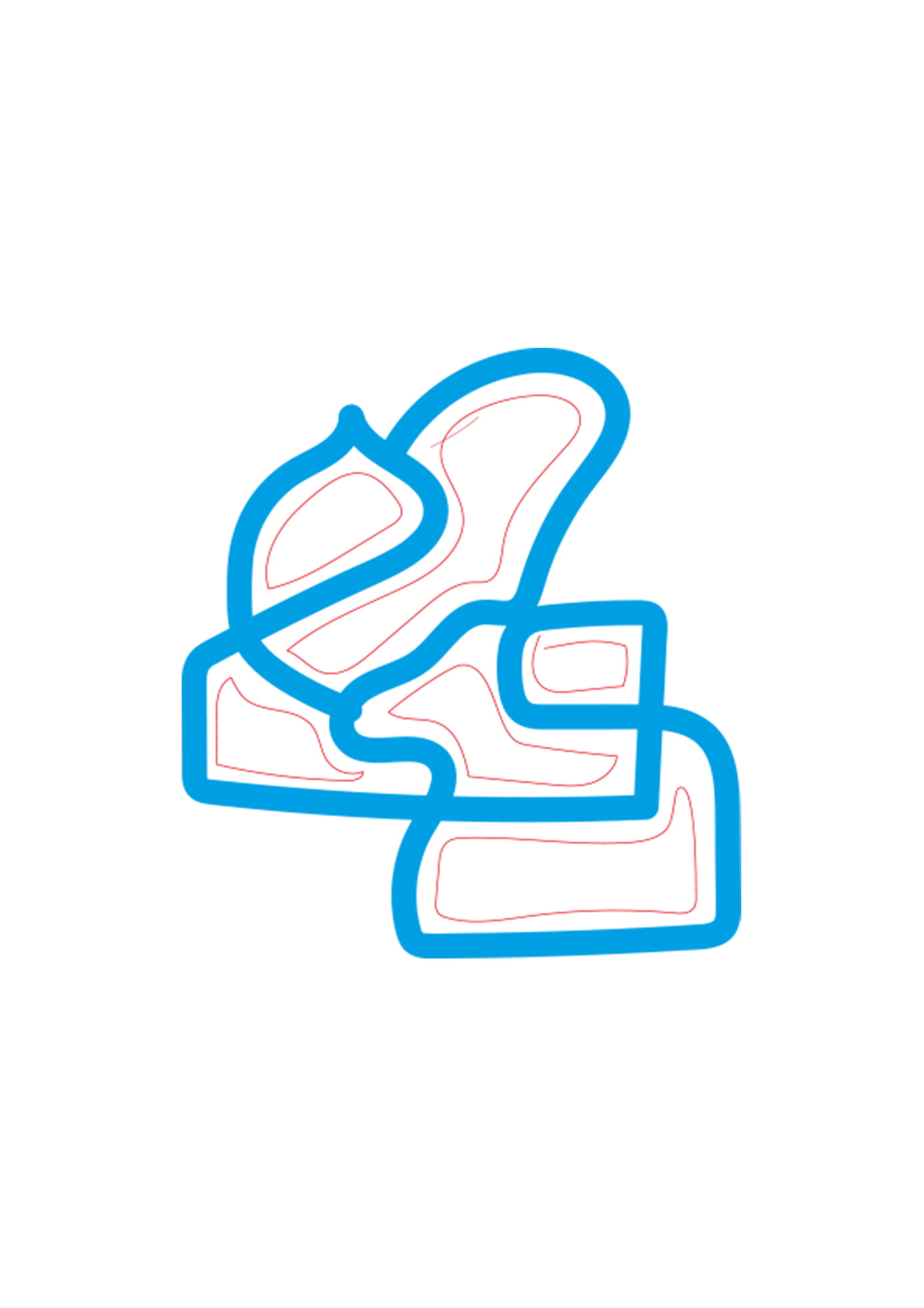
how can we automatically create parallel shapes to closed paths, regular or irregular, and offset them inside the original shapes in Illustrator?
See image, the desired lines are in red.
Thank you for your collaboration.
3 answers
-
Hello,
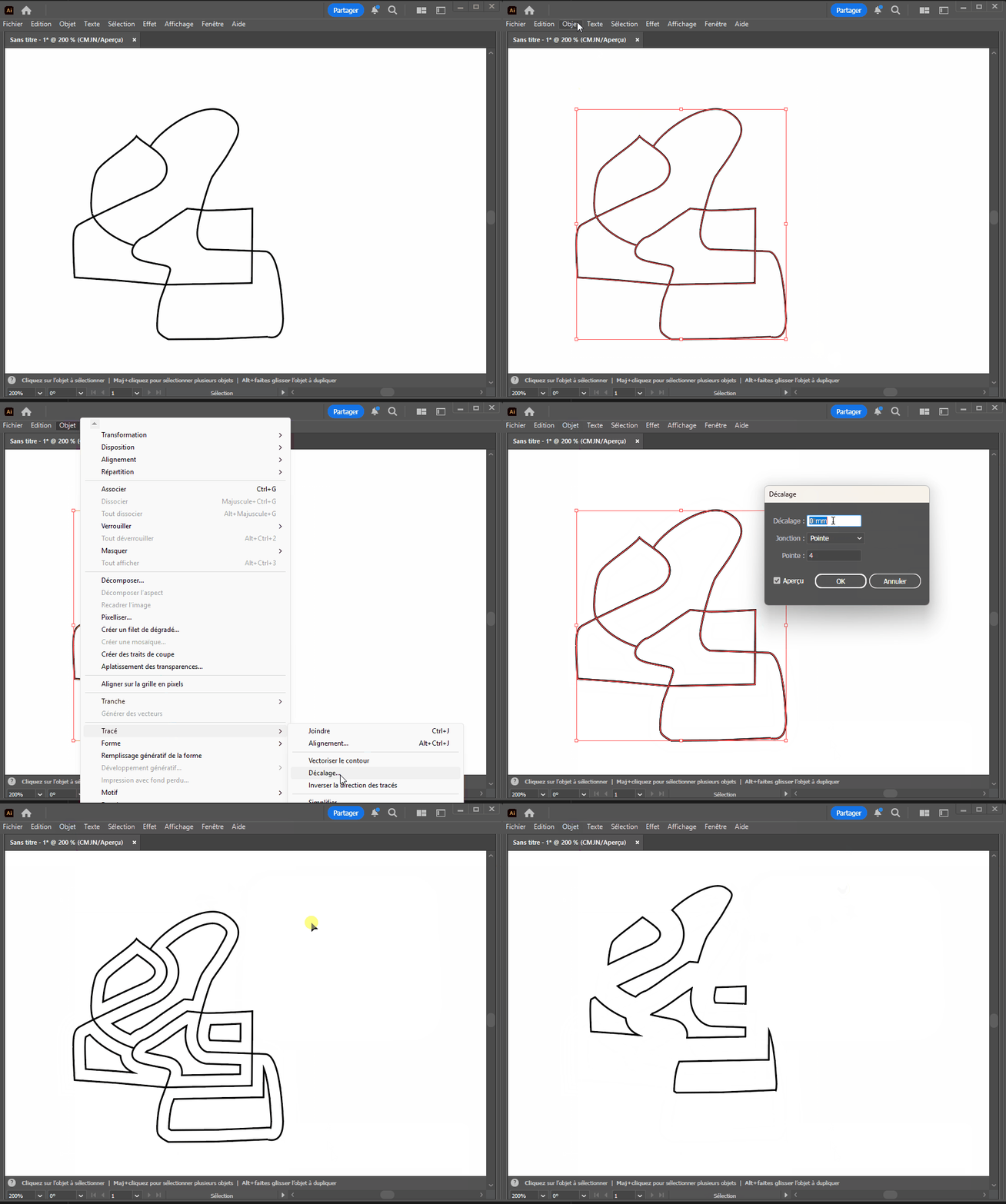
You need to use the offset option:
-
There might be a slightly faster method, but it still requires selective deletion.
You add a stroke to your shapes with the desired thickness, you break down the stroke of the shapes (Object menu/break apart).
You switch to "Trace" mode, break it down again, and with the white arrow, you remove the extra traces. -
Hello,
just copy the shapes by selecting each point of the desired path, then drag and resize to position them where needed.
There might be other more 'automated' solutions, but I'm not sure, and my method is quite simple and quick: you use the white arrow and '+' to add point by point, or with the white arrow while holding ctrl on click, you can encircle the area if it's not too complex.
If the shapes overlap many points and the image is hard to read, switch to 'paths' mode (ctrl+y or cmd+y) where you will only see the points without colors.
Another potential solution that can have its advantages (-and disadvantages-) is to redraw with the pen tool on a layer above, then drag and resize the resulting shape. This can be faster depending on the shape/complexity and desired precision, but of course, you need to be comfortable with the pen tool and handling Bézier curve points.

