
HP Laptop WiFi
billmaxime Posted messages 50531 Registration date Status Contributor Last intervention -
Hello
My HP laptop disconnects from the WiFi as soon as I open an application.
Can you help me? Thank you
25 answers
- 1
- 2
-
jeannets Posted messages 28451 Registration date Status Contributor Last intervention Ambassador 6 616
Hello,
You also need to participate a bit to get help, by helping us.
-- What is the model of this HP..? What version of Windows..? How old is it..?
-- What application is causing the Wifi to crash..? Or is it for all applications..?
What is the distance between the BOX and the PC..? And the number of walls or concrete slabs..?
Is the wifi a shared connection from a phone..? Or is it a BOX from an ISP..?
There are 9 questions.
-
Sorry for not providing the details.
It's a HP portable Laptop 15-FC0082NF equipped with Windows 11 purchased in April 2025.
The wifi disconnects regularly after about ten minutes of use no matter the application (banking, messaging, etc.).
The computer is 3 meters away from the box without any walls. At first, I thought it was the box, but it was replaced with a Livebox5 and the same problem persists.
-
hi
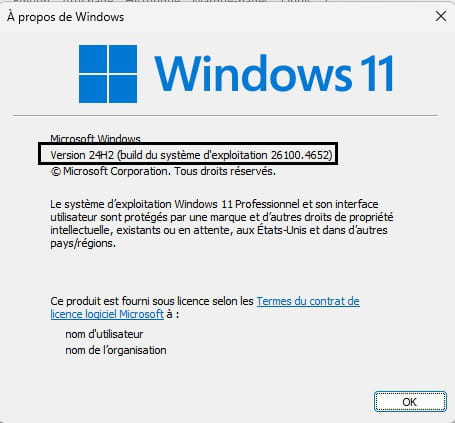
what is the version of W11?
in search, type WINVER and click on Open
example in image:
also check in the device manager if you have any alerts (? or /!\) yellow
cya
-
-
-
-
-
re
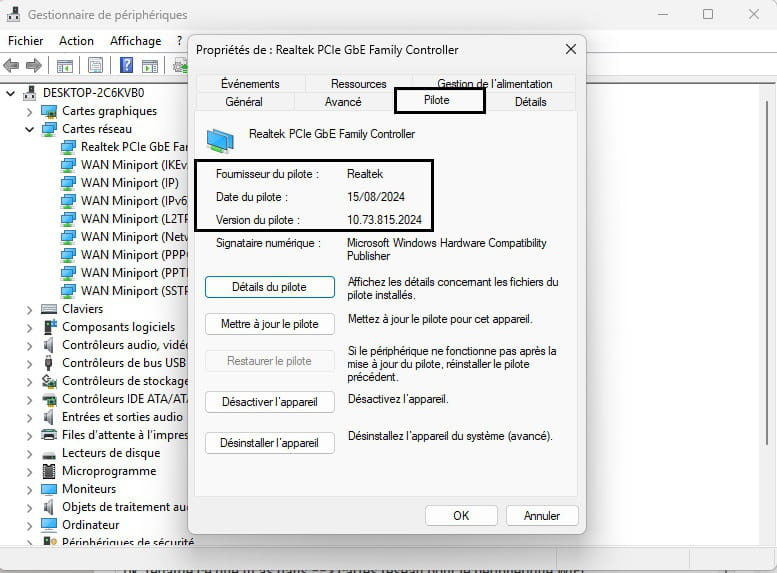
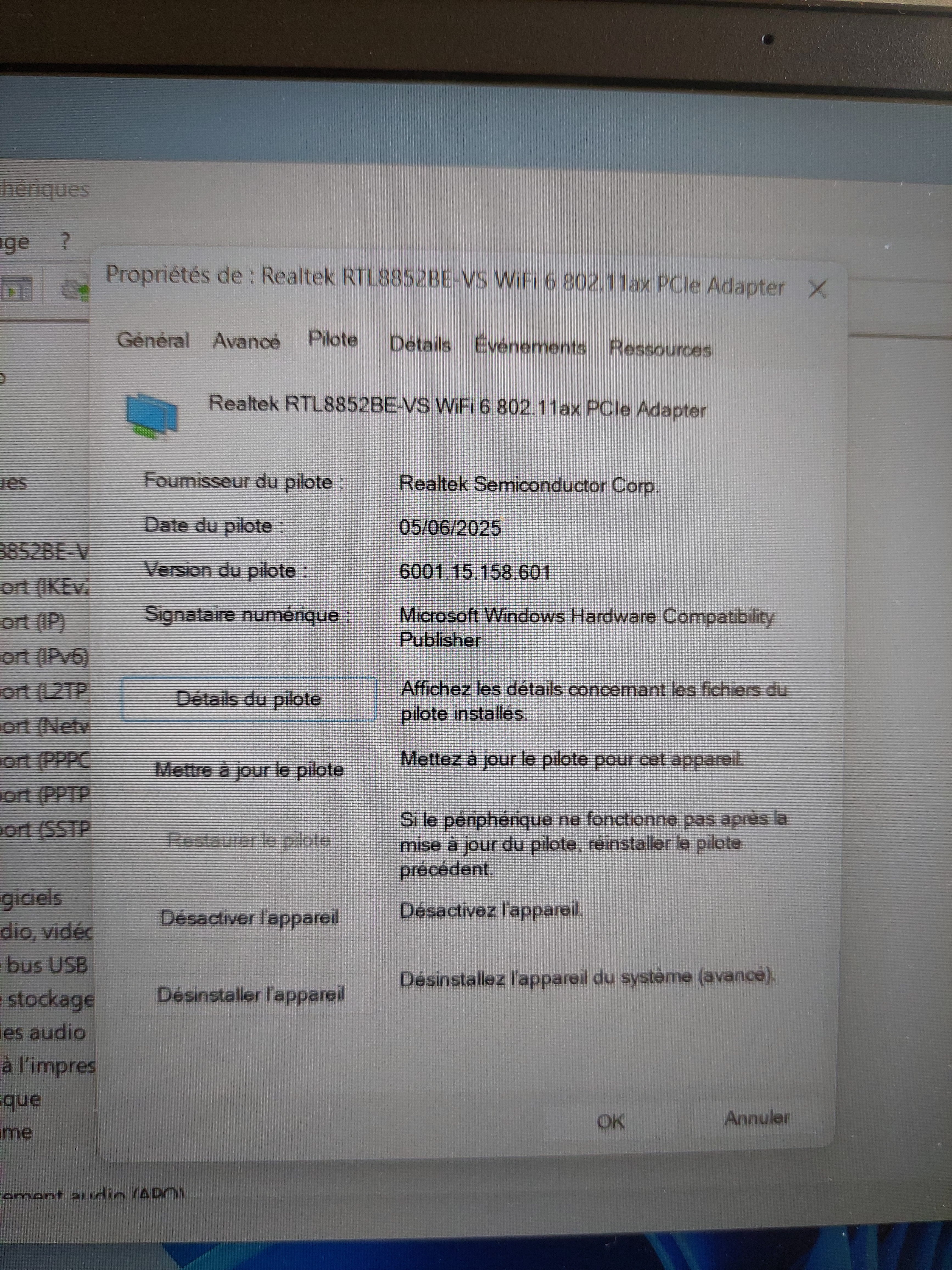
ok, look at what you have in ==> network cards for the WIFI device
check the date and version of the driver, and post a screenshot
example in image:
@+
-
-
Re
You have the latest driver...
Is it just your PC that has the disconnection issue?
@+
-
Yes, no problem with the smartphone, the smart TV, and the tablet.
-
hi
ok, and have you had this issue since you bought the PC in April?
@+
-
Yes, but since I was hospitalized for a long time, I couldn't take care of it before.
-
Hey
Alright, but I don't see how to solve your problem...
Since it's still under warranty, you should go to the store where you bought it and report the issue with the Wifi.
See you+
-
Hello,
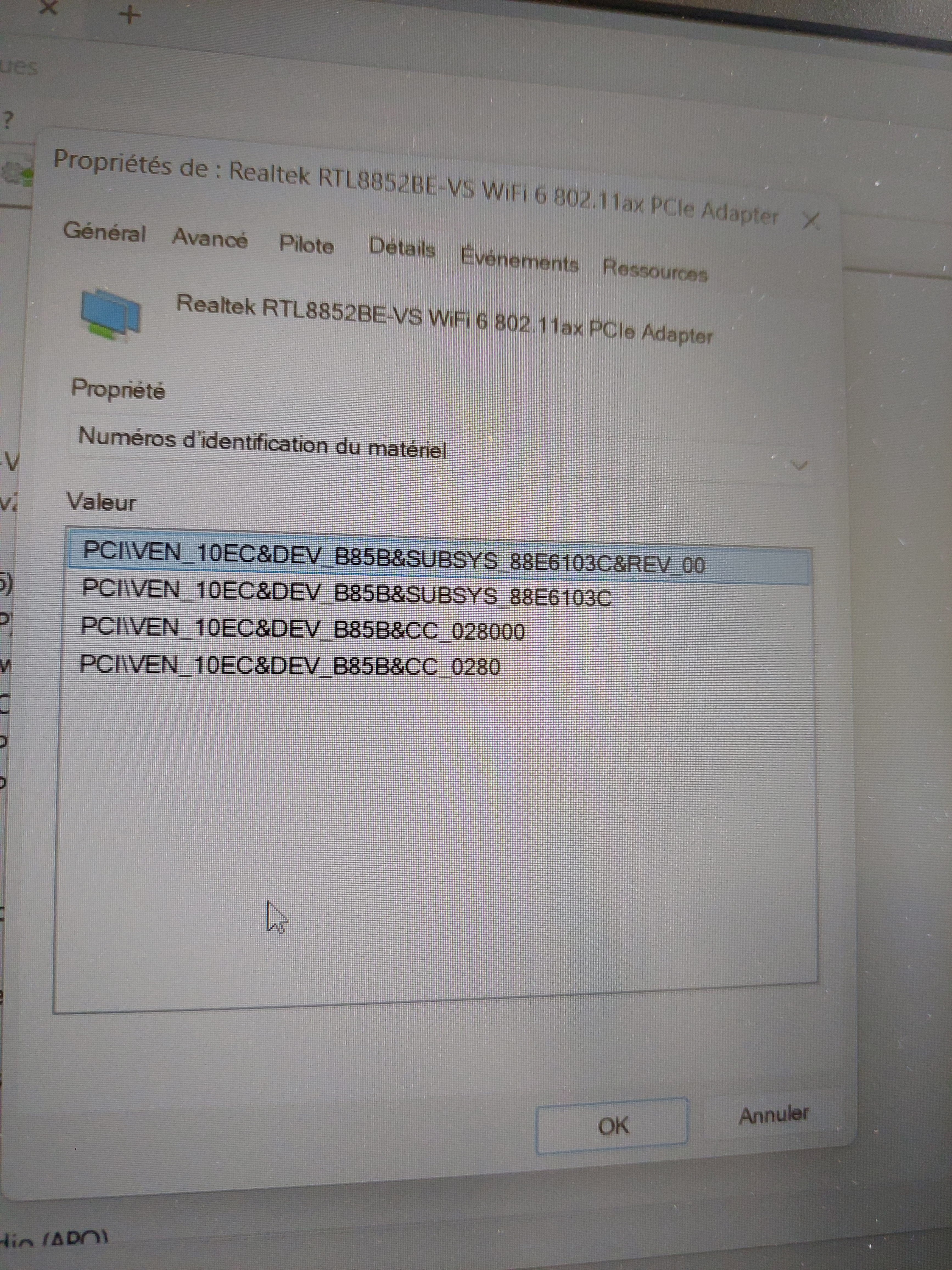
Right-click on the card --> Realtek RTL8852BE-......
Properties
Details tab
In Property, select --> Hardware IDs
Post this no. in your next message.
Example image: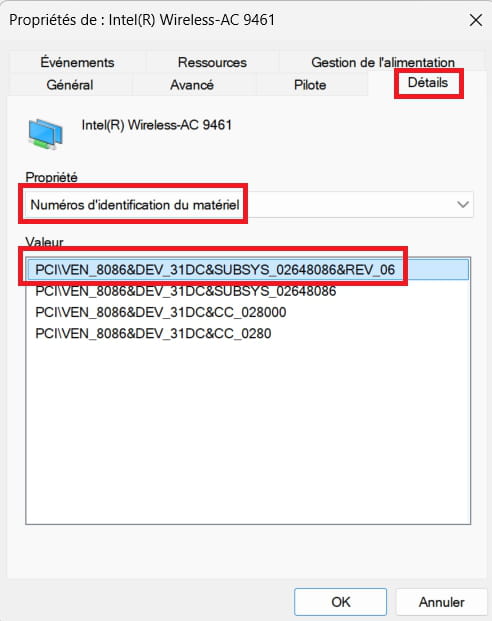
-
Thank you for the advice. That's what I'm going to do. Have a good evening.
-
you're welcome
see you later
-
-
jeannets Posted messages 28451 Registration date Status Contributor Last intervention Ambassador 6 616
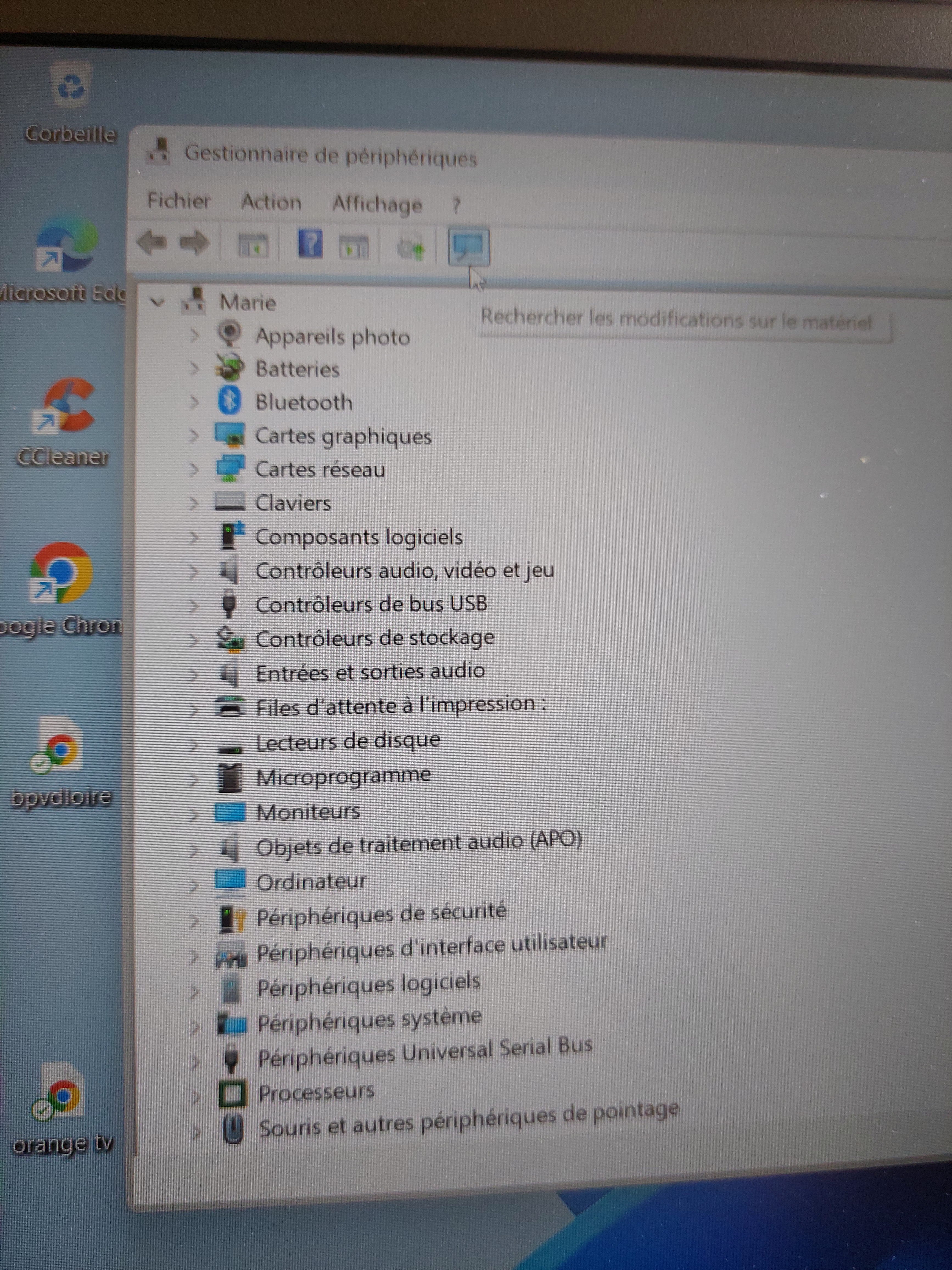
It seems to me that you are returning photos (not very readable) instead of screenshots which are much more relevant in terms of information.
This can be done with the "screenshot" utility.
-
I can't manage with the utility and I'm posting with my mobile phone because it keeps disconnecting on the computer????
-
-
Hello,
Can you visualize the Wi-Fi signal reception level?
The command netsh wlan show interfaces can provide information:
Example:
> netsh wlan show interfaces There is 1 interface on the system: Name: Wi-Fi Description: Intel(R) Wi-Fi 6 AX201 160MHz GUID: 0dd7a875-192f-4e84-b3c9-34cc6be695aa Physical Address: 34:2e:b7:4a:62:17 Interface Type: Primary Status: connected SSID: PA2 Access Point Identifier SSID (Service Set Identifier): 9c:53:22:32:9c:83 Band: 5 GHz Channel: 36 encryption Connected akm: [ akm = 00-0f-ac:08, encryption = 00-0f-ac:04 ] Network Type: Infrastructure Radio Type: 802.11ax Authentication: WPA3-Personal (H2E) Encryption: CCMP Connection Mode: Automatic Connection Reception (Mbits/s): 1153 Transmission (Mbits/s): 865 Signal: 82% Rssi: -61 Profile: PA2 QoS MSCS configured: 0 QoS card configured: 0 QoS mapping allowed by policy: 0
-




- 1
- 2