
Convert MBF files
brucine Posted messages 25287 Registration date Status Member Last intervention -
Hello,
I just bought a computer, so it's running Windows 11. On my old computer, I had Microsoft Money version 14.0.120.2107 and I installed Accounts and Budgets on my new computer and I would like to recover my money file, but the backup is in mbf files.
Is it possible to convert mbf files to mny??
Thank you in advance for your responses.
Paul
3 answers
-
jeannets Posted messages 28455 Registration date Status Contributor Last intervention Ambassador 6 618
Hello,
Here is what I found on the web:
- Open the MBF file in Microsoft Money or Money Plus Sunset.
- Check that all data is accessible.
- Save or export this data to an MNY file if this option is available, or create a backup that generates an MNY file.
-
Hello,
I basically gave the same answer that the forum bot threw at me, probably because I was supporting it with the link to the appropriate Accounts and Budgets manual, and that must have displeased it, go figure...
This software indeed boasts the ability to directly import mny files instead of needing a CSV or QIF export-import like its competitors (online manual page 8).
If Money is uninstalled, it must therefore be reinstalled (if it has disappeared, Money 2005 can be found for free everywhere) and then the backup mbf should be imported; this will result in an mny file that we normally do not even need to save and that we can usually import into Accounts and Budgets via the data recovery wizard.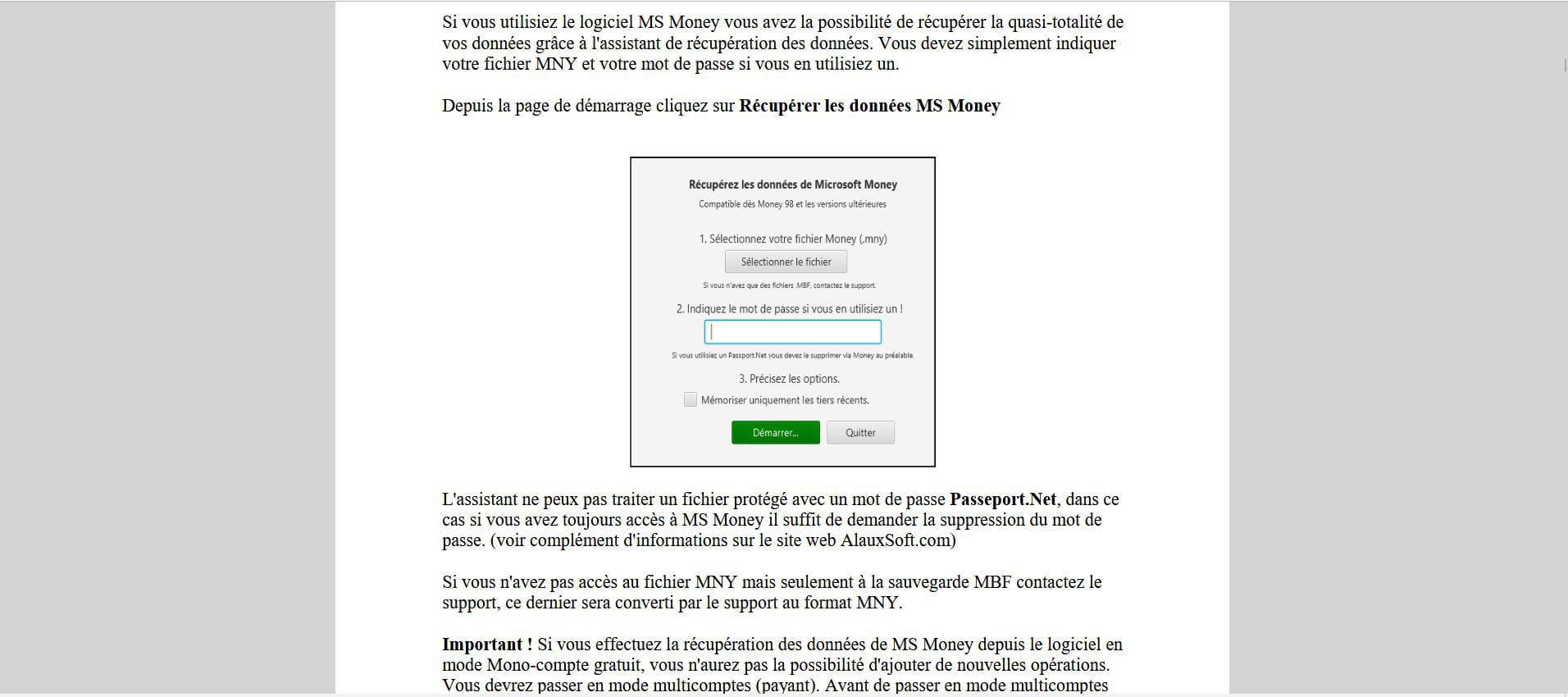
But that’s where it gets unclear since it seems to block any new operations and therefore serves no purpose even if there is only one Money account except for the paid version.
If that’s the case, there’s no other choice, always starting from the mny file, but to File-Export QIF for each of the Money accounts, which may hold surprises depending on the arrangement of the QIF files on either side.
The manual tells us (starting on page 68) that we can accordingly filter these QIF files or import OFX or CSV/XLS.
OFX is in principle absurd since it is not an export format, only a download format for transactions; I don't know about the "recent" versions, but Money 2001 Pro that I use has a mnylnk.xla add-in in its program files that, once installed in Excel, allows exporting mny to XLS.Hello, Thank you for your responses. I will uninstall the accounts and budgets software; it’s impossible to install the money files on it. I managed to install the Money software on my new PC. So, for now, I will continue with this old application until it is no longer recognized.
-
Hello,
It is indeed the wisest option as long as it works.
Whether it is supposedly directly from the mny files or indirectly by exporting them as QIF or CSV, we always lose some feathers, with non-homogeneous formats in the order of the fields or the separator, certain fields impossible to import such as (sub)categories, breakdowns, VAT handling if applicable, not to mention the reports that we might have difficulty retrieving.
Hello again, However, the information is small, even when increasing the text size in accessibility settings.
