
Unable to set up FreePdf 2025 in French
SolvedChristou231 Posted messages 50 Registration date Status Member Last intervention -
Hello,
I wanted to upgrade from FreePdf 2022 to 2025. In fact, it’s a new product and I uninstalled 2022. During the download, the French option was checked. The result is that the 2025 version is in German and after uninstalling/reinstalling, I can't get the French version.
Thank you for letting me know if there is a procedure to set it to French version.
3 answers
-
Thank you. I uninstalled and cleaned everything. Curiously, after the fourth time, it worked. Obviously, once installed, no language option was offered to me, just at the installation.
-
Hello,
If the problem persists, consider using an alternative like 7-PDF Printer, which is compatible with Windows 10/11 and offers a French interface. This software is mentioned as a reliable solution to replace FreePDF, especially if the latter causes issues on recent versions of Windows.
-
Apparently, the interface is set to French. It was only after downloading and opening the product that I discovered it remained in German despite the preliminary choices. There must be a file that determines this choice that needs to be activated.
-
Once FreePDF 2025 is installed, open the software and look for a language configuration option in the settings. In the interface, this might be found under a menu such as "Settings," "Options," or "Preferences" (possibly in German: "Einstellungen").
Look for a section related to language ("Language," "Sprache," or "Langue"). If French is available, select it and restart the software to apply the changes.
If no language option is present, this may indicate that the installed version is limited to German or that the French language pack has not been loaded correctly.Hello,
I don't know what the advantages are compared to other PDF editors, but that's not the point.
To download, you need to register, so I won't be doing that, unless by indirect means, which assumes that WinGet is installed as an optional feature in Windows: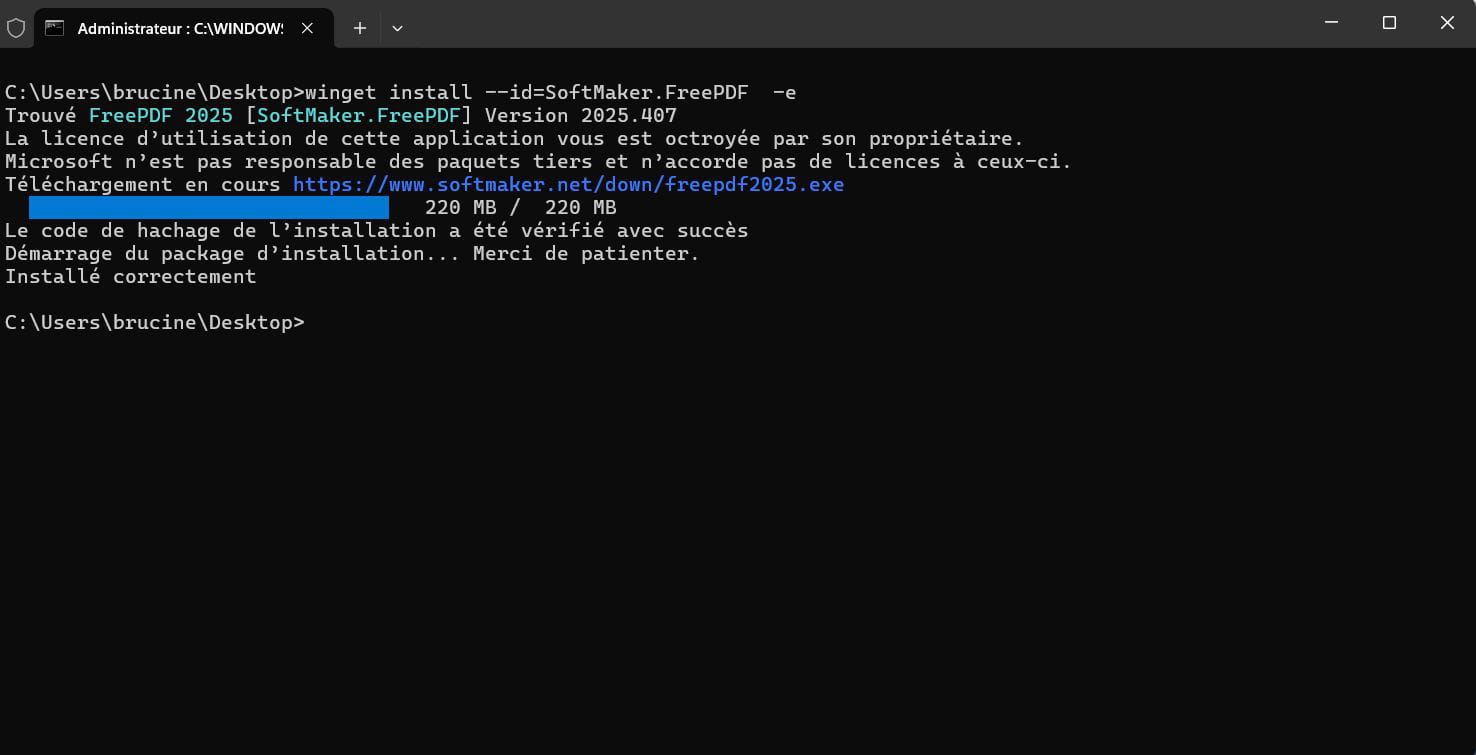
When you launch the following software, the result is the same, you cannot proceed without entering a license number or downloading it, but the interface is in French.
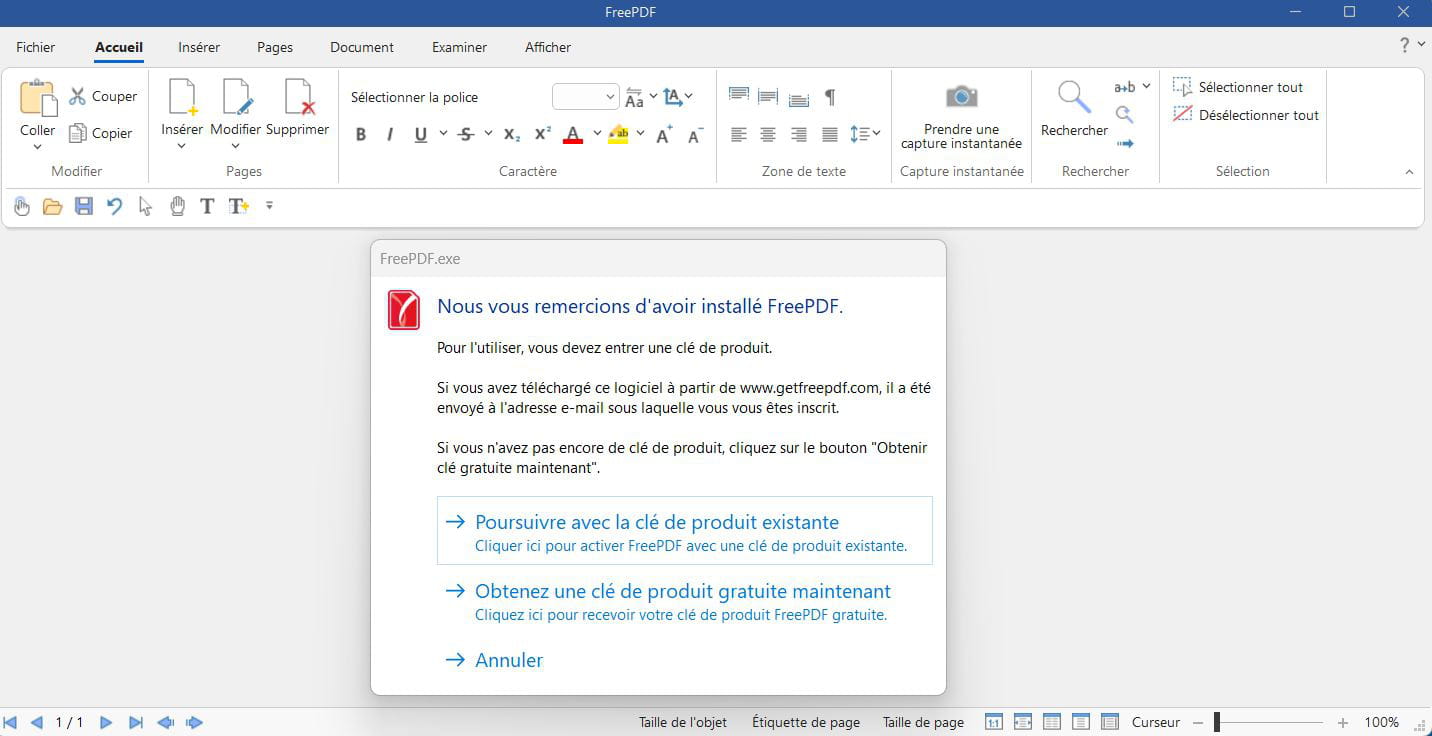
The moral is either that a German version has been downloaded elsewhere even though I don't quite see how, there is generally no choice on the publisher's website unless you trick the enemy with a VPN, or that it's the work of remnants:
the moral is that you must uninstall any existing version, clean up what may have remained in Program Files (x86), ProgramData, the user AppData Local folder, everything related to FreePDF and SoftMaker by searching for these entries in the registry and reinstall.
-
