
ENHANCECONNECTION.CO.IN : virus ? - Page 2
Solved/Closed- 1
- 2
-
Hello @laureenmounier StatusMember.
To resolve your issue, please do the following.
Procedure to follow in the indicated order:
1- Open FRST as an administrator; to do this, right-click on FRST and choose run as administrator
2 - Copy the entire script in the box below:Start:: CreateRestorePoint: CloseProcesses: HKLM\SOFTWARE\Microsoft\Windows Defender: [DisableAntiSpyware] Restriction HKLM\SOFTWARE\Microsoft\Windows Defender: [DisableAntiVirus] Restriction HKLM\SOFTWARE\Policies\Mozilla\Firefox: Restriction ShortcutTarget: simplicheck.lnk -> C:\Program Files (x86)\simplitec\simplicheck\simplicheck.exe (File not found) CHR Notifications: Default -> hxxps://ctjgf9u071bc73a6ok8g.enhanceconnection.co.in U3 AVG Business Console Client Antivirus Service; no ImagePath U3 avgBcc; no ImagePath U3 avgbdisk; no ImagePath Toolbar: HKU\S-1-5-21-1286740592-805476134-3472913267-1003 -> No name - {1DAC0C53-7D23-4AB3-856A-B04D98CD982A} - No file cmd: netsh advfirewall reset End::3- Once the script is copied, click on Fix, FRST automatically takes the script from the clipboard.

Let the fix process complete; once finished, you will be asked to restart your PC, do it as soon as prompted, see below.
Then once your computer is restarted:
4- You will have a Fixlog file on your desktop; then send this report fixlog to https://www.cjoint.com/ or https://pixeldrain.com/
Then give the generated link from https://www.cjoint.com/ or https://pixeldrain.com/ in your response.
5- CHECK AND TELL ME IF YOUR ISSUE IS STILL PRESENT.
-
For your information, it doesn't allow me to run as ADMINISTRATOR
Should I run it anyway? -
Here is the cjoint link for FIXLOG
https://www.cjoint.com/c/NLyoVsmhBJ1
(as I mentioned earlier, I couldn’t run it as an administrator - it wouldn’t allow me. So I ran it directly)
What do you think?
-
@laureenmounier StatusMember .
The problematic notification has been removed, and since the correction wasn't made as an administrator, the other corrections haven't all been completed. It's not a big deal since the main issue has been resolved; normally, the problem shouldn't be present anymore, just let me know.
-
-
There, apparently, I no longer have any windows appearing.
Thank you very much.
What should I do if it reappears?
-
@laureenmounier StatusMember .
Nothing will return if you are more attentive, it was just some junk notifications that you had recorded in Chrome.
Examples of popups recording notifications in the browser, be careful not to click "Allow":


If you are faced with this problem again, you just need to manually delete these notifications, for that read this page.
If you still can't do it, come back here and we will use FRST again.
-
-
Thank you. However, my PC still does not allow me to download apps.
For example: adwcleaner
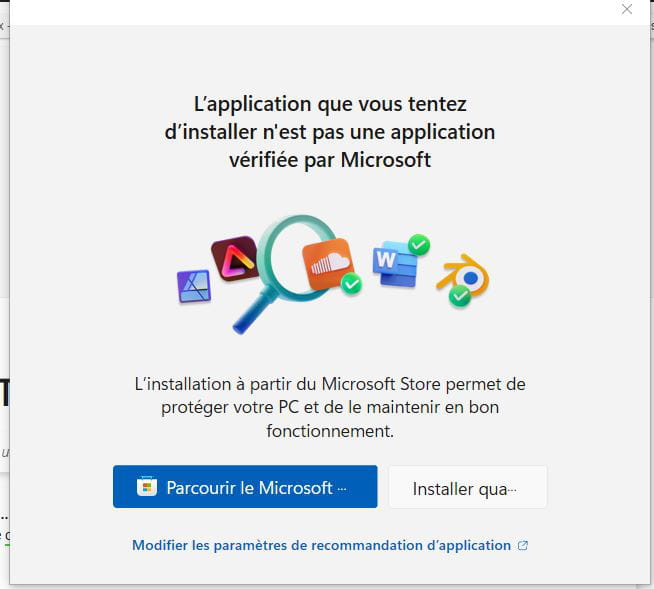
I go to the app:A window opens
"
I click on the right "Install anyway"
A second box appears:
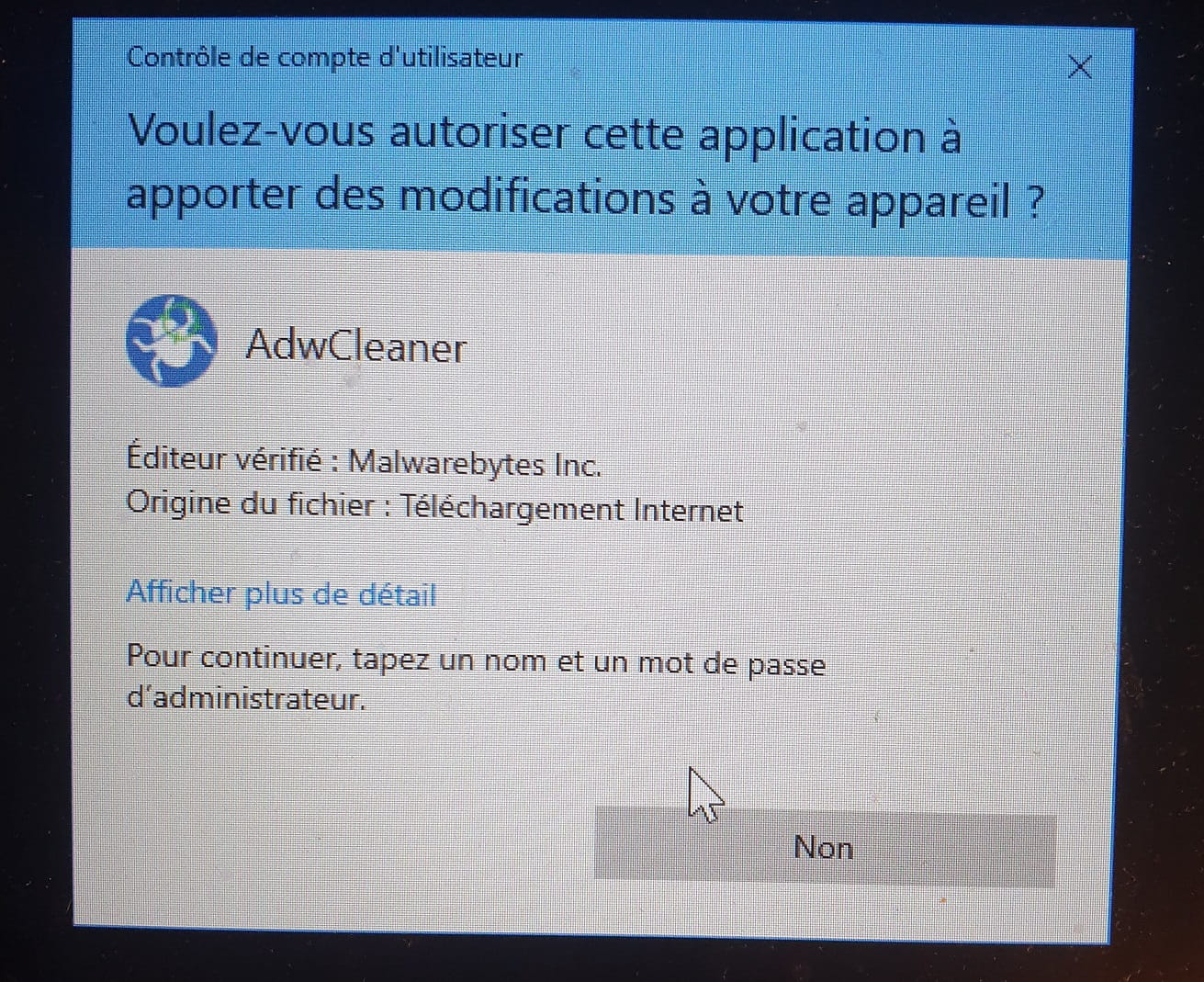
I can only click on NO (since YES is not offered)
Result: I cannot open the appAnd this applies to any program or application, it's the same
Do you have any ideas?
-
@laureenmounier StatusMember .
There are two solutions available to you, but you need to be an administrator to implement them, which apparently is not the case for you. More information can be found on this page. I think you are more concerned with solution 1.
Since this question does not pertain to the security/virus forum, for more details, please ask your question in the Windows 10 forum.
-
-
Thank you.
This is about a virus. Since I can no longer open any application. Whatever it may be.
As I showed you, when I try to open an app, the "pre-selected" response is NO
What should I do?-
@laureenmounier StatusMember .
This concerns a virus. Since I can no longer open any application
No, this has nothing to do with a virus, it's a Windows problem and also a permissions issue. Since you are not the administrator of the PC, you cannot do everything, and therefore you cannot resolve this kind of problem. Discuss this with the PC administrator.
In this forum, we only handle infectious issues, which is no longer the case. The initial problem regarding "ENHANCECONNECTION.CO.IN" is resolved, and your other questions have nothing to do with the security/virus forum.
I'm reminding you of my previous message; you should do what is indicated there:
Two solutions are available to you, but you need to be an administrator to implement them, which you apparently are not. More information on this page I think you are particularly concerned with solution 1.
This question does not concern the security/virus forum, for more details, please ask your question in the Windows 10 forum.
-

- 1
- 2