How to uninstall W11 24h2 from a connected mobile?

pistouri Posted messages 19010 Registration date Status Contributor Last intervention -
Hello,
On a PC of one of my acquaintances, I am trying this tip from this publication.
Of course, I could react to this publication, but that's not the point regarding my encountered problem.
To recall the facts, it's on W11 version 24h2, up to date (Windows Update + Microsoft Store).
Mobile Connected is already installed on the PC (all-in-one PC) as well as Links with Windows on an Android smartphone (I had installed it).
Previously, we could uninstall Mobile Connected from Settings --► Installed Applications -► Mobile Connected.

Now, still under the letter M in Settings --► Installed Applications -► Mobile Connected.
Mobile Connected is not present.

I have tried a whole bunch of manipulations with also a whole bunch of Microsoft codes received on the smartphone (to retrieve from its messaging) to copy in order to grant permissions or link the smartphone to the PC, while everything was already done.
I’m losing my Latin.
That’s why I can’t find how to uninstall Mobile Connected.
In order to redo the procedure, namely linking it to the smartphone (I need to uninstall Links with Windows) to start over.
I know how to do that:
--► Mobile connected to the PC, I no longer have access
But on Windows 11 version 24h2, it's uninstalling Mobile Connected that I can't figure out how to do.
This to access the smartphone without connecting a USB cable, and moreover, with the smartphone turned off.
This is something I can do on my side.

Access any folder on the smartphone (Android) and retrieve photos for example, a PDF document, or even an APK download.
Not sure that various PowerShell procedures or others like Revo work.
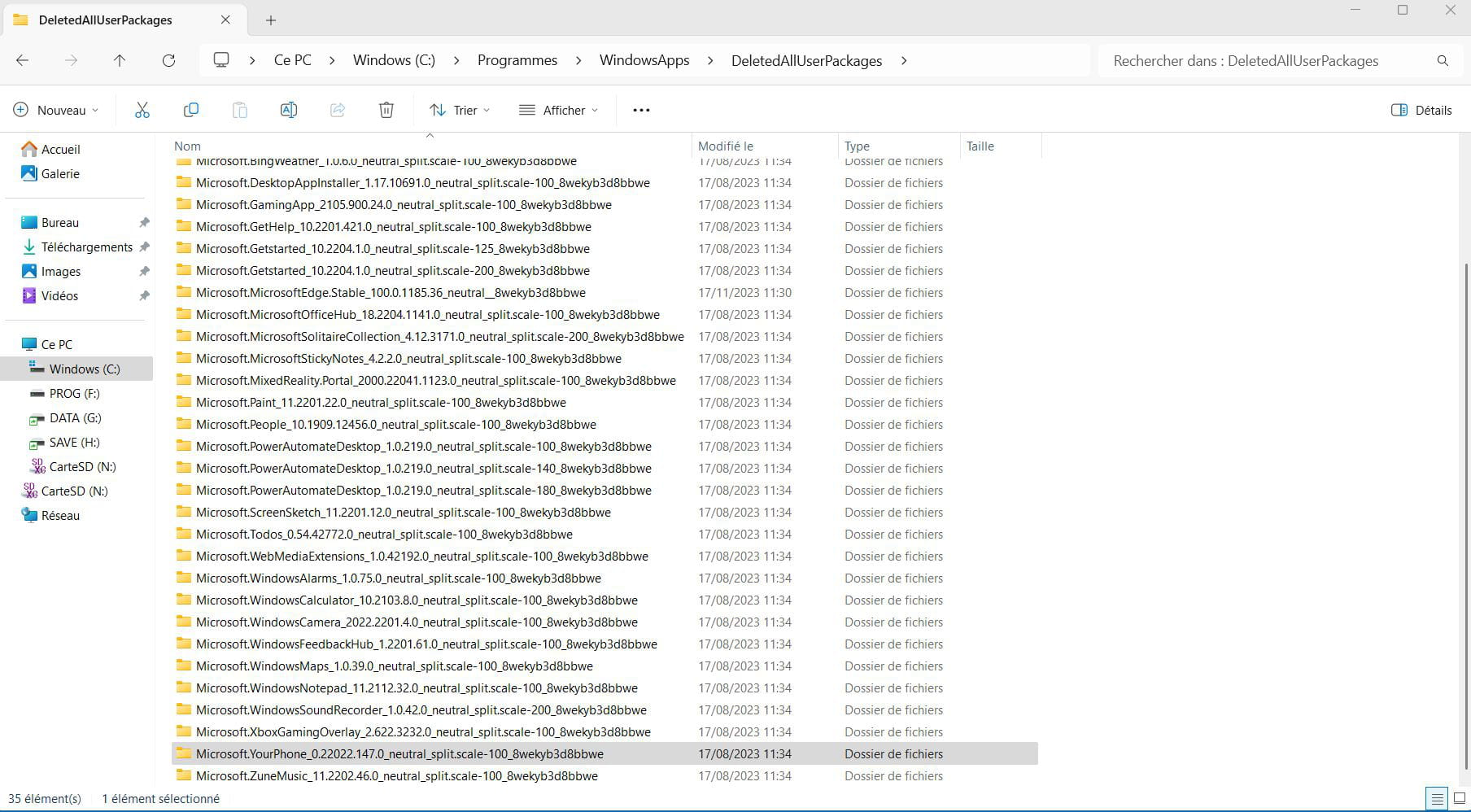
Moreover, Revo Pro does not find it:

Which is frustrating!
****
Thank you in advance for your responses.
3 answers
-
Good evening,
It has become a system component that is impossible to uninstall.
There is still the option to stop it and prevent it from launching at startup, in the Task Manager.
You can also go to Settings > System > System components > Connected mobile. Click on the 3 little dots: Advanced options.
But I think you already know that.
What is well conceived can be clearly stated,
And the words to say it come easily.
(Boileau)-
Hello,
You should always be able to use PowerShell and/or WinGet after identifying the "name" of the relevant package.
https://systembooster-minitool-com.translate.goog/boost-pc/uninstall-uwp-apps.html?_x_tr_sl=en&_x_tr_tl=fr&_x_tr_hl=fr&_x_tr_pto=rq
-
-
pistouri Posted messages 19010 Registration date Status Contributor Last intervention Ambassador 8 732
Hello everyone,
Thank you for the replies Pierre 10 and Brucine.
I will respond:
All Microsoft applications must be able to be uninstalled.
However, in the case of Connected Mobile, this is not possible through the usual means.
Why did Microsoft change where to uninstall it? (I’m losing my mind here), in fact, I wasn’t following the right path.
Indeed, it is in--► Settings > System > System Components > Connected Mobile.
Thank you Pierre 10.
Honestly, I must have skipped it (due to lack of time) in Settings, trying to help out left and right for exams (not medical) due to disability (the end is soon), but never mind...
It may seem silly to have asked this question, but if it can help someone else...
Those who have the same question will be happy.
Microsoft, with its updates, messes up the options in Settings a bit.
I will try the procedure again with a clear mind, probably at the beginning of 2025.
And I will come back to the forum to say whether it worked or not.
***
Thank you Brucine for the link.
I will still take a look (expert solutions).
You know, on a forum, we’re looking for the simplest possible solution...
Thank you.
-
-
Hello,
The Connected Phone should theoretically be uninstallable via the applications menu in settings, but the assertion that all Microsoft applications can be uninstalled this way is not accurate.
Besides the fact that Windows is flawed and not all system applications are visible, some are hidden; try with Edge, you’ll let me know how that goes...
If you can't find another solution, the PowerShell syntax; the application is stored in a "weird" folder in WindowsApps because I did a bulk removal with a large number of other applications using a graphical "Tweaker".
Hello everyone,
To comment on message 9 from brucine, apart from the fact that Windows is full of flaws, it becomes a real obstacle course to find a section in Settings, one moment Microsoft adds a section, the next it removes one, and another time it moves a section into another section.
This is why I hadn’t looked, without questioning the PC of one of my acquaintances.
When I carry out the procedure, I will start with the simplest route (settings).Thank you for the Microsoft link for the PowerShell syntax
For the ''path'' WindowsApps, access is not permitted.
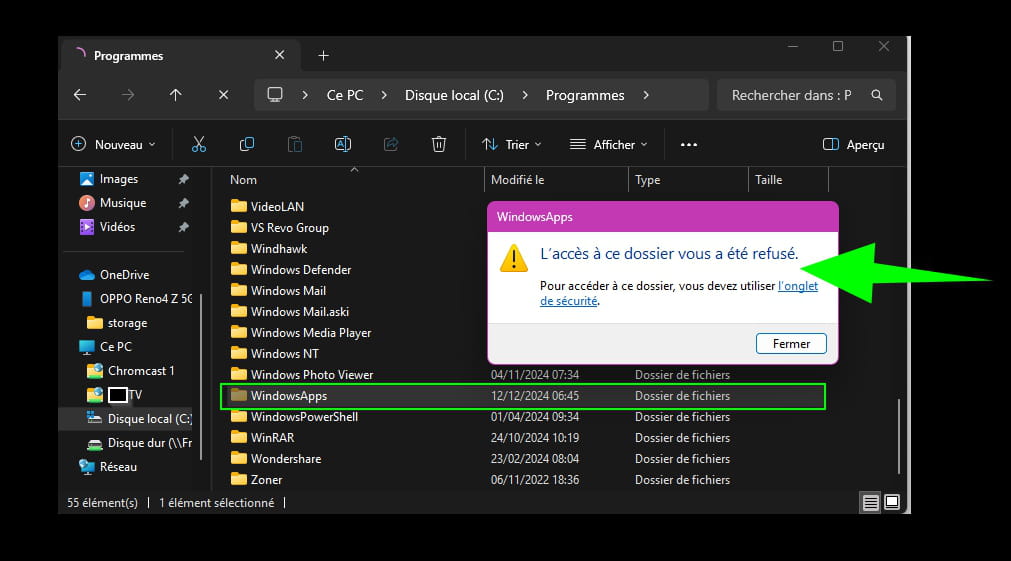
If you need permission from UAC, then it's a security feature implemented by Windows.
It's probably the default setting for my UAC.
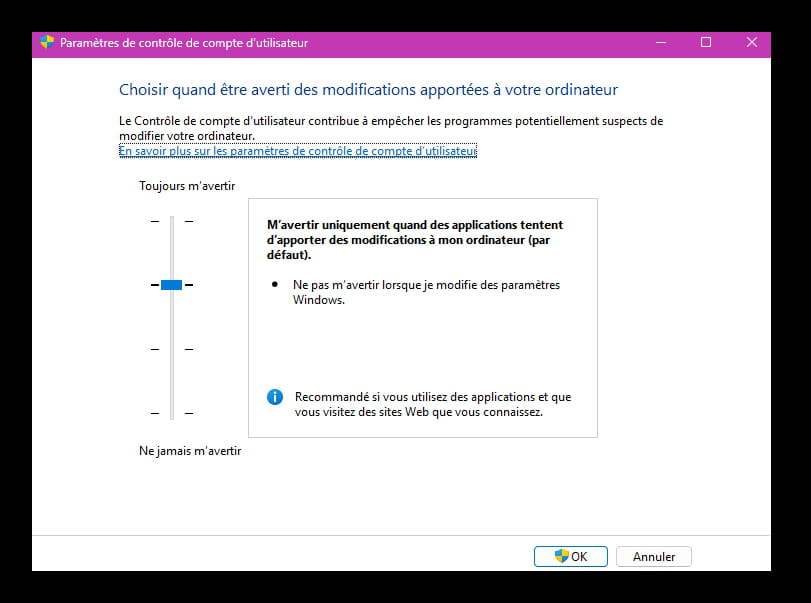
I'll keep your solution in mind, but I wouldn't want to touch security or do so as little as possible...
Hello pistouri, everyone
Response to a question hidden in the tips, where I can't reply,
why is there no win11 in the themes?:
Yes, themes are the weird stuff and it doesn't correspond to a structure of discussions;
but there is already a structure. And the win11 sub-sub-category already exists and there are indeed all the windows if you want:
>>click on Categories
>>click on Windows in Hardware and System
Windows Forum - Hardware & System
>>and there you have the 3rd level of sub-forums, with each of the windows,
click on Windows11 or on Windows7
Only the win11 discussions
So if you want to add win11 in the themes, also add all the others to organize your tips ;-)
-