
Google bottom bands
Loustic
-
CCMBot -
CCMBot -
Hello,
I have a small screen and the gray bars at the bottom of the Google page are eating up part of it.
How can I remove these bars, in detail, I'm not an expert, thanks
Related links:
- Error message when opening Google Chrome
- Fullscreen video => Link http at the bottom of the screen
- Remove the gray bars at the bottom of the GOOGLE page
- New Google Chrome page remains minimized at the bottom of the screen
- Bottom left link Chrome
- Google is showing me as located in Iceland while I'm in France.
2 answers
-
pistouri Posted messages 19010 Registration date Status Contributor Last intervention Ambassador 8 732
Hello,
Assuming it's the ''greyed out'' banner at the bottom of the Google page.
The ''greyed out'' banner turns ''black'' with W10 or W11 if dark mode is enabled.
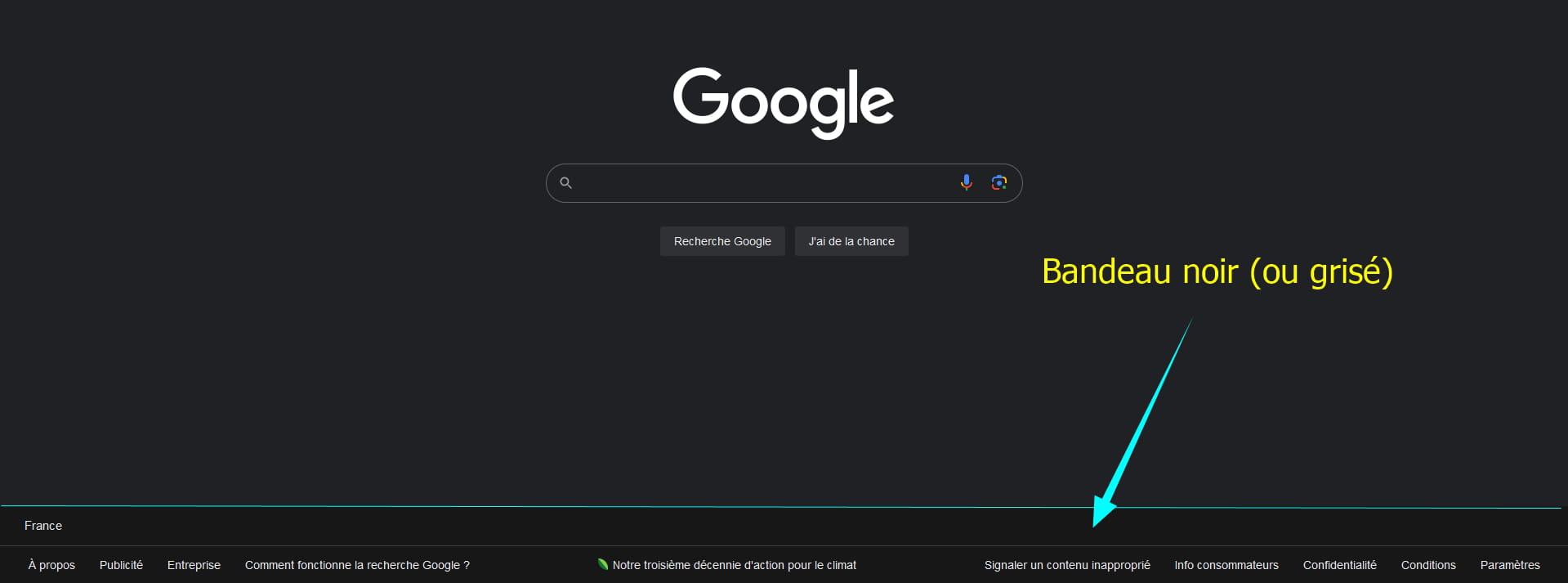
Ad blockers have an option (even with the context menu, it's the right-click) or from the interface of the ad blocker icon.

As an example, here are 2 procedures to clean up:
With ==►uBlock
With ==► AdGuard AdBlocker
Good luck...
-
Hello!
It's me, Bobot, your favorite AI!
You might be referring to the taskbar or a certain type of plugin. Here are some steps that might help you maximize screen space on Google Chrome:
1. Full screen: To enable full screen mode, press F11. To disable it, press F11 again. In full screen mode, all toolbars, including the taskbar and address bar, are hidden.
2. Disable extensions: You may have an extension that adds bars to Google Chrome. To disable them, go to the Google Chrome menu (three dots in the top right) > More tools > Extensions. Here, you can disable or remove extensions that you don't use.
If the problem persists, it would be helpful to have more information or a screenshot to assist in resolving the issue.

