
How to permanently get rid of certain notifications
Solved/Closedbazfile Posted messages 58537 Registration date Status Moderator Last intervention -
For several weeks now, I've been receiving notifications that say my computer has been hacked and offer to "click here... to activate Avast antivirus"... or "that my subscription has expired, and "click here to activate Avast Antivirus"
These notifications come in 10 times a day, and when I turn on the computer in the morning, there are between 15 and 20...
Given the link they provide, it seems really strange to me… web.humanverification.co.in
Moreover, I haven't used Avast for years, and I have been using Microsoft's antivirus.
I want to get rid of these notifications for good… How can I do that?
Thank you in advance for your response

3 answers
-
Hello @caoulre StatusMember.
It's just a pesky notification to remove in Firefox see https://www.malekal.com/supprimer-publicites-en-bas-droite-notifications-chrome-firefox-opera-smartphone/
If you can't do it, follow these steps:
Download FRST.
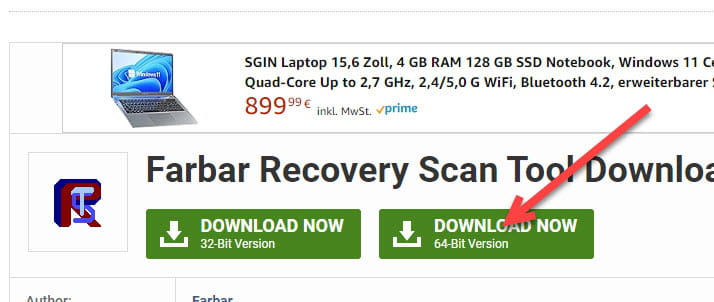
Once downloaded save it to the desktop then right-click on FRST and choose Run as administrator you will see this:

Wait for the message the tool is ready to use to appear then click on Analyze
Be careful, wait for the messages saying the analysis is complete to appear.

At the end of the analysis, you will have two text files on the desktop FRST and Addition.

Then send the FRST and ADDITION reports to https://www.cjoint.com/ then give the two links generated by https://www.cjoint.com/ in your reply.
bazfile
Moderator/Security Contributor.
a hello, a reply, a thank you are always appreciated.-
Thank you bazfile,
I followed the link you sent me (https://www.malekal.com/supprimer-publicites-en-bas-droite-notifications-chrome-firefox-opera-smartphone/)
I have blocked those notifications, I hope it works... I will keep you updated.
Thank you very much, have a nice day.
-
-
Hello Bazfile,
Since yesterday morning, no new notifications have appeared on my screen.
That's great... and it's very pleasant not to see that my computer is supposedly hacked anymore.
I will keep your message safe.
Thanks again and have a nice day.
-
Personally, I went into the Firefox settings, and in "Privacy and Security," I blocked notifications from the unwanted site(s). I’ve been free of them since!
Happy New Year to everyone!
