
Screen stuck at 144hz
Arko
-
Arko -
Arko -
Hello, I recently bought my iiyama 165hz monitor, and it's stuck at 144hz, so I looked a bit on Google, and I see that I need an HDMI 2.0b (which I didn't have). I went to Micromania, I asked if they had it, they told me "yes," they gave me the box so I could check if it was the right one; everything seemed normal to me, but look at the box:
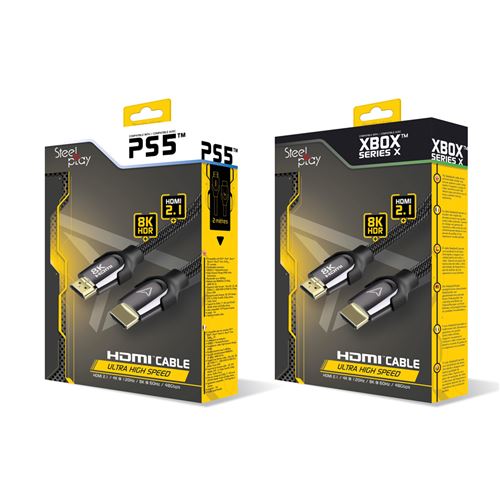
HDMI Cable Steelplay "2.1" 8K Ultra High Speed Black
2.1! I only noticed it when I got home, I still tried it, and I'm still at a maximum of 144hz.

Can someone help me if there's a procedure I need to follow? Or do I really need a 2.0? Thanks!
1 answer
-
The HDMI 2.1 cable you purchased is compatible with your 165 Hz screen because it is superior to HDMI 2.0, so there is no issue with the cable. The problem may come from your graphics card, which may not support more than 144 Hz. Also, check in the Windows display settings and your graphics card control panel that the frequency is set to 165 Hz. In some cases, you may also need to update your graphics card driver.
