
5 beeps at PC startup
flo88 Posted messages 28530 Registration date Status Contributor Last intervention -
Components:
Intel Core i7-12700F (2.1 GHz)
GIGABYTE B760 DS3H DDR4
DDR4 Textorm - 32 GB 3200 MHz - CAS 16
Gigabyte GeForce RTX 4070 GAMING OC
Gigabyte UD750GM - 750W
Upon launching my PC, the speaker beeps 5 times and a red light turns on my motherboard indicating a problem with my graphics card (image below).
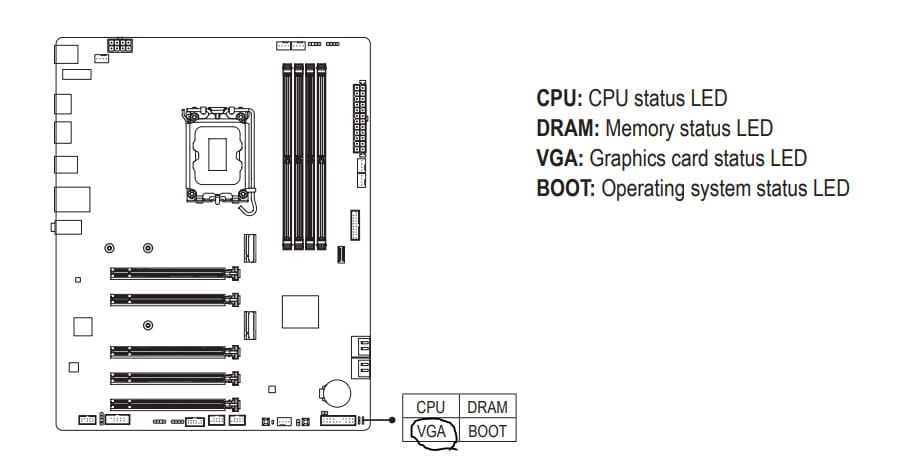
However, my PC works perfectly as well as my graphics card after performing several tests such as launching a virtual machine to test my processor and running RDR2 on ultra to test my graphics card (task manager images)
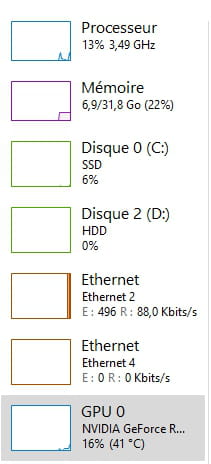
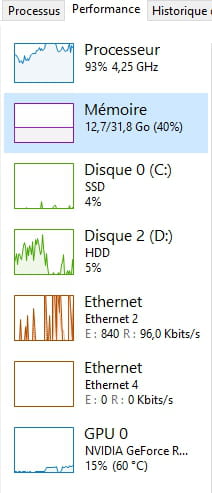
Thank you in advance!
7 answers
-
-
In fact, what’s strange is that the light on my motherboard indicates a problem with my graphics card, but the 5 beeps would correspond to an issue with my CPU, so I’m quite lost.
-
Hello
Your issue is indeed with the graphics card.
The beeps from current motherboards in UEFI are different from those 15 years ago...
https://forums.commentcamarche.net/forum/affich-37586026-les-bips-d-erreurs-des-nouveaux-bios-uefi
(AMI BIOS on Gigabyte)
Check if your card is properly seated and if all the power connectors are well connected? What’s surprising is that despite the beeps and the light, it works anyway.
Signature
Waiting for more answers; I'm attracting trolls.... -
I just checked again and everything seems fine. Could it be due to the PCIe connection? It is currently connected in x16.
-
It is currently connected in x16
What do you mean by that? The X16 is the standard format for the slot dedicated to graphics cards on motherboards.
On your board, it's called PCIEX16; it's the first one from the CPU.
Signature
Awaiting more responses; I attract trolls.... -
I wanted to know if it could be a problem or not and whether my graphics card should be connected to another connector.
-
A problem not really, it will also work in other slots, but they are not intended for it and the graphics card will be throttled. Moreover, the main slot is reinforced to support the significant weight of large graphics cards like yours; if it is in a non-reinforced slot, the weight may cause the connection to come loose over time.
Signature
Waiting for more responses; I'm attracting trolls....

