
HP printer carriage jam
Sky
-
Panth33ra Posted messages 23245 Registration date Status Member Last intervention -
Panth33ra Posted messages 23245 Registration date Status Member Last intervention -
Hello,
I'm having a problem with my HP Photosmart 5525 printer. I wanted to change my cartridges, so I followed the usual procedure, and everything was going fine until the printer's door closed and I got an error message saying "missing or incompatible cartridges." I was indeed missing 3 cartridges because I had only installed the black one. Now, the cartridge carriage is stuck to the right in its printing position, and I can't access it. There's no way to access the menu. I've restarted and unplugged the printer, then plugged it back in, but nothing changed; the carriage remains stuck and the printer is unusable. Does anyone have a solution, please?
I'm having a problem with my HP Photosmart 5525 printer. I wanted to change my cartridges, so I followed the usual procedure, and everything was going fine until the printer's door closed and I got an error message saying "missing or incompatible cartridges." I was indeed missing 3 cartridges because I had only installed the black one. Now, the cartridge carriage is stuck to the right in its printing position, and I can't access it. There's no way to access the menu. I've restarted and unplugged the printer, then plugged it back in, but nothing changed; the carriage remains stuck and the printer is unusable. Does anyone have a solution, please?
1 answer
-
Hello,
I suppose it's this printer...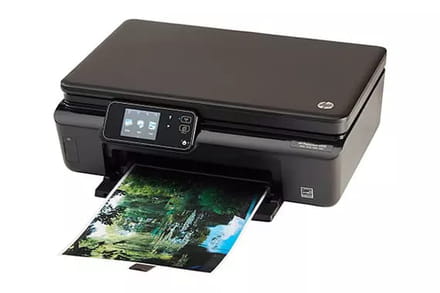
Do you have access to the lid (under the scanner) to install your ink cartridges?
--
ASUS ROG G752 VSK | QuadCore Intel i7 7700HQ | 32 GB-DDR4 | 2 SSD M.2 500 GB | 2 HDD Seagate 2TB | GeForce GTX 1070M 8 GB | 17.3" screen (120 Hz) | DirectX 12 | Windows 10 (x64)

