Set up and configure Windows Mail on Win10

pistouri Posted messages 19010 Registration date Status Contributor Last intervention -
Windows Mail was the email software for Windows Vista and Windows 7.
It is possible to install Windows Mail alongside the Mail app for nostalgia’s sake.

Content of files in Windows Mail in Windows 10
The directory is incomplete in :
This-PC ►Local Disk (C) ►Program Files and Program Files (x86)►Windows Mail

Install Windows Mail with Windows 10
WMCopy18:
Download ==► WMCopy18
Unzip the archive with 7-Zip or WinRAR
Right-click on the archive Extract to --► WMCopy18
Open the created folder WMCopy18.
Right-click on the application--► WMCopy18
Then --► Run as Administrator

Click OK on the dialog boxes until the complete folder registration appears
Click OK to finish.
Sometimes you need to run WMCopy18 as Administrator 3 or 4 times.
WMCopy18 copies the Windows Mail folders originally contained in Vista or Windows 7, copies System DLLs, and the files necessary for installation.

Default Windows Mail messaging.
WMinstall:
Download WMinstall from this ==► link
Extract the archive and run WMInstal as Administrator by right-clicking.

Set Windows Mail as default.
Set Windows Mail as default in Settings:
Go to Settings►Apps►Default Apps
Email ► ThisPC►Local Disk C►Program Files ►Windows Mail (392KB)

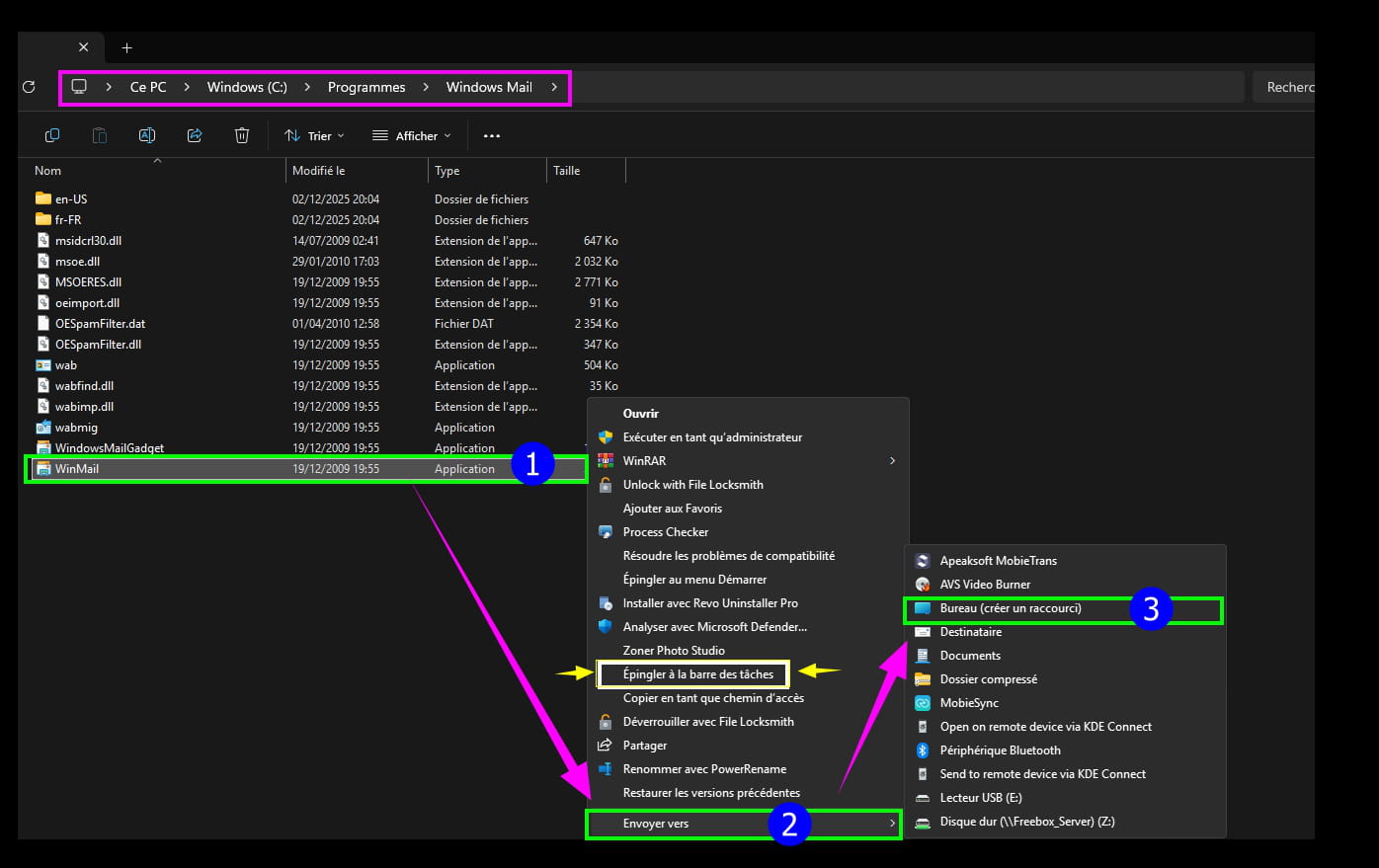
Create a Windows Mail shortcut on the Desktop.
Go to This-PC ► Local Disk (C) ►Program Files ►Windows Mail
Right-click on WinMail ►Send to►Desktop (create shortcut)

Launch the Windows Mail messaging shortcut.
Set up the email account
Example with FREE:

It may happen that after a Windows security update, Windows Mail stops working. You just need to reinstall using WMCopy18.
Cannot receive Windows Mail messages.
Error message:
0x800C013E Windows Mail port 110 secured SSL. 
In the search box on the taskbar, type ==► regedit
Go to this registry key:
HKEY_CURRENT_USER\SOFTWARE\Microsoft\Windows Mail On the Windows Mail line, click in the right pane
Create New►DWORD Value 32-bit
Copy/paste on New Value #1► RecreateFolderIndex
Value data ► 1
Create New►DWORD Value 32-bit
Copy/paste on New Value #1► RecreateStreamIndex
Value data► 1
Create New►DWORD Value 32-bit
Copy/paste on New Value #1► RecreateUIDLIndex
Value data► 1

Close the Windows registry.
No need to restart.
Close or restart Windows Mail, the pending messages will display.
Backup the Windows Mail email account folder
See at this link
To do before switching to Windows 11.
1 answer
-
pistouri Posted messages 19010 Registration date Status Contributor Last intervention Ambassador 8 732
Hello,
In response to Teretektor (message 27) on the post below:
(Post closed today, didn't have time to respond (post has survived 2 years), what a pity! but that's the CCM regulation at its discretion, even if it could have waited a little longer, too bad, but I have the power here as a CCM Contributor, which is not so bad for making changes to a Tips/Solutions sheet).
I thank Teretektor for his private message that moved me (content of the PM) regarding successfully installing Windows Mail but not only that, and it's not easy when one doesn't know where to start.
I asked him if he would be willing to leave a comment or a response on the forum, offering him 2 CCM links on this subject, and he chose one post over the other; I would have preferred it here but I didn't force his hand.
This is to leave a trace, in case others like the author of this post encounter installation problems with Windows Mail.
The other link I provided is none other than the CCM tutorial right here.
I will modify it sooner or later to bring new elements of response, even to the concerns of those who might not manage it.
Microsoft:
Microsoft over the years and with its updates and migrations every 2 years since W8 decided to replace Windows Mail with its new mail application Mail, Outlook, which changes name like the seasons, but behind all this is a real headache (Microsoft account for better spying on you and maybe even with a local account) and not always easy to handle regardless of the user’s level.
But our good old Windows Mail, without an ultimate parade from Microsoft, is still operational. (Nostalgia).
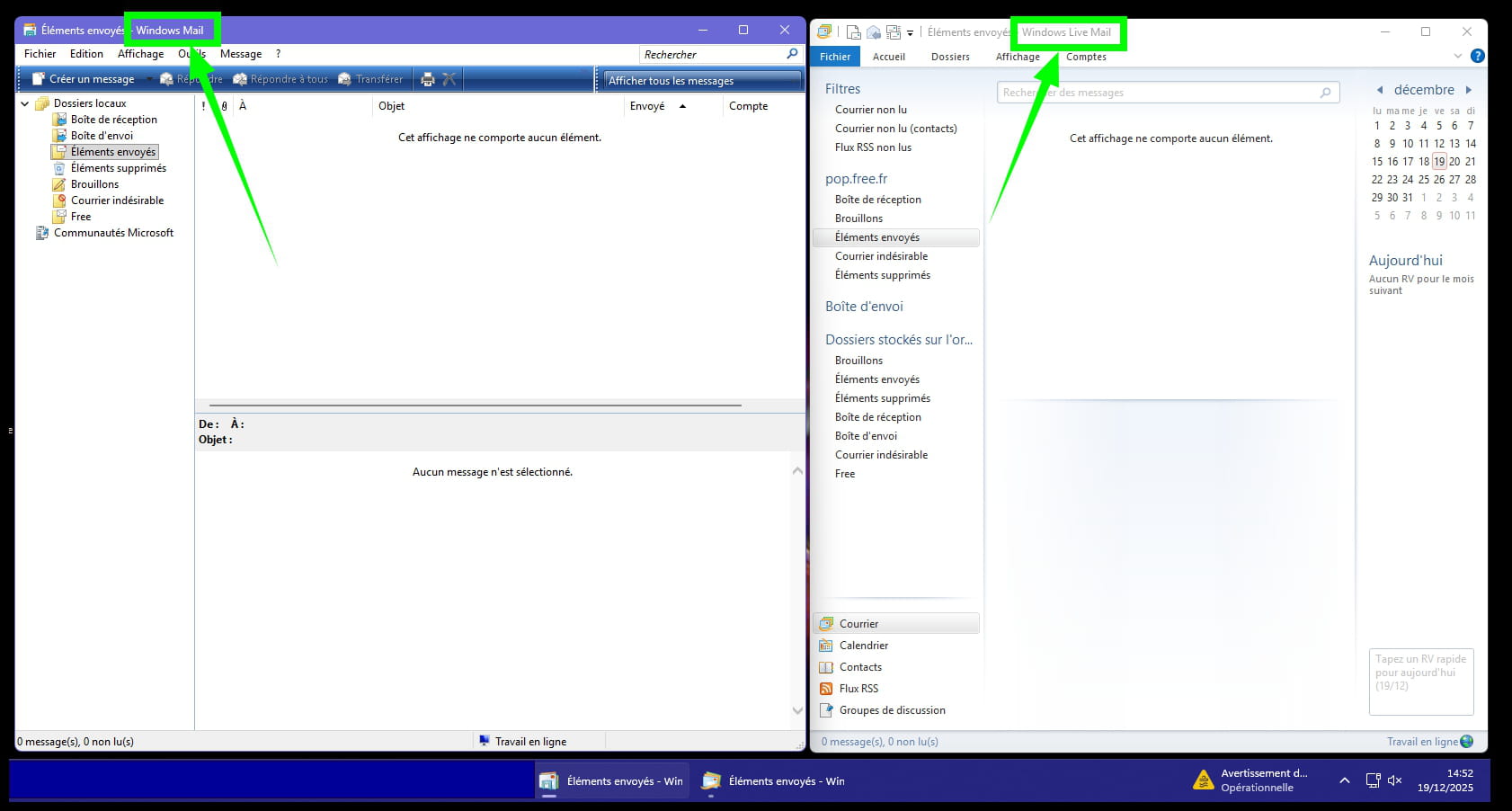
Windows Mail and Windows Live Mail:
I will start with this point to avoid confusion.
To distinguish, do not mix Windows Mail and Windows Live Mail.
This tutorial therefore concerns only the installation of Windows Mail.
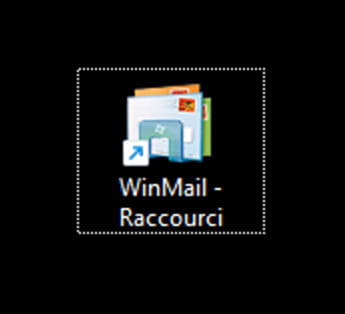
Although both messaging applications work on W11 (W10 too) as of now.
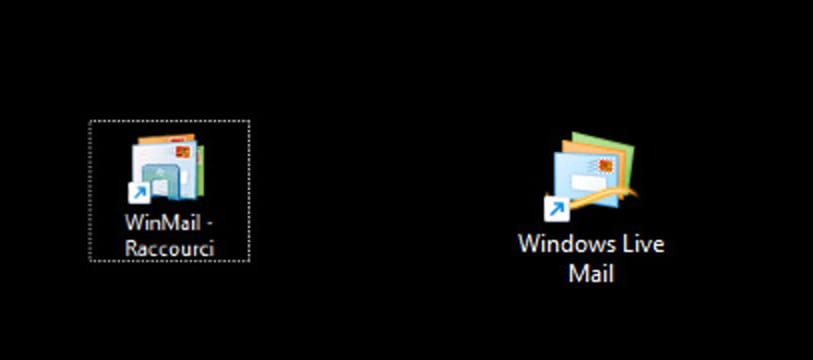
Wincopy18:
This folder, once unzipped (extract the archive, W10 and W11 have the function directly in the file explorer).
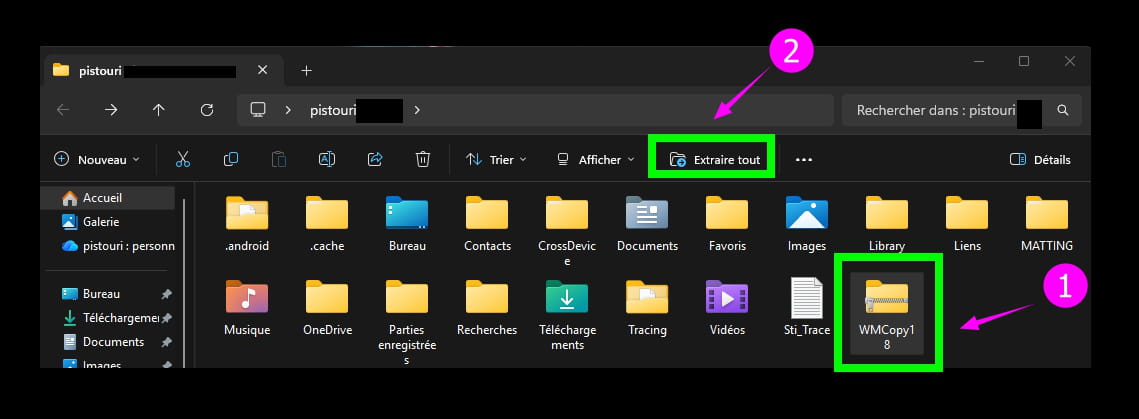
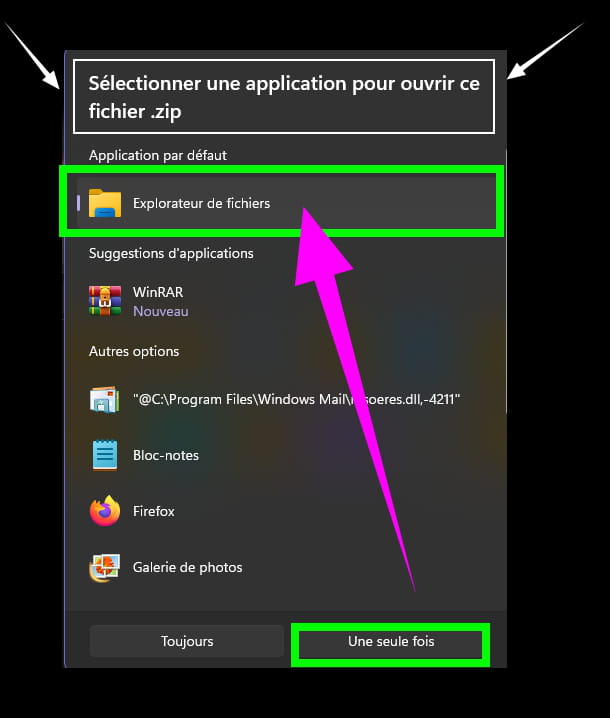
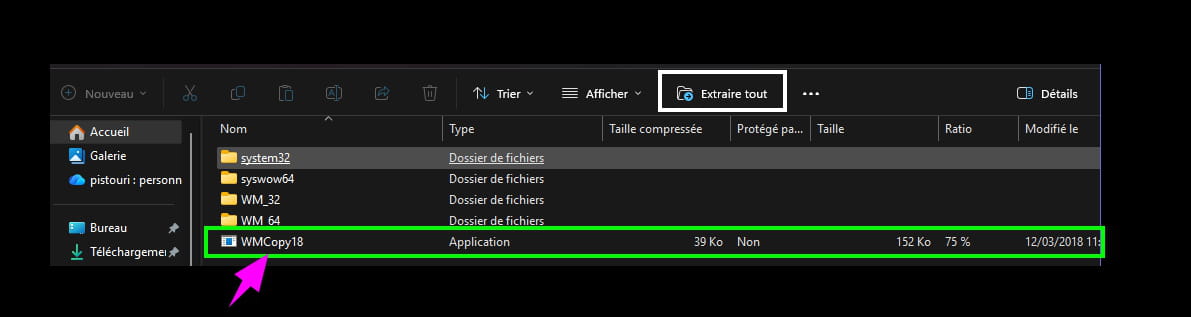
I am providing the link ==► WMCopy18
Windows Mail W10, W11 what does WMCopy18 do?
All Windows Mail files are already present in the C drive directories.
Whether the PC is new or during a migration from W10 to W11 (W8 as well), these files have been present since W7 in a directory on the C drive.
To go further, these files are also present on a new installation or a migration with a non-compatible W11 PC (Good to know).

WMCopy18 simply adds the missing shortcut for Windows Mail in:
C:\Program Files\Windows Mail
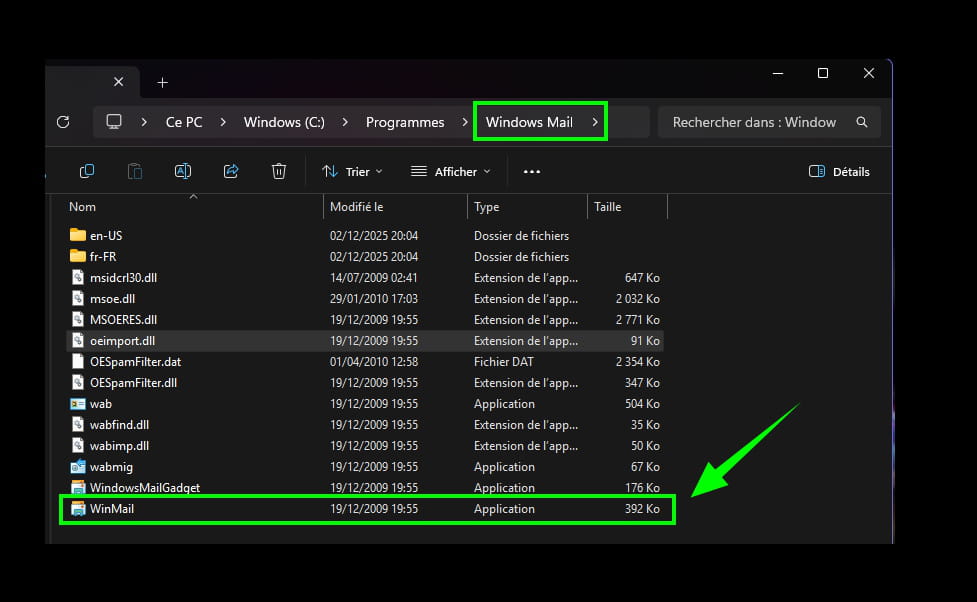
Sometimes you will need to relaunch WMCopy18 as Administrator (right click --►Run as administrator) several times (my record is 7 times) but 1, 2, 3 or 4 relaunches are enough to create the shortcut in:
C:\Program Files\Windows Mail
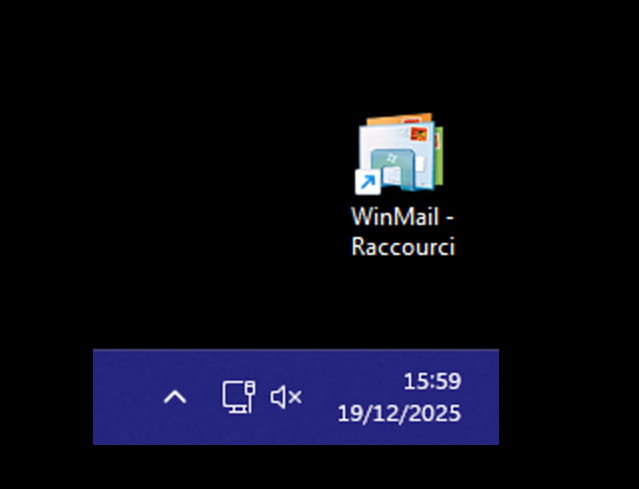
And it is only here that it will be possible to add it on the Desktop as a shortcut, then configure your email account with your provider (ISP).
(maybe even with a local account) and not always easy to handle regardless of the user’s level.
Or pin it directly to the taskbar.
On the Desktop:
Windows Mail Servers:
Windows Mail sets the default servers for incoming mail (POP3) and outgoing mail (SMTP) when configuring the email account
And it's the latter outgoing mail (SMTP), port 25 that causes problems because it is less secure.
So you need to change it according to your provider:
587 or 465
But port 25 still works by securing it in the Windows Mail account options.
In the Servers tab, check the box --►My server requires authentication
In the Advanced tab under Outgoing Mail (SMTP), check the box --►This server requires a secure connection (SSL)

To avoid getting this type of error messages:

Note:
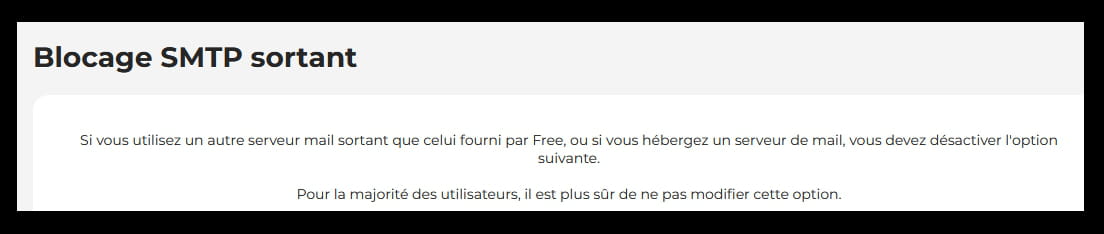
==► Understand the blocking of third-party SMTP servers by your Internet Service Provider
With SFR for example, with port 587 this is sufficient, unnecessary to dive into the box's settings (with the WPS button) if present and the address 192.168.1.1 to type in a browser such as Google Chrome or Firefox to disable SMTP filtering.
With FREE for example, the option is found in their subscriber space, section My Freebox, advanced features, blocking of outgoing SMTP protocol.
Spams and Phishing with Windows Mail:
Even if off-topic, keep this mini tutorial handy.
(I promised it for Teretektor).
Whether during holidays or not, all means are good to receive unwanted messages, and the mailbox fills up quickly, very quickly....
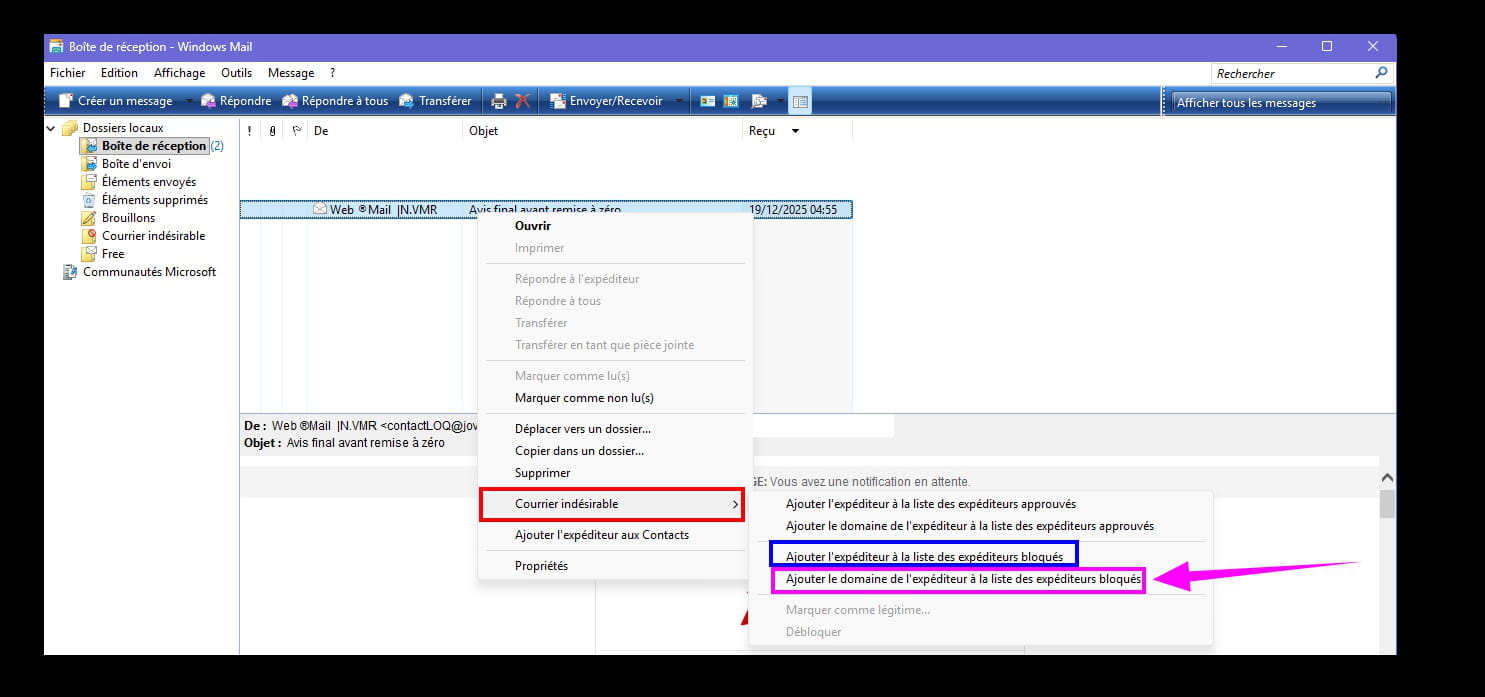
Like all Windows Mail applications, there is an option to mark a message as junk.
Right-click on the message --►Junk Mail
The ideal is to block the domain name.
Bonus:
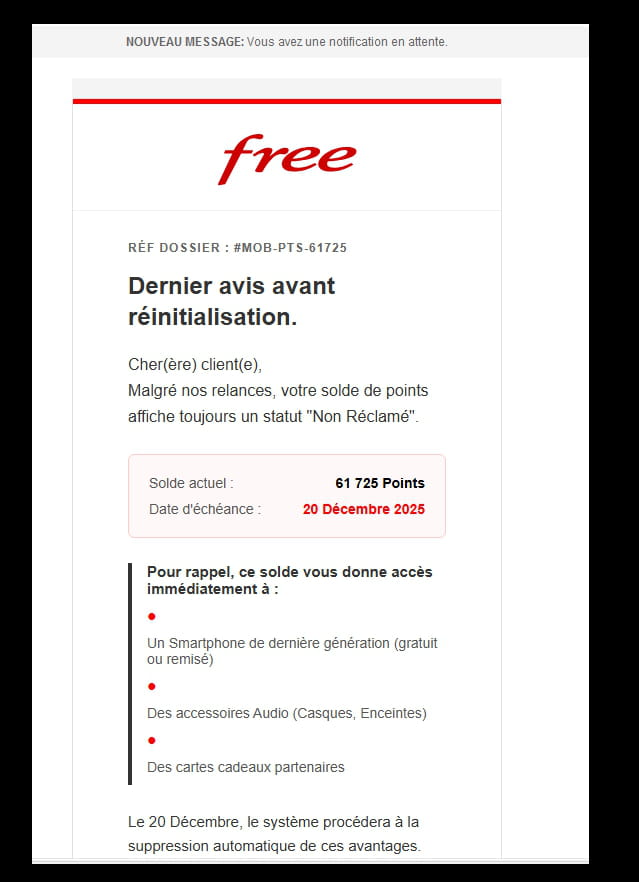
Report an obsolete message if you find it suspicious (be careful if there is an attachment in the paperclip, even if it is just an image, it might contain a virus, do not open it).
Go to --► https://www.signal-spam.fr/
Create an account (email address + password).
Once the account is created, open Windows Mail.
Example of a message to report:
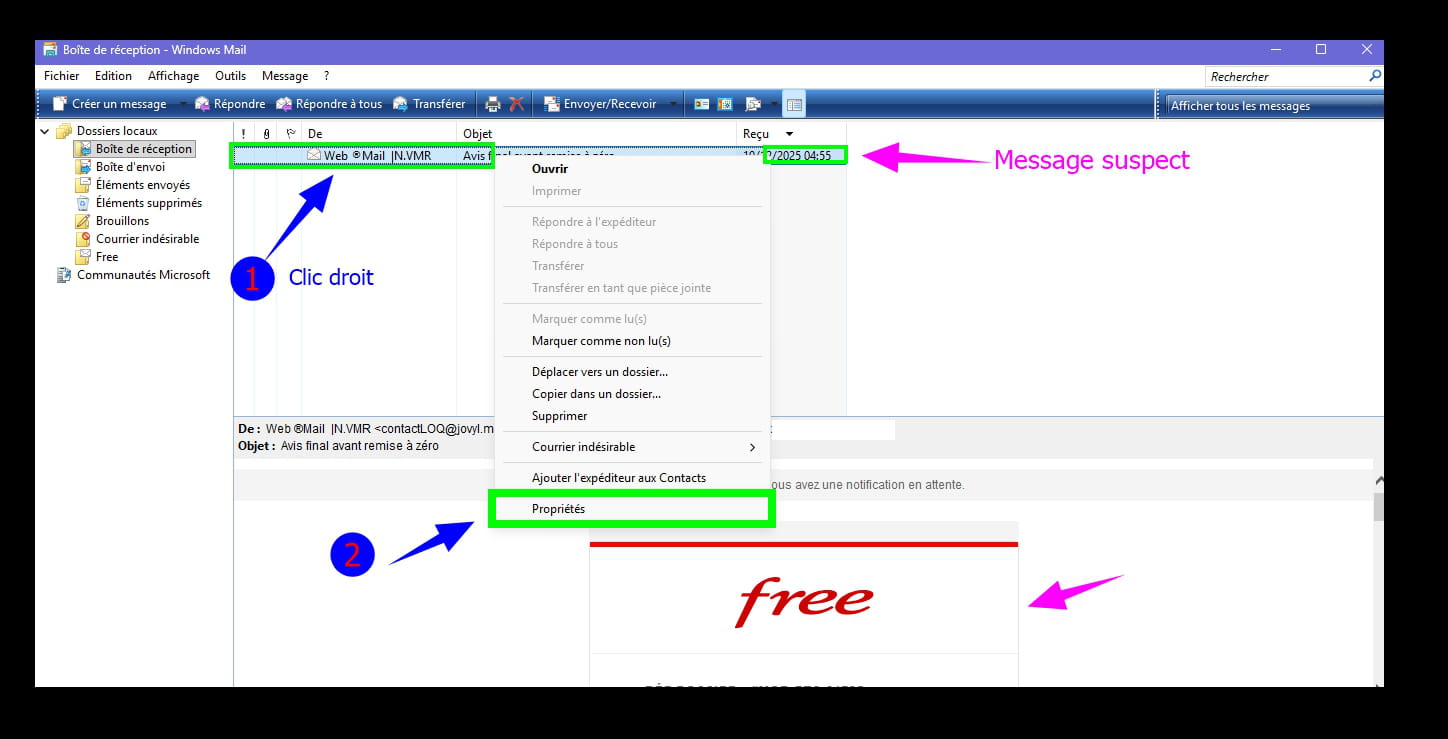
Right-click on the suspicious message.
Then --►Property
In the next dialog box click on --►Details
Then click on --►Message Source...
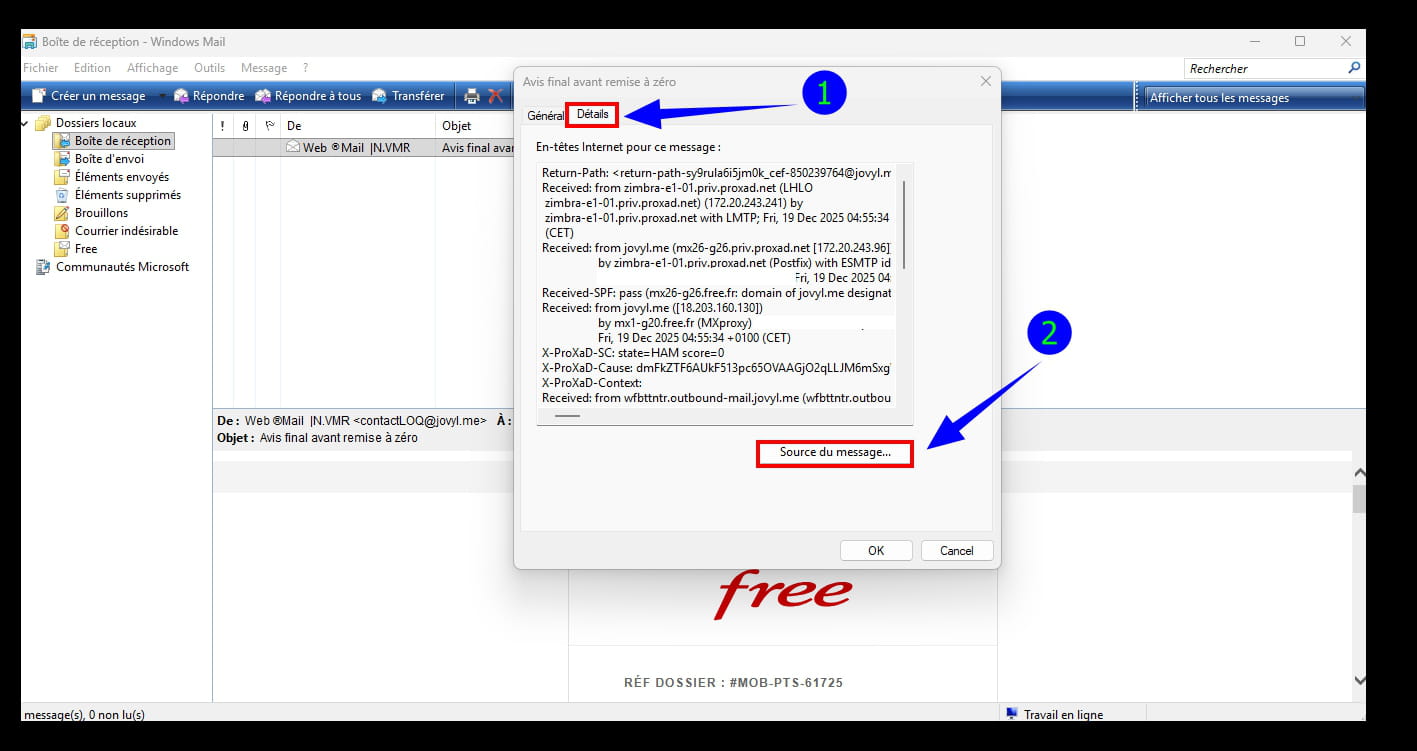
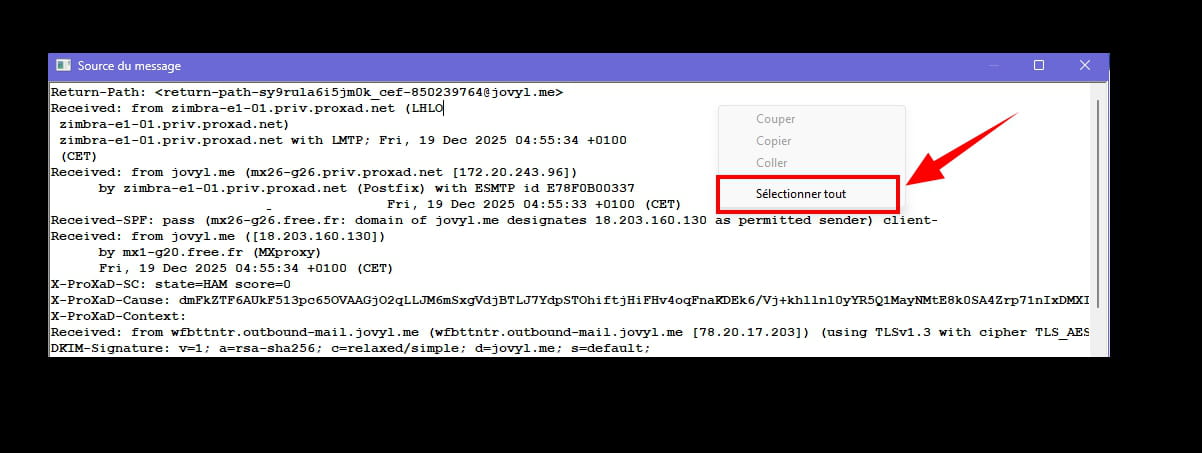
A window similar to Notepad will open.
Right-click and click --►Select All
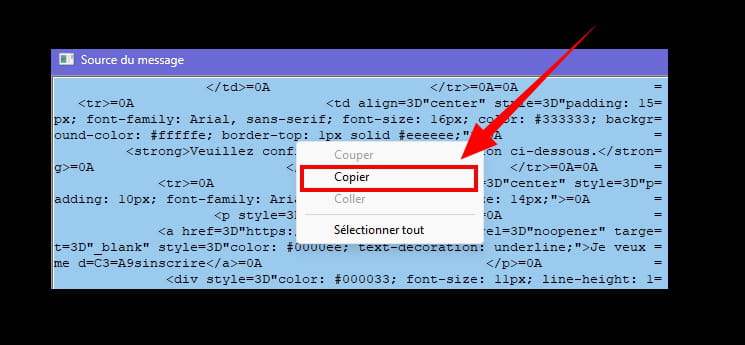
Right-click then click --►Copy
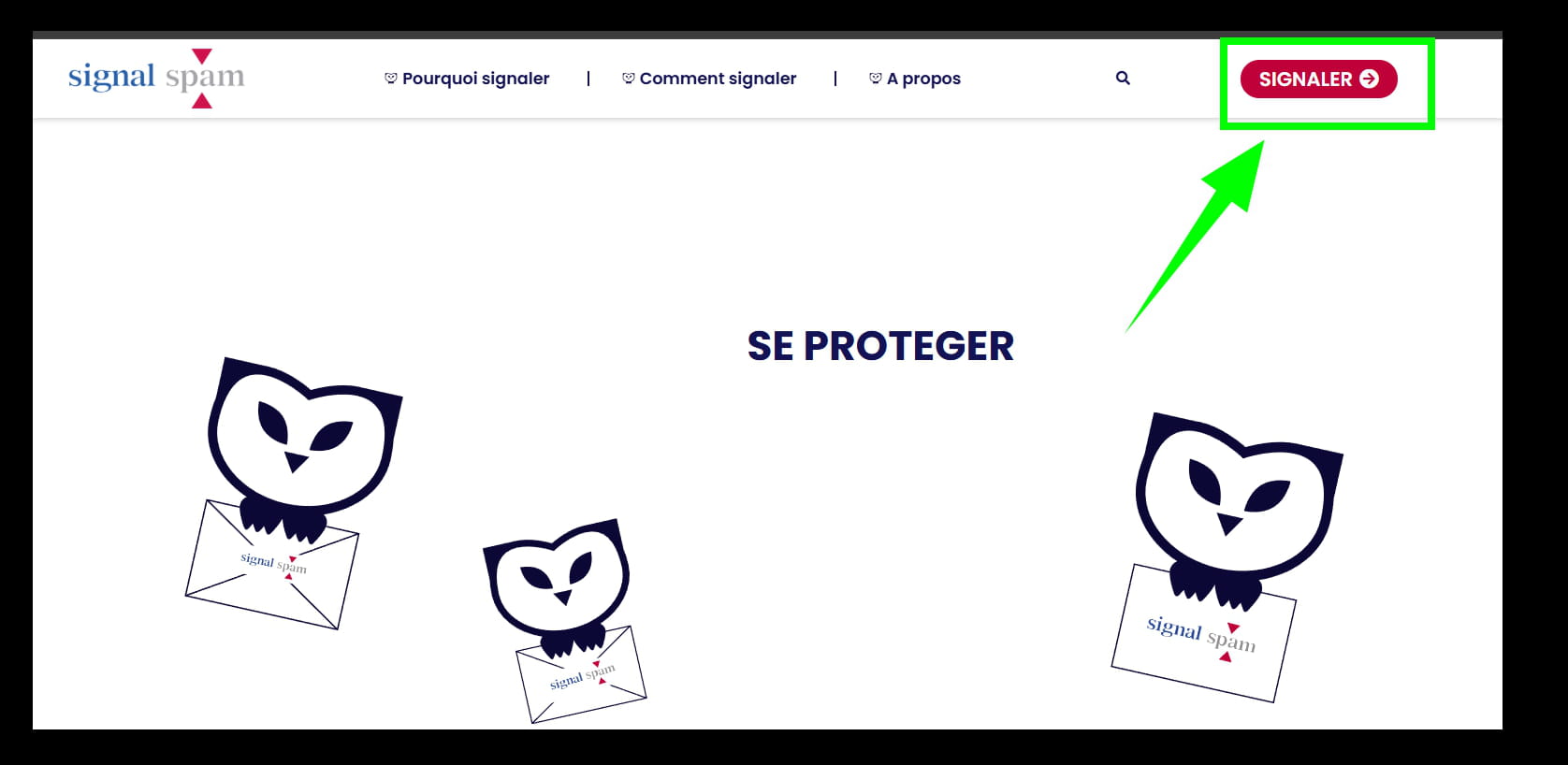
Now go to ==► Signal-spam
Click on --► Report (log in with your email address + password).
Click on --► Report Spam
Write a few words
Then right-click --► Paste
Click on --►Report
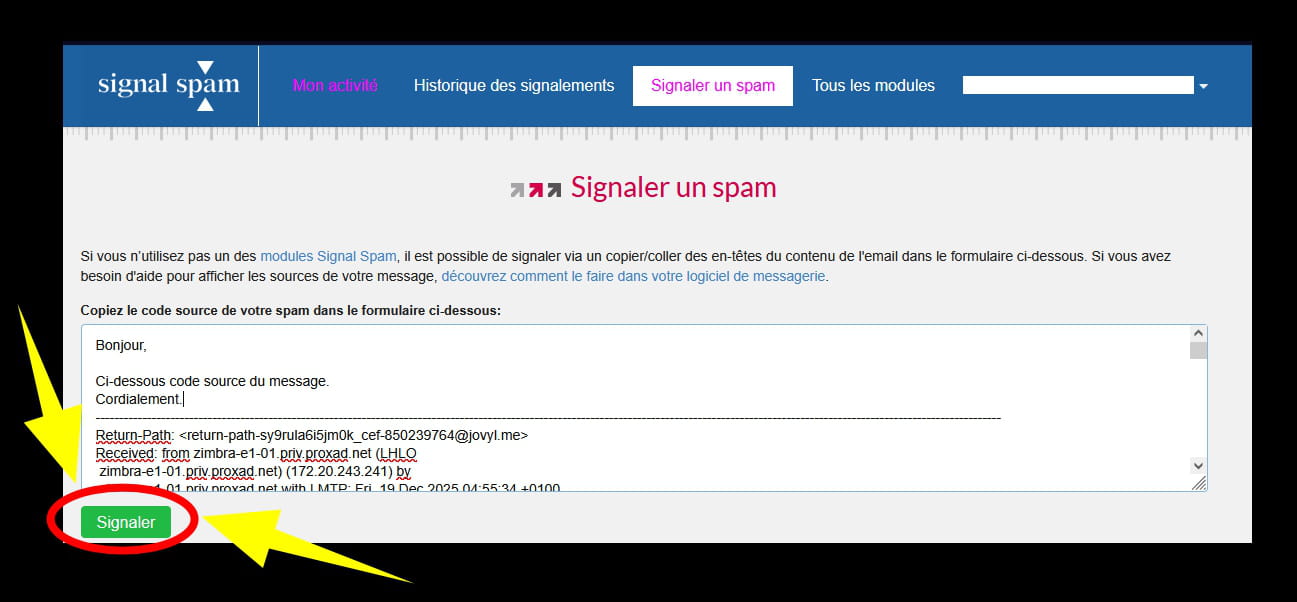
A few seconds later, the message is sent.
Government websites are sometimes slow, and you may have to start the process again!
In the section "Report History" you will find all reports by date and category with even a "Detail" section.

Then return to the Windows Mail inbox.
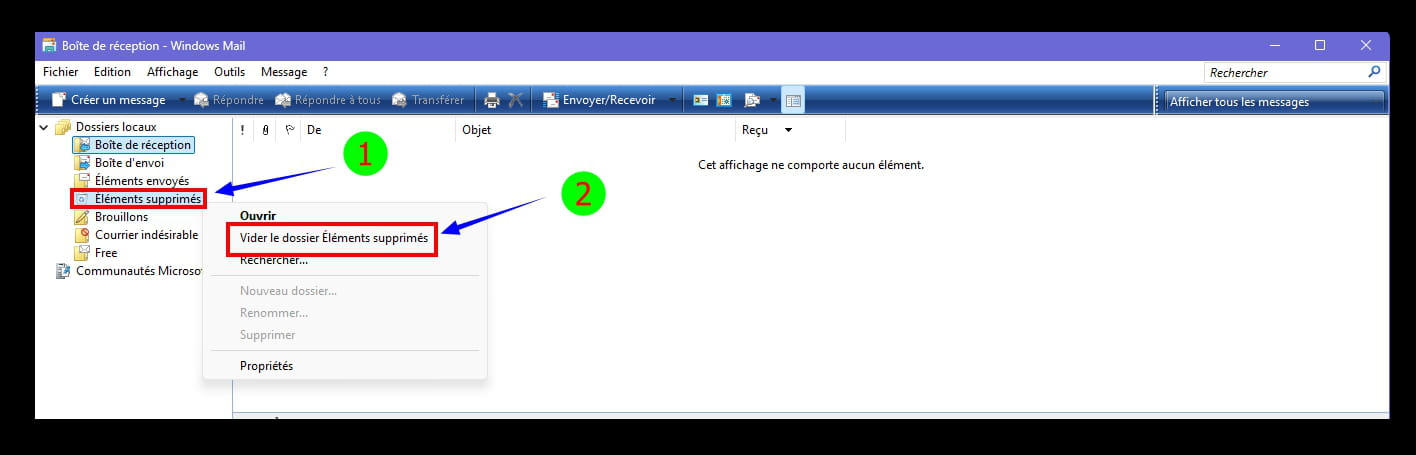
Delete the message.
And empty the "deleted items".
Info:
And if everyone pitches in by reporting suspicious messages, it won't stop you from receiving them, but it will limit the damage, as the spammer will have to create a new domain name.
Finally, it is possible to install add-ons for easier access.
https://www.signal-spam.fr/qualification-signalements/
browser extensions + email software extensions:
https://www.signal-spam.fr/nos-modules/