Bullet points issue in Word
SOSAlaideSOS
Posted messages
4
Status
Member
-
m@rina Posted messages 27636 Registration date Status Moderator Last intervention -
m@rina Posted messages 27636 Registration date Status Moderator Last intervention -
Hello,
I use a lot of bullets in Word. But for the past few days, I have been having a very annoying problem with them.
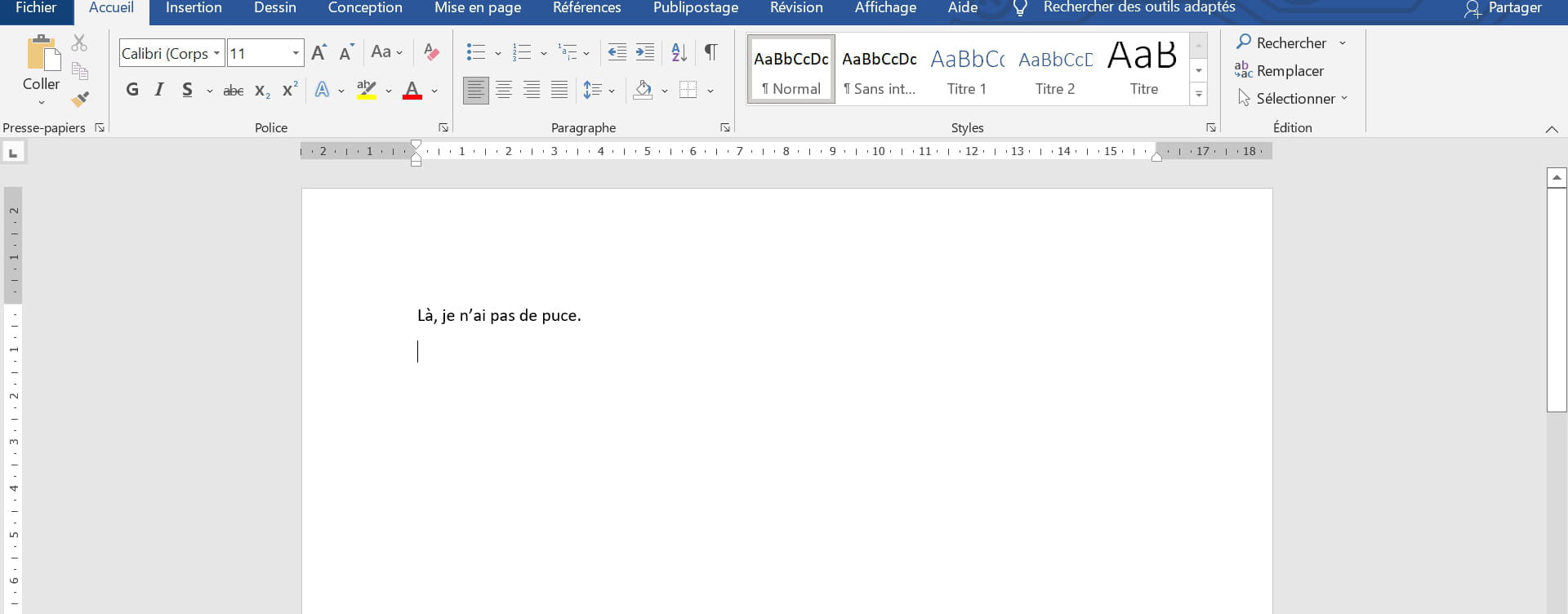
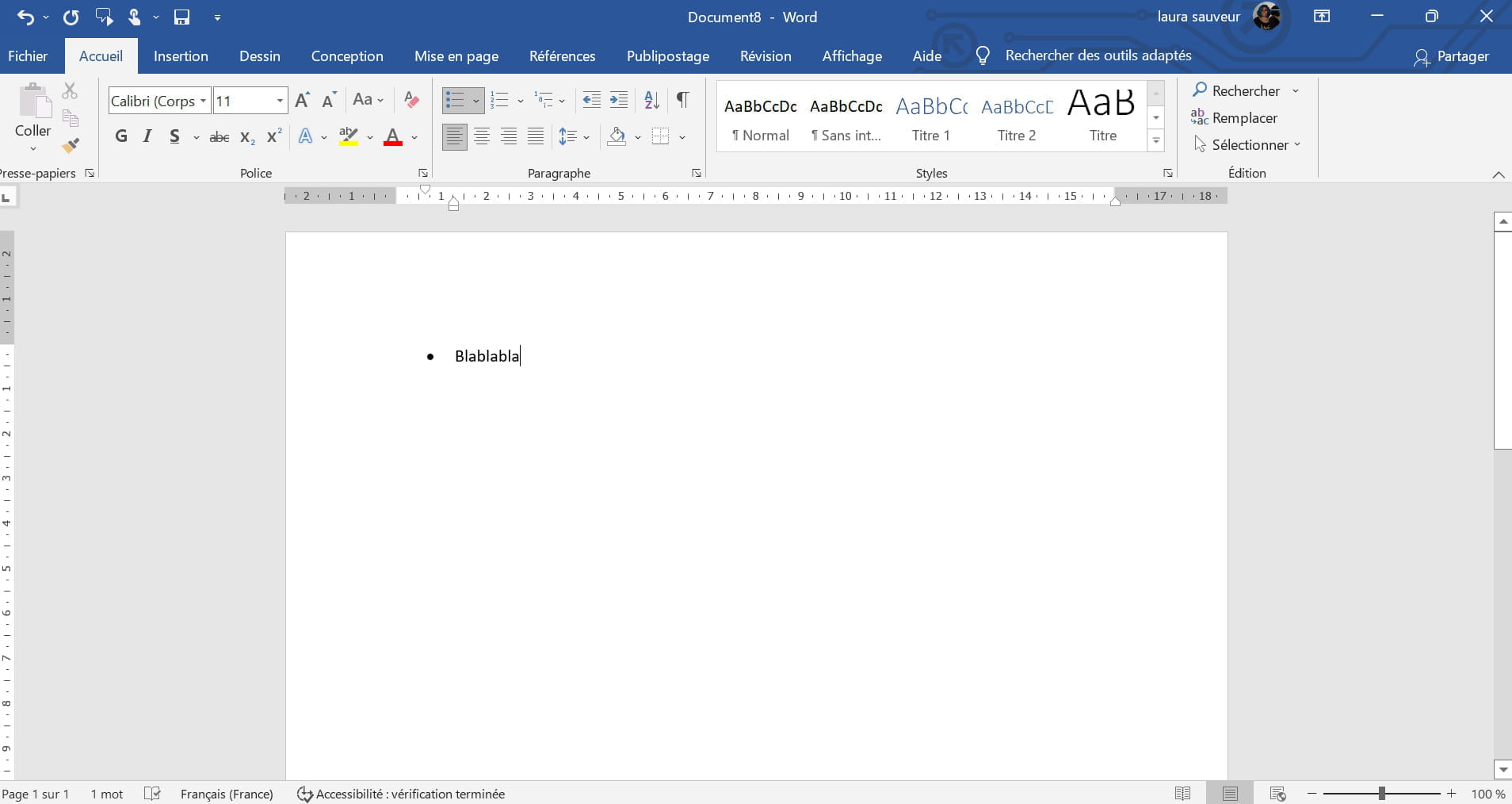
When I place a bullet in a blank Word document, everything works fine (image 1). When I go to the next line, a bullet automatically appears, all is well (image 2). Sometimes, after a few bullets, I do not need another bullet, so I disable the automatic bullet and write (image 3) and then I want to put a bullet again after skipping a few lines. However, this now shifts the bullets and the words (images 4 and 5).
I know my explanations are a bit vague, I hope the screenshots are a bit clearer.
Thank you for your help.


I use a lot of bullets in Word. But for the past few days, I have been having a very annoying problem with them.
When I place a bullet in a blank Word document, everything works fine (image 1). When I go to the next line, a bullet automatically appears, all is well (image 2). Sometimes, after a few bullets, I do not need another bullet, so I disable the automatic bullet and write (image 3) and then I want to put a bullet again after skipping a few lines. However, this now shifts the bullets and the words (images 4 and 5).
I know my explanations are a bit vague, I hope the screenshots are a bit clearer.
Thank you for your help.


4 answers
-
Hello,
Be careful, you should redo your screenshots, your full name appears...
At the moment of "canceling" the bullet point, press "Backspace" several times to return to the original "level", I do it three times. If you use the button on the toolbar to cancel the bullet point, one should be enough.
Regards.-
Hello,
Thank you for your reply, unfortunately, it doesn't work :(.
Thank you for the information about the screenshots. However, I can't edit my post :/.- What happens when you say it doesn't work? The cursor isn't moving? In your screenshot, we see that you're at the same level as the bullets, so you need to press backspace one more time before typing the paragraph.
Otherwise, press backspace after your text so that the next bullet is at the same level.
It's the three dots to edit your post (if you have the rights... The site has changed recently so I'm not sure). - If it helps, the only person I found who has the same problem as me explains it a bit better at this link: https://answers.microsoft.com/fr-fr/msoffice/forum/all/puces-qui-bougent-toutes-seules/4439ecaa-615d-47e9-8e43-8026ef58590c
-
-
Hello,
It's definitely a bug, I just tested it on Word 365 and I got exactly the same result using your method.
But, as I often explain, this bullet button is a bug in itself and we should never use it, unless it's a small one-page document for example.
The "quick" solution is, after a bullet list, to return to a new line and simply choose the Normal style. No backspacing.
But the best definitive solution is to use the Bullet List style, since it exists, format it as we wish, and assign it a keyboard shortcut.
Once you exit the bullet list, you return to the Normal style via a keyboard shortcut as well.
And we save all that in the Normal.dotm.
For example, on my PC, to start a bullet list, I use Ctrl+Alt+1 and to return to the Normal style, I use Ctrl+0.
And with this solution, never a problem again. You can even assign the Bullet List style to a bullet button on your ribbon to replace the existing one.
m@rina
--
Can we read my responses in full???? -
... since it's a programming bug, only Microsoft's software engineers will be able to fix it, if they have the time and desire. Neither you nor we can do anything about it!
You also have the option of using a version of Word other than 365, or even Writer ...
Retirement is great! Especially in the Caribbean...
Raymond (INSA, AFPA) -
Hello
The bug has been reported to Microsoft. It should be fixed in a future update.
m@rina
--
Can we read my responses in full????