Firefox all black on page backgrounds after update
Solved
Sakura_01
Posted messages
118
Registration date
Status
Member
Last intervention
-
pistouri Posted messages 19008 Registration date Status Contributor Last intervention -
pistouri Posted messages 19008 Registration date Status Contributor Last intervention -
Good evening,
Following an update, on one of the PCs, Firefox was already in dark/black mode on right-click, but now it has rendered most web pages with a black background. Notably the homepage, empty tab...
I tried changing the background color of the site on the homepage, but nothing works for now...
What should I do, please? It's not very pleasant and I don't see anything particular in the Settings.
Could it be related to the chosen Theme (at the top)? If it's too dark, is everything else black?
It’s a desktop PC, Windows 10.
Thank you.
Configuration: Windows / Firefox 95.0
Following an update, on one of the PCs, Firefox was already in dark/black mode on right-click, but now it has rendered most web pages with a black background. Notably the homepage, empty tab...
I tried changing the background color of the site on the homepage, but nothing works for now...
What should I do, please? It's not very pleasant and I don't see anything particular in the Settings.
Could it be related to the chosen Theme (at the top)? If it's too dark, is everything else black?
It’s a desktop PC, Windows 10.
Thank you.
Configuration: Windows / Firefox 95.0
13 answers
-
pistouri Posted messages 19008 Registration date Status Contributor Last intervention Ambassadeur 8 723
Hello,
I have also been a victim, as I have a dark contrast theme that interacts with my Google account.
To keep my dark contrast theme since the switch to Firefox Proton, I modified a value in the Firefox configuration editor (Theme).
The procedure:
-1-
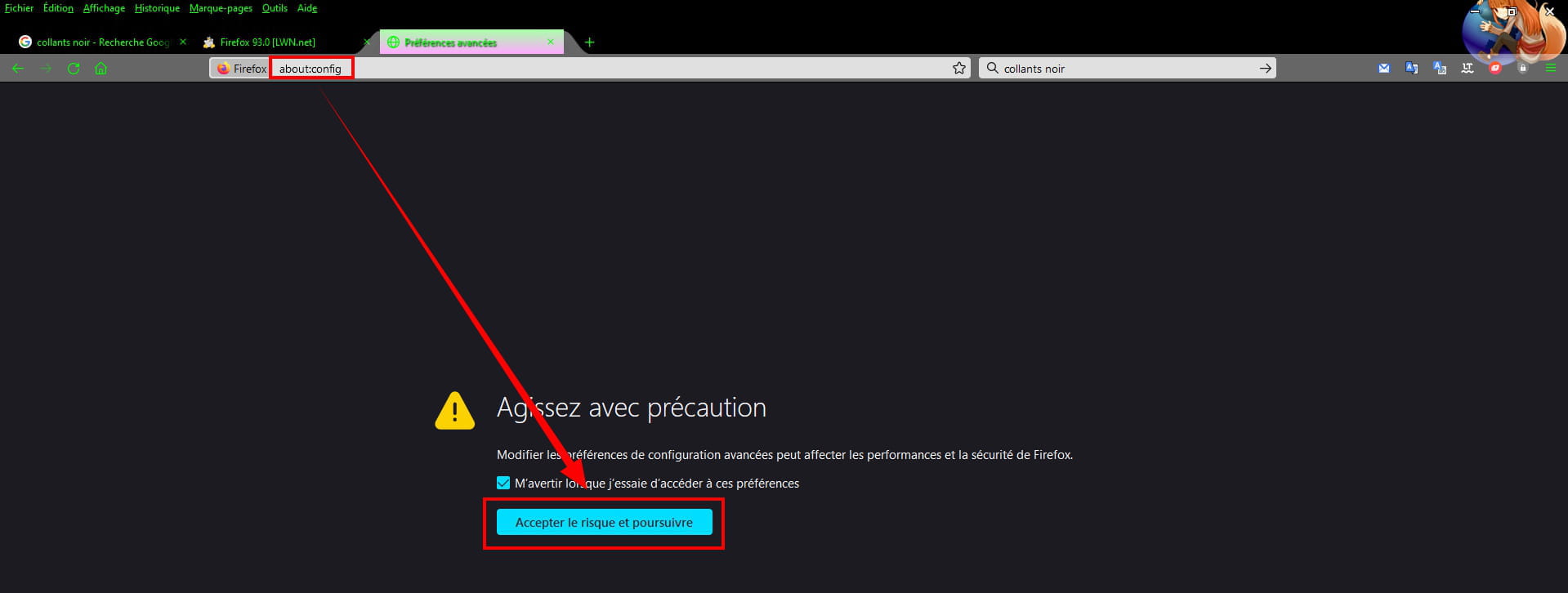
In the address bar, clear everything and copy/paste --►about:config
Click on --►Accept the risk and continue
In the box -►Search for a preference
Copy/paste --►layout.css.prefers-color-scheme.content-override
On the right, click on the pencil
Delete the number 3 or 2
Type-► 1
Click again on the pencil to save the change.
Close Firefox.
Restart Firefox.
-2-
Others (Google)
Clear everything in the address bar and copy/paste:
https://www.google.com/search?client=firefox-b-d&q=google
At the top right, click on the gear icon
Click on -►Dark theme enabled
Click OK to confirm
-3-
Or alternatively
In the address bar, clear everything and copy/paste-►google
At the bottom right, click on Settings
Click on the line -►Search settings
On the left, click on --►Appearance
Select --►Light theme

On other forums, the bug of this Firefox theme version is also mentioned.
Only method 1 works for keeping a high contrast theme in Proton Firefox.
@+.
--
pistouri