Linking 2 screens (HDMI / Displayport)
ArcaniX
-
jumulka Posted messages 12090 Registration date Status Member Last intervention -
jumulka Posted messages 12090 Registration date Status Member Last intervention -
Hello,
So here it is, I connected an HDMI cable to my 1st screen, everything works. As for connecting my 2nd screen to my tower, I only have one HDMI port on it so I took a DisplayPort cable in input/output and I tried to connect it from the tower to the 2nd screen but it doesn't detect it.
Did I do something wrong? Could someone clarify that for me?
Thanks!
So here it is, I connected an HDMI cable to my 1st screen, everything works. As for connecting my 2nd screen to my tower, I only have one HDMI port on it so I took a DisplayPort cable in input/output and I tried to connect it from the tower to the 2nd screen but it doesn't detect it.
Did I do something wrong? Could someone clarify that for me?
Thanks!
7 answers
-
Ok, so it's not normal, you should have a display output with the DisplayPort for the second screen. Have you made any adjustments in the settings > display? Or in the NVIDIA control panel?
There's a shortcut Win+P to manage the displays, or you can right-click on the desktop to select the NVIDIA settings.
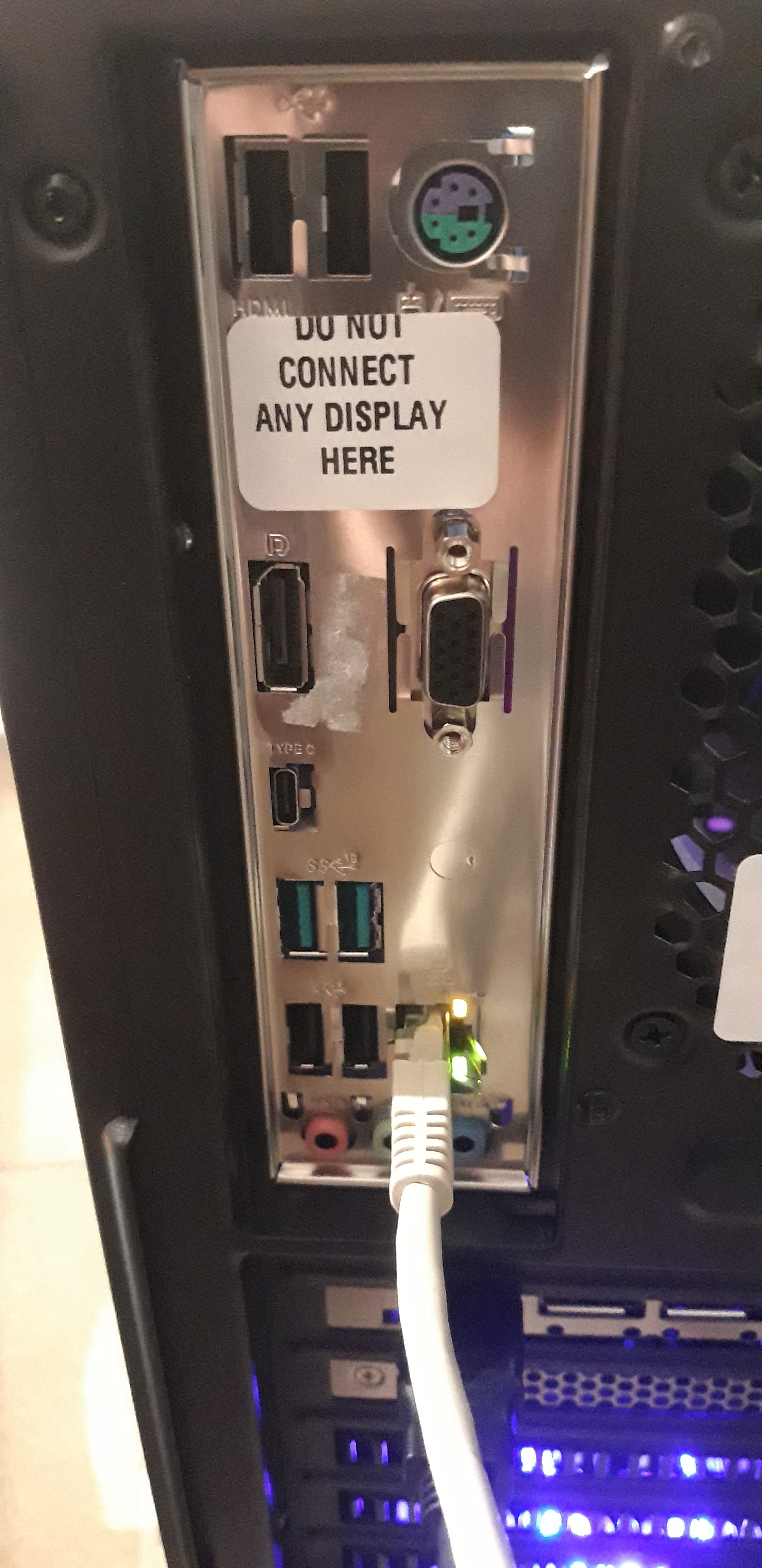
The label is normal, because you can't get a display from the motherboard when a dedicated graphics card is being used.-
When I plug the DisplayPort cable from the tower to screen 2 or from screen 1 to 2, the monitor lights up and I get to the "DP" source but it's still "no signal"
This is a new computer and the setup was done by the store, and we left all the settings at default.
The Win+P shortcut opens a notification window on the right side of the screen allowing us to remain on 1 screen, duplicate, extend, or use only the 2nd screen but nothing changed when choosing duplicate or extend.
For the NVIDIA settings, we didn't change anything and it only detects the 1st screen.
-