LED BOOT problem lights up
Mathias
-
jeannets Posted messages 28443 Registration date Status Contributor Last intervention -
jeannets Posted messages 28443 Registration date Status Contributor Last intervention -
Hello everyone,
I could use a little help from computer experts if possible.
The EZ debug LED on my motherboard stays illuminated all the time. That said, everything is functioning (perfectly?)
I've looked everywhere, but I can't see the issue. Any advice (or several) would be welcome!
Thanks in advance.
Config:
MB B550 Gaming Edge WiFi
AMD Ryzen 5 3600XT
HHD 2TB
SSD 240GB (the drive on which I installed Windows)
16 GB RAM 3200MHz
GPU RTX 2060
PSU 650W Corsair
I could use a little help from computer experts if possible.
The EZ debug LED on my motherboard stays illuminated all the time. That said, everything is functioning (perfectly?)
I've looked everywhere, but I can't see the issue. Any advice (or several) would be welcome!
Thanks in advance.
Config:
MB B550 Gaming Edge WiFi
AMD Ryzen 5 3600XT
HHD 2TB
SSD 240GB (the drive on which I installed Windows)
16 GB RAM 3200MHz
GPU RTX 2060
PSU 650W Corsair
8 answers
-
jeannets Posted messages 28443 Registration date Status Contributor Last intervention Ambassador 6 615
Hello,
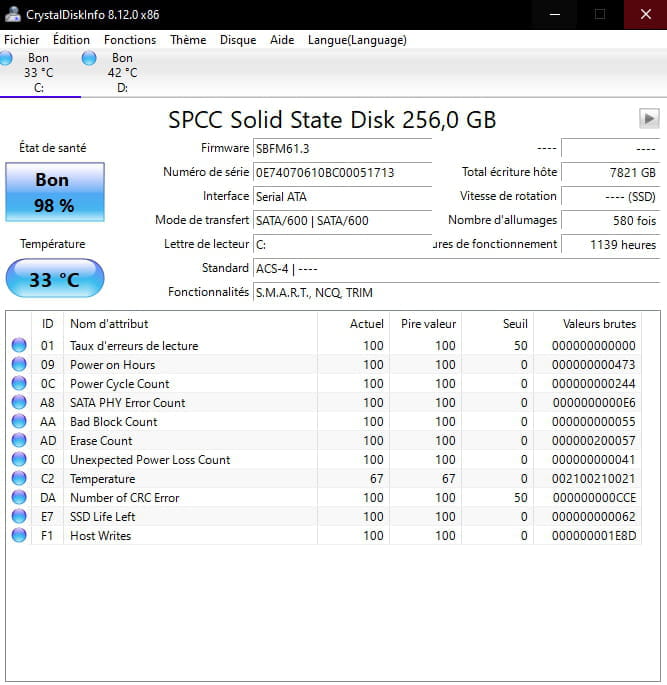
Your boot disk has a defect or is not properly detected..
I see you have two disks, an HDD and an SSD... but we don't know much more..
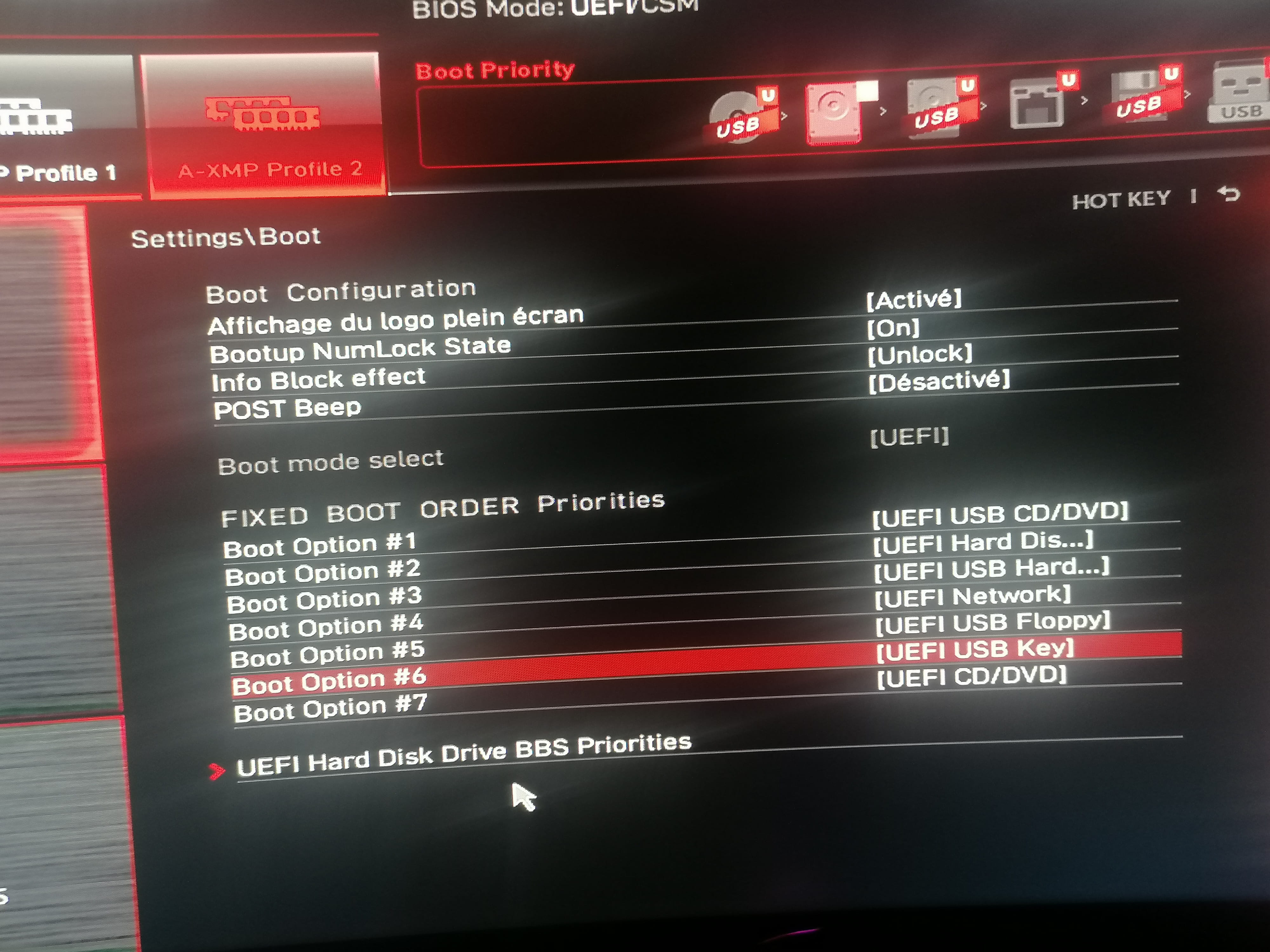
Have you properly set your SSD in position No. 1 in the "Boot Device" of the BIOS..?? usually it goes like this:
1= CD/DVD
2= USB key
3= SSD
4= not assigned.
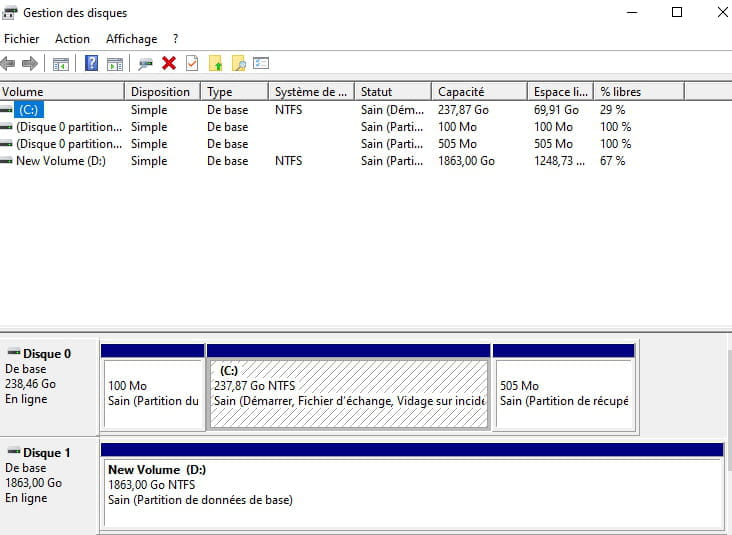
The SSD contains Windows and the Boot Manager... is there no Linux in dual boot on this disk..??
The HDD contains personal data and no trace of a previous Windows installation
Otherwise, the way Windows is installed might be the cause... especially if this installation is recent and hasn't proven itself yet..
Some M.2 NVMe SSDs are not detected, but you need to check the manufacturer's utility.-
-
"The SSD contains Windows and the Boot manager... isn't there Linux in dual boot on this disk..??"
No, there is no Linux, and I don't know how to check if the SSD contains Windows and the boot manager?
"The HDD contains personal data and no trace of a previous Windows"
It is possible, indeed, once I tried to do some messing around moving files from the account/downloads/images from one disk to another. Do you advise me to reset my PC?
-