
Fiber box connection to DTI cabinet
Solved
Jerem84_9464
Posted messages
4
Status
Member
-
Jerem84-9464 -
Jerem84-9464 -
Hello
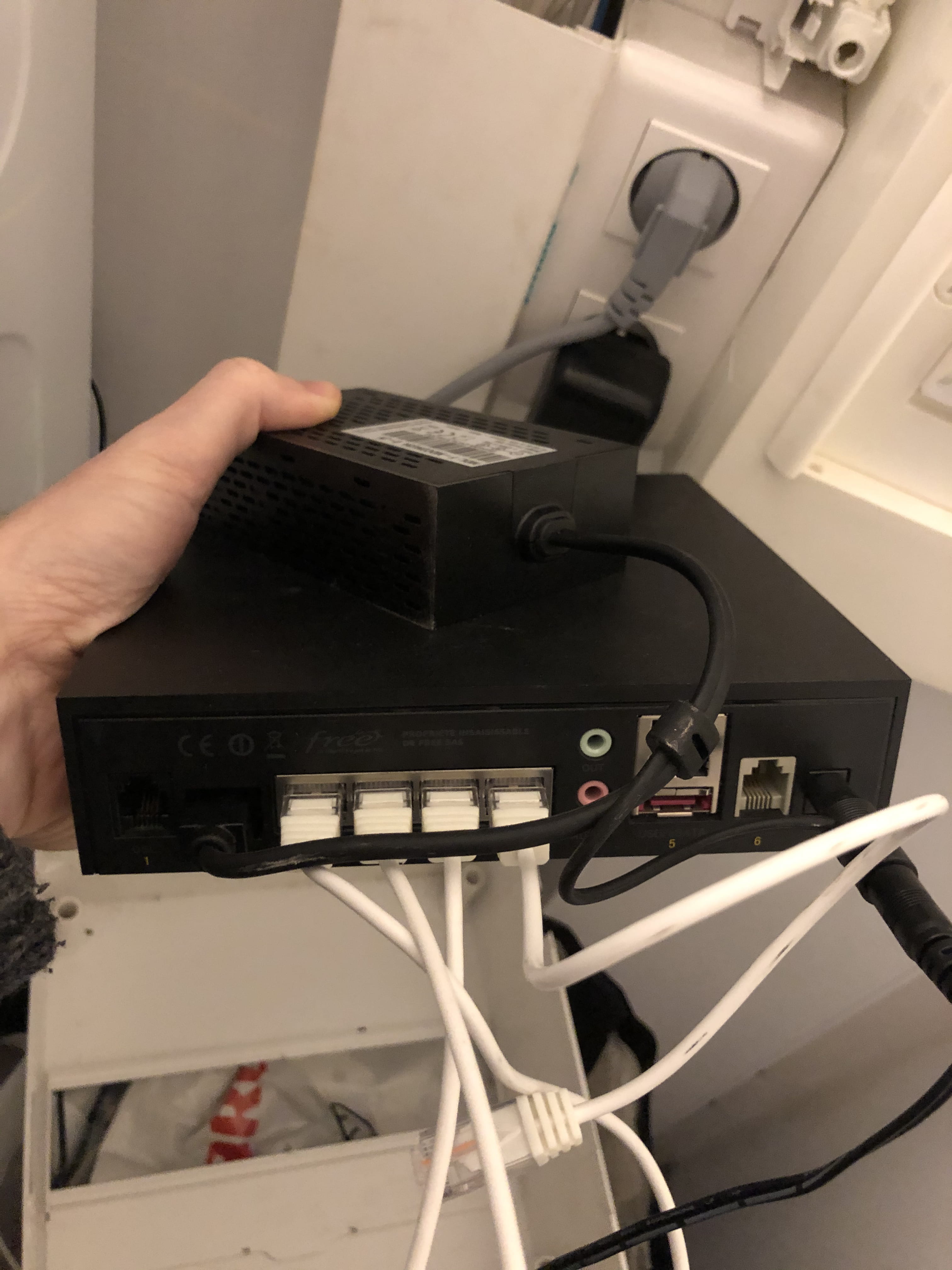
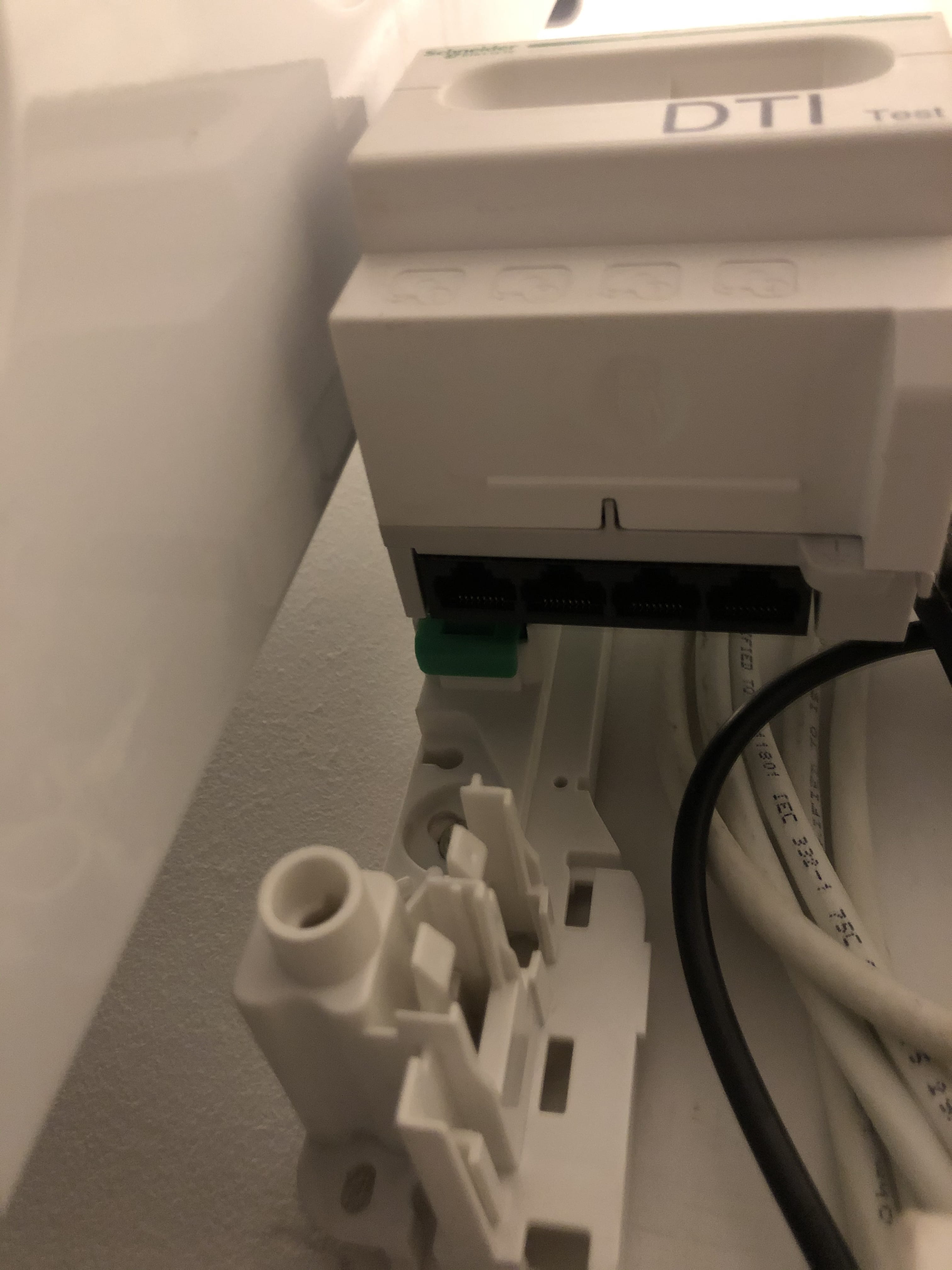
The fiber was installed in my house two days ago, but after several haphazard connections, I can't get fiber via Ethernet in all the rooms of my house. The Wi-Fi works without any issues. I must be doing something wrong with the various connections to the DTI box
I am attaching a few photos of my installation in the hope that it might help you
Thank you for your assistance


The fiber was installed in my house two days ago, but after several haphazard connections, I can't get fiber via Ethernet in all the rooms of my house. The Wi-Fi works without any issues. I must be doing something wrong with the various connections to the DTI box
I am attaching a few photos of my installation in the hope that it might help you
Thank you for your assistance

5 answers
-
Thank you very much for your responses.
Indeed, I did this manipulation of connecting the white cables between the Ethernet outputs and the wall socket outputs, but it wasn't working. It must surely be due to the little white cables; I will change them.
Are there specific models of Ethernet cables to buy then?
Best regards.-
All commercial Ethernet cables should work. If specified, use Cat 6a (or possibly 5e). They can be found in the desired length: 30cm, 50cm, 1m...
But you must have 1 or 2 lying around? To test the installation and the wiring of the patch and wall sockets. We often encounter installations wired only for telephony/ADSL, with only 2 wires connected out of the 8 in the cable, while all are needed for Ethernet. Connect your cable from your box to a patch panel, hopefully well labeled, and on the corresponding wall socket connect a PC.
-


