
Very slow laptop
SolvedGood evening Bazfile
It's me again! This time it's about my laptop that I rarely use, but always up to date.
It is very, very slow and sometimes freezes for no apparent reason... I don't know if it's a virus or what... It is slow not only to open pages, but also to open folders...
Thanks for your help..
6 answers
-
Moderator
Hello,
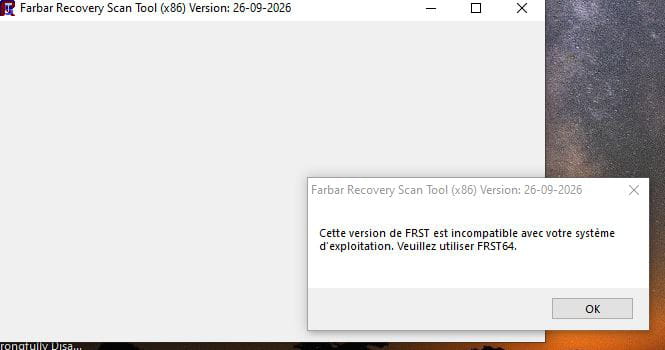
You need to download the 64-bit version:
-
I’m trying to open FRST but it’s impossible. Here is a screenshot of the error message..
-
Hello, thank you very much.
Here are the two requested files
Addition
FRST
-
Contributor
Hello
on Windows 10 or 11, no need for a third-party antivirus
Windows has its own antivirus, Windows Defender
uninstall McAfee, too resource-hungry
and let Windows Defender take over, just as effective and less resource-intensive
to properly uninstall McAfee here:
To finalize this step, you need to restart the PC.
-
-
Hello and thank you.
I followed your instructions. Removed McAfee and OneDrive, and here is the requested file:
-
Yes, I feel much better. Thanks to you, that's kind of you.
-
Moderator
Hello .
Your PC is not infected; the problem is that it’s an entry-level PC with little RAM and a totally outdated processor. Your issue isn’t infectious but hardware-related, so I’m redirecting your post to the forum in the Hardware & System section → Computers.
bazfile
Moderator/Security Contributor.
a hello, a reply, a thank you always brings joy.


