Change to landscape A3 format in Word.
Solved
Cyturgis
Posted messages
21
Status
Member
-
telliak Posted messages 3652 Registration date Status Member Last intervention -
telliak Posted messages 3652 Registration date Status Member Last intervention -
Hello,
I would like to modify my Word layout to format my document in A3.
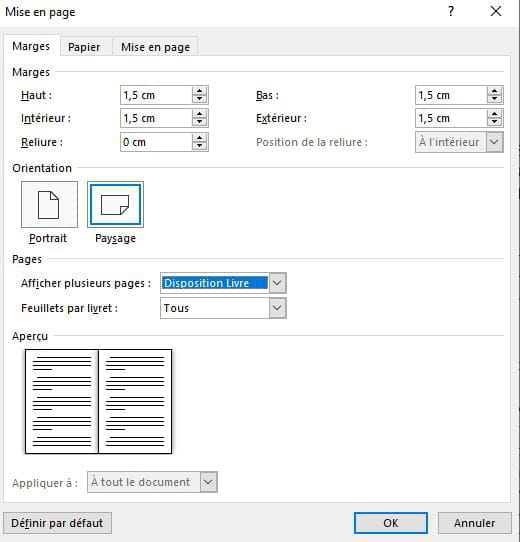
By going to the "Page Layout" tab and clicking on the small arrow in the bottom right corner, I change the orientation to "Landscape" and in the Pages section, I select "Book Layout" (the aim is to create something like a magazine, hence the book layout).
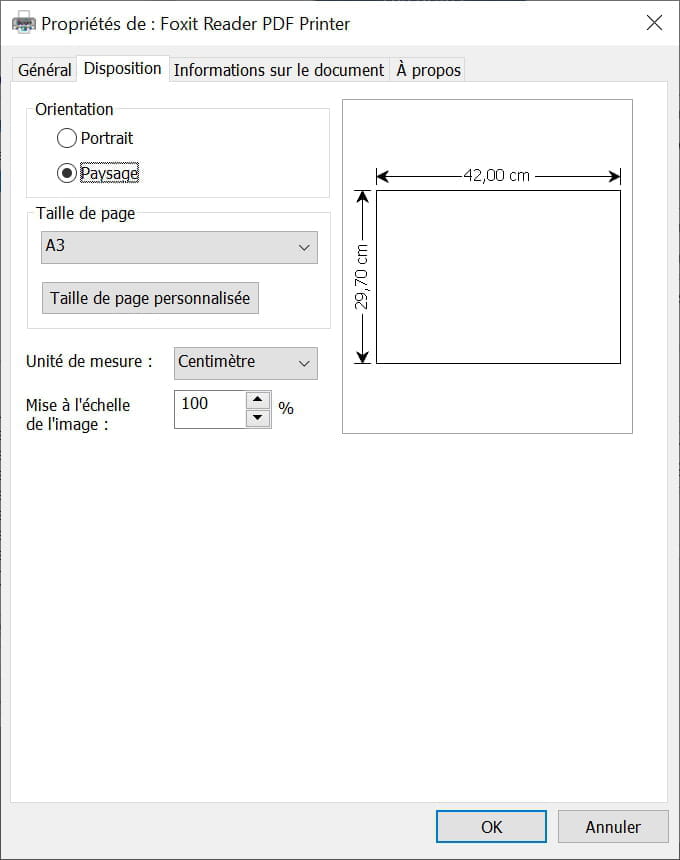
Then, in the Paper tab: I wanted to select "A3," but it does not appear. From there, after some internet searches, I tried to modify the format using "Custom Size," entering (for A3 landscape) a height of 27.9 cm and a width of 42 cm.
It was after entering these custom values that I got stuck. Word tells me: "this measurement is not valid."
Therefore, I would like to know, please, if there is a way to resolve this issue and achieve this A3 landscape layout in book layout mode.
Thank you in advance to everyone who takes the time to read and help.
Sincerely
Cyturgis
I would like to modify my Word layout to format my document in A3.
By going to the "Page Layout" tab and clicking on the small arrow in the bottom right corner, I change the orientation to "Landscape" and in the Pages section, I select "Book Layout" (the aim is to create something like a magazine, hence the book layout).
Then, in the Paper tab: I wanted to select "A3," but it does not appear. From there, after some internet searches, I tried to modify the format using "Custom Size," entering (for A3 landscape) a height of 27.9 cm and a width of 42 cm.
It was after entering these custom values that I got stuck. Word tells me: "this measurement is not valid."
Therefore, I would like to know, please, if there is a way to resolve this issue and achieve this A3 landscape layout in book layout mode.
Thank you in advance to everyone who takes the time to read and help.
Sincerely
Cyturgis
3 answers
-
Hello
No, sorry, I don't see what you're trying to show with the Page format (which is actually the "full" choice of the 3 buttons in the "Margins, Orientation, Size" Ribbon...)
Once the A3 format is chosen, landscape orientation, ask for 2 pages per sheet and not booklet (a booklet is not A3).
A+
--
If the answer helped you: a little thank you is nice. If it's resolved: the green button at the top is better ;-)
Let him who has never opened a user manual throw the first mouse.