
Internal hard drive inaccessible with a question mark
Solved
moijika
Posted messages
14
Status
Member
-
moijika Posted messages 14 Status Member -
moijika Posted messages 14 Status Member -
Hello everyone,
I'm reaching out because I have a problem with a hard drive that has become inaccessible and shows a question mark in "My PC".
Having read another thread from someone who had a similar problem, I've tried several things (I hope I did it correctly), but nothing worked.
Here’s the view I have:
 Hello,
I tried going into Windows Disk Management but I no longer see my drive E:

and also no error in the device manager:

I tried the CrystalDisk software and similarly, my hard drive does not appear:
Finally, I tried DriverCloud (and there I updated all the drivers automatically, at least I think so because every time I do it, new drivers appear to install).
So...
I'm a bit desperate because my E drive contains a lot of important documents.
I probably misused one of the tools above, or maybe there’s still something else to do? Or maybe my hard drive is dead... and that would be a disaster.
Thanks in advance if you have any ideas :)
Configuration: Windows / Edge 86.0.622.69
I'm reaching out because I have a problem with a hard drive that has become inaccessible and shows a question mark in "My PC".
Having read another thread from someone who had a similar problem, I've tried several things (I hope I did it correctly), but nothing worked.
Here’s the view I have:
Hello, I tried going into Windows Disk Management but I no longer see my drive E:
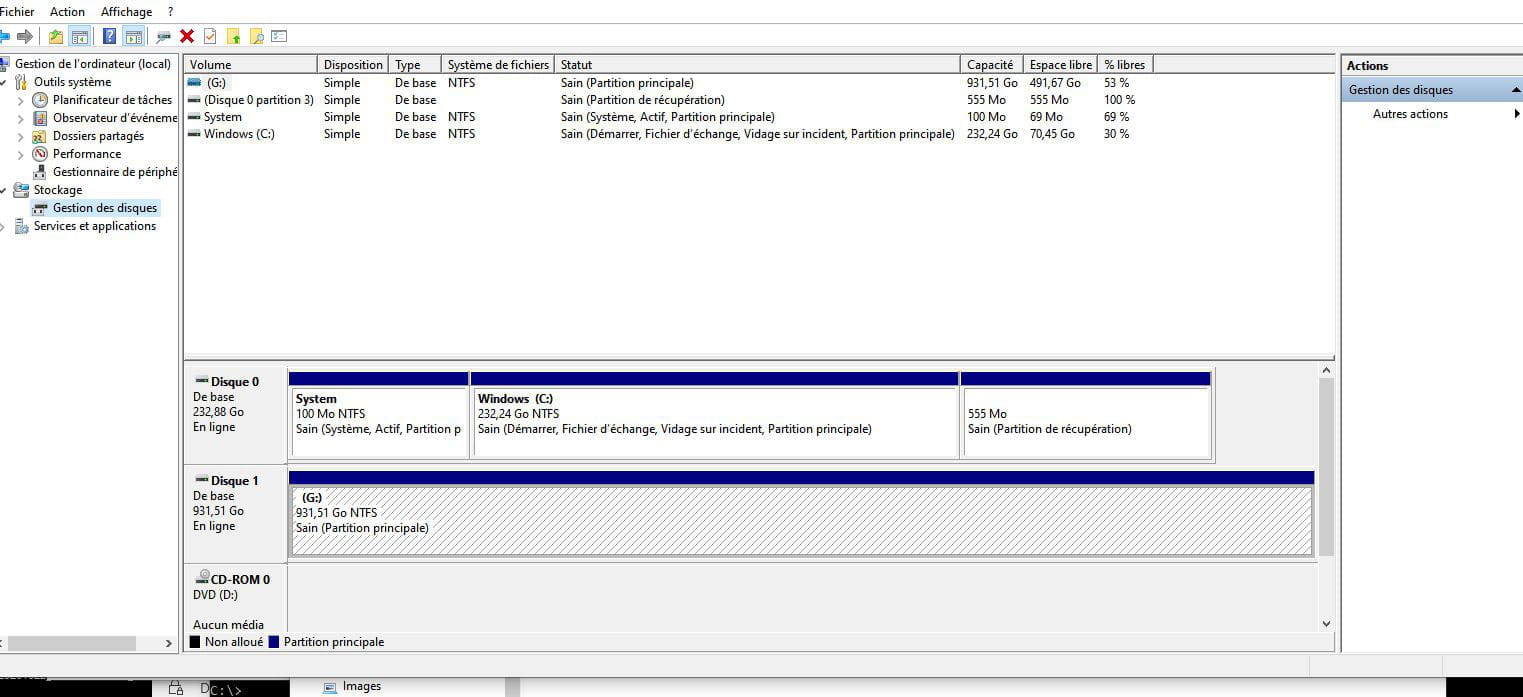
and also no error in the device manager:
I tried the CrystalDisk software and similarly, my hard drive does not appear:
Finally, I tried DriverCloud (and there I updated all the drivers automatically, at least I think so because every time I do it, new drivers appear to install).
So...
I'm a bit desperate because my E drive contains a lot of important documents.
I probably misused one of the tools above, or maybe there’s still something else to do? Or maybe my hard drive is dead... and that would be a disaster.
Thanks in advance if you have any ideas :)
Configuration: Windows / Edge 86.0.622.69


