
Rectangles in Google Chrome's startup
Solved
Anonymous user
-
pistouri Posted messages 19010 Registration date Status Contributor Last intervention -
pistouri Posted messages 19010 Registration date Status Contributor Last intervention -
Hello,
I haven't downloaded the latest version of Windows 10.
Windows opens normally.
When I open Google Chrome, uncolored rectangles or squares appear and disappear very quickly.
The screen flickers at times.
Where is this coming from and what should I do?
I do not want any browser other than Google Chrome.
Thank you for getting back to me.
Best regards.
I haven't downloaded the latest version of Windows 10.
Windows opens normally.
When I open Google Chrome, uncolored rectangles or squares appear and disappear very quickly.
The screen flickers at times.
Where is this coming from and what should I do?
I do not want any browser other than Google Chrome.
Thank you for getting back to me.
Best regards.
25 answers
- 1
- 2
Next
-
pistouri Posted messages 19010 Registration date Status Contributor Last intervention Ambassador 8 732
Hello,
Launch Google Chrome in incognito mode
Is the result the same?
In the meantime, clear the cache of Google Chrome.
--
pistouri -
pistouri Posted messages 19010 Registration date Status Contributor Last intervention Ambassador 8 732
Hello,
The magic worked :-)
Switch back to normal mode and check if everything is OK.
If not, I’ll suggest something else.
In incognito mode, extensions are disabled, hence a potential culprit.
If you cleared your browser cache, you’ve cleaned the cookies which may have resolved your issue with that rectangle.
--►when searching on Google which sites should you avoid?
??? You need to think between the chair and the keyboard???
--► Install an ad blocker if you haven't====► Ublock Google Chrome
Once installed, you don't have to do anything, an easy list will block most ads by 90% to 100%.
See you later
-
pistouri Posted messages 19010 Registration date Status Contributor Last intervention Ambassador 8 732
Hello,
Post a screenshot of the rectangles.
--►How to take a screenshot
--►post an image
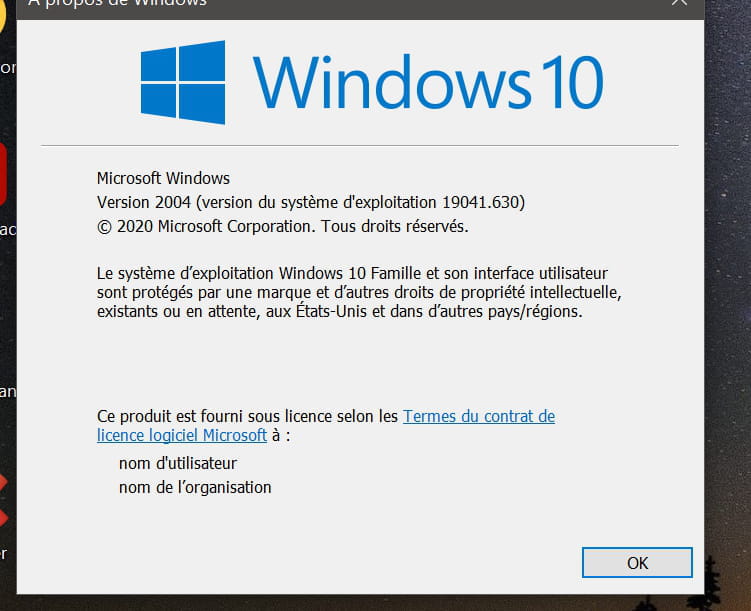
What version of Windows do you have?
Press the keyboard key Windows + R then type --► winver
It might be your graphics card.
Check if a newer driver is available on DriversCloud
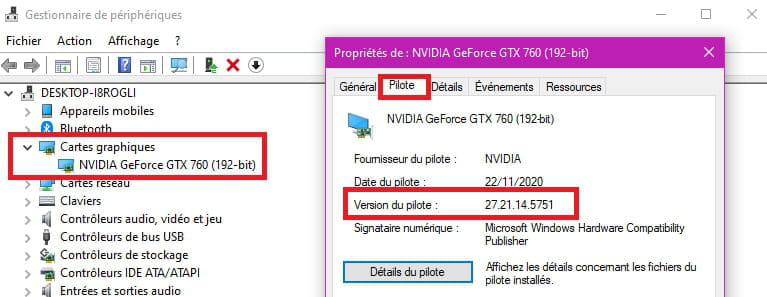
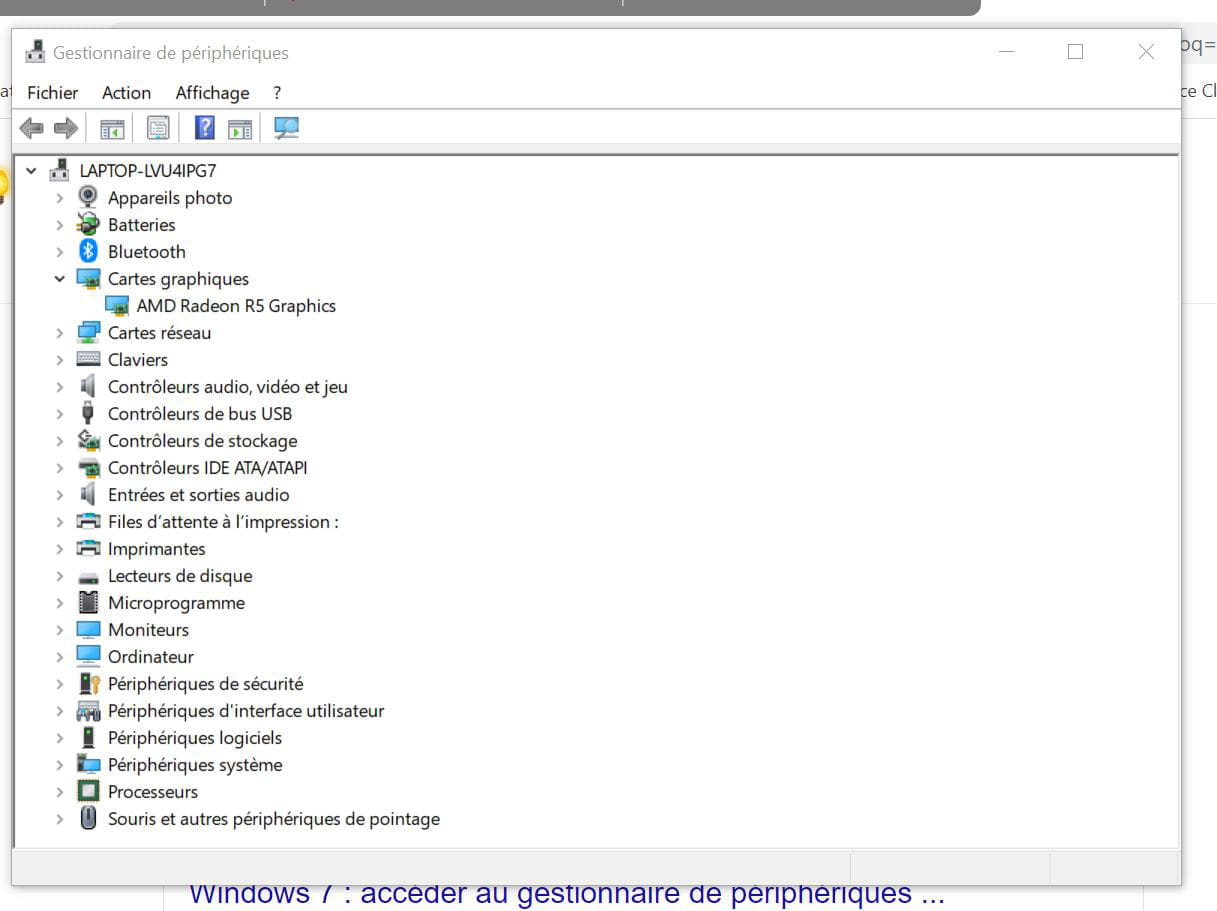
A] If you don't have anything, go to the Device Manager -► Graphics adapters
Click on your graphics card
Driver tab -► Roll Back Driver
B] Device Manager -► Graphics adapters
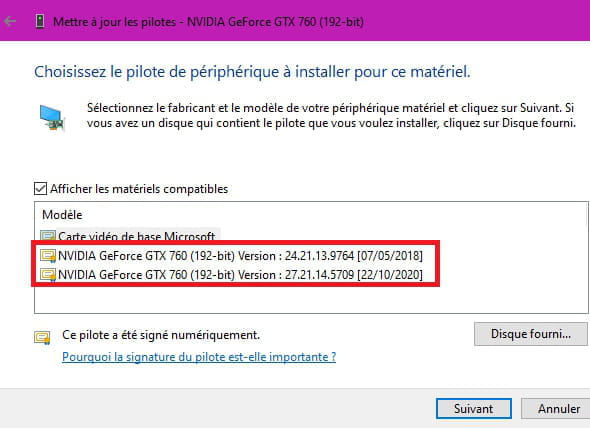
Right-click on your graphics card -►Update Driver--► Browse my computer for drivers-►Choose from a list of available drivers on my device
In the list, choose a driver with an earlier date.
If you choose Microsoft Basic Display Adapter, you will have basic display (Don't do this for now)
C] Go to Settings -►Update and Security
Click on the line -► Check for optional updates
Click on --►Driver Updates
There might be an old graphics driver available.
Just check the box and then -► Download and Install
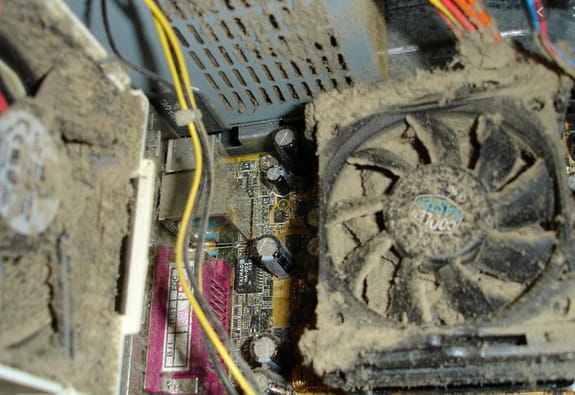
Check the connections if you have a desktop PC and clean the fans with a brush.
private browsing protects my computer less.
The history is not saved, and extensions are disabled, you're browsing at a minimum in this case and it's better not to go just anywhere.
If necessary, run Malwarebytes
In summary, it could well be a hardware problem (Graphics card...)
PS --► I can't log out of your site
Close the CCM window or your browser, it would be more annoying if you couldn't log in.
If the problem persists, there is a forum Bugs and suggestions
Do you see the image 3 where the PC is truly filthy? The image took over a minute to load in this post but that's another story.
See you soon
-
pistouri Posted messages 19010 Registration date Status Contributor Last intervention Ambassador 8 732
Hello,
Have you checked in on the graphics driver?
Try to upgrade to version 20h2 (that's 2009 = September 2020).
Look at the different procedures
I did it at a neighbor's house the day before yesterday using the update assistant
Duration = 2h00
Or Activate Windows 10 2009 using Malekal's method, which we salute by the way.
No worries about the fleeting rectangle captures, it’s already good to post a capture.
Good luck with the rest.
-
pistouri Posted messages 19010 Registration date Status Contributor Last intervention Ambassador 8 732
With Drivers cloud you will know if a driver is available.
But you could try My Drivers if you mess up with DriverCloud.
Or download My_Drivers_3.0.4.exe
Check --► Show only drivers newer than the installed ones
Check --► Show only WHQL certified drivers
Uncheck -►Also show beta drivers
Click on -►Validate.
See if you have a driver to update.
Look for the green highlight, it will indicate a new version.
If you have one, download it and install it.
It will uninstall your old version of the driver to install the new one.
Or on the Asus support
Which would be ideal.
Please provide the Asus brand.
In the search field on the taskbar type --► info
Click on --► System Information
In system summary, it's the line --► Model
In principle, you should have Nvidia for the graphics card on an Asus, but it’s not certain if you have a dedicated graphics card (on a laptop), it would be Intel.
Question?
Did the PC fall?
Test your hard drive with CrystalDiskInfo
The color will tell you more about its health status.
See you!
--
pistouri -
pistouri Posted messages 19010 Registration date Status Contributor Last intervention Ambassador 8 732
Hello,
The computer fell and at the same time a USB key got bent!
Test your hard drive with CrystalDiskInfo
Check the color of its health status.
Post a screenshot in your next message.
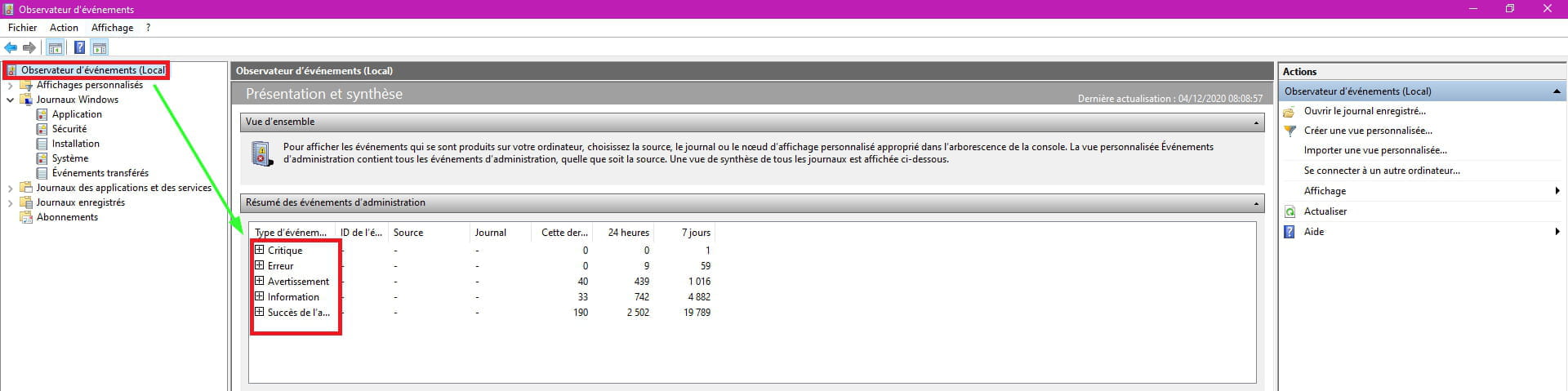
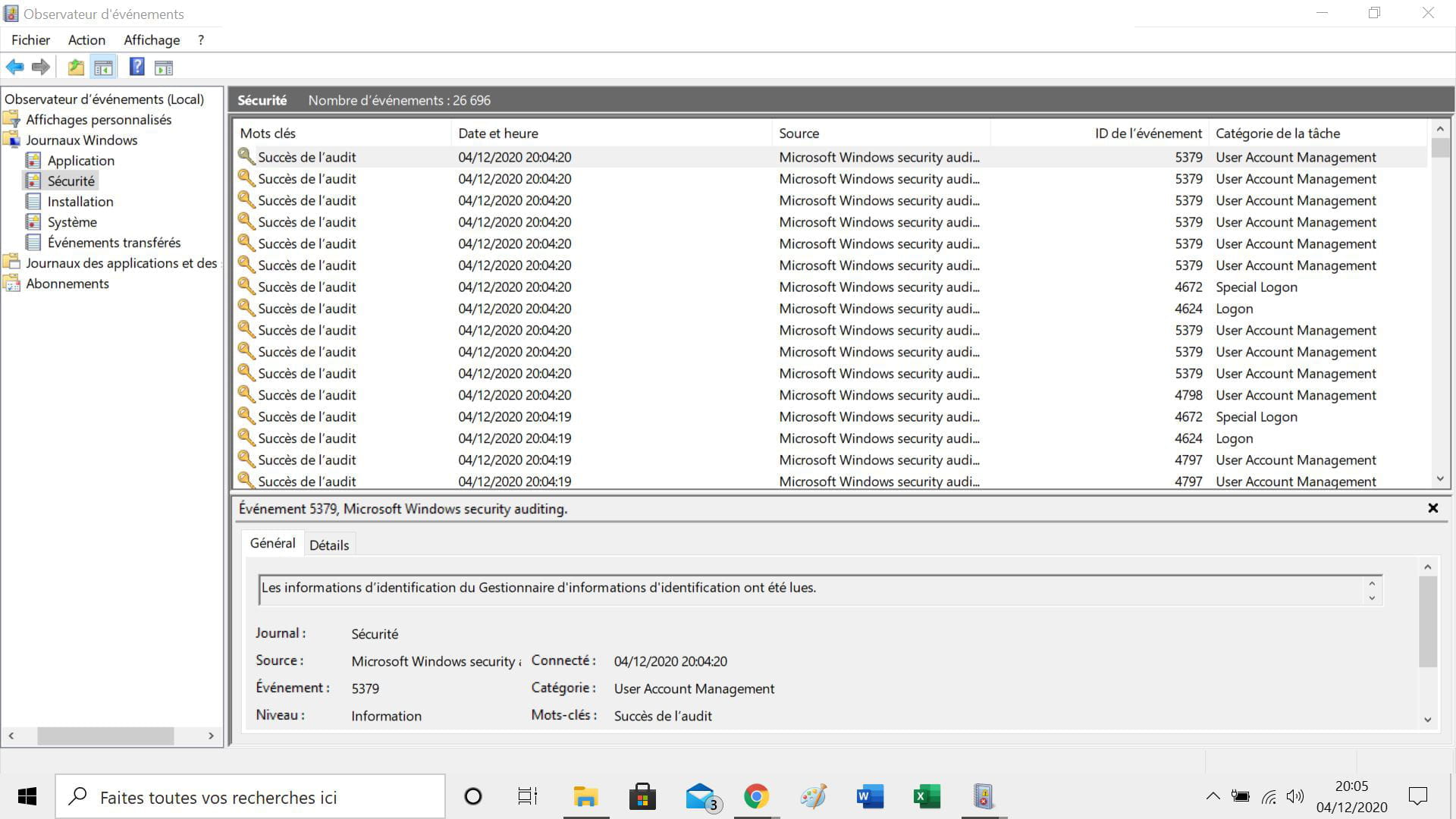
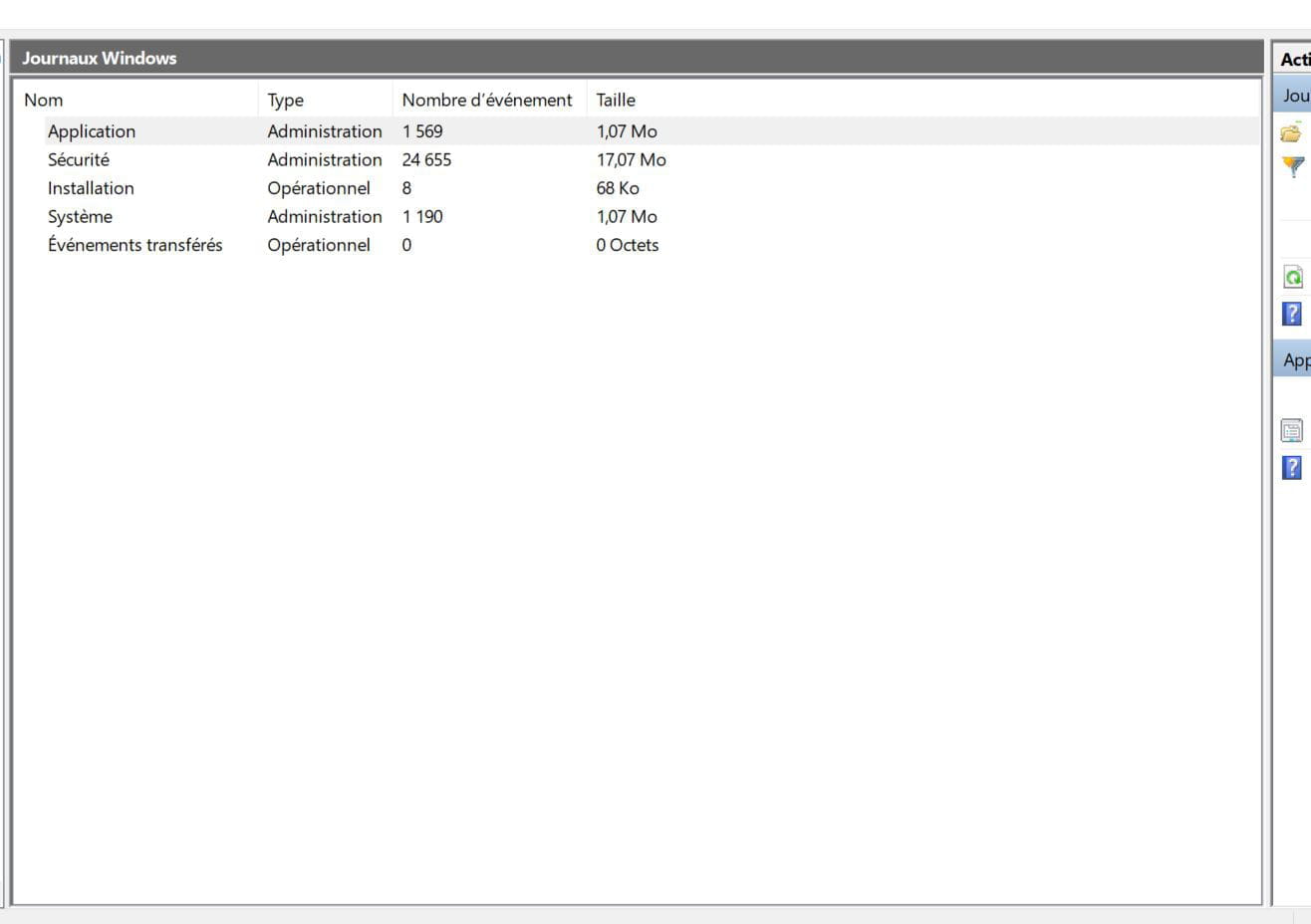
the event viewer
Look for warnings and critical errors.
You have Windows 10 version 2004.
==► install the 20h2 update from October 2020
If you have multiple USB ports, identify which one is the culprit (the technician suggested it could be due to a USB connection).
See you+
--
pistouri -
pistouri Posted messages 19010 Registration date Status Contributor Last intervention Ambassador 8 732
Your hard drive is fine.
The problem lies elsewhere if it's a hardware issue, like a defective graphics card or another component.
I don't know if the 20h2 update will fix the problem.
You could install the update yourself if the IT technician charges you for it.
See you later
--
pistouri -
pistouri Posted messages 19010 Registration date Status Contributor Last intervention Ambassador 8 732
He said what, the IT guy ==► I’m waiting for him to call me back (# 18)
I think it's because during the updates I tried to install a driver suggested by ASUS
With Windows Update or with the Asus Update?
For the Windows event logs (information, critical...) you need to check the time when the rectangles occur.
In your first screenshot, there are no hardware events.
In #5 it would be interesting to know if you have a driver available for the graphics card.
Download it if it's offered.
The goal would be to uninstall the driver for your graphics card from the device manager, then turn off the PC and restart.
You will have Microsoft’s generic graphics driver and the display will likely be larger.
This is to check if the graphics driver is the culprit.
If not, install the downloaded graphics driver.
Also note the version of your driver
My ASUS laptop is only 2 years old in February.
It would still be under warranty. (Check with customer service).
A+
-
The IT technician will come to pick up the computer next Friday and will return it to me on Saturday, but logically only the update should not be charged. The other problem arose today.
In the Windows Updates, I was offered to update ASUS COMPUTER and ASUS drivers. These updates are now complete.
Yes, my computer is under warranty, but if it’s a repairable issue, Boulanger will keep it, and I can't go without a computer for long (I have no backup computer).
Here are the hours of issues, but what should I do with them?


Should I do a restore? -
It's hard to make sense of all these screenshots.
See the red exclamation points (Danger=critical)
Only the last screenshot (Security) is good with no error messages.
Next time the rectangles appear, check the time and dig into the event viewer.
We'll wait until next Friday to see what the IT specialist has to say.
At Boulanger, it takes 2 to 3 weeks to return an Asus to customer service (I had this situation with my new Asus that cost 800 euros; it was my Christmas gift with my overtime, defective hard drive). It has been working wonderfully for 5 years
.
Talk to you later. -
-
-
-
-
pistouri Posted messages 19010 Registration date Status Contributor Last intervention Ambassador 8 732
You can later use the disabled software in the Startup tab of the Task Manager.
And you will gain precious seconds to launch Windows 10 on the Desktop, because the disabled icons will not load on the taskbar or in the hidden icons.
Create shortcuts on the Desktop if you don’t have them or in the Start button/menu Start screen.
Or pin them to the taskbar
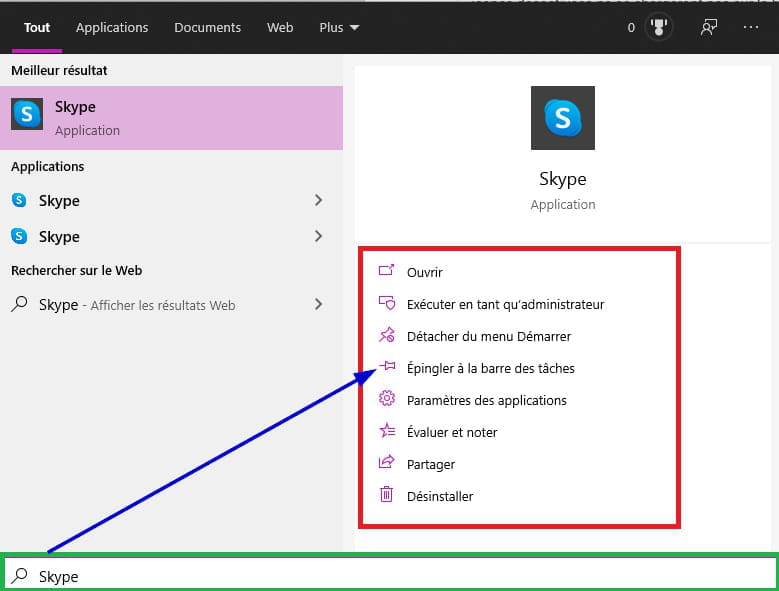
Like Skype for example if you use it or your DeepL translator
All these programs are in the Start menu at the bottom left, sorted alphabetically.
A right click allows you to pin it or open the actual location of the application and create a shortcut to send it to the Desktop
Or type them in the search area on the taskbar, options are available to place it wherever you want
It’s SpendidStartUp that interests us, as it must be the culprit.
Once you have disabled it in the Task Manager, Startup tab, and restarted the PC without seeing that infamous rectangle (watch closely while standing in front of the PC), the mystery of the rectangle will be almost solved.
To do it right, to see later, since it's pre-installed software by Asus, you may also have other ones that are often useless; on the day you will reinstall W10 cleanly (with an ISO or from a W10 USB stick), which I do not wish for you, you will no longer see these applications, although it is possible to download them.
When are you getting your PC back?
If you wish, you can talk to it about these startup programs, note them down and kindly ask it to disable them if you are apprehensive about doing so.
You will provide a screenshot to check the Startup tab of the Task Manager.
Take care of yourself for your health and get well soon.
See you later
-
pistouri Posted messages 19010 Registration date Status Contributor Last intervention Ambassador 8 732
Hello,
On the other hand, the rectangles disappeared when Windows opened. The IT guy claims it was normal!!!
Disabling what launches at startup had a positive effect.
You should confirm after a few startups or reboots.
That's what I asked you, and the message was well received by the IT guy; saying it's normal is a bit much unless the 20H2 update fixed the problem.
For Cortana, if you don't talk to it, you could disable it in the Task Manager, Startup tab.
And use the search box instead, which is on the taskbar.
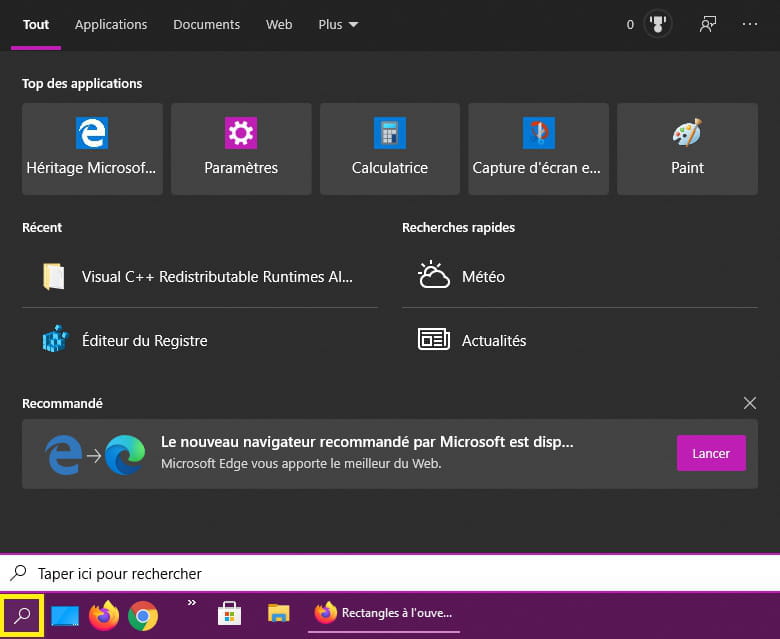
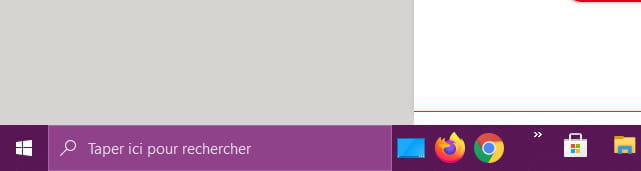
If you don't see the search box or the magnifying glass, right-click the taskbar►Search►Show Search box

===► Disable Cortana's automatic startup with Windows 10
Or
===► Disable Cortana in Windows 10
Here we have lots of sunshine, I'm sending you some for a good Sunday.
Where is here?
See you later
-
Good evening,
The rectangles seem to have disappeared.
In what cases do you advise choosing private browsing?
Generally, when searching on Google, which sites should one avoid?
Have a good evening. -
OK I understood that private browsing offers less protection for my computer.
I installed Ublock Google Chrome.
The rectangles reappear, but this time as soon as Windows starts.
Last problem, the screen flickers a bit as if there is an electrical issue.
Good evening.
PS: I can't log out of your site. I thought it was my oversight when I restarted the computer, but tonight there is no doubt I can't log out. -
Hello,
Here is my version of Windows (while practicing to take a screenshot)

I spent so much time on it that I won't be capturing the fleeting rectangles for now
My ASUS laptop won't be 2 years old until February.
See you soon -
No, I haven't checked the graphics driver.
It's long, I'm afraid of making a mistake, but I can try another day.
Is the most important point the graphics driver or the Windows update?
This update will take a long time, and I'm worried about losing some applications like Word and Excel that I bought at a bargain price on Amazon.
Talk to you later. -
Hello,
For the moment, one of my sons advised me over the phone to reset Windows 10 just so that I can use my computer.
I installed Google Chrome as my default browser, Gmail, and I found Microsoft Office.
I will get back to you if you are available when I switch to the new version of Windows 10.
Thank you for your help.
Have a nice weekend.
Best regards. -
pistouri Posted messages 19010 Registration date Status Contributor Last intervention Ambassador 8 732
Hello,
I wanted to avoid the reset in order to find the cause of the problem, because it requires reinstalling a lot of software or applications, favorites disappear.... etc...
Now we just have to check if the problem is fixed.
==► How to install the October 2020 20h2 update
A bit early to wish for the weekend (Christmas too)
Have a great end of the week while waiting for your reply.
See you later
--
pistouri -
Good evening,
A repairman removed both antivirus programs and reinstalled the lost applications, Word and Excel with my key, and then installed the latest version of Windows.
Here’s my new version of Windows 10.
The screen is still flickering.
The technician suggested it might be due to a USB connection since it didn’t happen when nothing was plugged in at his place. What do you think?
Because either the computer fell and at the same time a USB stick got twisted!
But still, the USB connections are working.
Have a nice weekend. -
Hello,
I just tried without using any USB connections and the computer still has white rectangles when opening Windows.
I just called the technician because I had indeed asked him to install the latest version of Windows, given that you told me the latest version might not install completely.
I'm waiting for him to call me back.
See you later -
The problem is that I paid him to install the October 2020 version!
On the other hand, for the local event viewer below
- application logs and Windows logs
- As a summary Local event viewer 1 (top part) and 2 (bottom part)
As for what was reported today, I think it's because I wanted to install a driver proposed by ASUS in the updates. Having a black screen I panicked, and worse, I saw a blue screen asking me to press a key on the keyboard. I recovered from the crash by doing Ctrl Alt Delete.
Please tell me what I should do. Thank you


Thank you
Best regards -
pistouri Posted messages 19010 Registration date Status Contributor Last intervention Ambassador 8 732
Hello,
I think the rectangle you're talking about looks like the image below:
SplendidStartUp

To disable at startup #34
Restart the PC to check if you see this rectangle or not.
See you later
--
pistouri











- 1
- 2
Next