My smartphone no longer appears on the PC.

griboufun66
Posted messages
81
Status
Member
-
glg29 Posted messages 29751 Registration date Status Contributor Last intervention -
glg29 Posted messages 29751 Registration date Status Contributor Last intervention -
Hello,
I don’t know if I’m on the right forum, but I’ll present my problem anyway.
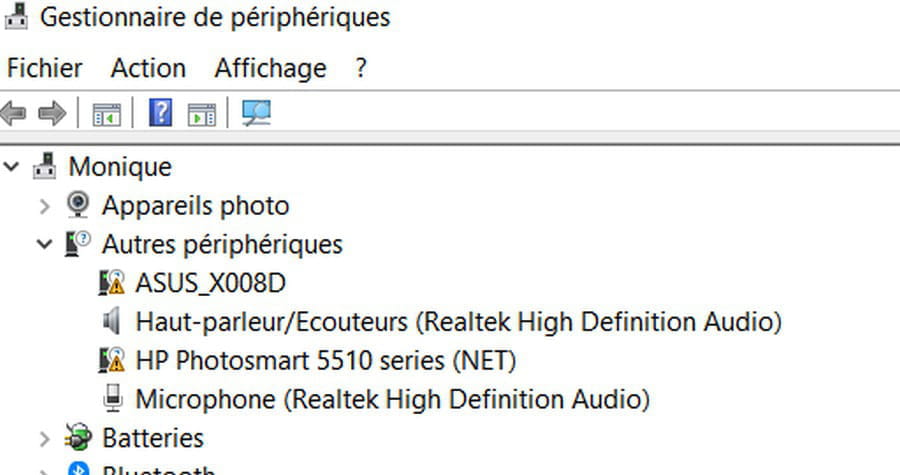
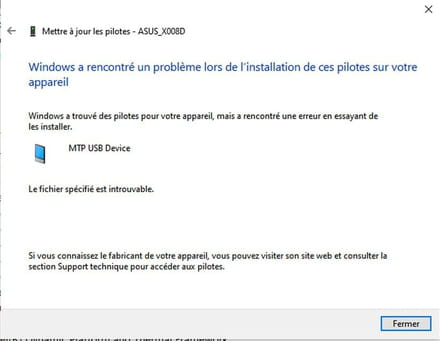
This morning, I connected my Asus Zenfone 3 smartphone to my HP laptop to transfer photos as I usually do. However, my smartphone did not appear when I checked This PC. I then looked in Device Manager, and it was listed there; I tried to update the driver and this is what I got
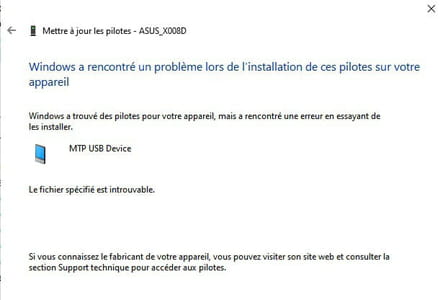
I connected another smartphone and then a tablet with no success; I received the same response.
Since I had updates yesterday, I assumed this problem might be due to that, as I’ve had issues after updates before. I uninstalled them, but it’s still the same.
I also tried downloading the driver from the ASUS website, but the problem is that it’s in APK format, so I can’t open it.
What can I do?
Thank you in advance for your valuable advice.
Have a great day.
Configuration: Windows / Chrome 81.0.4044.138
I don’t know if I’m on the right forum, but I’ll present my problem anyway.
This morning, I connected my Asus Zenfone 3 smartphone to my HP laptop to transfer photos as I usually do. However, my smartphone did not appear when I checked This PC. I then looked in Device Manager, and it was listed there; I tried to update the driver and this is what I got
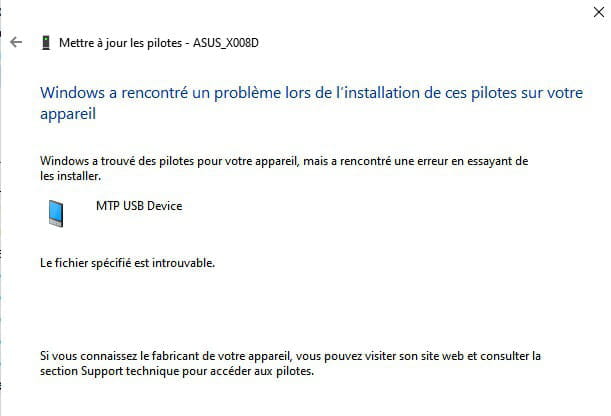
I connected another smartphone and then a tablet with no success; I received the same response.
Since I had updates yesterday, I assumed this problem might be due to that, as I’ve had issues after updates before. I uninstalled them, but it’s still the same.
I also tried downloading the driver from the ASUS website, but the problem is that it’s in APK format, so I can’t open it.
What can I do?
Thank you in advance for your valuable advice.
Have a great day.
Configuration: Windows / Chrome 81.0.4044.138
Related links:
- My smartphone only turns on when it's plugged into the charger.
- The PC charges the phone but doesn't open its files.
- How to turn on your Android smartphone with your PC?
- Phone numbers already on the smartphone
- Transfer photos from PC to smartphone
- smartphone turns off by itself and won't turn back on
20 answers
-
Hello
use the file transfer option
At least take the time to respond!
A thank you is appreciated.
Mark as resolved if your issue has been solved. -
Hello
just try with another cable
if you have USB2 and USB3 ports, try on each of them
I had the same issue and it worked -
Hello Redbart,
Of course, I click on "accept file transfer" in the small box that appears on the smartphone when I connect it to the USB port of the computer, and nothing happens. The problem is that I can't access it with the PC since it doesn't appear when I check "This PC."
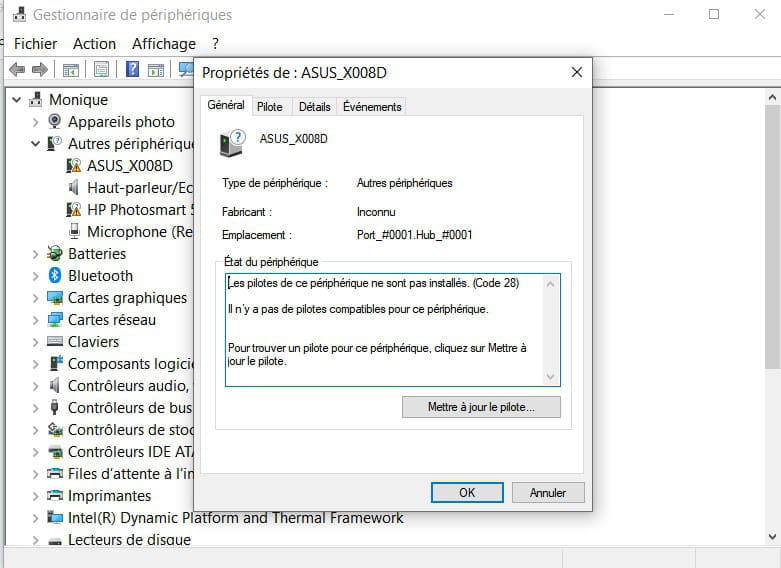
And when I go to "Device Manager," it appears, but when I click it, here's what I have.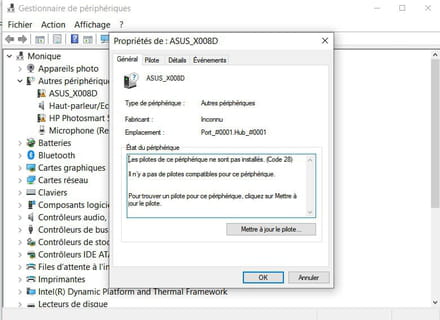
And after trying to download the driver, I have what I posted in my first post.
I really don't understand what's going on because everything was working perfectly until now. -
Hello Nadellen
I also tried changing the USB port and cable. I also tried connecting another smartphone and my tablet, and I still have the same problem; they do not appear in "this PC" and in the device manager it is impossible to find or update the driver because I always get the same response "MTP USB devices". -
Hello,
What is a PC?
Which Windows?
Which version, 32 or 64 bits?
Is everything clear regarding the USB Bus Controller in the Device Manager?
See you later
--
The one who doesn't please upon arrival always does so when leaving.
O Breizh my land, I love my land! -
Hello gig29
The laptop is an HP Pavilion Notebook 17" that I've had since November 2015. I'm on Windows 10 64-bit, version 1909 - 18363.836.
Regarding the USB bus controller, here's what is noted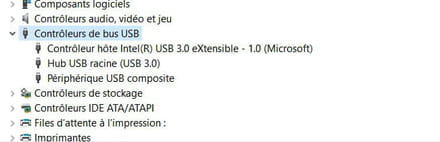
Is it good?-
Yes, it seems that if there was a problem, an alert would be present.
Pavilion Notebook 17 yes, but there must be a continuation to this reference, for example, Pavilion-17-ab403nf.
Have you tried, assuming the phone is currently connected to the PC, to unplug it, turn off the computer, connect the phone, and then restart the PC?
See you later.
-
-
Indeed after 17, G112NF.
I will try the maneuver a little later because I need to take my dog out, who has been looking at me for a while as if to say what is she doing in front of her computer all this time, my apologies. See you later. -
Re,
Well, I tried and it's still the same! It’s frustrating! I wanted to see if it worked with my camera, but unfortunately, it's out of battery and to make matters worse, I can't find the charger! When it doesn’t want to work, it just doesn’t! To be continued. -
I still plugged my Nikon Coolpix camera into the PC and it doesn't work either. "Windows found drivers for your device but encountered an error trying to install them," still this "MTB USB Devices."
-
Try this.
Connect the laptop to the computer via a USB cable.
Open Device Manager.
In the View tab, click on Show hidden devices.
Right-click on Unknown device that should be present and then Properties.
In the Driver tab, click on Update driver.
Click on Browse my computer for drivers then on Let me pick from a list of available drivers on my computer.
Click on USB MTP device in the list then click Next.
The device should be recognized after this.
@+
-
-
As soon as read, as soon done (or almost)
I had 3 "Unknown Devices", I followed the steps for each of the 3. On the list, there was no USB MTP device but I found "Universal Serial Bus Device" so I selected it and at the end of the process..........it still doesn't work!
What is curious is that in the device manager my ASUS appears when it's plugged in but I can't do anything with it since it can't find the driver, and when it finds it, it can't install it because of this MTP USB devices
We will eventually get there... or not! What is annoying is that before the last updates this week I had no issues (well not this one at least). I uninstalled them but without success, I even did a system restore that caused me other problems (my browsers wouldn't open anymore) but that's solved and I re-downloaded the updates in question since, according to what I had read, they were important. Ah this computing, what a headache, I was more at ease when I was young with my Japy typewriter (yes, I've known).
Good evening to you and thank you again.-
Good evening,
I'm stopping by before going to bed.
Just a test tomorrow, in the Device Manager, right click on each of the unknown devices and select Uninstall device and confirm.
You plug in your Zenfone and restart the computer; during its reboot phase, it should reinstall the drivers. Then see if you still encounter difficulties getting it recognized.
See you later!
-
-
gig29, I'll try tomorrow. I ran an sfc scannow earlier and apparently everything is fine.
Thanks again and good night, I'm also going to bed. -
Hello,
I just tried but there are no positive results!
I also tried various manipulations indicated on Microsoft Community and still nothing.
While searching on Google, I also found a site that offered to download an MTP driver
https://www.filehorse.com/download-mtp-driver-for-android/
but I hesitate to download it because I don't want to pick up any junk in the process!
Well, I'm starting to despair and get fed up, but being a Scorpio, I am stubborn and keep searching, plus it's raining!-
Hello griboufun66,
I suggest that you first repeat the manipulation proposed in response no. 12, HERE. When you reach the step "Choose from a list......", you should have several options, one of which should mention "mobile" somewhere.
Could you please try again and let me know what is displayed when you reach this stage of the process?
I also found a potential driver to download on the Microsoft website, this seems more serious for sure!
@+
-
-
Here I am again
The problem is that I no longer have any Unknown Device since I uninstalled them after message 14, so it’s impossible to follow the procedure.
Well, I’m going to have lunch. See you later for more troubleshooting?-
If you turn off your PC to connect your phone and then restart it, do you still have unidentified devices?
Otherwise, the driver I'm referring to a bit earlier comes from Microsoft, it's this one, mtppk12.exe
Try installing it and restart the PC, then see if it wants to recognize your Zenfone.
Talk to you later!
-
-
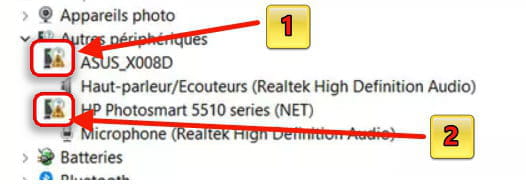
When I open the device manager, my Asus shows up just as I said in my first post
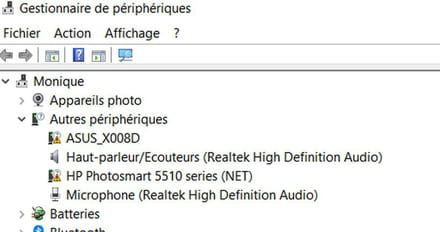
and when I go to Show hidden devices, it appears twice
and it's when I try to find a driver that I can't because of this MTB USB Device
I will try to download the driver with the link.
To be continued -
Ah, it's not cool to scare me like that (lol), so I tried using my printer and it's working, but since I'm using it via Wi-Fi, that might be the reason.
-
I was joking of course, and I really appreciate your effort to try to solve my problems.
Well, I downloaded and executed the driver and it still doesn't work. There were three options "Change" "Repair" "Remove"; I tried the first two and in the end, it still doesn't work.
The problem must therefore be more serious. -
-
Can you try this driver, for example? MobileManager_6.5.10.3_190411_generic.apk
Is this This one your phone?
Catch you later!
-
-
Yes, this model is good although mine is black (I'm just kidding)
I downloaded the smartphone driver from the Asus website yesterday but since it's in apk format, we can't use it. -
Hello,
I still haven't solved my problem even though I've tried the proposed solutions again. I attempted to transfer my photos from my smartphone to my PC via Bluetooth, but that didn't work either because the connection couldn't be established between the two! I looked on Google to see if it was possible to transfer via Wi-Fi, and yes, it's enough to install a program on both devices—Droid Transfer on the PC and Transfer Companion on the smartphone—and it works, yay! I was able to transfer my photos. Isn't life beautiful! But I would still like to resolve this MTP USB device issue.
I think I'm going to get back to knitting; it will be less complicated than computing!
Have a good day.-
Hello griboufun66,
We became fixated on this famous MTP USB, forgetting about Bluetooth and Wifi; I didn't think to suggest it, which is kind of stupid considering we know better!!????
The main thing was to achieve the transfer of the photos, and that’s done.
There must still be an MTP driver available for download somewhere to solve the issues; if I make progress on the subject, I will send you a private message under your username.
In the meantime, have a good Sunday, a great day, and see you later.
Best regards.
-
-
Hello gig29
Yes, I hadn't thought of that either.
There's a small problem with Bluetooth (which I have never used until now, so I'm not at all proficient in its use) because the smartphone did not detect the PC; it detected a Freebox instead! (I’m with SFR) maybe from my neighbors? That's why I'm hesitant to use it.
Have a good day too. Is the weather nice in your beautiful region? In the P.O., it’s no longer raining, so that's something.-
Hello,
Nothing important regarding my nickname, but it's not an 'i', it's an 'l', glg.
Don't worry, everything is fine anyway!
Oh really, your smartphone doesn't detect your SFR box?
Yes, the weather is wonderfully beautiful, not a single cloud, sunshine galore, we've had 3 days of really strong wind and around here we know what that's like, but today is magnificent. Now that we can free ourselves without overdoing it and that we only have 800 m to reach the water's edge, we're going to enjoy it.
I’ll let you look for it, my place is named La Ville Close<gras></gras>.
Back to our initial situation, on the Asus website where I downloaded the drivers mentioned above, there are a multitude of other drivers and maybe one of them would be suitable but there isn't much description to choose the right one!
I found one but I'm not sure if it fits, ASUS_Android_USB_drivers_for_Windows.zip, you can always try if you want!
@+ later
Best regards.
-