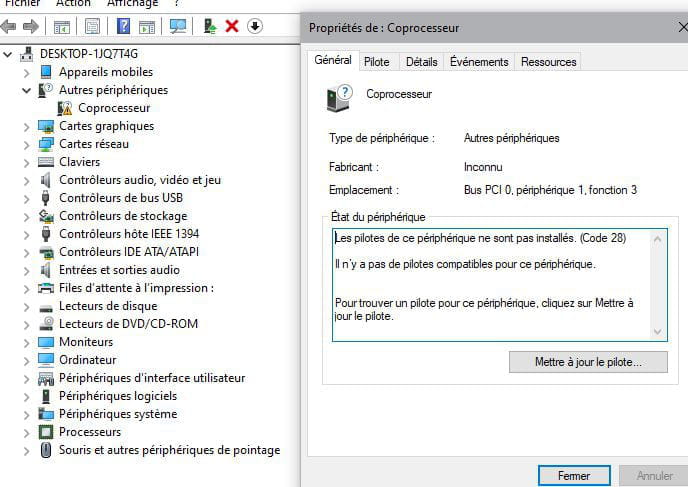
Co-processor driver
Hello
I have an Acer PC and a driver issue: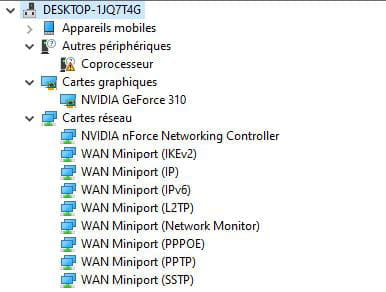
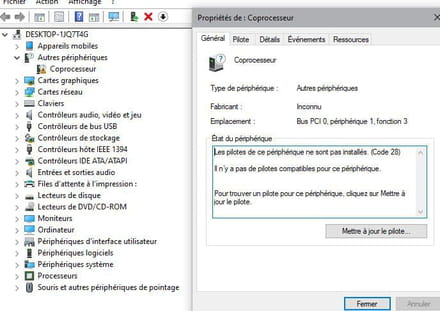
I'm unable to update the driver:
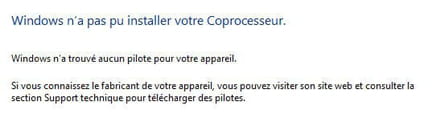
If I disable it, what will happen?
Can someone help me?
Thank you
Have a nice day
I have an Acer PC and a driver issue:
I'm unable to update the driver:
If I disable it, what will happen?
Can someone help me?
Thank you
Have a nice day
3 answers
-
ModeratorHello,
https://www.commentcamarche.net/faq/48455-mettre-a-jour-ses-pilotes-gratuitement-avec-driverscloud
--
bazfile.
Moderator/Security Contributor.
A hello, a response, and a thank you are always appreciated. -
ModeratorHello,
Maybe a manual installation?
Download and install --> 7Zip 64 bits
Download this driver --> nVidia
Right-click on the driver --> 15.58-nforce-win.....exe
Select --> 7Zip
Choose --> extract to "15.58-nforce-win.....\"
Go to Device Manager
Right-click on the device
Update driver
Browse my computer for a driver
Browse ......
Choose from a list of drivers...
Have disk
Browse
Go to the folder of the unzipped driver --> 15.58-nforce-win.....
Folder --> SMU
Select the file --> smuc64.inf and OK.
Restart.
--
Humans are at their best when things are at their worst.-
ModeratorAlready mentioned above the blue link "this page" https://forums.commentcamarche.net/forum/affich-36653505-pilote-coprocesseur#5.
-
Moderator@bazfileYes, well noted, but sometimes it works with a manual installation.
-
Moderator@kaneagleIt's true he can take a shot at it.
-
-
Thank you
I followed the instructions but I still have the yellow triangle.
Any other ideas?
-
-
@bazfileWindows 10 (X64) 1903
No :
PCI\VEN_10DE&DEV_0753&SUBSYS_01531025&REV_A2
PCI\VEN_10DE&DEV_0753&SUBSYS_01531025
PCI\VEN_10DE&DEV_0753&CC_0B4000
PCI\VEN_10DE&DEV_0753&CC_0B40 -
Moderator@crowjaneIt is a Nvidia Nforce driver that hasn't been updated by Nvidia for a long time (2011); as a result, there is no driver compatible with Windows 10. See this page to see that the last driver was compatible with Windows 7. You must have a PC that was originally running Windows 7, and when you switched to Windows 10, this driver couldn't be installed. As long as your PC is functioning normally, forget about this driver.
FOR INFORMATION:
Your version of Windows 10 is not up to date, check it with THIS MICROSOFT TOOL. -
@bazfileOkay, thanks for your help. I wanted to update it because when my PC is in sleep mode, I sometimes can't "wake it up" and I get a blue screen error message: "driver power state failure" and while searching the internet I understood that it could be due to an outdated driver.
So I need to look for another avenue then, have you ever seen this kind of message?
Anyway, thanks for your help. -
Moderator@crowjaneI have seen this message before, but the causes can be multiple. Check if it's still the same once Windows 10 is updated, and if there's no change, I recommend you ask a question about this issue in the Windows forum https://forums.commentcamarche.net/forum/windows-11. Also, take a look at the power options.
-