MacOS High Sierra: "The recovery server could not be contacted"
Solved
songokuuu
-
sam -
sam -
Hello,
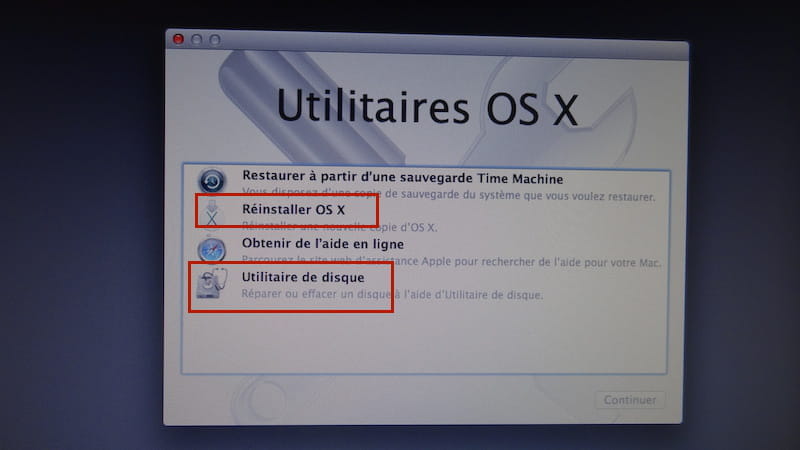
A week ago I "tried" to reset my MacBook Air because I wanted to restore it to factory settings. So, I followed the steps directly (on the Apple website). Unfortunately, my computer suddenly shut down, and when I turned it back on, there was a folder with a ? flashing. I pressed cmd + R, but when I try to reinstall macOS High Sierra, it says the server cannot be contacted. I have tried all the manipulations (Disk Utility + running..) but nothing works.
I'm not a tech expert at all, and I would like to know if it’s possible to fix this problem by myself. :/
Thank you!
A week ago I "tried" to reset my MacBook Air because I wanted to restore it to factory settings. So, I followed the steps directly (on the Apple website). Unfortunately, my computer suddenly shut down, and when I turned it back on, there was a folder with a ? flashing. I pressed cmd + R, but when I try to reinstall macOS High Sierra, it says the server cannot be contacted. I have tried all the manipulations (Disk Utility + running..) but nothing works.
I'm not a tech expert at all, and I would like to know if it’s possible to fix this problem by myself. :/
Thank you!
3 answers
-
Hello,
Here is a summary of the keyboard shortcuts, put together by Ritchi, to reinstall/reset/restore/repair Mac OS:
Restore Mac OS X
https://support.apple.com/fr-fr/HT201314
- "Command (⌘) + R" allows you to install the latest version of macOS that was on your Mac.
- "Option + ⌘ + R" allows you to upgrade to the latest compatible version of macOS for your Mac.
- "Shift + Option + ⌘ + R" allows you to install the version of macOS that came with your Mac when it was purchased new, or the closest available version.
Note:
The key combination must be pressed as soon as the Mac is turned on and held down until the desired effect occurs, namely the appearance of the "macOS Utilities" window.
© Ritchi
Cmd + R provides access to Disk Utility, which allows you to repair the hard drive via the SOS menu.
Best regards
--
When it's urgent, it's already too late (Talleyrand)
When all else fails, read the manual ;)