Windows 10 Installation "We couldn't create a partition"
Solved
EmileGuio
Posted messages
13
Status
Member
-
Pepsi_107 Posted messages 3 Status Member -
Pepsi_107 Posted messages 3 Status Member -
Hello,
Following a failure, I attempted to reinstall Windows 10 on my Asus laptop via a bootable USB drive (set up using UNetBootin with the Windows 10 April 2018 64-bit ISO).
I properly configured my Boot Mode in the BIOS to disable secure boot and boot my machine from the USB in UEFI mode.
The installation begins normally, I accept the terms of use, choose the custom installation (which is required since I'm using a USB), select my language, etc.
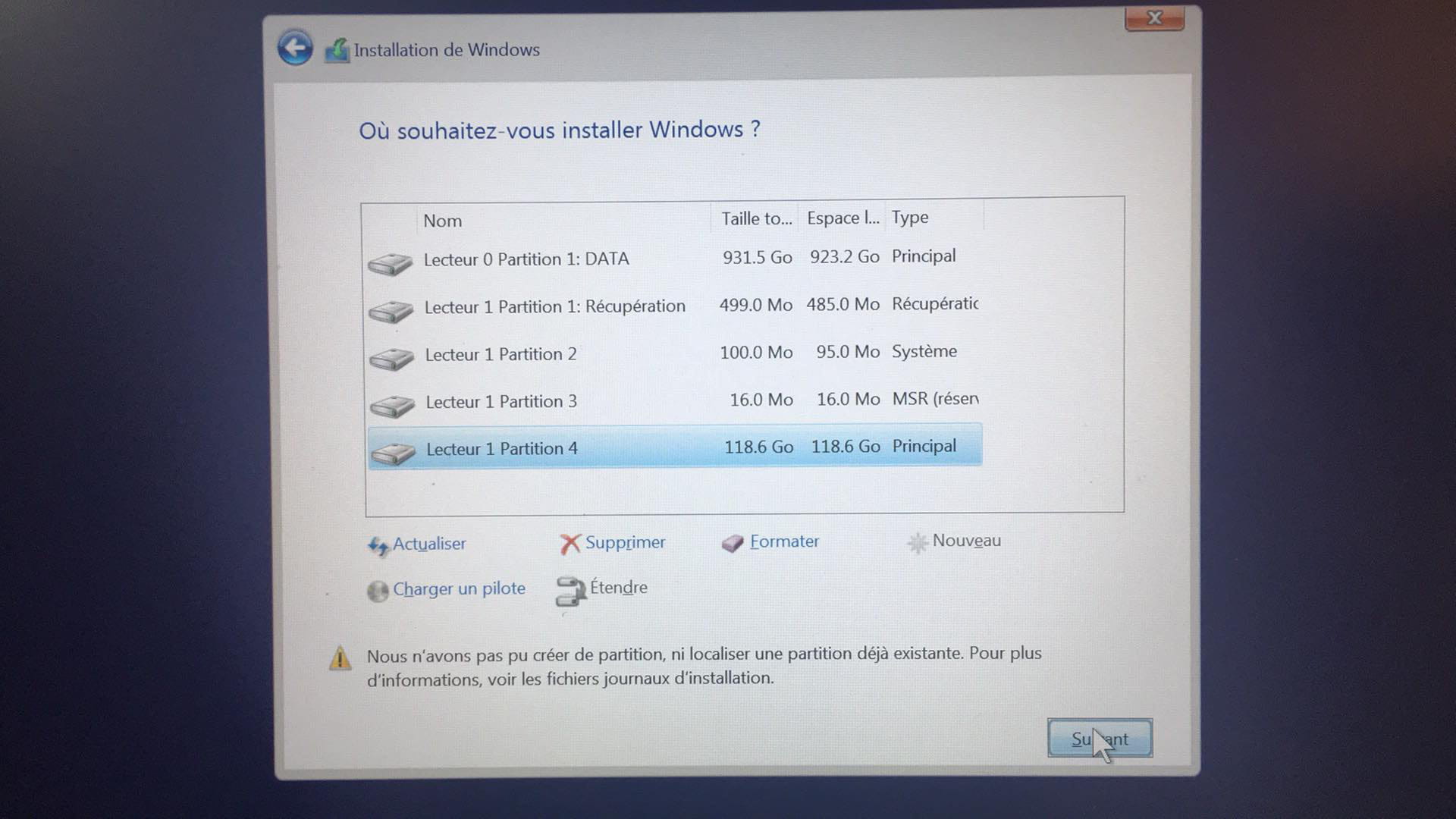
My problem occurs at the moment of choosing which partition I want to install on (Screen 1).
I cannot install on the partitions where my old W10 system was located, so I cleaned disk 1 and formatted it to GPT. However, no matter what manipulations I perform on this disk via the command prompt, I receive the following error message (Screen 2): "We couldn't create a partition or locate an existing one."
In anticipation of your probable requests, I have included (screen 3) the result of the information commands in DiskPart.
Hoping you can help me finalize this installation.
Thank you in advance
Emile


Following a failure, I attempted to reinstall Windows 10 on my Asus laptop via a bootable USB drive (set up using UNetBootin with the Windows 10 April 2018 64-bit ISO).
I properly configured my Boot Mode in the BIOS to disable secure boot and boot my machine from the USB in UEFI mode.
The installation begins normally, I accept the terms of use, choose the custom installation (which is required since I'm using a USB), select my language, etc.
My problem occurs at the moment of choosing which partition I want to install on (Screen 1).
I cannot install on the partitions where my old W10 system was located, so I cleaned disk 1 and formatted it to GPT. However, no matter what manipulations I perform on this disk via the command prompt, I receive the following error message (Screen 2): "We couldn't create a partition or locate an existing one."
In anticipation of your probable requests, I have included (screen 3) the result of the information commands in DiskPart.
Hoping you can help me finalize this installation.
Thank you in advance
Emile


5 answers
-
Hi,
Please provide the exact references for the PC.... Also, make sure you have "updated" before continuing.-
-
This model comes in multiple versions, including a 128 GB SSD or a 1 TB HDD. It seems that you have both.
Format disk 1 from diskpart. We'll see if that works. If yes, we could attempt an installation via the command prompt.diskpart
sel disk 1
clean
Then create the necessary partitions for the installation. We'll modify the sizes and order a bit to see if it's okay.create partition efi size=260
format quick fs=fat32 label="system"
assign letter=s
create partition msr size=16
create partition primary
shrink desired=1000
format quick fs=ntfs label="Windows"
assign letter=w
create part primary
format quick fs=ntfs label="Recovery"
assign letter=r
set id="de94bba4-06d1-4d40-a16a-bfd50179d6ac"
gpt attributes=0x8000000000000001
And take a screenshot of the result.list vol
list part
exit
You will have then created all the necessary partitions for the installation. If it's good, all that remains is to try installing via the command prompt using the dism command.
-