
CHROMECAST / DNS BLOCKING
geethanee
Posted messages
6
Status
Member
-
brupala Posted messages 111181 Registration date Status Member Last intervention -
brupala Posted messages 111181 Registration date Status Member Last intervention -
Hello,
I followed the procedure on: https://techwiser.com/bypass-chromecast-dns/
The procedure seems to be working but I now have internet connection issues. I think I made a configuration error.
Can you help me?
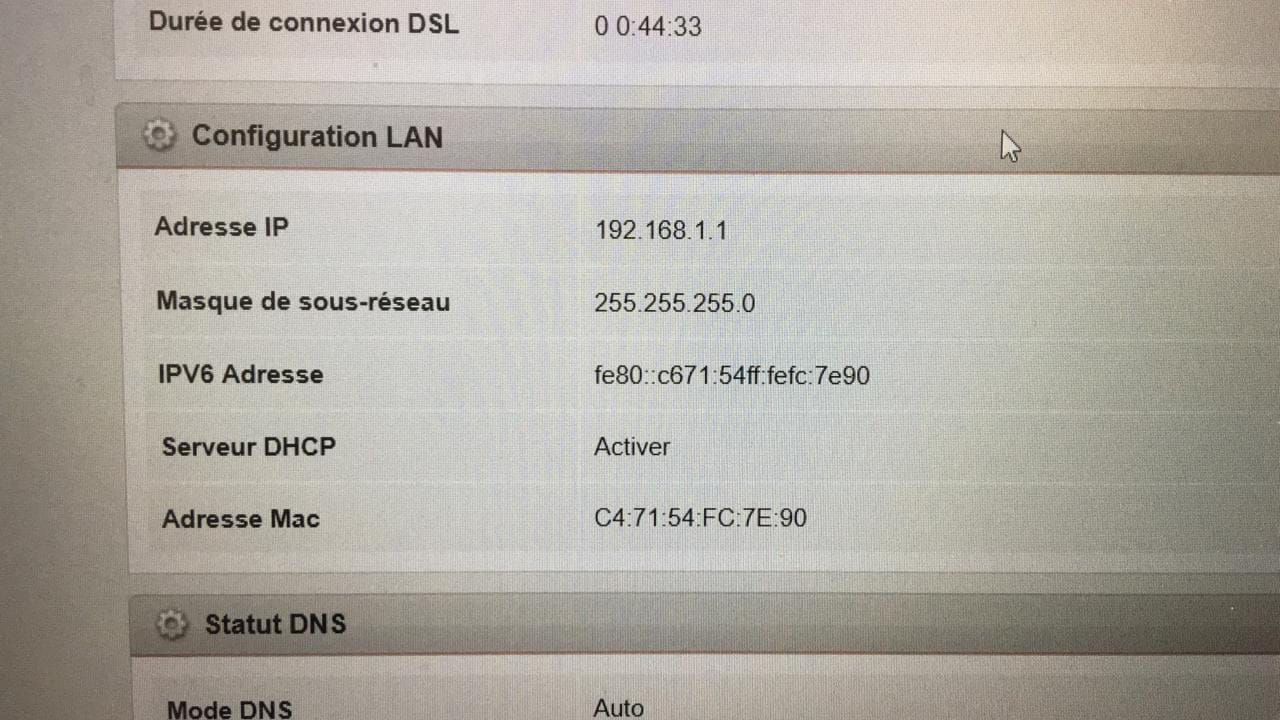
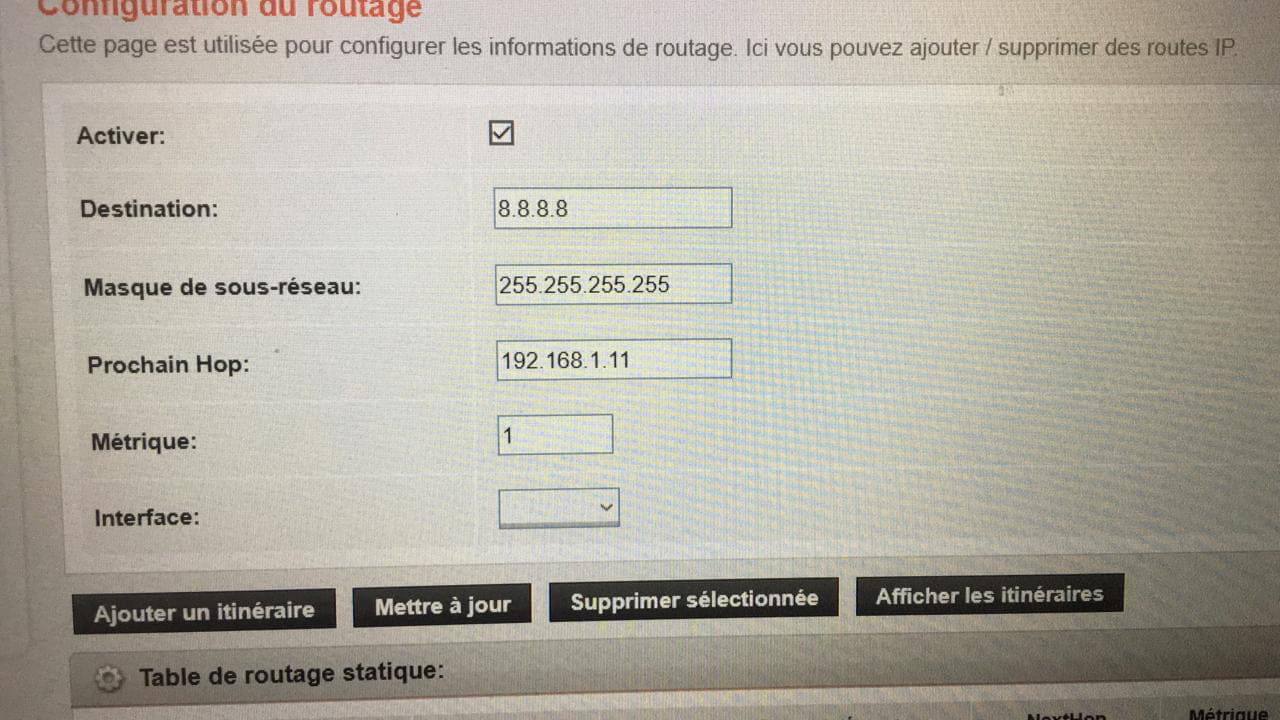
You will find some pictures below:


I followed the procedure on: https://techwiser.com/bypass-chromecast-dns/
The procedure seems to be working but I now have internet connection issues. I think I made a configuration error.
Can you help me?
You will find some pictures below:


2 answers
-
Hi,
this type of routing is as ridiculous as it is useless; if the Chromecast uses a VPN (I don’t know and I don’t care), that's not how it will be bypassed, and if it doesn’t use one, it's totally pointless.
To get back to the concrete,
you need to set the address of your box as the next hop, I doubt that it’s 192.168.1.11, that looks more like your PC’s address.
It's a bit like routing to localhost, which means nowhere else.
--
and ... There you go! -
Good evening and happy new year to you too!
I feel like this solution doesn’t seem useful to you....
Tell me what you think or how to proceed according to you.
The IP address of the Chromecast: 44:09:b8:43:ed:27
which is obviously invalid for the next Hop field...
Thank you for your help.-
-
-
-
-
Hostname Chromecast-Ultra
Mac 192.168.1.11
IP address 44:09:b8:43:ed:27
Is that what you see in the clients section?
If so, there is a bug on your tplink router as the two addresses are swapped in the display.
Otherwise, it's in your eyes.
Why these DNS from AWS? (Amazon Web Services)
23.21.43.50 and 54.229.171.243
-

