Turn on system protection for this drive (for system restore)
Adams
-
Adams199384 Posted messages 3 Status Member -
Adams199384 Posted messages 3 Status Member -
Hello,
I had a problem with my desktop PC running W10. (Version 1803, 17134)
At first, I was getting the blue screen at startup (BAD SYSTEM CONFIG INFO) every other time. I would restart and it would work...
I also made a restore point when I had the chance.
I had read online in several tutorials (https://www.youtube.com/watch?v=Wor7mASx3ws) that this problem could be fixed by creating a "backup" folder with the files from C:\Windows\System32\config and copying the files from the C:\Windows\System32\config\Regback folder to the config folder.
The procedure in CMD below
X:\Windows\System32> cd D:\Windows\System32\config
D:\Windows\System32\config> mkdir backup
D:\Windows\System32\config> cd D:\Windows\System32\config\Regback
D:\Windows\System32\config\Regback> copy *.* ..
Once I completed this manipulation, I realized it did not resolve the issue but made it worse, and now Windows no longer shows the blue screen or the loading screen before but directly displays "PC diagnostic" at startup or in Safe Mode...
The problem is this, I've tried several things but with no results.
And my only solution (I think, unless you have a better one) is to revert to the restore point that I created to avoid having to reinstall everything (even though I salvaged my data using cmd and an external hard drive). But I can't since I have this problem:
http://image.noelshack.com/fichiers/2018/44/7/1541341870-b1a32769-476c-47c9-a1c8-3225d092f3a5.jpeg
So is there a procedure to "enable system protection on this drive" through CMD or something else (another image on a bootable USB stick...)?
Thank you
Configuration: Windows / Chrome 70.0.3538.77
I had a problem with my desktop PC running W10. (Version 1803, 17134)
At first, I was getting the blue screen at startup (BAD SYSTEM CONFIG INFO) every other time. I would restart and it would work...
I also made a restore point when I had the chance.
I had read online in several tutorials (https://www.youtube.com/watch?v=Wor7mASx3ws) that this problem could be fixed by creating a "backup" folder with the files from C:\Windows\System32\config and copying the files from the C:\Windows\System32\config\Regback folder to the config folder.
The procedure in CMD below
X:\Windows\System32> cd D:\Windows\System32\config
D:\Windows\System32\config> mkdir backup
D:\Windows\System32\config> cd D:\Windows\System32\config\Regback
D:\Windows\System32\config\Regback> copy *.* ..
Once I completed this manipulation, I realized it did not resolve the issue but made it worse, and now Windows no longer shows the blue screen or the loading screen before but directly displays "PC diagnostic" at startup or in Safe Mode...
The problem is this, I've tried several things but with no results.
And my only solution (I think, unless you have a better one) is to revert to the restore point that I created to avoid having to reinstall everything (even though I salvaged my data using cmd and an external hard drive). But I can't since I have this problem:
http://image.noelshack.com/fichiers/2018/44/7/1541341870-b1a32769-476c-47c9-a1c8-3225d092f3a5.jpeg
So is there a procedure to "enable system protection on this drive" through CMD or something else (another image on a bootable USB stick...)?
Thank you
Configuration: Windows / Chrome 70.0.3538.77
1 answer
-
Hello,
Your problems may stem from a disk issue.
Here is the procedure to reset or reinstall Windows 10 from an installation media.
In either case, you won't lose your user data, but applications will be removed.
Create the Windows 10 installation USB drive:
To be done if you don't have one.
From a working computer:- Download the Windows 10 installation ISO: https://www.microsoft.com/fr-fr/software-download/windows10 (other download methods: https://www.malekal.com/telecharger-iso-windows/ ).
- Create the installation media with Media Creation Tool, more information: https://www.malekal.com/windows-10-media-creation-tool/
On the crashed computer, you need to boot from the Windows 10 installation USB drive to launch the installer, to do this:- Start from it by changing the boot sequence and indicating the USB drive or DVD: How to boot the computer from USB drive
If the USB drive does not work, try making a new one with Rufus: how to download Rufus - see this tutorial for details: how to create a Windows installation USB drive
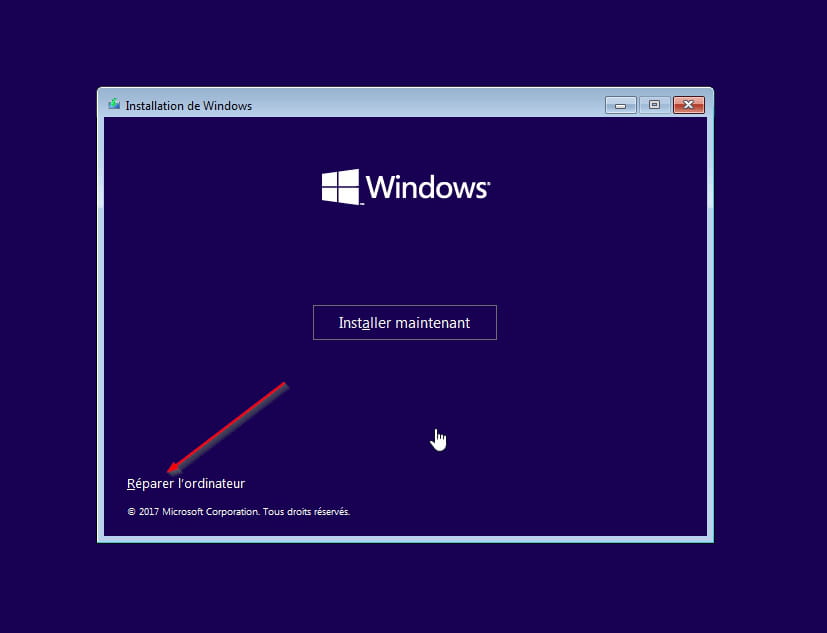
Method 1 - Reset Windows to fix problems:- Go to Repair your computer at the bottom left
- Troubleshoot then reset this PC
Keep your files, applications will be uninstalled.
Method 2 - Reinstall Windows 10 without formatting
If that doesn't work, boot the computer again from the Windows 10 installation USB drive.
Follow this tutorial that explains how to install Windows 10: how to install Windows 10.
All steps are provided from A to Z with tips at the end to secure Windows 10.- Let yourself be guided to install Windows 10.
- Choose customize (not upgrade)
- During the partition phase, select the main partition and click Next.
- The installer will tell you that Windows is already present and offer to move it.
- Follow the Windows installation procedure using the tutorial above.
Just don't format.
~~
In both cases, user data will be copied to the Windows.old folder.
Once Windows is installed, I recommend following these tips to properly configure and use Windows: Tips after reinstalling Windows.
--
Please press a key to continue the disinfection...-
Hello Malekal_morte-
Thank you for your response.
There might be a problem with the hard drive. However, it's a Samsung EVO SSD that's less than 10 months old, which makes this unlikely.
As for the reset of Windows, I know the steps very well and I've already recovered my data. But since I have a lot of very storage-intensive software as well as many games and no CD drive, I have to redownload everything, and with a poor connection, downloading more than 300GB is very complicated.
That's why I'm trying to revert to the previous backup to be able to solve the problem directly.
In any case, thank you for your response.- check the option and proceed to restore.
But still, I have some doubts about whether this will work.
The best way to restore Windows in the future is to create a system image, see: https://www.malekal.com/creer-une-image-systeme-windows-10/
If you have two drives:- like the SSD with Windows (C drive and boot/system partition)
- a second drive with heavy games and applications.
You create an image of just the system (SSD), restore it in case of problems, and you don't have to worry about what's on the second drive.
-