Your company has used Windows Defender
Solved
ichigoalexandre
Posted messages
129
Status
Member
-
ichigoalexandre Posted messages 129 Status Member -
ichigoalexandre Posted messages 129 Status Member -
Hello,
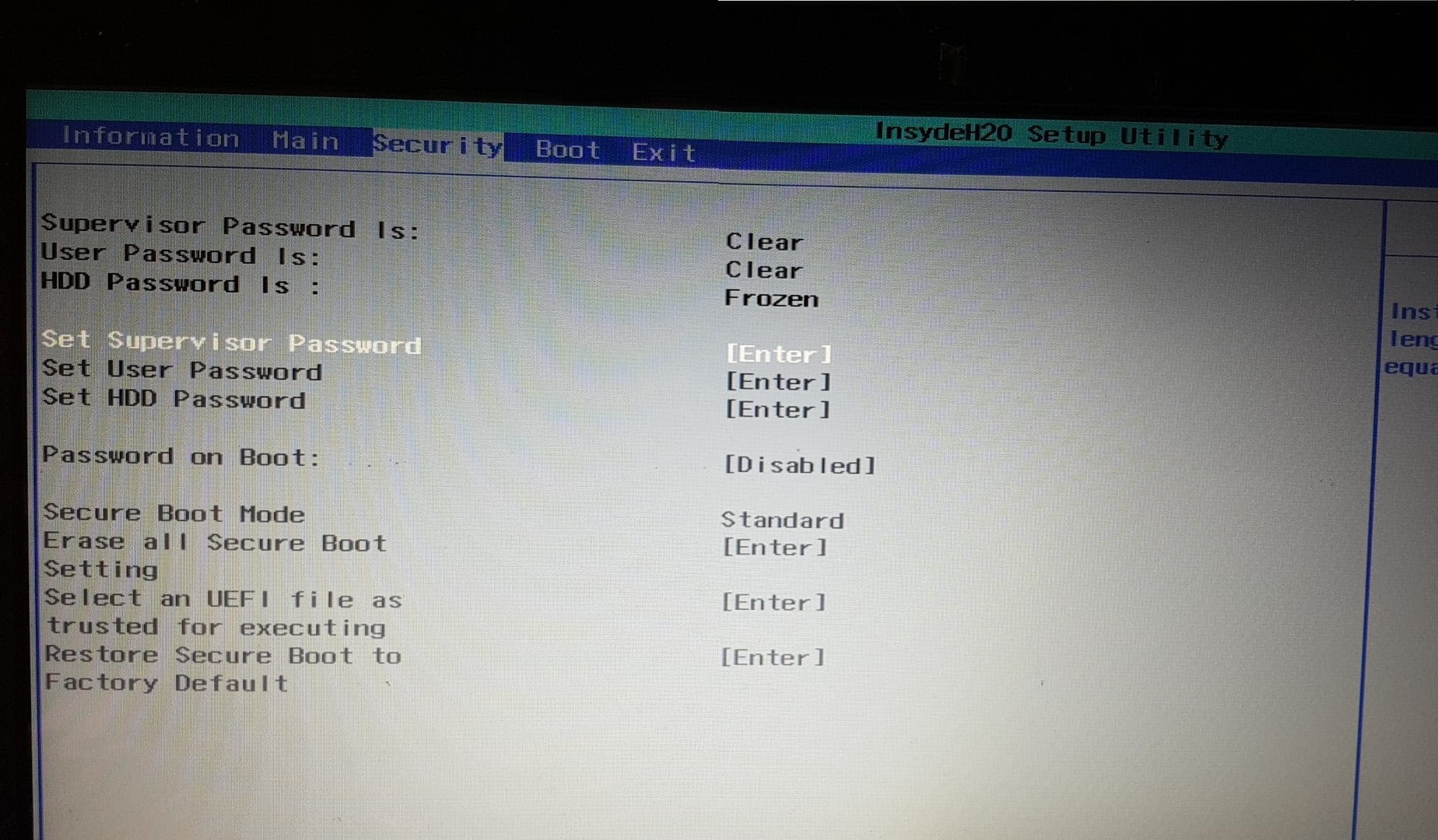
after reinstalling Windows 10 following an update that crashed, the error message "your organization has used Windows Defender to block this application" appears whenever I try to install an application or even access regedit, for example. I don’t understand the problem. Also, I do not have the option to change the UEFI settings in my BIOS (grayed out).
My version is Windows 10 Home 1709 (16299.125).
Configuration: Windows / Edge 16.16299
after reinstalling Windows 10 following an update that crashed, the error message "your organization has used Windows Defender to block this application" appears whenever I try to install an application or even access regedit, for example. I don’t understand the problem. Also, I do not have the option to change the UEFI settings in my BIOS (grayed out).
My version is Windows 10 Home 1709 (16299.125).
Configuration: Windows / Edge 16.16299
4 answers
-
Hello,
Reset Windows 10, see: https://www.malekal.com/reinitialiser-windows-10/
--
Please press any key to continue the disinfection... -
-

Sorry I couldn't reply earlier.
I only have a help screen... -
I just managed to solve the problem by adding an administrator password to the BIOS; we can modify the greyed-out areas from there. We need to reset the secure boot configuration, and it works again. Thanks for your help :)