
Unable to log in & access the desktop
Solved
ReGaSmi
Posted messages
24
Status
Member
-
Malekal_morte- Posted messages 178136 Registration date Status Moderator, Security Contributor Last intervention -
Malekal_morte- Posted messages 178136 Registration date Status Moderator, Security Contributor Last intervention -
Hi,
Last night I improperly shut down my PC (turned it off with the power button while it was going into sleep mode) and this morning the following problem appeared when I tried to log in:

I'm on WIN10. I've already tried creating other users from the command prompt but it doesn't work. Also, I can't access my desktop so the PC is almost unusable :/
Please help me, it's important! Thank you.
Last night I improperly shut down my PC (turned it off with the power button while it was going into sleep mode) and this morning the following problem appeared when I tried to log in:
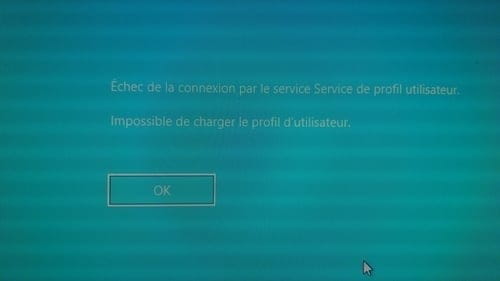
I'm on WIN10. I've already tried creating other users from the command prompt but it doesn't work. Also, I can't access my desktop so the PC is almost unusable :/
Please help me, it's important! Thank you.
6 answers
-
Hi,
It's not good.
Boot into the advanced system recovery options using method 1 on this page: Windows advanced recovery options.
The idea is to restart on the page where you're asked for the password, with the icon at the bottom right and while holding the shift key.
If you can't reach the window where Windows asks for passwords, due to a block or crash beforehand...
Turn off the computer twice during the Windows loading.
It will enter repair mode which will also give access to the advanced system recovery options.
(If booting into the advanced recovery options is impossible, you'll need to create a USB drive to boot from, you have a link on the previous page for that).
From Troubleshooting, you can then attempt:- From the settings menu, restart Windows and go into safe mode.
In safe mode:
Windows key + R
Type msconfig
Services tab
Click on the manufacturer column to group services by manufacturer.
Check everything that is Microsoft
Click OK and restart the computer normally and attempt to log in.
Hoping that the login works in safe mode.

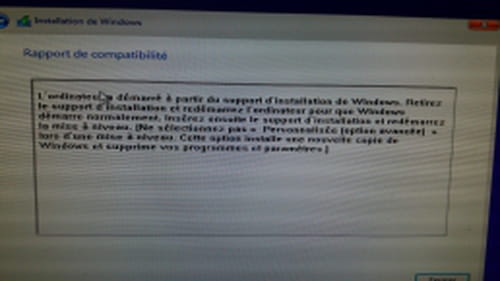
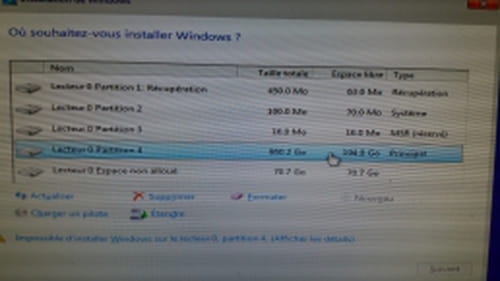 here you go
 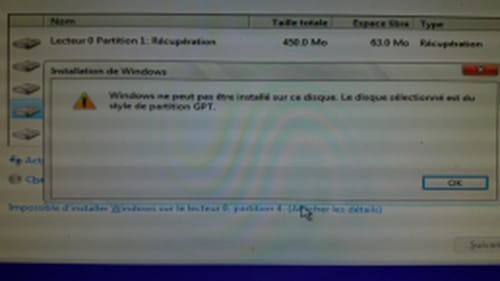 I think I’ve had a similar problem before, you need to convert the partition from the command prompt, right?
  but now it no longer detects the CD-ROM where Windows 10 is located