How to install software on Data (D:)?
Lykh
-
tgherdthb -
tgherdthb -
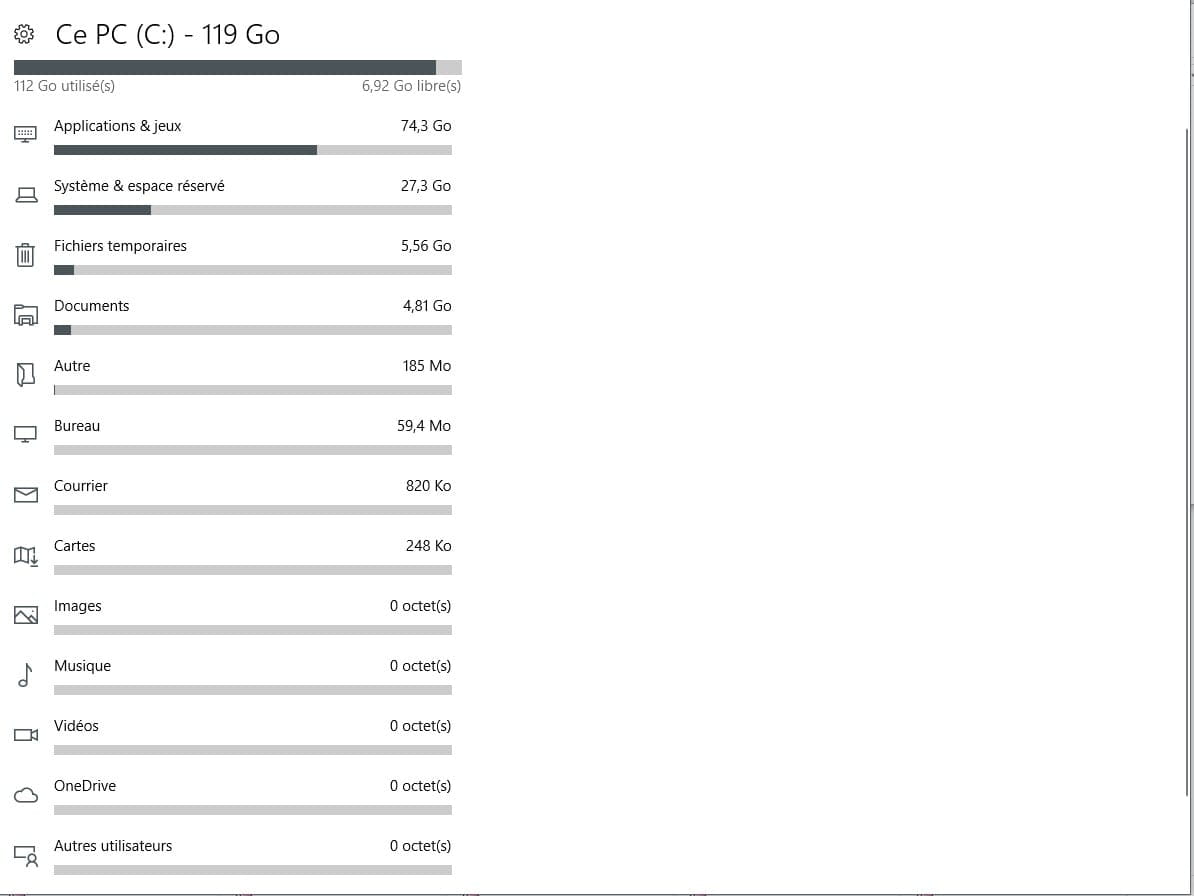
Hello, having just acquired a new MSI laptop, I am currently installing the software and games that I need, but the problem is that my Windows hard drive (C:) is already full, preventing me from installing anything else. However, the Data drive (D:) still has 911GB available, how do I make this drive the default storage?
I have already gone to Settings / Storage / Change where new content is saved, setting Data in all sections, but that doesn't apply: I can't install a game as it says there is not enough space available...
Can someone help me with this?
I have already gone to Settings / Storage / Change where new content is saved, setting Data in all sections, but that doesn't apply: I can't install a game as it says there is not enough space available...
Can someone help me with this?