Curvilinear text
Solved
Besoindaideillustrator
Posted messages
3
Status
Member
-
sarahmoon Posted messages 600 Status Contributor -
sarahmoon Posted messages 600 Status Contributor -
Hello!
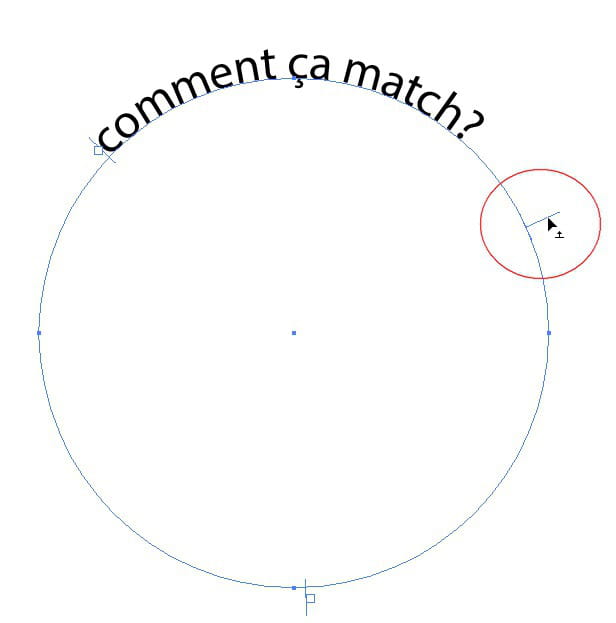
I need your help; I want to put text in a curve around a logo, but I can only write curved at the top part and I can't write on the bottom part. I don't understand, I've consulted a lot of tutorials but none explained how to do it for the bottom part, even the Adobe tutorials date back to 2002.
I'm on CS6, bye!
I need your help; I want to put text in a curve around a logo, but I can only write curved at the top part and I can't write on the bottom part. I don't understand, I've consulted a lot of tutorials but none explained how to do it for the bottom part, even the Adobe tutorials date back to 2002.
I'm on CS6, bye!
3 answers
-
Hello
when you typed your text take the white arrow then look for the inversion symbol:
and when you find it, click and while holding the click, drag it inside:
-
-
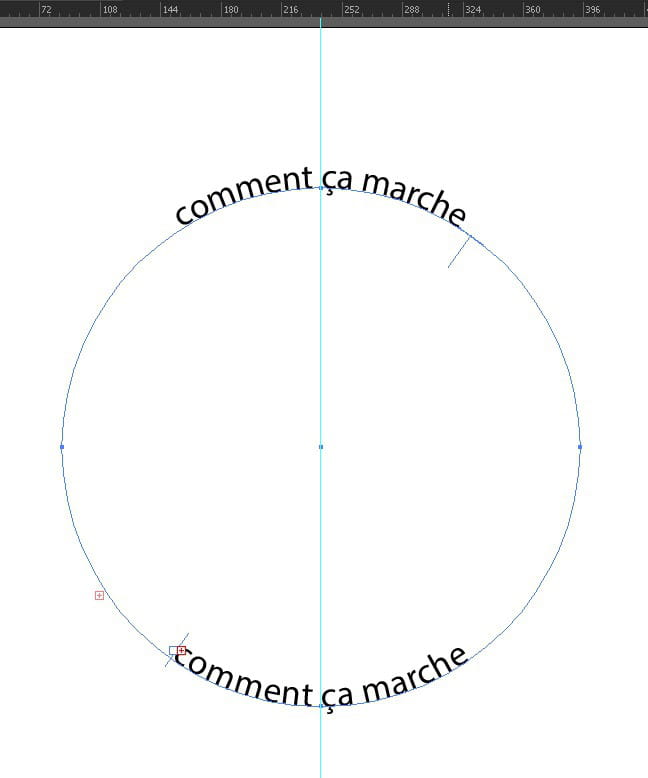
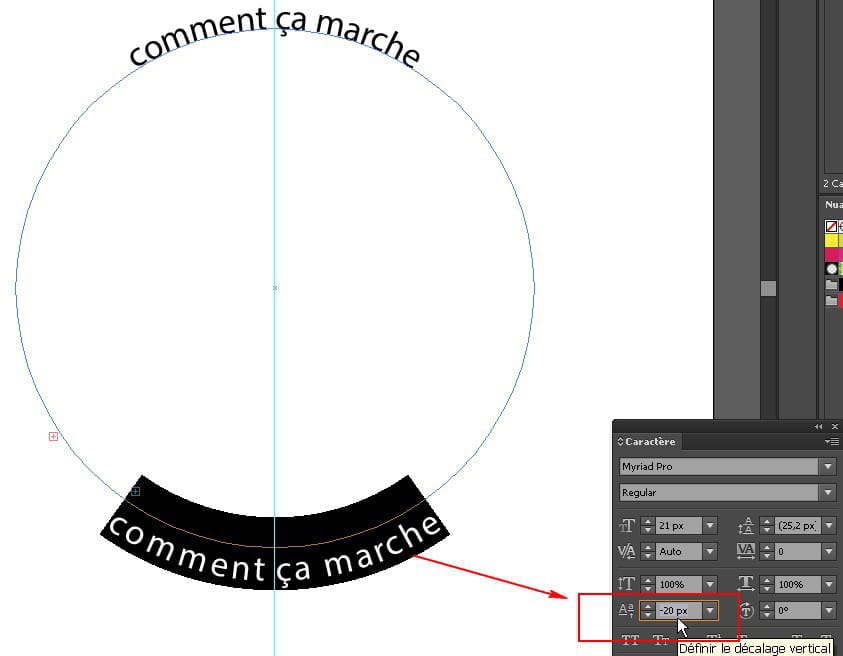
Merci de ta réponse rapide, mais je me suis mal expliqué. J'arrive déjà à faire ça, c'est juste que je veux du texte en haut, comme sur la première image, et en même temps mettre du texte DANS le même cercle mais en bas, comme cette image http://images.google.fr/.... Voilà tout, merci en tout cas de ta réponse :)
-
-