
Probléme disposition table html5
bonjour, j ai un probléme sur mon code html j'ai une colonne que j 'arrive pas a la faire déplacer , c'est la collonne A.I : que j'ai mis en gras
voici un shot screen le " A.I" n y figure meme pas :( :(
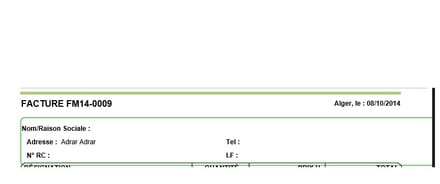
Merci d'avance :( :(
<title>#title</title>

<!-- - --><!-- 1:Haut de page-->
<page backtop="55mm" backbottom="4mm" backleft="0mm" backright="0mm">
<page_header>#header

<hr style="height: 4px; color: #B0C97E; background-color: #B0C97E" />
<table border="0" cellspacing="0" cellpadding="0" width="100%">
  <tr>
    <td style="width: 60%; font-size: 16px"><strong>#type #ref</strong></td>
	<td style="width: 40%; font-size: 12px; text-align: right"><strong>Alger, le : #date</strong></td>
 </tr>
</table>
<br />
<div style="border:1px solid #0C9900; border-radius:7px;">
<table border="0" cellspacing="0" cellpadding="0" width="100%" align="center" style="font-size: 12px; margin-top: 3px">
  <tr>
	<td style="width: 40%; height: 20px; padding-left: 10px"><strong>Code : </strong></td>
	<td style="width: 60%; height: 20px; padding-right: 10px" colspan="2"><strong>Nom/Raison Sociale : </strong>#company</td>
  </tr>
  <tr>
	<td style="width: 40%; height: 20px; padding-left: 10px"><strong>Adresse : </strong>#address #code #city</td>
	<td style="width: 60%; height: 20px; padding-right: 10px" colspan="2"><strong>Tel : </strong>#tel1 #tel2</td>
  </tr>
  <tr>
	<td style="width: 40%; height: 20px; padding-left: 10px"><strong>N° RC : </strong>#rc</td>
	<td style="width: 30%; height: 20px"><strong>I.F : </strong>#nis</td><td style="width: 30%; height: 20px; padding-right: 10px"><strong>A.I : </strong>#art</td>
  </tr>
</table>
</div>
</page_header>
voici un shot screen le " A.I" n y figure meme pas :( :(
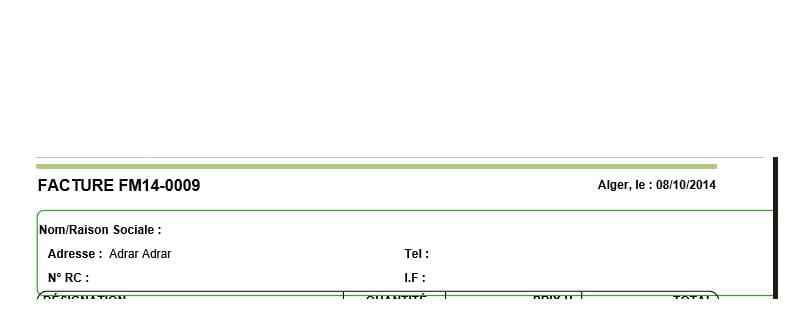
Merci d'avance :( :(
