
Startup issue
Neha -
Good evening I have a startup problem I’m attaching a photo for experts
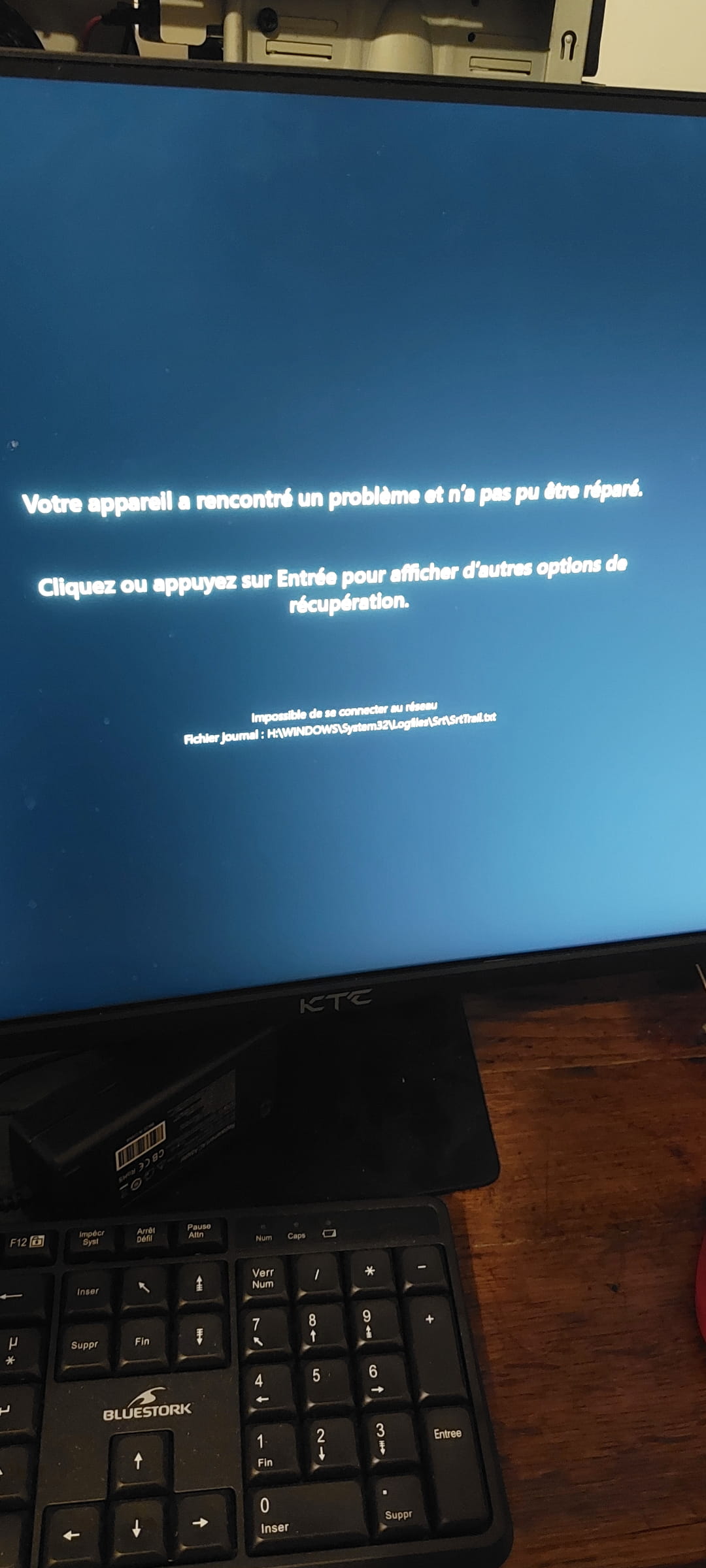
I unplugged all my USB hard drives, earlier it was the J drive of course my system is on C I just did a move the computer worked very well before the move I still paid a lot of attention during transport it seems that it does not detect my SSD Evo 870 that has the system what to do ?
2 answers
-
Hello,
You say that your SSD doesn’t seem to be detected?
That could be due to a bad connection after your move.
But also a shock suffered during this move that you don’t suspect and you think everything went well.
Go into the BIOS and first check if your SSD is already detected.
Did you unplug everything before the transport (SSD, hard drives, etc.) or not?
Also try testing the SSD on another PC.
Well after, the PC try as you specified to boot from another drive and the letter J in this case and you need to see the boot order in the BIOS.
To go into the BIOS, press the F2 key at startup and go to: Information / Storage / Drives to see if the SSD appears or not, which would be due to the cable, but if it is present it’s a software that corrupted the Boot.
In short, you have many possibilities to test everything.
-
Hello,
We don’t see why the BIOS boot order would have changed due to the operation of the Holy Spirit, and it simply does what it is paid for: if it can’t boot from the disk, it will try all bootable media it has in succession, ending with a possible network boot via PXE.
The causes can indeed be purely hardware-related, such as a disconnected or damaged disk, RAM disconnected (though that would more likely result in a BSOD), or software-related due to a curious coincidence in which case the operating system should be reinstalled from an installation key.
On the contrary, if there is no boot by this last means, then the cause must be hardware-related.I couldn't do what I had planned, I took the easy option offered with this computer—troubleshooting tab, a reinstall of Windows without touching my personal files. I was scared at first of losing everything: photos, passwords, etc... I only lost some programs; luckily I had everything synced and I know my passwords, that saved me.
Anyway, I didn't understand the deal—why it wouldn't boot from C... could it be because of my new address, country change? (Windows Security—I'd be surprised if that exists)
I'm going to write my passwords on paper and I'll also note down my programs, you never know.
-
-
Hello,
After a move, it’s possible that a SATA or power cable from the Samsung 870 EVO has become slightly unplugged.
Please start by checking that it is detected in the BIOS/UEFI, then reconnect the SATA and power cables, or try another SATA port if necessary. Also ensure the SSD is defined as the boot device.
If the SSD is no longer detected or Windows still won’t start, avoid resetting it immediately. If important data is at stake, recover it first with reliable data recovery software before any repair or Windows reinstallation.
Good luck
