
How to get the old Start menu back on Windows 11?
Panth33ra Posted messages 23036 Registration date Status Membre Last intervention -
Hello,
I just reinstalled Windows 11, and I now have the new start menu (available for over a month following the updates).
I can't get used to it.
Is it possible to revert to the old start menu of Windows 11?
Thank you
5 réponses

Hello everyone.....
I think the solution is ► At this link ► See the bottom of the page to restore the old Start menu ...
Cheers
Hello,
Another participant might have a positive response to your request, but as far as I remember, the user interface (notably the Windows button in the middle, which gives access to the list of applications) hasn't changed since the beginning (aside from a few minor changes that I would struggle to specify).
Are you not confusing it with Windows 10 (Windows button at the bottom of a left column)?
Unless it’s a new ergonomics (announced), not yet applied to all users.
Hello,
No, no, it's really Windows 11 that I've been using for a few years. I have never been on Windows 10.
It's the new layout of the Start button. Apparently, it's been rolled out to everyone who is doing the updates.
I switched the Start menu to the left from the start (Windows 11 allows this option).

Hello,
On my side, I had been waiting for quite a while for the new Start menu, not specifically for its layout but to be able to juggle with the smartphone.
==► This famous new W11 Start menu
As for going back to the old W11 Start menu, it might be possible that a Windows registry key to delete or modify could achieve that, or perhaps a CMD or Powershell command, or some software (haven't found any without really looking), and without installing an alternative like StartIsBack or Open Shell.

Hello, I had the same reflex, but I spent a few minutes on it. I think it was designed to be more "simple" with all these icons that we want to ignore; a bit of pride, after all. It was meant for beginners, and we need to memorize the poorly translated categories from English, I agree.
Best regards
"Donkeys change their minds, not idiots"
Please remember to mark your message as "resolved" if that's the case.
Hi,
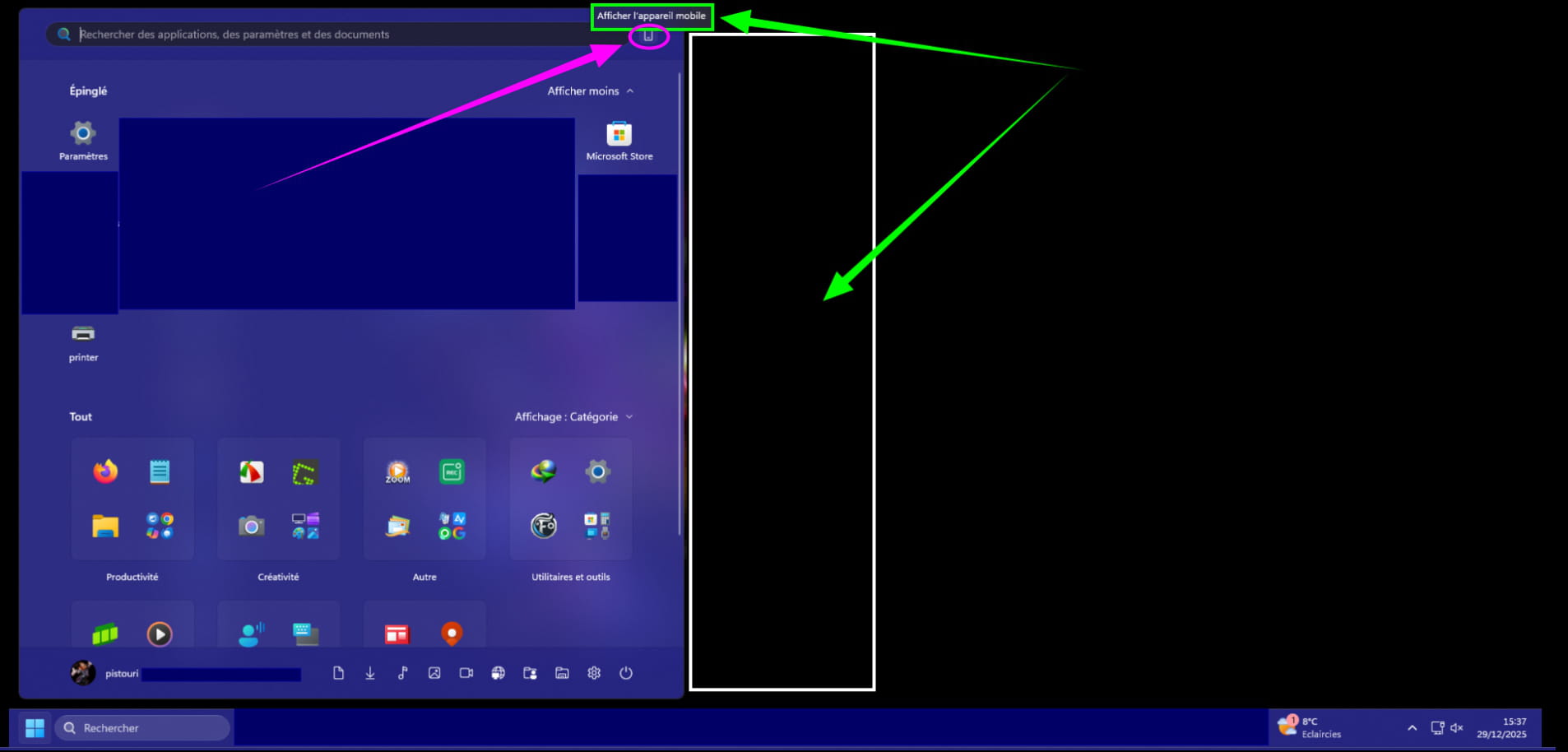
The display of the new Start menu (on 25h2) is larger than the old one, which is significant with its choice of layout (Category, Grid, List), but will cause issues on 4K screens.
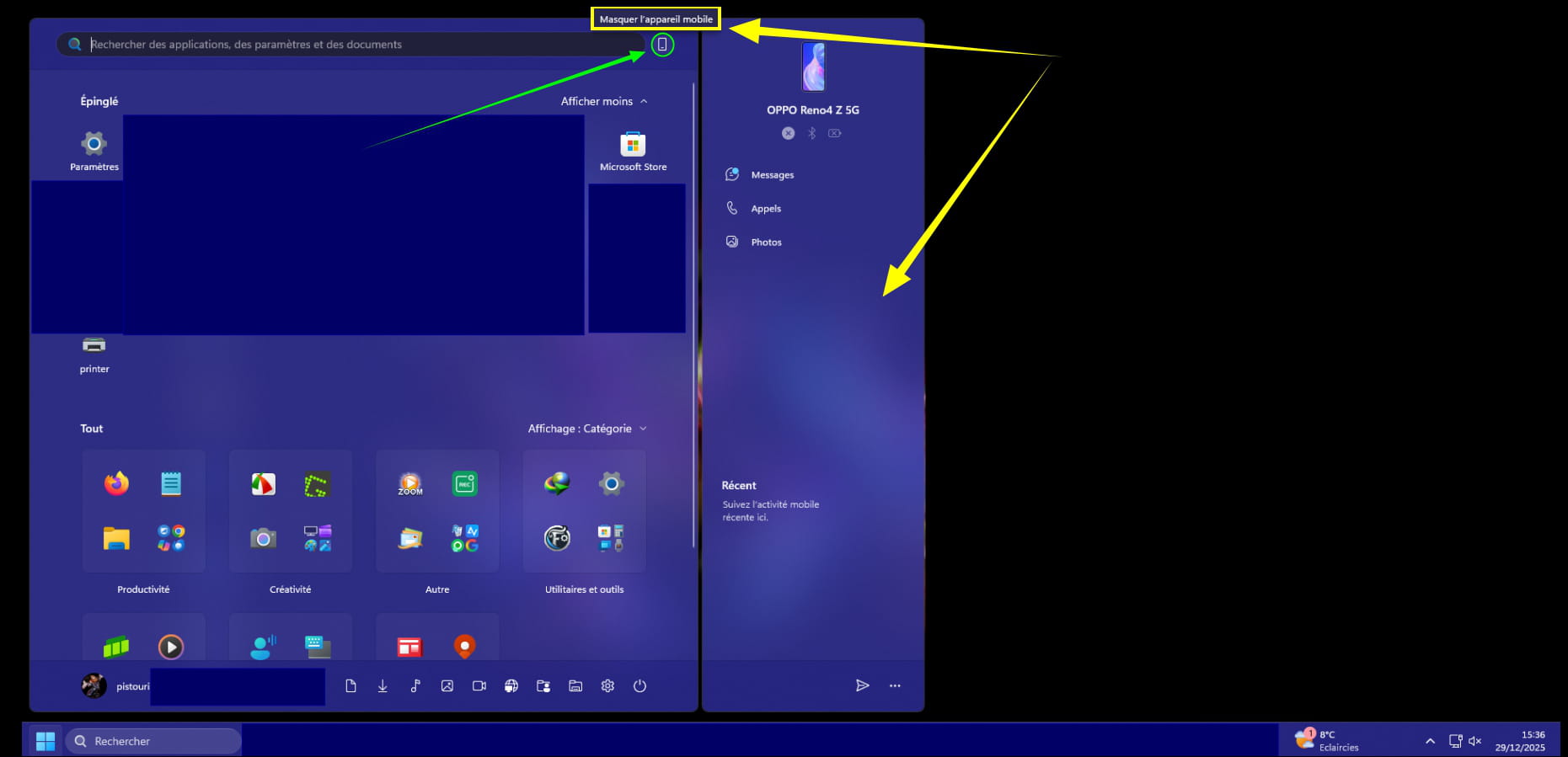
The downside is that for now, the right side dedicated to mobile cannot be disabled; I believe Microsoft will correct this because currently there are no options in the settings, and not everyone uses Connected Mobile.
For categorization, Microsoft will likely add sections or even change names (Productivity, Creativity, Entertainment, Utility, etc.).
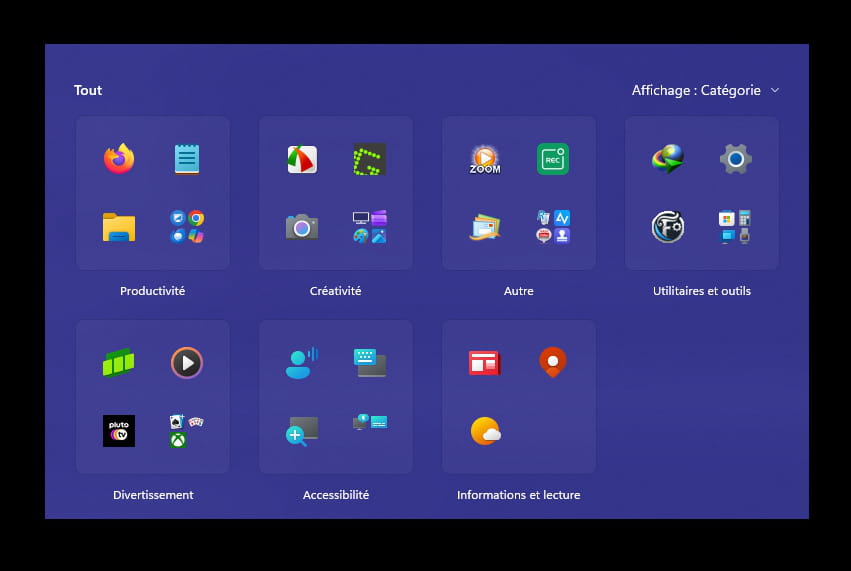
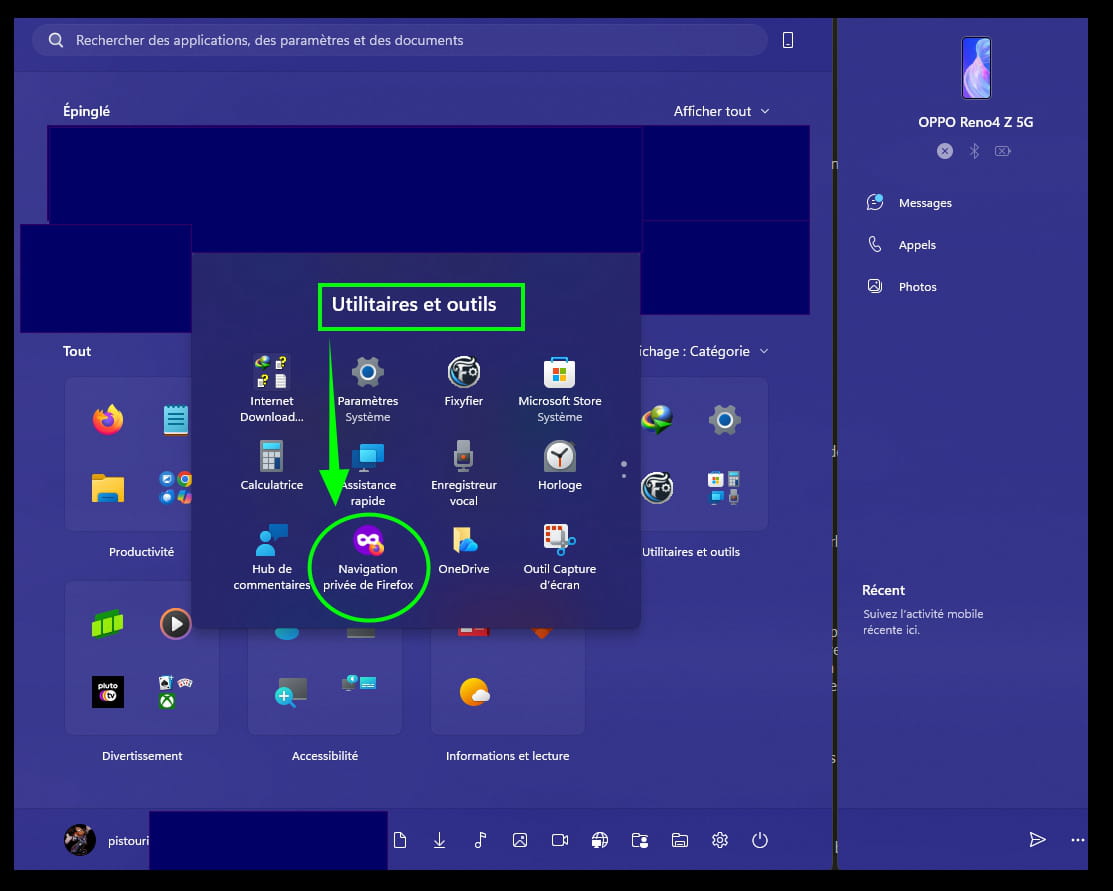
Even if it's classified like this, it's not entirely accurate regarding the placement of certain applications.
For example, Firefox in private browsing:
I did not suggest 'vivetool' that I know for certain reasons.
Info 'vivetool' :
Valid both ways Enable/Disable.
Enforcing activation puts your computer in an unsupported state, and many things have multiple flags or variables, and you can create conflicts with other functions. I've already seen posts where people force the activation of something, which makes something else crash, and then they complain that MS is crap and all. Moreover, forcing functional changes can cause other functions to never activate properly, even after they have been deployed to everyone. I have confirmation from Microsoft that it complicates their job in resolving bugs and other issues too, because it pollutes telemetry data. Like, if you're in the "old start menu group", forcing the new start menu, and it starts crashing, it requires more work to find the underlying issue. They deliberately deploy things like this, slowly and progressively, to be able to monitor and fix problems that may arise before they spread. Do not forget that using vivetool to enable/disable elements will interfere with the telemetry your device sends to Microsoft. This will pollute feedback and may indicate incorrect results, for example. This means that using vivetool may have a negative impact on users over time. With that in mind, please take steps to truly identify and prevent telemetry from being sent if you use vivetool, or simply do not use it. I also did not suggest a reg file to enable or disable the new Start button.
For the simple reason that the content of the .reg file is not the same at all, meaning that certain registry keys are unavailable compared to when the Start menu is installed or delivered by Windows Update and Microsoft Store components.
For my part, I find this new menu very interesting and practical, even though it will improve over time with Windows Update fixes, but also with updates to Microsoft Store components.
Hello jmarion3
I followed this method from your link with ViVetool to disable the recently appeared start menu because it hasn't been very successful, to say the least, considering the number of dissatisfied users. In any case, the manipulation is effective.
Hello flo88......
Thanks for the feedback....
Personally, the first thing I did on W10 or W11 was to replace their start menu with a little software called Stardock (Start10 or 11) and it's great.....it costs €11.....but if you're interested, I can get it for free
My homepage looks like that of W7
Cheers
Hello,
Something equivalent as mentioned earlier and free in any case, for example with Open Shell?
Hello brucine ...
Stardock is much more complete (customizable ...) than Open Shell.......there's no comparison....and that's probably why it's paid?
Cheers
Surely, I'm not worried about 11€, but what interests me is simplicity in getting rid of gadgets and other widgets, which is why Open Shell is enough for me (besides, otherwise I would be disingenuous, Explorer Patcher without which you cannot customize the toolbars of the taskbar), to each their own...