
Driver for your Thomson N17C8wh2t PC
Solvedbillmaxime Posted messages 50533 Registration date Status Contributor Last intervention -
Hello,
Following the reinstallation of Windows 10, I've been struggling for 2 weeks because I can't find the sound card driver for a Thomson N17C8WH2T PC.
Nothing on the Thomson website except for the email and phone number of customer service. They are unreachable by phone and do not respond to emails. Anyway, stay away from this brand.
I tried using the Intel driver update application and websites like DriverHub, but nothing works.
Thank you in advance for your help.
8 answers
-
Hello.
When there are no available drivers to update certain older computers, I use this site that lists a lot of drivers, and by typing in your computer model, I found this:
https://www.driveridentifier.com/scan/esaudriver-device/download/919672564/E90ABB9414E8483A8DD4E386EE367285/ACPI%5CESSX8336
The first in the list is the most recent one provided.
BUT, before that, please follow this procedure to ensure that the identification number matches the one offered in the drivers:
Windows + R
Type --> devmgmt.msc and OK.Go to Audio controllers, and choose the one that should normally have a yellow triangle
Right-click on it
Properties
Details tab
In Property, select --> Hardware Ids
Example image: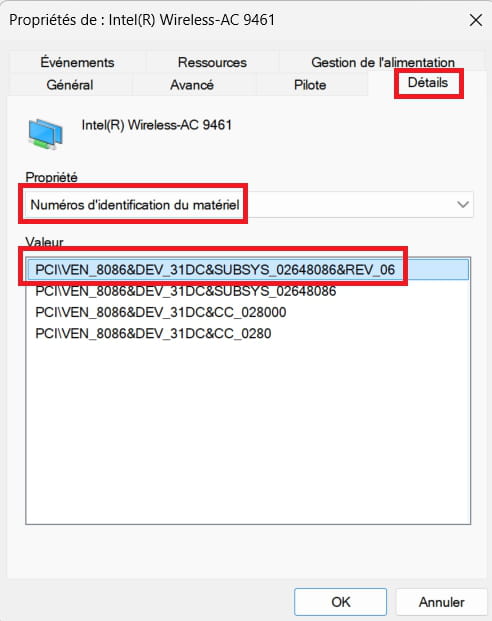
The number appearing in this location must match for the driver to work.
Looking forward to your response.
-
Hello,
Thank you very much, it is the multimedia audio controller
pci\ven_8086&dev5a98&rev0b
-
hi
there is a missing part of the detail for the driver ID, please do a copy/paste
example:
HDAUDIO\FUNC_01&VEN_10EC&DEV_0897&SUBSYS_18493897&REV_1004
PS: you can also post a screenshot of your device manager ==> click here
@+
-
-
hi
download 7 zip to your desktop ==> click here
run it as administrator (right-click) to install
download this driver to your desktop ==> click here
right-click on ==> Intel-FORCED-SST-10x64-RTM-7x_9.22.0.4832-drp.zip
7zip ==> extract to ==> "Intel-FORCED-SST-10x64-RTM-7x_9.22.0.4832-drp/"
right-click on the device with a warning in the device manager
update the driver
browse my computer for drivers
click on "browse" and select the desktop
click on "ok" and "next"
go to the unzipped folder ==> Intel-FORCED-SST-10x64-RTM-7x_9.22.0.4832-drp
folder ==> Intel
folder ==> FORCED
folder ==> SST
folder ==> 10X64
folder ==> RTM
folder ==> 7x_9.22.0.4832
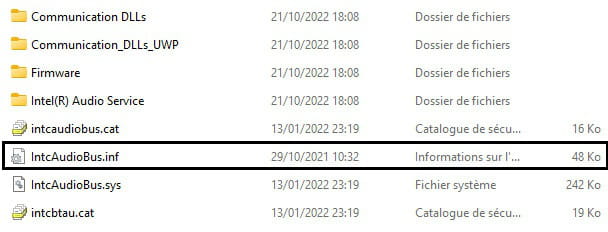
select the file ==> IntcAudioBus.inf
ok and next
restart the pc, and check what it shows in the device manager
@+
-
Hello,
Thanks again,
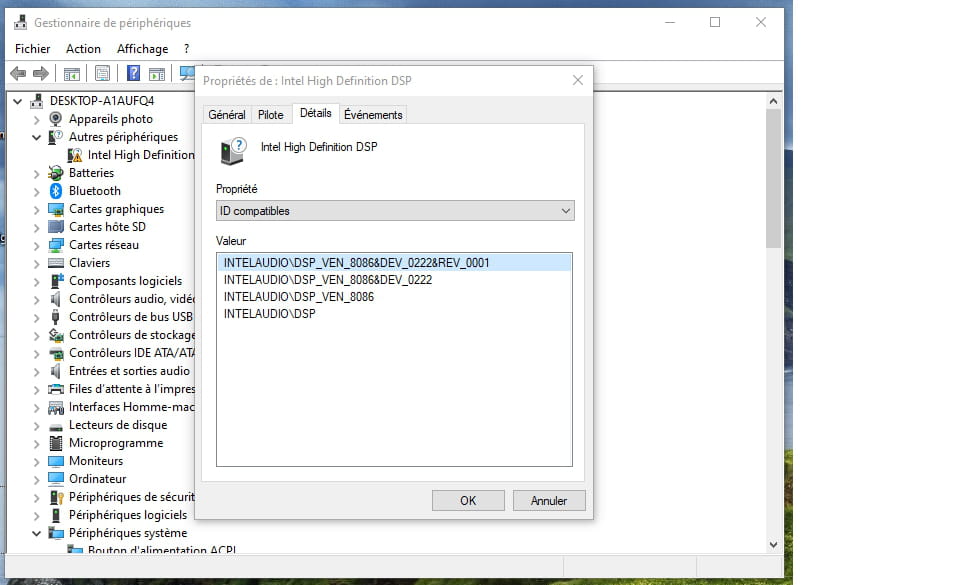
I now have this missing driver:
-
It works, I installed the high definition driver from the Intel directory.
Thank you very much and happy holidays.
-
hi
thanks for the feedback :)
happy holidays to you too
@+


