Caps Lock Beep
Solvedbaladur13 Posted messages 47424 Registration date Status Moderator Last intervention -
Hello everyone,
I'm brand new here.
For the past few days, when I press the Shift key on my Dell laptop, I no longer get the beep which is very useful to me.
My settings in Settings / Accessibility are correct.
Do you have any idea what's going on, please?
I wish you a great day.
6 answers
-
Hello,
Open the Windows settings by pressing Win + I to open them.
Go to Accessibility or Ease of Access depending on your version of Windows.
In the accessibility menu, click on Keyboard and then look for the Toggle Keys section.
To emit a sound when you press the Caps Lock key, you need to enable the option:
Play a sound when you press Caps Lock, Num Lock, or Scroll Lock.
You can also test it by pressing the Caps Lock key and you should hear the beep again.
This feature is built into Windows 10 and 11 and does not depend on Dell hardware, so it works on most laptops.
If the beep does not return, check that the System Volume is not muted or that Windows sounds are not disabled.
Some Dell keyboards have a light indicator to show the status of the Caps Lock key, but the beep is purely software-based.
Have a great day.
-
I don't quite understand what you mean, how can I do that?
Thank you again for taking the time.
Have a nice day.
-
Hello,
In the Settings, go to System then Sound and finally Volume Mixer
Check that the setting for System Sounds is not too low or set to zero
It's very difficult to catch a black cat in a dark room.
Especially when it's not there... -
Problem solved!
I uninstalled "FXsound" and my beep is back!
Thank you and have a great end of the day.
-
It's normal, it might be useful to someone.
-
Hello,
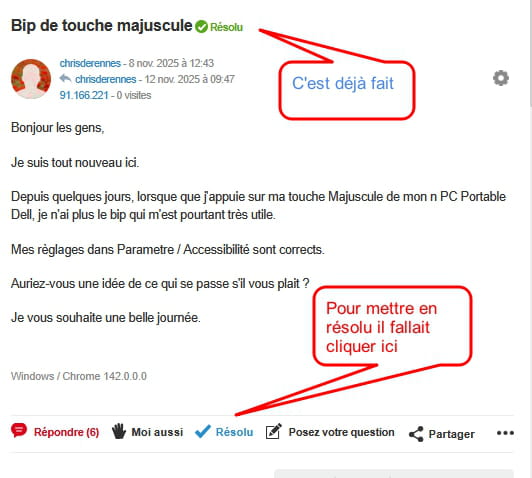
How to mark the question as resolved?