
Freezing on certain games, probably coming from my GPU
fabul Posted messages 42199 Registration date Status Moderator Last intervention -
Hello,
On my new PC, I'm experiencing freezes in certain games, but not all the time:
The freezes are regular, about every 3 seconds and last for 0.5 seconds. They are accompanied by a crackling noise from the GPU, which stops during the freezes.
The problem occurs after several hours of gaming or right at the start of the game.
In some games, it never happens, and in others, it happens often, but I do not feel like it is related to the load of the game (for example: I freeze in the RimWorld menu but never in Assetto Corsa).
When I unplug my monitor while the problem is happening, I no longer hear the crackling.
When the problem occurs, the only solution is to turn off the PC, sometimes several times.
Components
CPU: AMD Ryzen 5 5600x 6-core
GPU: AMD Radeon RX 6650 XT
Thanks in advance for your help!
3 answers
-
Hello,
Disable everything that is unnecessary in Logon, Scheduled Tasks, Services, as described in the second part here:
https://forums.commentcamarche.net/forum/affich-38206831-alors-vous-voulez-supprimer-les-virus-vous-meme-comment
And even more by disabling almost everything that is recommended to be disabled (Except App Notifications) by the O&O ShutUp10++ program
https://www.oo-software.com/fr/shutup10
Then GPU-Z can monitor the temperature (In Game) by creating a LOG
https://www.majorgeeks.com/files/details/gpu_z.html
Core Temp for the CPU
https://www.alcpu.com/CoreTemp/
PS:
UserDiag can be useful
https://userdiag.com/fr/ -
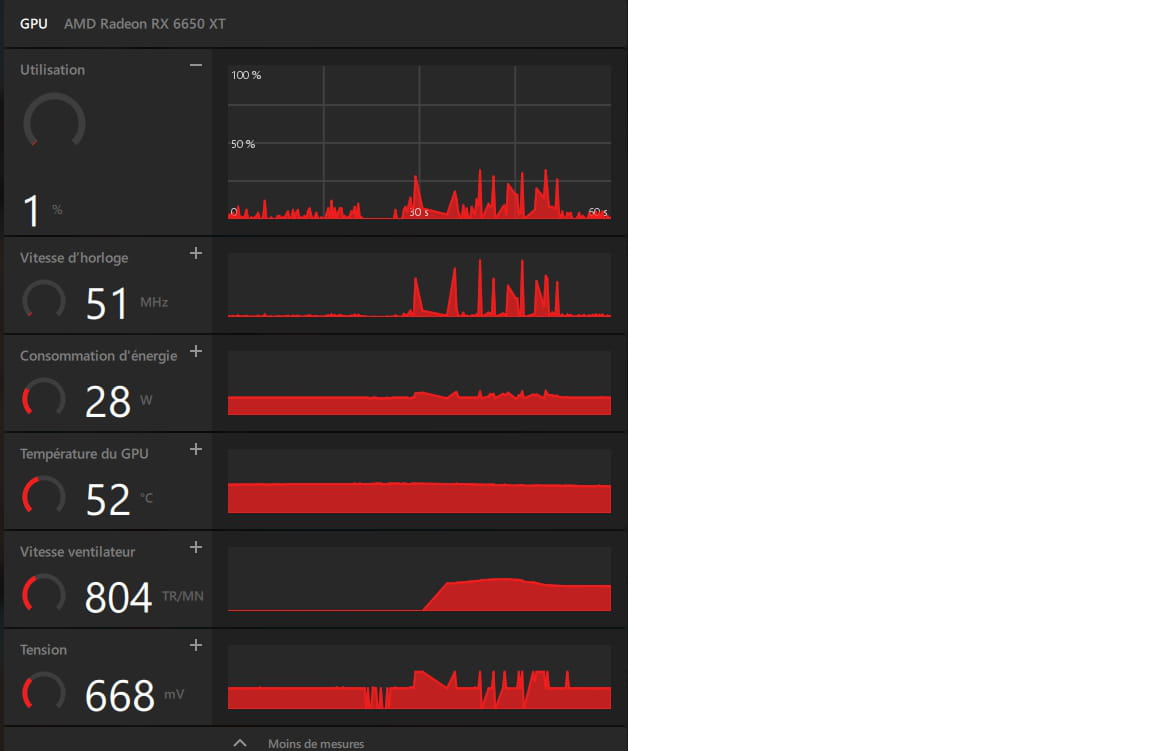
Below, the left half = game stopped and on the right game running with the freezes (I am in the menu)
-
Have you ever used this software: IOBit Driver Booster Pro (In Giveaway)
The second key worked for me recently.
https://techno360.in/driver-booster-13-pro-free-6-month-license/
Be careful during the installation not to click on Install for software you do not want, uncheck it, and do not click "Install" a second time during the installation!
Then disable IOBit's automations in the program, or in Autoruns, or in the task scheduler.
