
Unable to update the M2 SSD
flo88 Posted messages 28492 Registration date Status Contributor Last intervention -
Hello,
I have a SAMSUNG 990 PRO M2 as well as the Samsung Magician software.
The software indicates that there is a firmware update, but when I try to perform the update, it refuses to proceed:
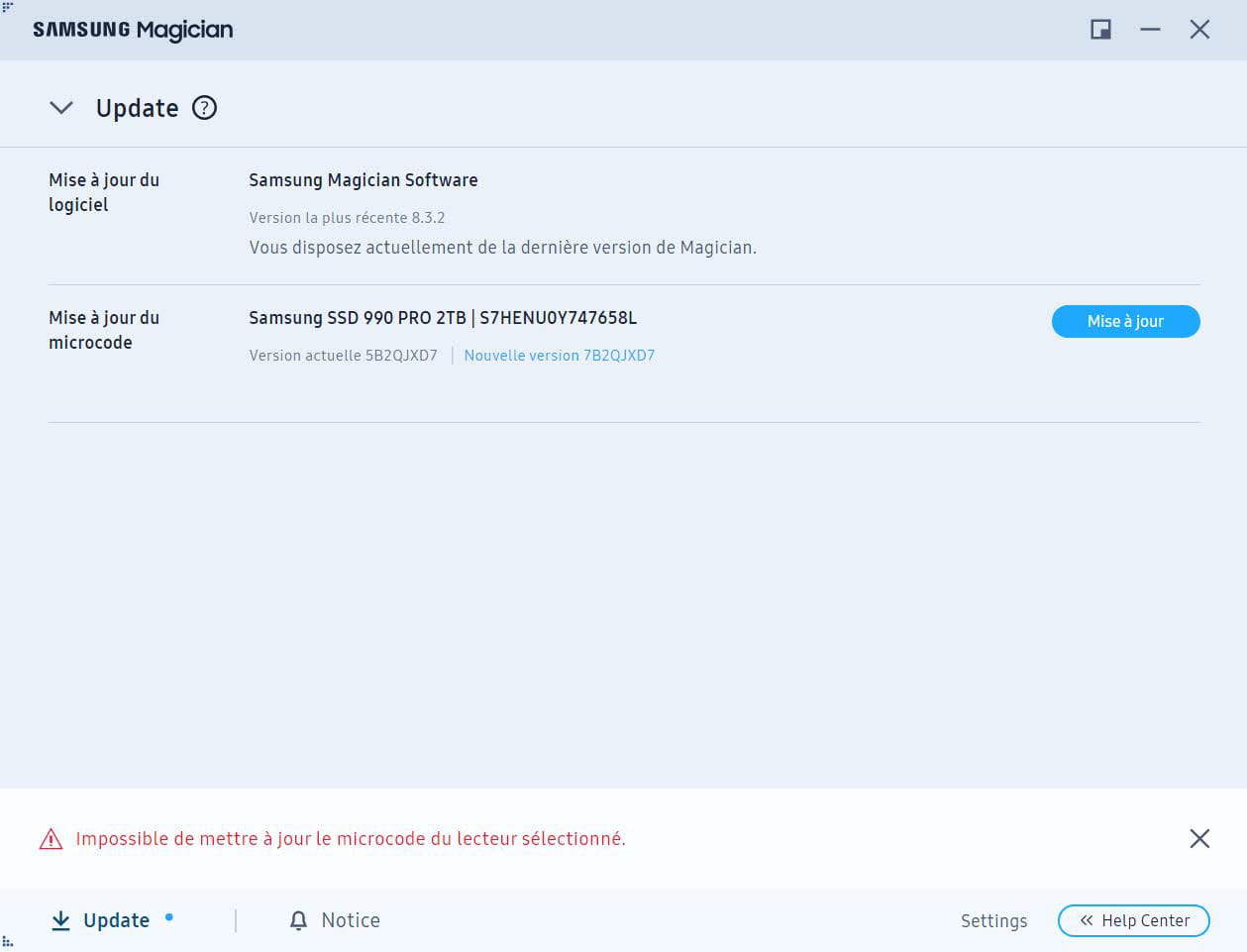
I downloaded the ISO from the Samsung website and created a bootable USB drive, but nothing is happening.
Have you ever encountered this kind of problem?
Did you manage to update it, and if so, how?
Thank you for your response ;)
5 answers
-
Hello,
generally, we update the firmware of hardware when we want to fix something that isn't working (or that has been identified as likely to occur in the near future or cause serious consequences).
Is that the case?
Updating just for the sake of updating is not a good solution if everything is working well.
A+ blux "Fools will dare anything.
That's how we recognize them." -
Hello
No, there's no particular problem, but it’s the software that suggests this, so I would have liked to update it.
-
flo88 Posted messages 28492 Registration date Status Contributor Last intervention Ambassadeur 5 170
Hello
I agree with the blux council, especially regarding equipment of this kind where any rollback is impossible.
As for the update itself, you need to click the "update" button at the bottom left, in addition to "mise à jour", be careful, the process must not be interrupted; if a power outage occurs during the firmware writing, the SSD will be lost.
-
Hello,
I'm aware of this issue that if it bugs after the update, there will be no going back.
Then for the update, I do click on update but nothing happens, hence the error message in red (see screenshot)
-
flo88 Posted messages 28492 Registration date Status Contributor Last intervention Ambassadeur 5 170
Reinstall the software to see.
Otherwise, try also by disabling the antivirus; it may misinterpret the command from the flash software....(by disconnecting the PC from the internet during the process)

