
New Machine Assembly
SolvedWinux -
Hello, I would like to get a new desktop computer. Given the prices found online or in stores, I’m challenging myself to buy all the components and assemble it myself (experience already practiced).
My needs (simple):
- browsing the internet
- office work,
- simple photo and video editing
- listening to music.
Some questions:
- are there functional differences between an ATX or Micro-ATX motherboard?
- are there performance differences between an Intel or AMD processor?
- what are the differences (for personal use) between WIN 11 home and WIN 11 PRO?
- are WIN11 licenses paid? Even if I replace a WIN 10 with a WIN11?
Any other recommendations?
Thank you.
Best regards
20 answers
-
Hello,
Motherboard format:
If you have space and plan for expansions (multiple cards, storage, scalability), go for ATX.
For a compact PC, mATX will be more than sufficient, provided you’re not aiming for a very sophisticated setup.Processor:
AMD Ryzen (Zen 4/5) = good price/performance balance, excellent efficiency.
Intel = very good for single-thread, solid for standard tasks.Operating system:
Windows 11 Home = the most rational and economical choice.
Upgrade to Pro only if you have a concrete need (encryption, virtualization…).Conscious budget: Don't overspend on features (like Pro or high-end ATX) that you don’t need.
-
Hello Bruno,
Thank you for your opinions and recommendations.
For now, here’s where I am with my setup (on paper)
- Motherboard: MSI A520M PRO micro-ATX, socket AM4: 70€
--> what does a very sophisticated SETUP mean?
--> A graphics controller is missing --> to add a graphics card on the PCI Express 70
- Processor: AMD Ryzen 3 4300G or 3 4100 (both with 8 cores and 4 threads + very well rated on benchmarking sites) between 60 and 100€
--> the 4100 is better rated than the 4300 and yet it costs half as much as the 4300!! Strange, right?
- Internal SSD 2.5’’, 500 Go: 50€
- Win 11 home
I have:
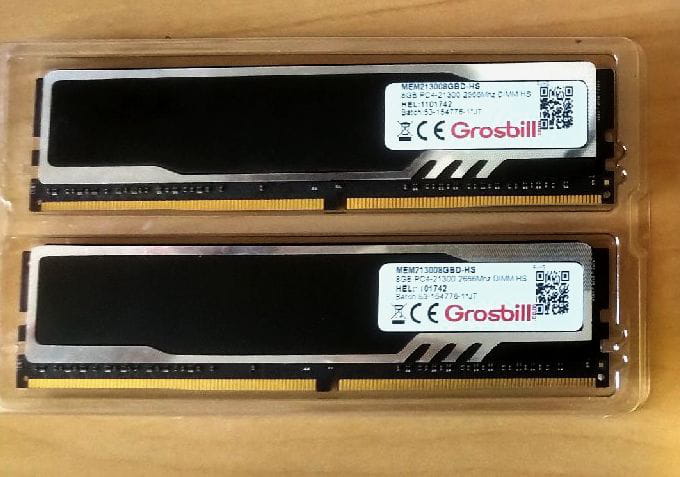
- RAM: 2 DDR4 slots (I already have two DDR4 sticks, 2666 MHZ, 8GO each. (photo)
- a 550W power supply
Any other opinions/recommendations would be welcome.
Thank you.
Best regards
-
Hello,
You have some mistakes in your description and choices.
SSD drive actually doesn't exist, if you need to get an SSD, I recommend the NVMe.
The 8-core 4-thread processor, it's actually the opposite: 4-core and 8 threads; when it ends with a G, it means it has an integrated graphics part.
What about the power supply? Without a high-end configuration, 550 watts is not necessary; the most important thing is to prioritize quality in this case.
-
-
Hello Winux,
Thank you for the corrections and clarifications.
Indeed, as you wrote, it is 4 cores and 8 threads.
Regarding the graph, thank you for the clarification. In that case, I will go for the 4300G.
What do you mean a SSD drive doesn't exist?
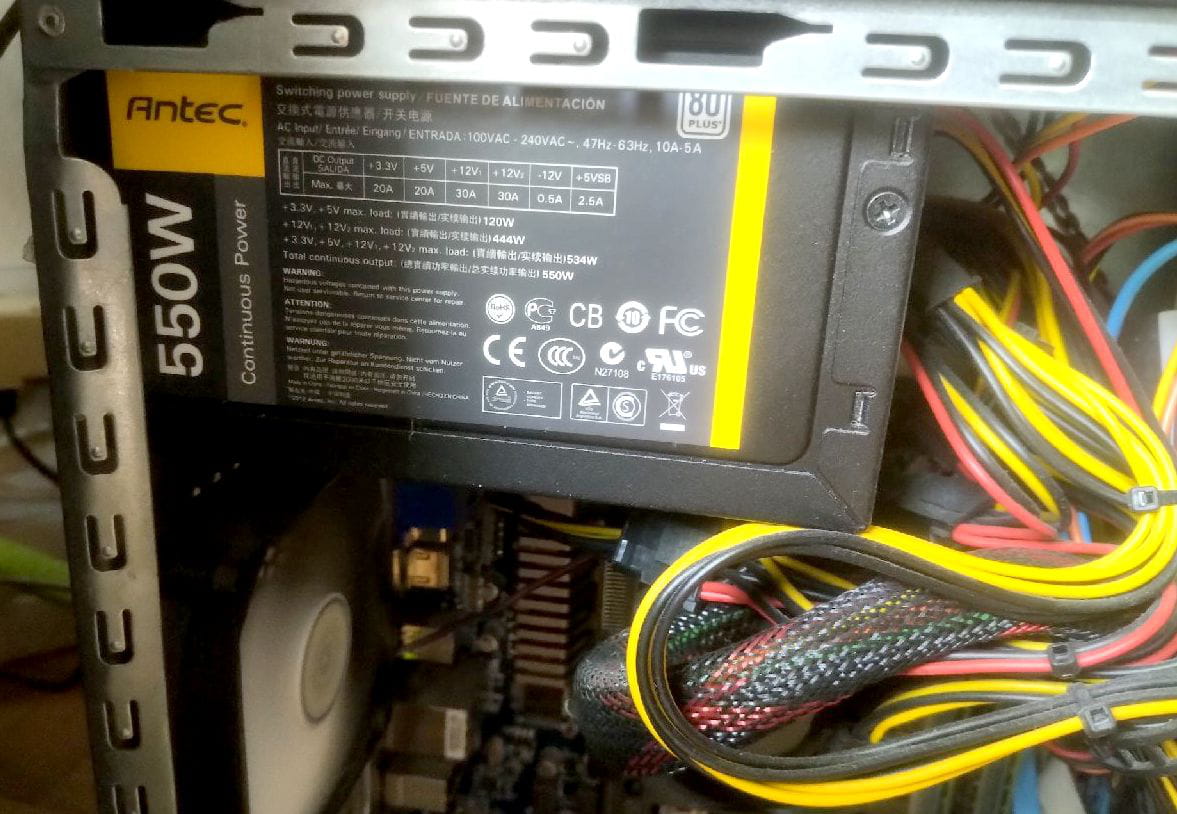
The power supply is an Antec (photo): it is the one that powers my current PC, which I plan to replace while keeping the same case (Micro ATX).
Best regards,
-
"Disk" is a bad habit that many people have, but it confuses beginners, which is why I refer to it. SSDs are a new type of storage that replaces traditional hard drives, except that there is no disk; they are chips.
Are you planning to change your power supply? Without a dedicated graphics card, PCs are less energy-consuming. Antec is a good brand; in any case, with a power supply, quality should come first rather than so-called claimed performances, because it's vital since it powers the PC; everything relies on it.
(Just a precaution)
-
-
Thank you Winux for all your indications and clarifications.
Yes, I am aware of SSD technology. In fact, I learned that this type of storage is good for all system files and application programs (for quick access) but especially not for DATA files that you open and close throughout the day.
Power supply: no, I plan to reuse the one I have.
Best regards,
-
In reality, SSDs are suitable for almost any type of use now; you just need to choose the one that fits based on performance and maximum rewrite data, as that is where SSDs are limited, although the amount of rewritable data is often much more than necessary.
Now there are even mini NAS for NVMe SSDs available, which was not feasible before; now it is becoming increasingly so.
-
-
Good evening/hello, I'm back on the forum after a few days of reflection. I am closely studying the option of purchasing a tower equipped with the minimum: motherboard, CPU, RAM, and an SSD.
CPU: AMD Ryzen 5 3400G
RAM: 32GB
SSD: 512GB
Motherboard: AMD A520M. And here lies my problem because I can't find this motherboard in my research. I always end up with the MSI A520M-A PRO.
Question: is there a difference between the AMD A520M and the MSI A520M-A PRO?
I don't know if I can provide a link to a shopping site, here is the config I'm aiming for:
https://www.amazon.fr/gp/product/B0CT3SS1PP?smid=A2PMBAYX6G8IJ&th=1
I can't find the following information: how many drives can be installed on this motherboard? By drives, I mean HDD, SSD, and DVD Drive.
Thank you for your opinions.
Sincerely.
-
The point not addressed is the video editing part. Simple or not, it depends on the quality and therefore the expected size of the videos. In 4k or even 720p, it is better to have a powerful processor, a lot of disk space if there are many videos, and still a dedicated graphics card even if it's not necessarily essential, it helps at least for playing videos. An external hard drive can possibly be added. Otherwise, even old machines from 10 years ago are sufficient for office work, music, and the Internet. As for Windows, it comes at a cost. Not necessarily expensive on some sites that are not always reliable; otherwise, a Linux Mint is free.
-
-
A520M is not a motherboard model but a micro ATX standard based on the lowest entry-level chipset of the 500 series for AM4, while the MSI is indeed a specific motherboard model based on the same chipset.
What is important to know is that the B550 is a much better chipset for improved performance and VRM, with PCIe 4.0 compatibility on certain processors instead of 3.0 for the A520.
Also, with the 3400G you will only have 3.0 with integrated video part in the processor.
It is important to understand that unlike twenty years ago, the processor has a memory controller that affects the compatibility of other components on the motherboard such as RAM and PCIe standard, whereas before everything depended on the motherboard which had two controller chips, south and north bridge; it was the good old days.
Regarding this Amazon PC that I do not recommend due to the lack of description and the low-budget Jackie tuning look, there lies the problem because you cannot have a powerful, quality, and attractive PC with a limited budget; it necessarily hides flaws.
Normally with entry-level motherboards, you have one M.2 port and four SATA3 ports for 3.5 and 2.5-inch storage.
-
Good evening everyone,
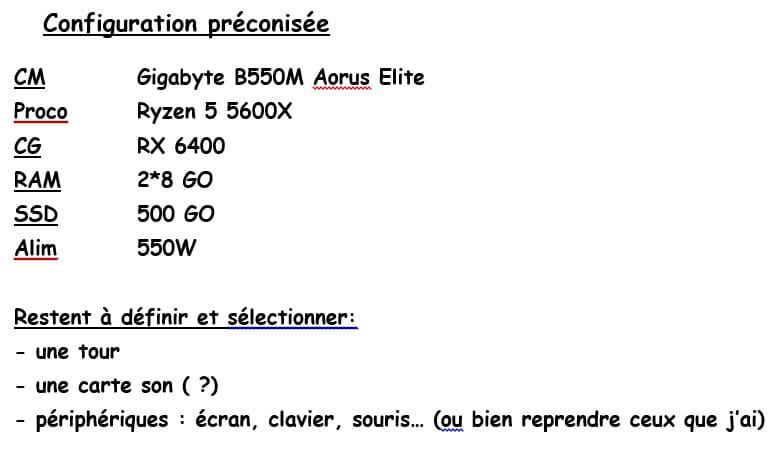
Just to keep you updated. I'm still thinking about how to build the configuration that would suit me. For now, I've put aside kits and I'm trying to gather a set of components to either look for a pre-built PC with these components or assemble them myself. To be continued...
Sincerely.
-
-
Why not go for AM5; it would cost just a few more euros
https://www.ldlc.com/fiche/PB00608796.html
with built-in Wi-Fi
and
https://www.ldlc.com/fiche/PB00656403.html
memory
https://www.ldlc.com/fiche/PB00541368.html
no need to buy a sound card; it is integrated into the motherboard
-
-
Hello, it all depends on your budget... and your usage, gaming, work, etc... I see that it seems to be for work.
DDR4 or DDR5... DDR4 is outdated and cheap...
Intel is better for applications, 14600k at €180, I can't believe it, that's really cheap for 14 cores... at least with that, you’ll last twice as long as the AMD 5xxx, and for work, I guarantee you it's the best for video compression etc. and it has a graphics component... unlike your AMD... the only downside might be the heat, and no wonder, 14 cores too...
-
-
Hello everyone, taking into account your opinions and recommendations and my budget (max 500€), I am therefore leaning towards the purchase of 4 basic components.
Hello everyone, after reading your opinions and recommendations and considering my needs (no streaming, no gaming) and the budget I have set for myself (maximum 500€), I plan to limit myself to purchasing a few basic components to assemble myself and complement with the secondary components I currently have in my PC.
See below the list. Additionally, I currently have:
- RAM: 2 * DDR4 8Go
- PSU: ANTEC 550W
- 2 HDDs: 1*2To and 1*1To
which I plan to reuse.
For the OS, either I will reuse the current WIN10 (outdated, but solid) I have, or I will lean towards 11 (the most reasonable option).
COMPOSITION by components
MSI MAG FORGE 110R CASE, Black
GIGABYTE B550M AORUS Elite micro-ATX motherboard (AMD Ryzen 5000 CPU)
CPU: AMD Ryzen 7 5700 Processor (8 Cores/16 Threads)
SSD Samsung 870 EVO MZ-77E500B/EU | 500 Go
for a total of around 350€.
I will keep you updated.
Best regards.
-
Hello Winux, bingo!, thank you. You are right: SATA III. And it's useless because the motherboard has an M2 port. So I'm looking for a replacement for this SSD.
Best regards.
-
Okay, updated list with the following SSD: Crucial P310 SSD 1TB PCIe Gen4 NVMe M.2 2280. Bonus: barely more expensive than SATA III and with double the capacity.
Best regards,
-
And the graphics card?
-
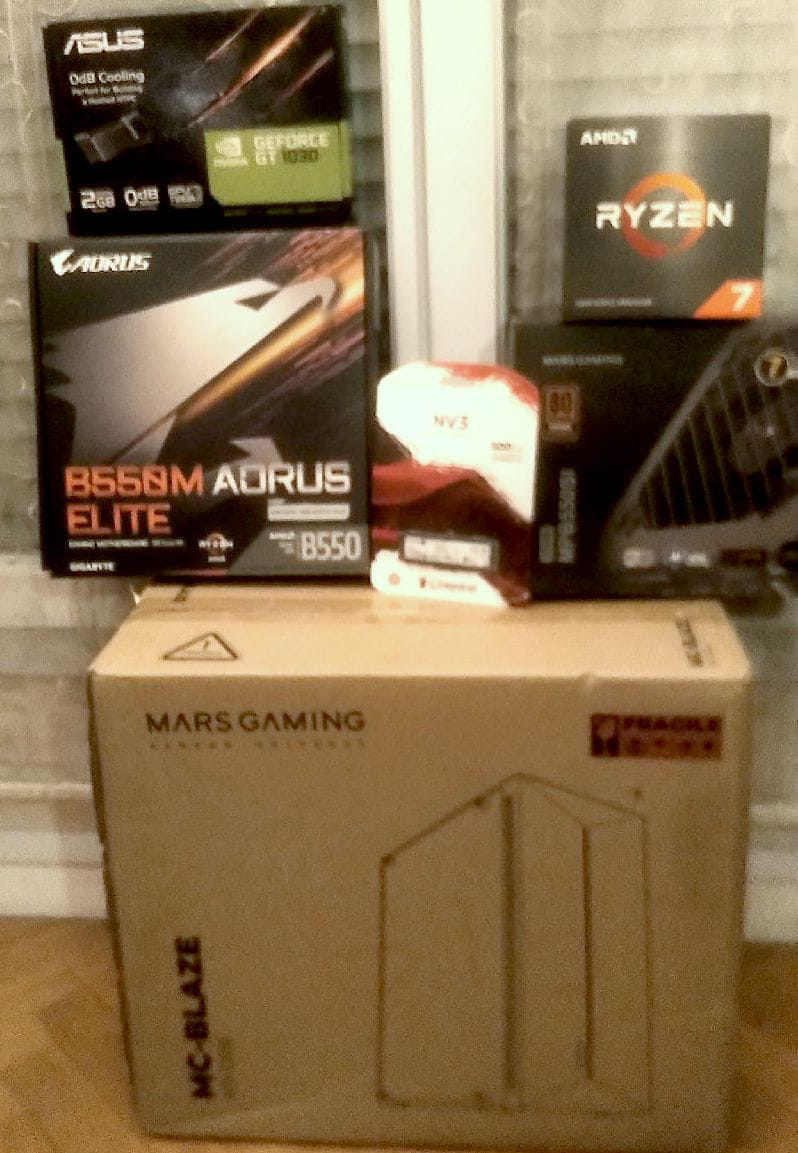
Good evening, I'm reaching out to update you on my progress. In the end, I added a graphics card, and here is the ordered and received configuration.
ATX Case Mars Gaming MC-Blaze
Motherboard GIGABYTE B550 AORUS Elite AX micro-ATX (AMD Ryzen 5000 processor)
Processor AMD Ryzen 7 5700
SSD Kingston NV3 NVMe PCIe 4.0 Internal 500GB M.2
Graphics card ASUS GeForce® GT 1030 2GB GDDR5
Power supply ATX Mars Gaming MPB550SI
RAM 2 * 8GB Crucial DDR4 2666 MHz CT8G4DFRA266
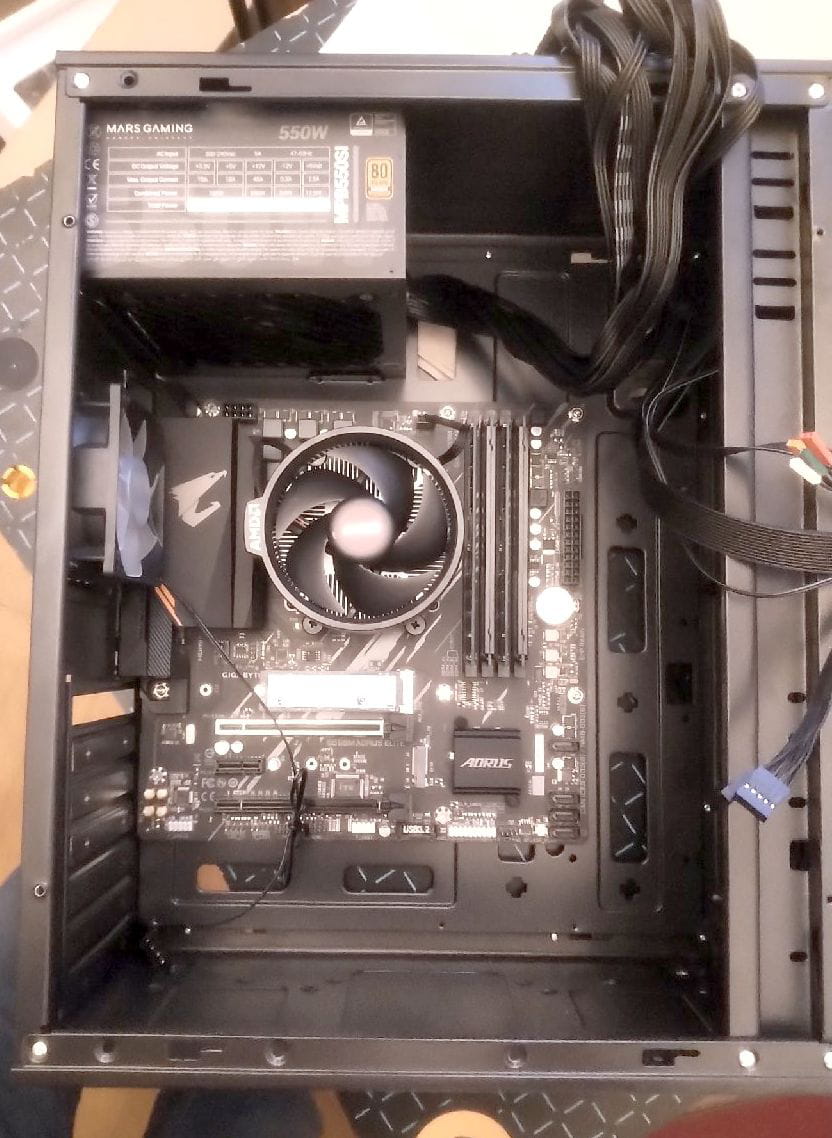
I started the assembly this evening. Everything was going well until the installation of the power supply. Here's the big issue: the power supply is designed to be installed at the bottom of the chassis which should have ventilation. However: 1- in the chassis, the space reserved for the power supply is at the back at the top and its fan is directed downwards, that is to say towards the inside of the chassis: attached photo. So it will likely overheat frequently.
What do you recommend to resolve this dilemma? Thank you.
Best regards.
-
Hi, it’s me again.
I believe it's a false problem; the PSU must, in any case, vent air outside the case.
And you also have the case fan as compensation.
You have a non-compact tower and without a power-hungry graphics card that would have heated the interior, which also removes a problem.
The only thing I would recommend for a future purchase is to replace the stock CPU cooler, which is often not effective for intensive use. With Turbo Boost enabled, which is a default overclock, the heat can approach the limits for more performance.
I’ve had a Ryzen 5 3600 for 4-5 years; I know what I’m talking about with the stock cooler. However, it’s not imperative; it’s designed to work that way, but you could better utilize the CPU’s maximum frequency by installing a better cooler if you wish.
-
-
Hello Winux, thanks for your opinion and recommendation. Okay for the fan provided with the case, it's junk, I'll put in a more efficient one. Additionally, as you could see in the first photo, I bought a graphics card (ASUS GEFORCE GT 1030) that I haven't installed yet. It has no fan, so it may be tight in terms of ventilation inside the case. One question about the power supply ventilation. One question: do you mean that the power supply fan draws in hot air from the case (CPU, GPU, motherboard...) and expels it outside through the grill at the back of the power supply? Can I try to run the power supply without any connections to the equipment to understand the airflow? Thanks.
Best regards.
-
It depends on the direction of the fan.
If you want to turn it on, make sure to take note, this is the method where sometimes a paperclip is used to connect two power supply wires that are responsible for the ignition.
Search using the keywords "paperclip" and "PC power supply" and go directly to the images in the search engine.
-
Good evening, some news on the assembly. It's progressing slowly but surely (?). Mounted: CM, Power supply. Connections for CM power supply are ongoing.
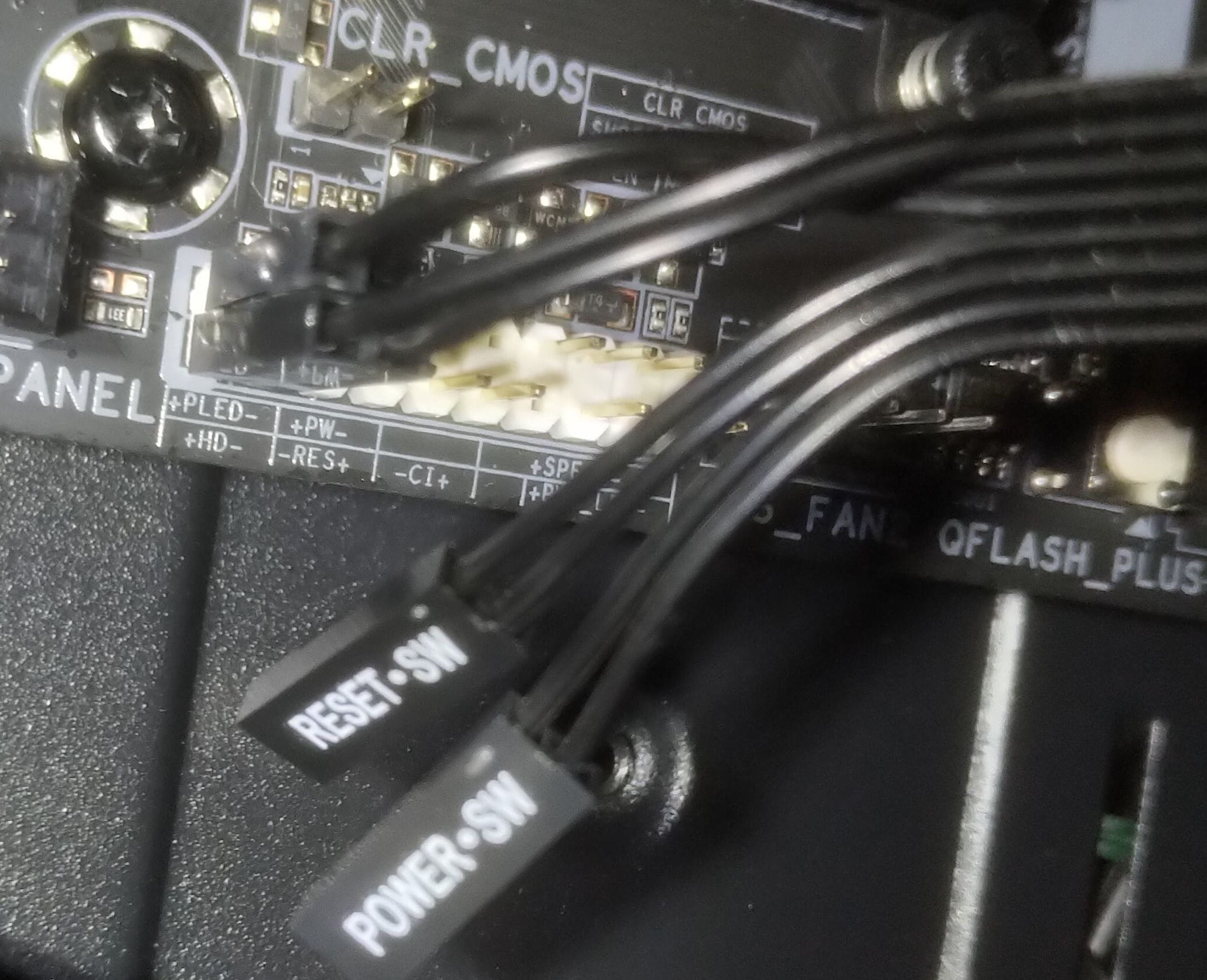
Little question: the front panel of the chassis has several functions: ON/OFF switch, Reset, audio, microphone, power LED, disk activity LED...
As for the PWR connectors (ON/OFF switch) and PWR Reset on the board, the polarities are indicated BUT NOT on the connectors: see photo. Does this mean that polarity does not matter for these two functions? Thank you for your help.
Best regards.
-
Yes, not sure it matters but in practice, you need to place the pins so that the power and reset indicators are readable from both sides, reset at the bottom and power at the top.
In any case, I've made mistakes before and it doesn't cause short circuits, it's just like putting a diode in the wrong direction, it won't light up but it won't cause any short circuit either, don't worry if you make a mistake.
-
-
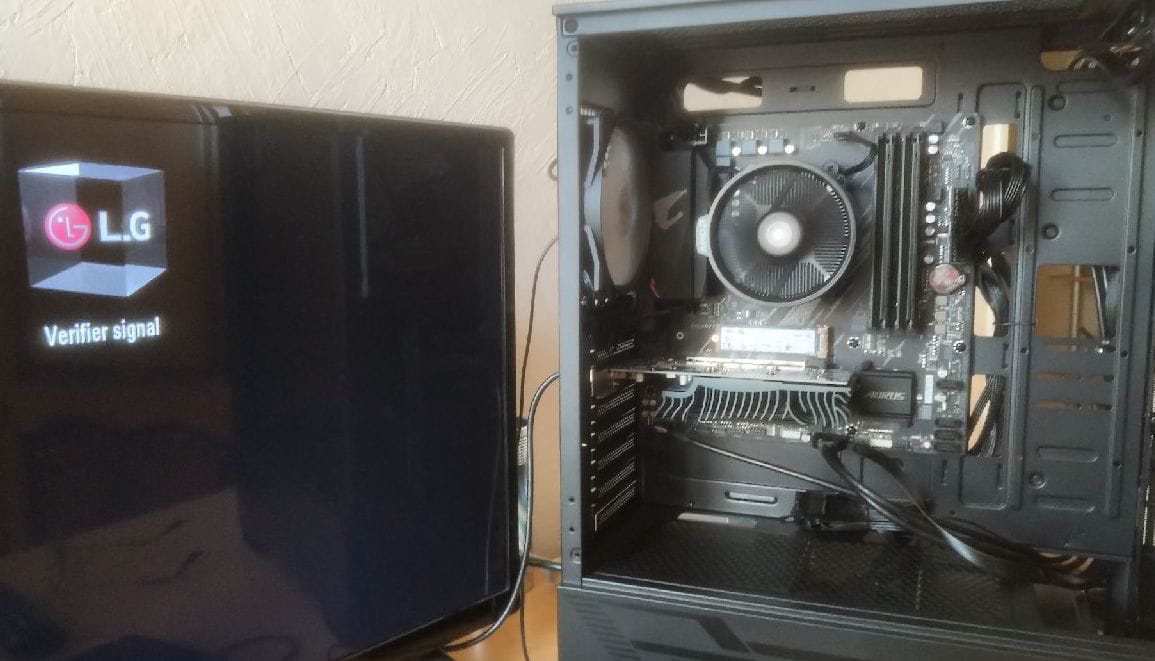
Hello everyone, I've assembled all the components (motherboard, CPU, SSD, RAM, GPU, PSU) + connected to a LG TV screen via HDMI cable on the GPU. Hum... the hardest part begins. Power on is fine, the fans are working, BUT (photo below) no signal is being received by the screen as shown in the photo.
What could be wrong with my setup? Thank you for your thoughts and recommendations.
Best regards
Start with a single RAM stick placed in the leftmost slot and try.
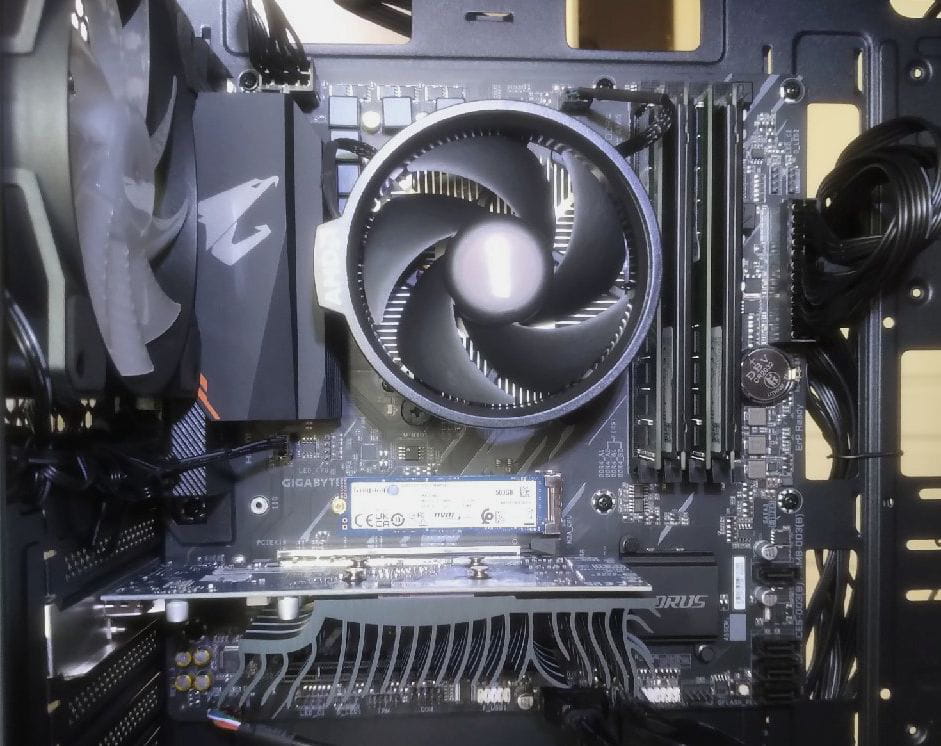
And take a closer photo of the motherboard from the PC so we can see better.
I can hardly see from my smartphone if the CPU socket is properly connected.
Does the motherboard not have any debug LEDs or a speaker to help diagnose the issue?
Thank you, Winux. To start, here is a closer view of the motherboard and its components. I will then remove 3 RAM sticks to make a new test.
Best regards
Disable CSM as it's incompatible with Windows 11; otherwise, use the correct XMP profile to take advantage of your RAM's true frequency, then enable Secure Boot and fTPM (AMD's TPM2).
The best approach would be to first update the BIOS, as it resets everything, and the day you want to do it, it will be a hassle, believe me.
-
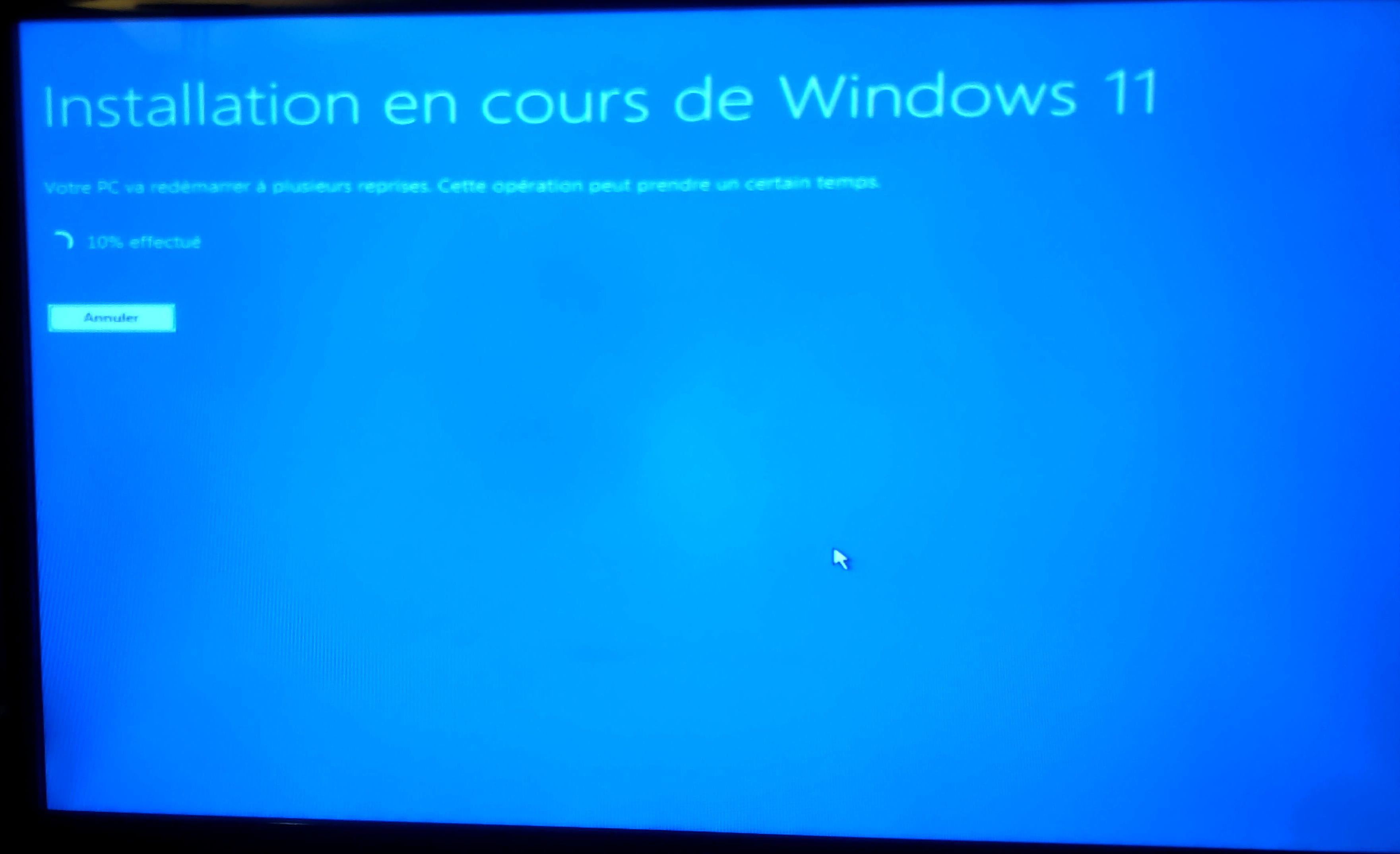
Oops! I just read your last response. So, I've managed to get it to recognize the USB stick and it's started the installation of WIN11 with the good and bad surprises along the way... for example, it rebooted and it's been stuck for 5 minutes now!! The disk activity LED is blinking but nothing is happening...
I will get back to the settings you suggested later.
Thank you for your patience and recommendations.
Best regards
Hello everyone,
Sorry for the long silence. Everything is back on track:
- WIN 11 and various basic utility software (Office) installed,
- specific software in progress. For example, Pinnacle for video editing.
It's slow, but I only have weekends for that.
Note: A problem never comes alone; my wife's PC crashed yesterday: display down (I've posted the issue on this forum). I'm putting the new installation on hold temporarily to fix the one that's broken.
Best regards
-
-
-
Hello everyone, little surprise of the day: I installed and connected a soundbar to the sound output jack (green OUT jack on the motherboard). Settings --> SOUND --> test: ok. Issue: there is background noise (BZZZZ) instead of the music being played. It works perfectly on the old machine.
Another test: I connect it to the output jack located on the front (connected to the motherboard on the AUDIO jack). Surprise: no background noise and the sound is perfect.
What could be the cause of this issue? Sound defect on the motherboard? Thank you for your opinions and recommendations.
Best regards,
-
-
Hello Winux, thank you for your prompt response.
<< However, for the sound, it could be a kind of contact or magnetism issue causing the crackling >>
GREAT, well spotted. It turns out I have a stereo coax jack-jack cable with a ferrite core at each end. Following your recommendation, I installed it in place of the existing one. No more interference and the sound is crystal clear. Thanks again.
Best regards.
Good evening,
Thank you for the question. No, given my needs I've concluded that for now, I don't need a graphics card. I will assess it as I go.
Best regards.
-

