
HP Series 2800 Printer Not Printing
Solved
kaneagle Posted messages 86301 Registration date Status Moderator Last intervention -
Hello,
The computer is an AMD Ryzen 3 3200G, 8GB RAM
Windows 10 Home
I have installed an HP Deskjet 2821e printer.
The printer is detected, recognized, and the wireless connection is established.
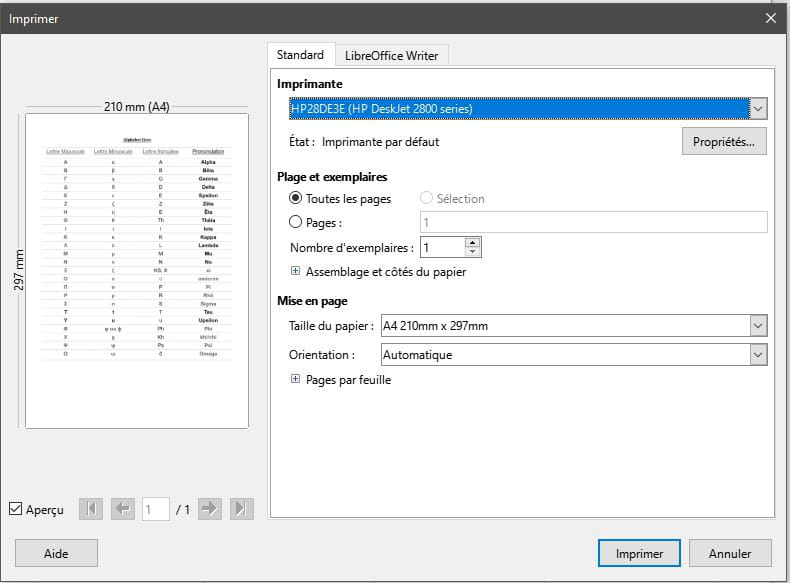
If I want to print a .doc document, nothing happens. The photocopy and scanner functions work very well, though...
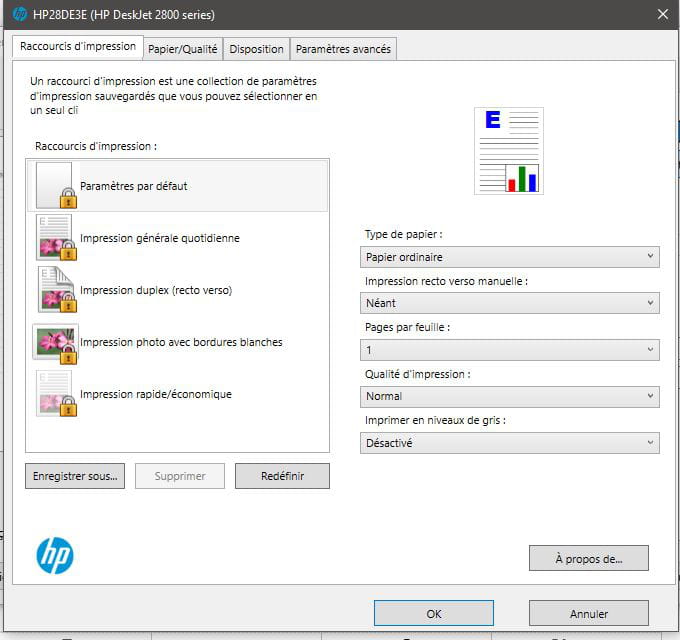
As shown in the second image, all print jobs are locked and I don't know how to unlock them.
If anyone knows where the issue might come from and can help me resolve it, it would be very kind.
16 answers
-
Hello,
The second image does not show a locking mechanism but allows for selecting a default printing mode.
The software is apparently installed, so we assume that the drivers are as well, likewise for the Wifi connection, otherwise we wouldn’t be able to scan.
Idiotic question, but you never know: is the printer set as default in Devices and Printers, is there anything in the print spooler? -
Hello Brucine,
Thank you for your reply.
Everything has been installed and reinstalled... multiple times, but the problem remains the same.
The printer is set as "default," the spooler has been reset but it doesn't change anything.
I don't know what to do anymore, I'm losing hope...
-
During the setup, I was asked for the network password.
The problem is that the printer doesn't have a USB port; it only works via WIFI.
Could you tell me how to check "the printer must be paired using the WPS command"? Sorry, I'm a bit clueless when it comes to computers, lol...
-
Video direct Wifi configuration and Wifi reset manual, page 8
https://support.hp.com/be-fr/printer-setup/hp-deskjet-2800e-all-in-one-printer-series/2101233229/model/2101372279https://h10032.www1.hp.com/ctg/Manual/c08736770.pdf
The model does have a USB port, hidden to fool the enemy, but it can be tricky if the cable is not included, as it is usually a specific format on the printer side.
-
-
Thank you, Brucine,
apparently everything is installed correctly, fixed WIFI button,
could the issue be with the Windows firewall? But I have no idea how to check or correct it, (just a reminder: I'm not very good at this...)
-
Hello,
Press Windows + R
Type --> services.msc and OK.
Double-click on the Print Spooler
Check that the service status is Started (Running) and it's set to Automatic in Startup type
Apply and OK.
-
If everything is correct regarding the print spooler and the problem persists:
Download and install --> Revo Uninstaller
Run it as an administrator
Uninstall all products of the HP printer
Follow the tutorial carefully to uninstall everything properly including residual folders and keys.
For the residual scan, check --> advanced mode
Restart the PC.
Download this driver --> DeskJet 2821e
Turn on the printer
Run the driver setup
Follow the instructions -
Hello kaneagle,
I uninstalled and then reinstalled the printer.
I think I followed the instructions as you told me.
I plugged the printer in via USB, just in case the WIFI is causing problems.
I turned the computer and the printer off and on again.
I still see the display below when I try to print.
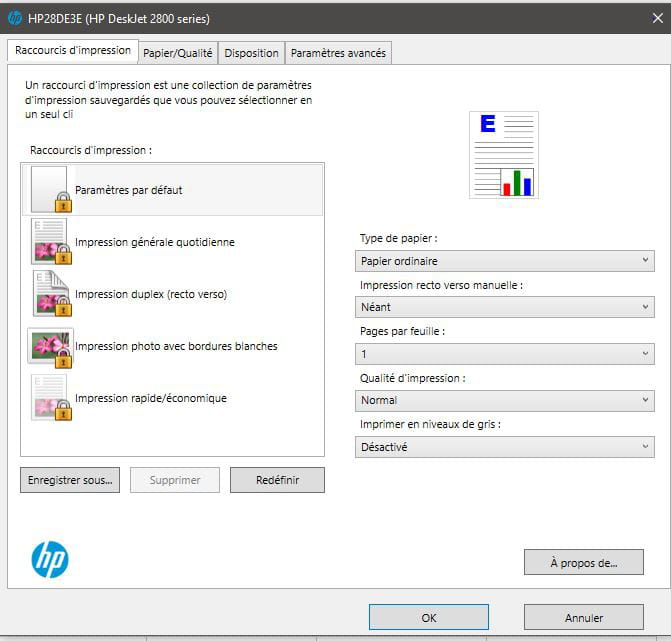
Why is everything displayed as "LOCKED"?
I really don't know what to do anymore...
-
What does it look like for the print spooler service?
The service status is well started (running) and is set to automatic in the startup type? -
The print spooler service is "running" and its status is "automatic" but still no document printing.
I don't know what to do anymore...
In the allowed applications of the firewall, there are 2 lines for HP EasyStart and both are checked in private and public, is that normal?
-
Last proposal:
Uninstall all products from the HP printer again.
Then download and install the basic driver --> DeskJet 2821e -
Hello Kaneagle,
I uninstalled all HP products and reinstalled using the link you provided.
Nothing works, the print spooler is running and its status is automatic... but nothing happens, still no printing.
I'm getting desperate, I'm going to go back to the good old Gutenberg ink roll like in 1450...
-
Run an sfc:
Windows Key + X
Select --> Windows PowerShell (admin)
Type --> sfc /scannow and press enter
A system file check will be performed.---------------------------------------------------------------------------------------------------------
If none of that works, perform a Windows repair.
Check this out --> Repair Windows 10 without data loss -
Hello kaneagle,
The Windows 11 update, 24h2 is pending.
Could this affect the installation of the HP printer?
-
Update it and see what it gives.
Also check under Advanced options
Additional options
Optional updates. -
Sorry for only responding now, the printing problem is resolved
I just had to upgrade to Windows 11 Home and reinstall the printer for it to work without issues.
It was quite simple but I hadn't thought of it initially, my apologies for not informing you sooner.
Have a good evening
kaneagle
-
Content for you.
Have a nice day.


