
My smartphone calendar format changed.
Solvedflo88 Posted messages 28522 Registration date Status Contributor Last intervention -
Hello, I made a mistake, I don't remember what manipulation it was, but since then the calendar on my smartphone has changed its format, size, and everything.
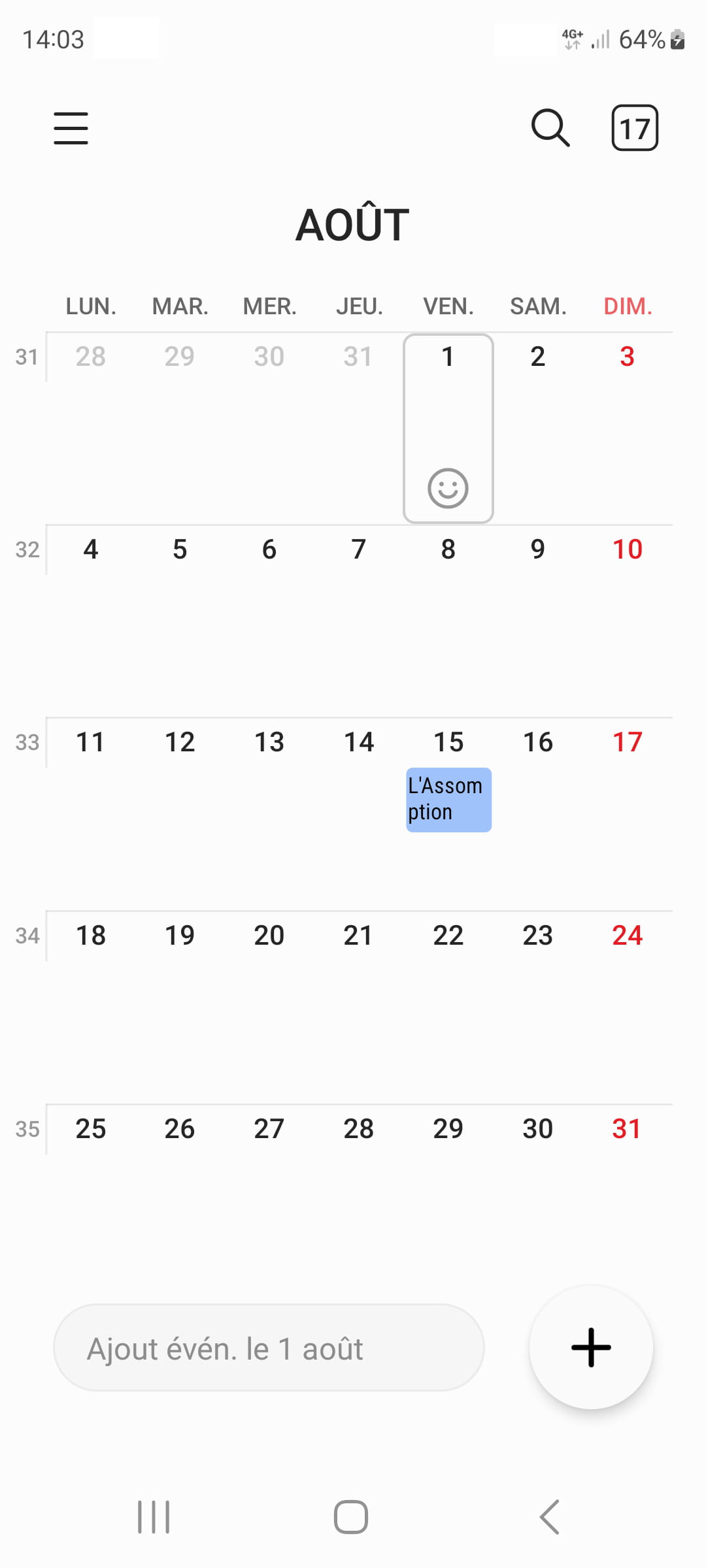
Before, the boxes were larger and well-separated like "in lockers", the public holidays were simply underlined, my notes were written in a larger size, but now the boxes are smaller, the public holidays are highlighted, and my notes are in a smaller size. It's impossible to uninstall and reinstall.
8 answers
-
Hello everyone, actually no, it doesn't come from the update, because sometimes it would come back like before and sometimes only the lines would appear. And by chance, I pulled the screen down and there it is like before, all the ratings appear and not just the lines.
Thank you -
Hello,
The image you are showing is that of the Samsung Calendar app.
You can change the display type by clicking on the three bars at the top left.Another possibility is that at some point you used the Google Calendar app, which is similar with event synchronization. There, you do have a separation of days by boxes.
What we can conceive well is clearly expressed,
And the words to say it come easily.
(Boileau) -
Hello, I have always used the same calendar since I got this smartphone. But I don't know what manipulation changed the format of the calendar.
In the 3 bars, which option should I choose to return to the initial format?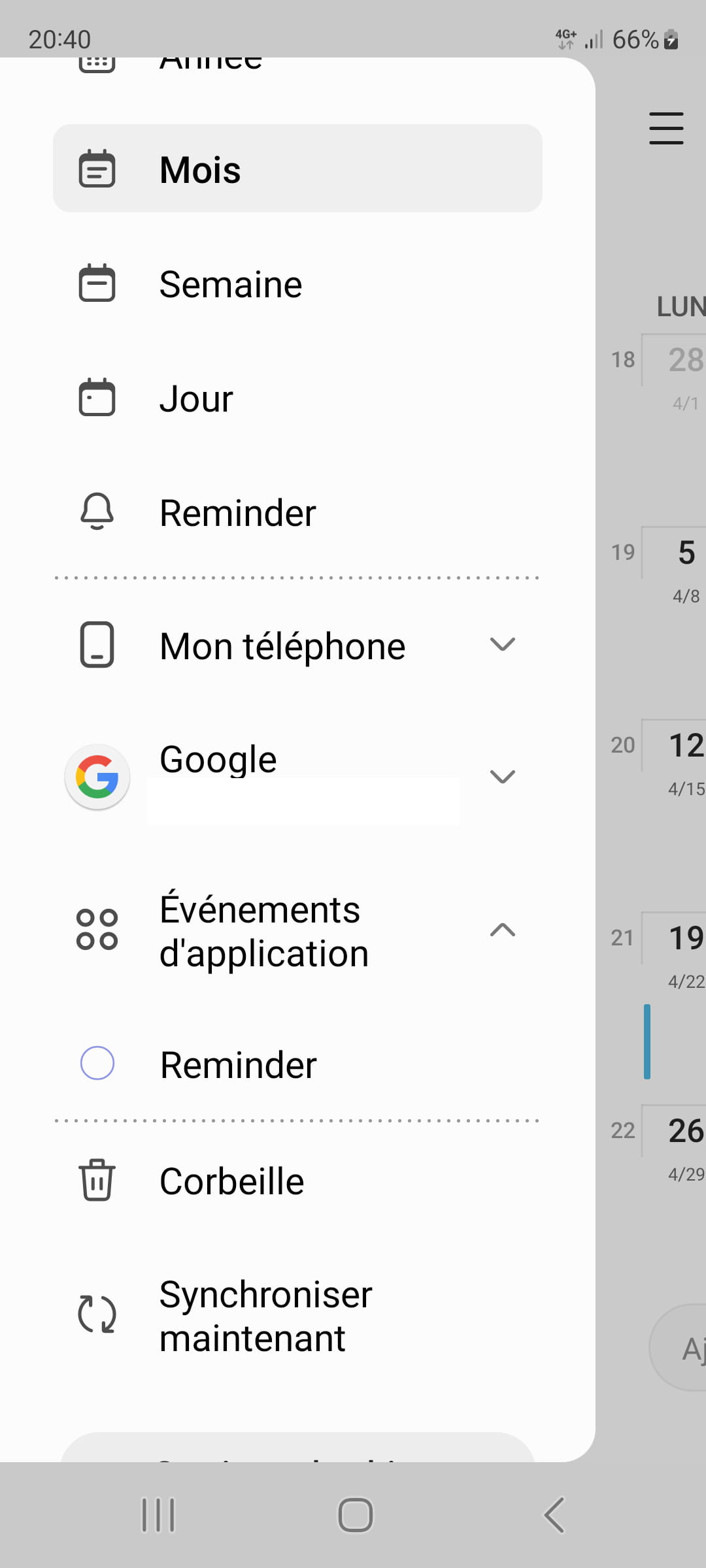
?
What is the Reminder option that looks like a bell for?-
The problem is that I don't know the format you had. In the monthly view, there are no boxes with borders. You can see them in the weekly display.
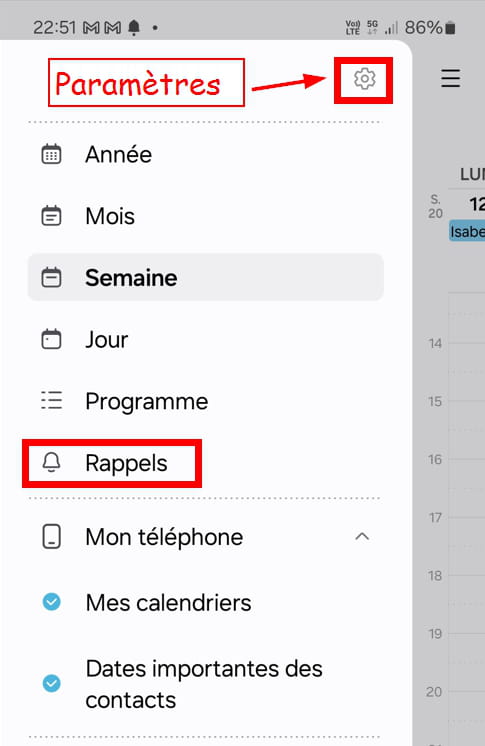
You can change the calendar style by going to Settings: click on the gear icon when you are in the menu with the 3 bars. But I don't think it's something interesting for your problem.
-------------------------
Reminder is an app developed by Samsung. It is certainly present on your smartphone. As the name suggests, it allows you to create reminders for important events. I don't use it and don't know much more.
So Reminder that you see in the Calendar refers to this app.
Hello
The display changes every time you swipe your finger from the top to the bottom of the screen and vice versa.
It could also be that the change is the result of an app update...
Hello, I apologize for this late response; it must be a calendar update since my old Samsung phone no longer receives updates, and the calendar has not been modified.
Hello everyone, it must be a smartphone update that caused this mess, because for the last 2 days everything has gone back to how it was before and yet I haven't made any changes.
That's good.
Thank you allHello, it's flo88 who found the solution, I hadn't understood it well, indeed when my finger "pulls down" the screen shows everything and vice versa.
Thank youYou're welcome, the main thing is to have found it.
-

