
Caps lock and FN key always on.
SolvedBayeZaleNGOM Posted messages 6 Status Member -
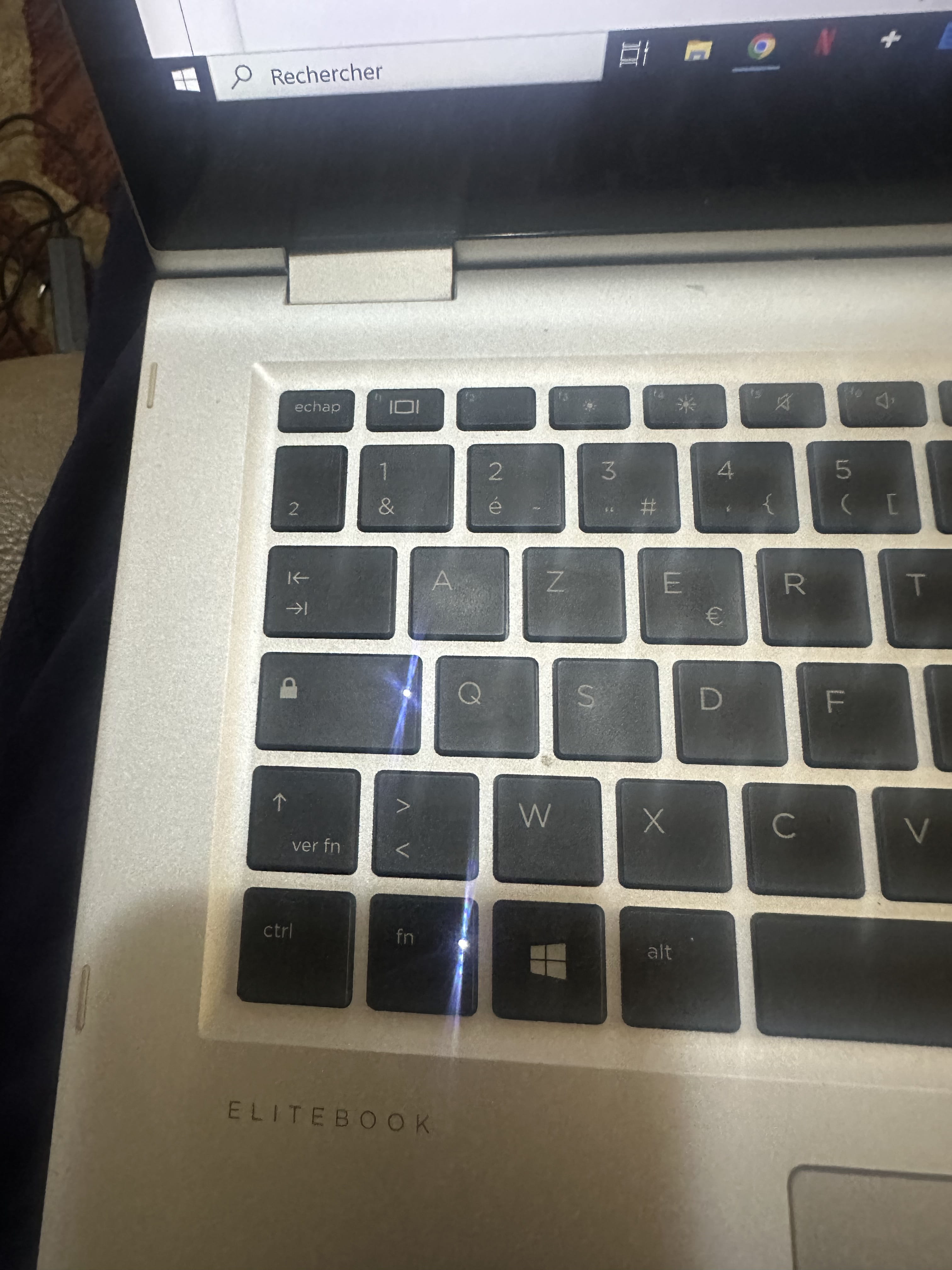
Hello, I made a mistake on my HP EliteBook 1030 360 G2 laptop and right now my Caps Lock and Fn keys are constantly lit. Some letters on the keyboard are also unresponsive. (For example, backspace, the letter P, and L has become 3).
5 answers
-
Hello,
Try this out!
https://www.malekal.com/activer-desactiver-touche-fn/
https://support.hp.com/ch-fr/document/ish_6343448-6320491-16
HP PC Hardware Diagnostics for Windows
https://support.hp.com/fr-fr/help/hp-pc-hardware-diagnostics
-
Thank you very much for your promptness. Unfortunately, the problem still persists.
Hello,
The fact that L is "transforming" into 3 is normal if you are in caps lock since the numeric keyboard is replicated in the central area of the keyboard.
You should connect an external keyboard to check its proper functioning.
Then, to fix what seems to be a short circuit issue on the keyboard ribbon, have it cleaned or replaced.
I advise against disassembling it if you are not familiar with this delicate operation due to the fragile plastic clips and the number of screws when reassembling.
It was by pressing some keys (I don’t remember which) that the keyboard locked the caps lock and fn keys. They turn off when you press another key and then turn back on.
Hello
AltGr+Shift to try could block the function key?
(it's the little "fn" written on the Shift key at the bottom right.)
Thank you very much to everyone for the invaluable advice. In the end, it was indeed a keyboard issue. I had to replace it.
Thank you very much again.
-

