
Re-enter the email address
Solvedyrbu Posted messages 9 Registration date Status Member Last intervention -
Hello, until now when I opened my computer and clicked on "Outlook" to log in, a window would open on "Microsoft" with my two addresses appearing and I just had to click on one of the two addresses. However, for the past three days, none of the addresses have appeared; they haven't been deleted, but I have to type them in completely again, along with the passwords! When they used to be automatic, how can I make it so that when I open my addresses are once again displayed in the login window? Thank you, my browser is "Firefox"
7 answers
-
-
Hello, Firefox never asks me to save my email address and password! Where do I go to do that? Thank you
-
Automatic Password Saving
To adjust the initial settings that offer automatic password saving, follow these instructions:
- In the top right corner, click the menu button
 to open the Firefox menu panel. Then select Passwords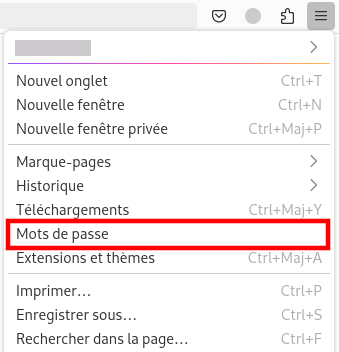
https://support.mozilla.org/fr/kb/remplissage-automatique-identifiants-firefox
- In the top right corner, click the menu button
-
-
Well, I went into Firefox (the three dots) and I saw that my addresses and passwords were saved! But it doesn't do anything when I open it to connect!
-
View while keeping the history.
Configure Firefox to automatically use private browsing
Firefox remembers your browsing history by default, but you can change this setting in the Privacy & Security panel of your settings:
- Click the menu button and select Settings
- Select the Privacy & Security panel and go to the History section.
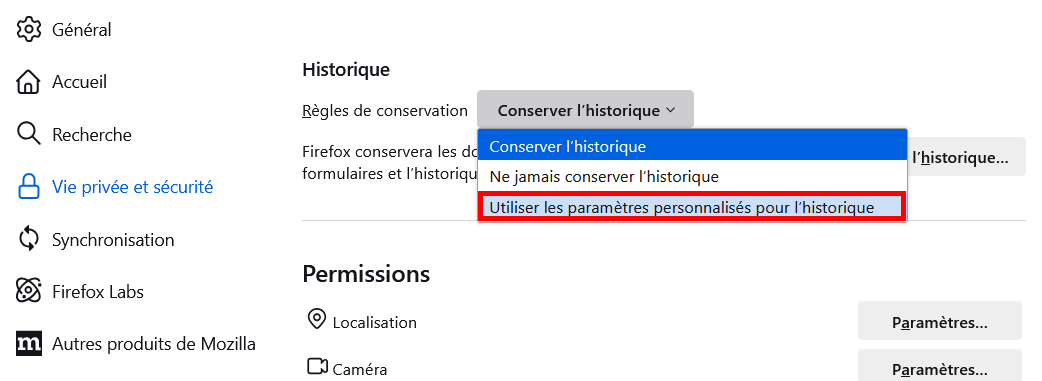
- Click the menu button
-
-
I did exactly as instructed, the menu button, settings, privacy, and used the custom settings and ..... still the same! I don't think the problem comes from "Firefox", everything is saved, addresses and passwords!
-
I kept the history, by the way it was already set!
-
Hello, thank you but I did everything you told me, the solution, I enter my email address and I do not log out! However, since I have two addresses, I have to enter the other one in another window! I don't understand why everything disappeared, I think CCleaner deleted everything, I went to check and indeed the addresses and passwords were checked! I removed the checks, I reset everything but it still doesn't come back when I open my Outlook window! There must be another way to have your addresses automatically! Best regards
-
-
You should not use private browsing.
https://www.mac4ever.com/mac/186690-microsoft-va-vous-laisser-connecte-automatiquement-et-ca-craint
-
-
yes Microsoft asks me to stay signed in but it’s useless, once disconnected I have to enter my address with the code again to reconnect, that’s why I keep the connection! but if I want to go to my other email address, I have to enter everything again even though Microsoft also offers me to stay signed in! strange that these addresses do not stay in the sign-in bar!
