Printer that prints but does not scan

jlechat34 Posted messages 169 Registration date Status Member Last intervention -
Hello,
I had to change my printer and the new one, an Epson Ecotank 2811, is set up on the network. On two computers, the installation went perfectly, and the printer prints and scans, but on a third one, it prints very well but refuses to scan with Acrobat DC or Photofiltre 11.
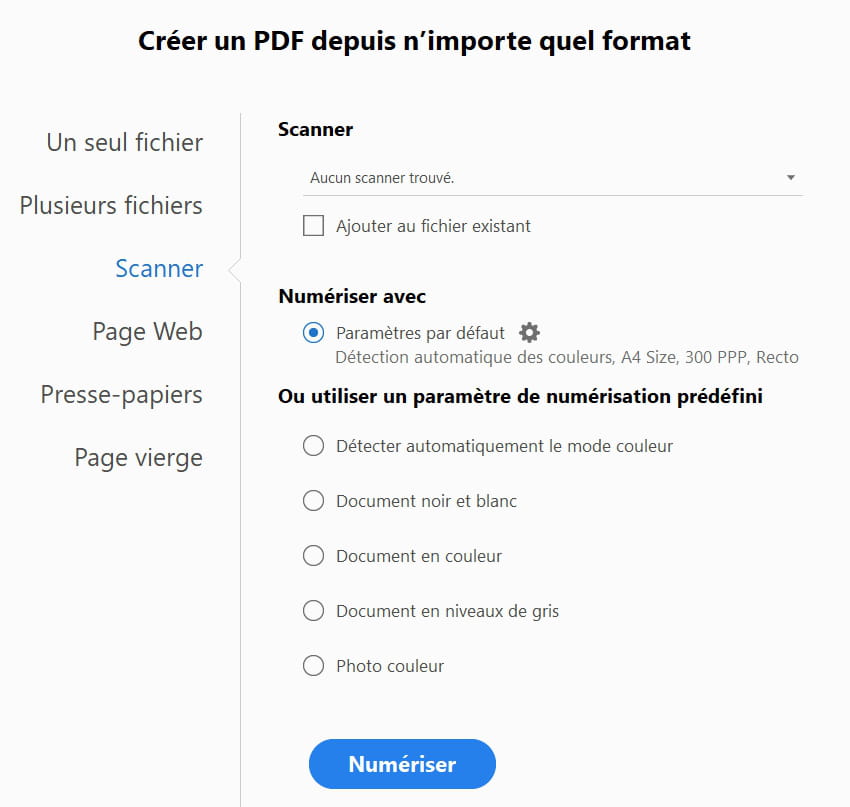
However, I can scan with Epson Scan 2, and everything works fine. When I open Acrobat DC and want to scan, the software asks me to choose a scanner, but unfortunately, it doesn't find it, making it impossible to scan.
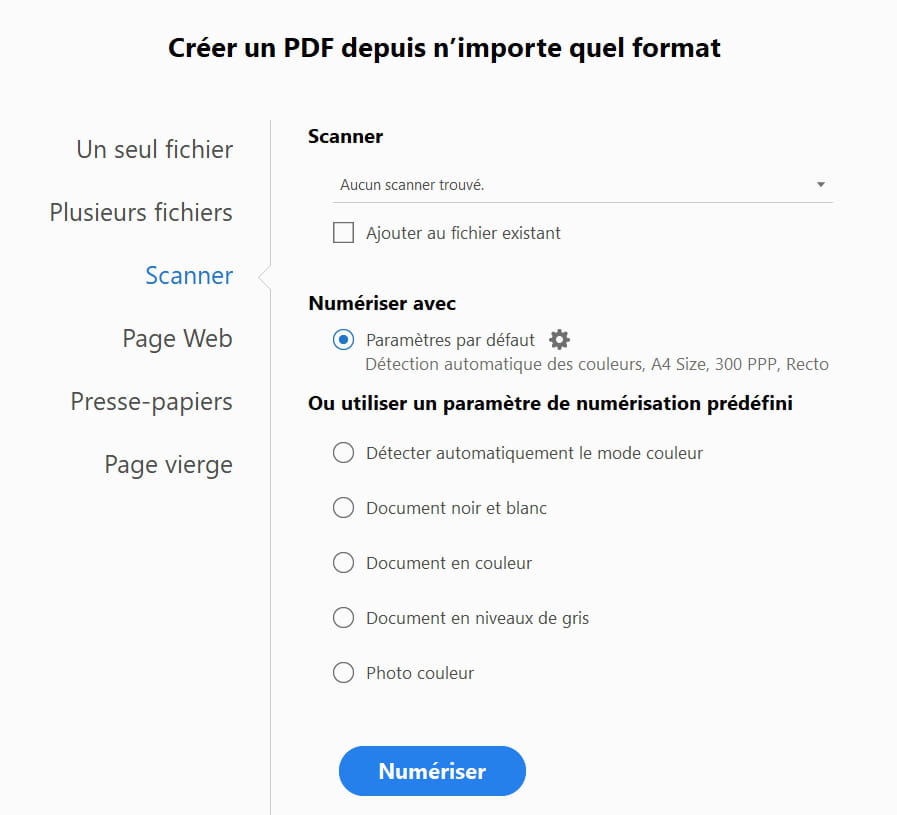
I have installed and reinstalled the scanner driver provided by Epson several times, but nothing works. The only solution is to go through the Epson Scan 2 utility.
If anyone has an idea to solve this little problem, thank you in advance.
5 answers
-
Hello,
Maybe you would like to test the scanner function by connecting the printer via USB to the reluctant PC.
I remember reading that following Windows updates (Windows Update), the scanner function might not work over Wi-Fi, as it may not have been implemented (outside of the printing kit) for this mode after the upgrade by the manufacturer.
This doesn't solve the issue, but it provides a research avenue, for example by using the USB connection of this PC on the same metal port of the box if it has a printing server.
That said, another participant may have a more effective solution, provided they know the exact version of Windows on the affected PC.
-
Hello,
Thank you for your response. Actually, I have no problem scanning with the Epson utility, and the scan works fine. The problem is with applications like Acrobat DC or Photofiltre as well as Photoshop, where the scanner is not recognized!
Thank you, have a nice day.
-
Hello,
Thank you for your message, connected via USB and the problem is the same.
Have a good day.
-
I assume you have properly installed the driver (I'm not talking about the kit) on the printer and that it is visible and activated in the control panel.
However, I don't understand the usefulness of initiating a scan from Acrobat, which is just a PDF reader and, to my knowledge, does not have a capture function.
In fact, the only thing mentioned is "snapshot" (screenshot) in the edit/other sub-menu.
On the other hand, Photofiltre indeed has a menu for capturing from external devices (if I remember correctly). The same goes for Photoshop, I suppose.
That said, I have no other suggestions and will leave it to the specialists.
-
-
Hello, install this driver and check if the problem is resolved.
https://download.epson-europe.com/pub/download/6531/epson653191eu.exe
-
Hello Jorleves,
Thank you for the advice and the driver, I installed it but the problem persists, Acrobat DC Pro cannot find the scanning software and shows me a message saying "No scanner found". It also suggests installing the scanning file but I don't know where it is located.
Thanks again, have a nice day.