
NVIDIA graphics card disconnected despite correct drivers
kaneagle Posted messages 86285 Registration date Status Moderator Last intervention -
Hello,
I just found out that my NVIDIA GeForce RTX 2060 graphics card is disconnected.
I don't understand why, I've tried uninstalling everything to reinstall it with the correct drivers and everything, but nothing works...
I'm on a Acer Predator Helios 300 PH315-53-773J
Being disconnected, I don't have access to the Nvidia Control Panel.
If someone can help me, please.
10 answers
-
Here is what is specified on Intel Driver & Support Assistant:
- Driver Details
- Vendor: Nvidia
- Version: 31.0.15.4617
- Date: 09/11/2023
- Device Details
- Card Compatibility: Nvidia
- Availability: Disconnected
- Status: This device is working properly.
Moreover, in my task manager, I only see my Processor, Memory, Disk, Ethernet, and Wi-Fi.
-
vieu bison boiteu Posted messages 44334 Registration date Status Contributor Last intervention Ambassadeur 3 591
Hi guigui36912
try repairing your system image
right-click on the Windows logo => run Windows Power ....
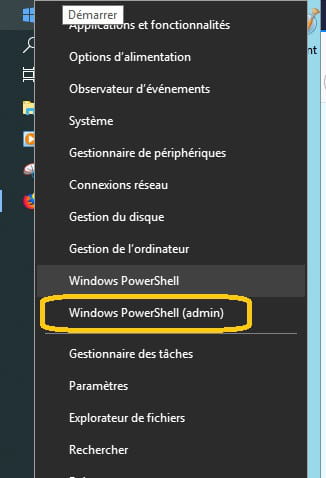
already run the command
sfc /scannowto repair the system image, run the command
DISM.exe /Online /Cleanup-image /Restorehealth
This allows you to repair the operating system without losing data
(sometimes, there is about a 15-minute wait, let it work => a good hour)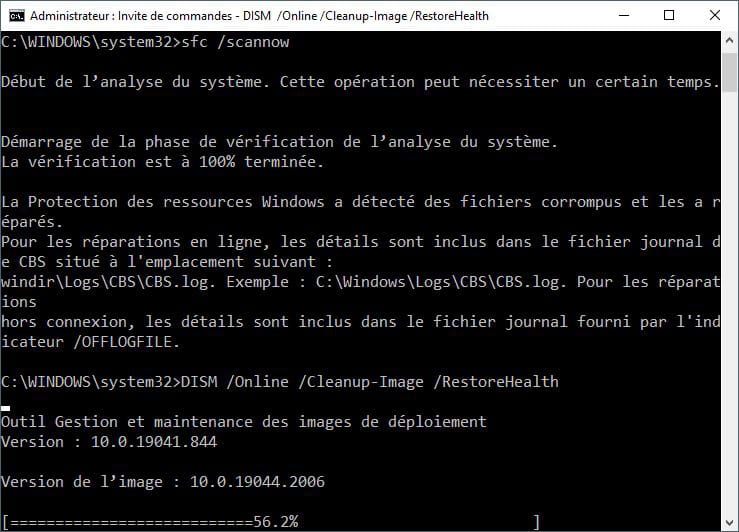
you can copy the command, and paste it in the window with "Ctrl + v"
@+
-
Hello,
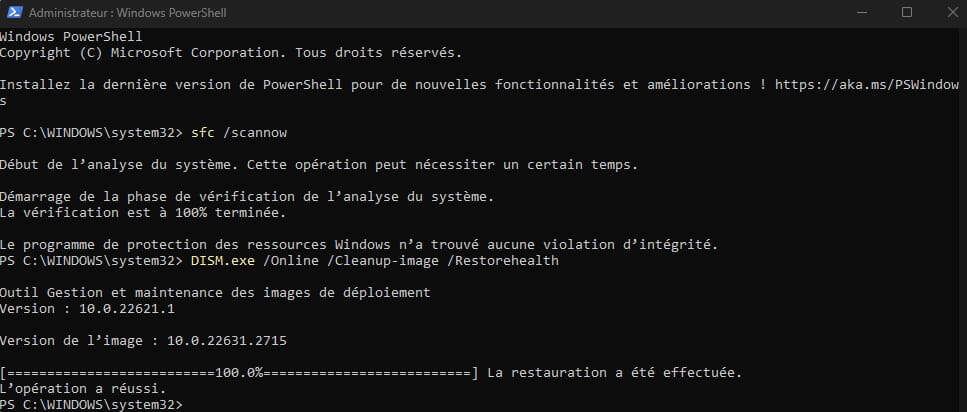
First of all, thanks for your response!
I did it and I have only one graphics card that has appeared in my Task Manager: the Intel (I am supposed to have 2, including my RTX)
However, I see that I have this:
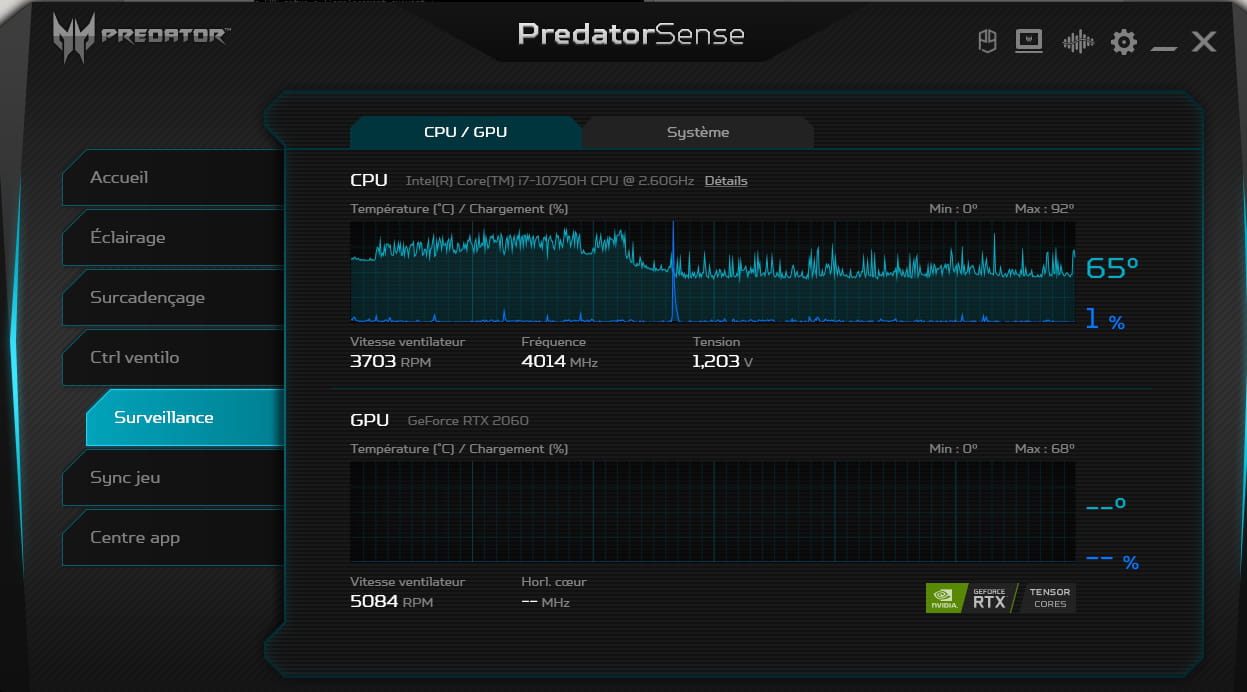
When I hover over the second one, it says: inactive distinct GPU.
If you have any new ideas that could help me, I would gladly take them, thank you in advance!
vieu bison boiteu Posted messages 44334 Registration date Status Contributor Last intervention Ambassadeur 3 591
Re
If you launch a game, does the RTX 2060 take over?
It should normally be visible in the PredatorSense software
also in "Computer Management" => "Device Manager", everything is normal regarding graphics cards (CPU and GPU - uninstalled and reinstalled)
@+
-
Nope, my RTX isn't taking over (checked in PredatorSense and in task manager).
I'm still searching, I've reset my computer everywhere, I've done the BIOS update and unfortunately nothing works :(
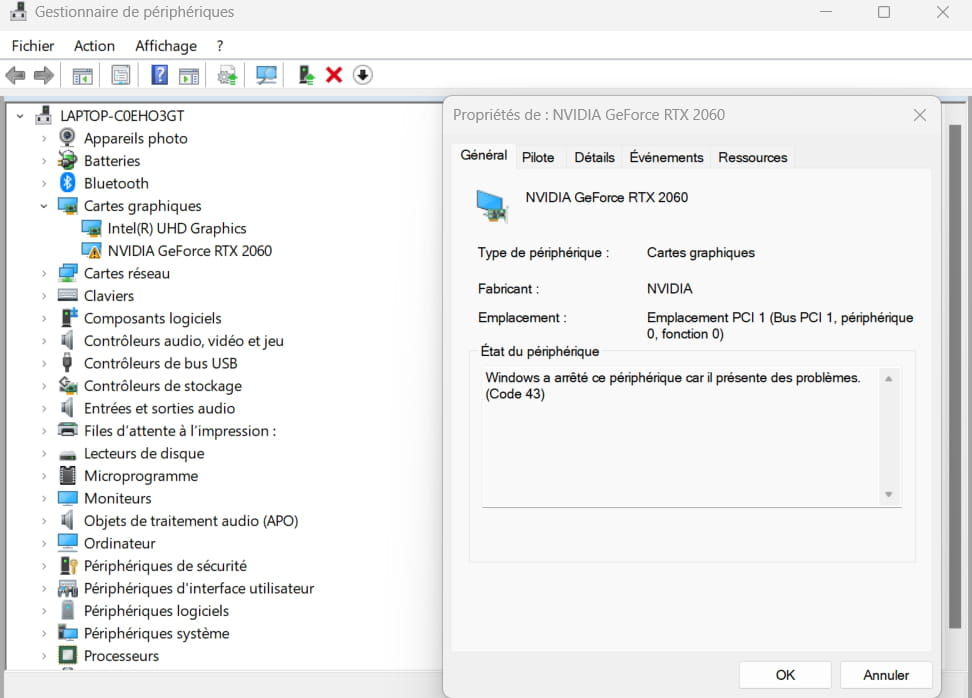
I just saw that at every restart, no matter the version of my card, it has an error -> Windows has stopped this device because it has problems. (Code 43)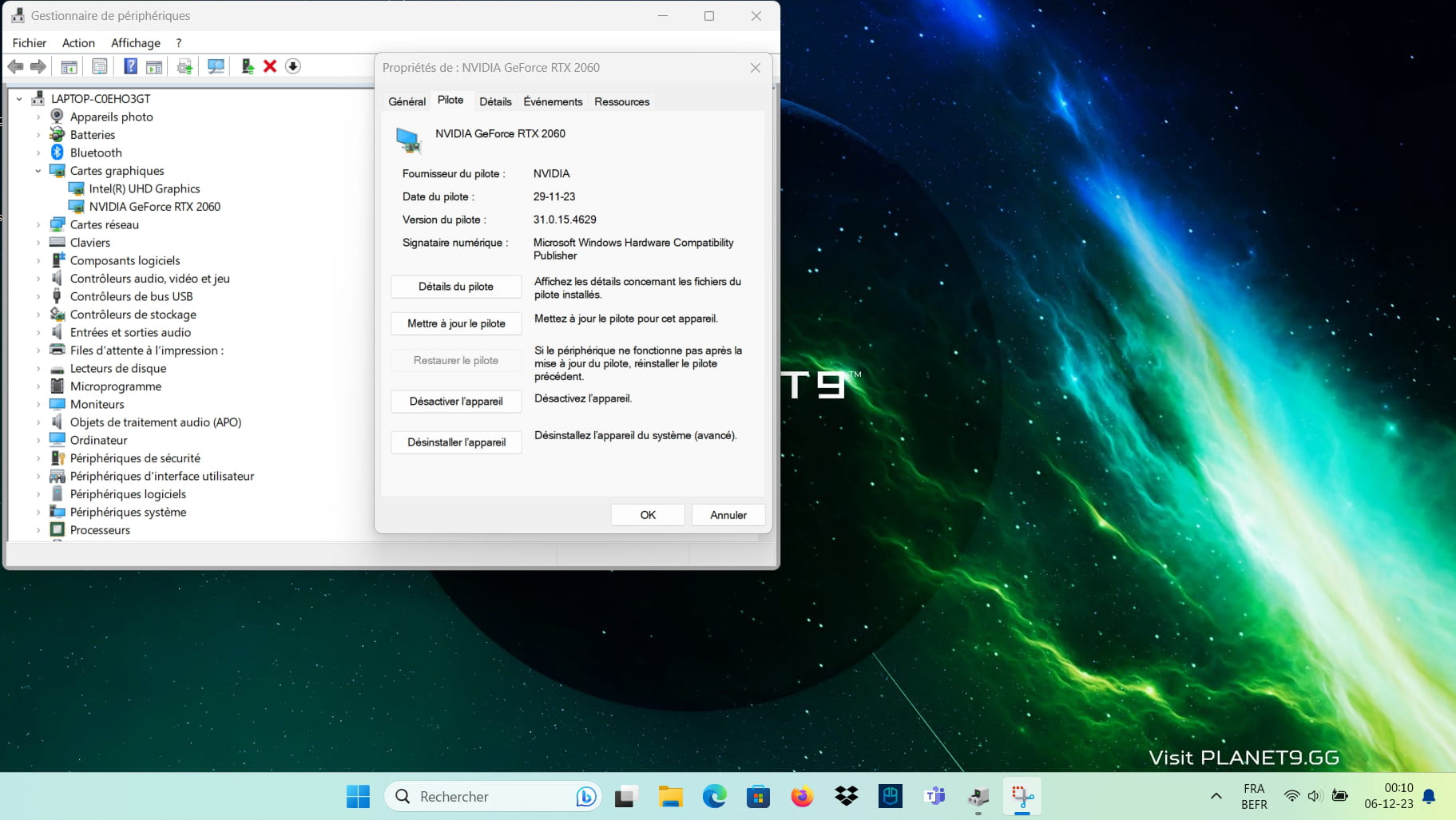
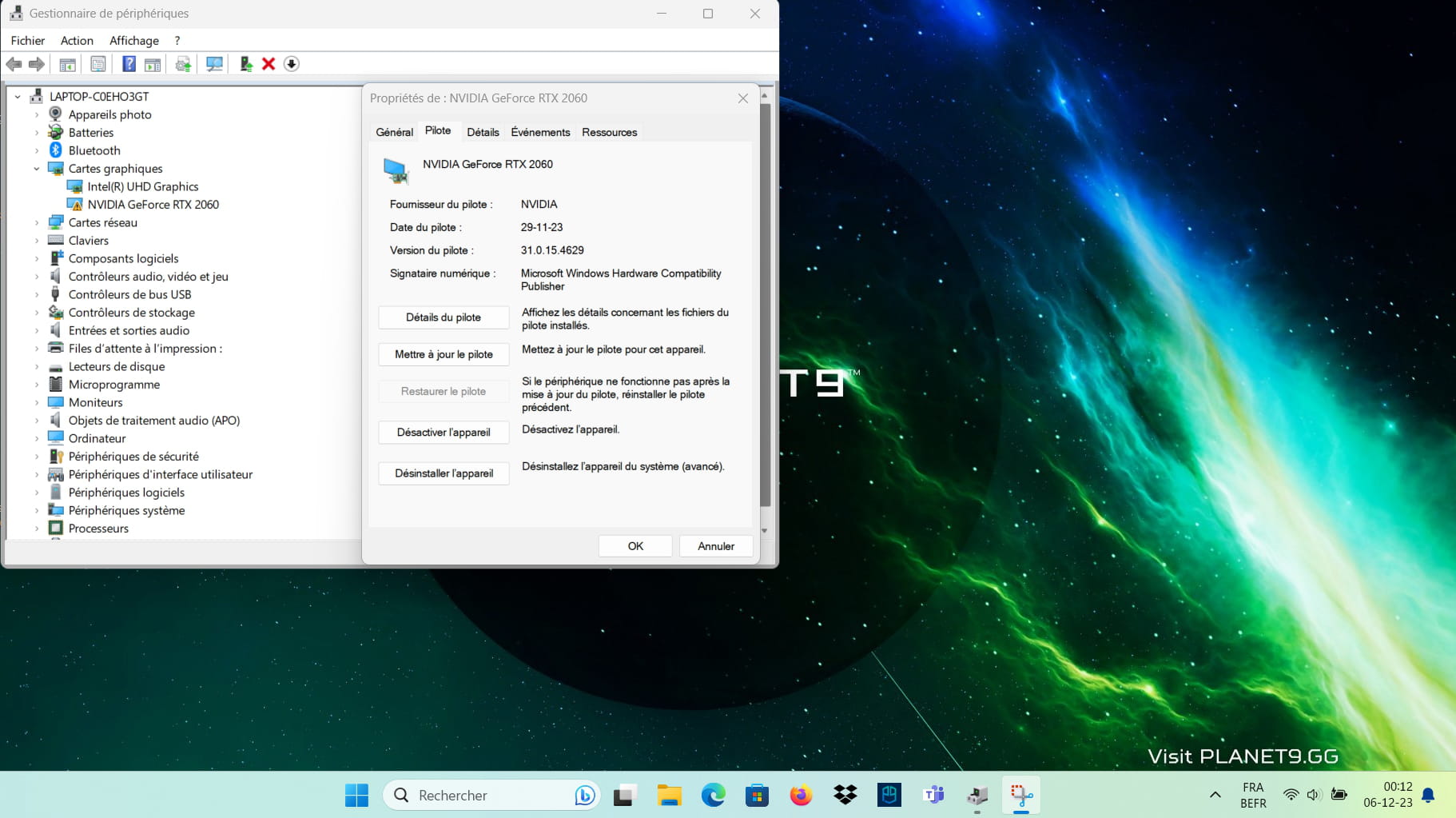
Go to Device Manager, expand the Graphics Cards section and take a screenshot of that section. This will allow us to see how your GPUs are doing.
vieu bison boiteu Posted messages 44334 Registration date Status Contributor Last intervention Ambassadeur 3 591
Re
can you only take the active window ??
when you uninstalled the graphics cards => those are the two cards you uninstalled = Intel GPU and Nvidia CG
and well took the drivers from the > Acer site <
-
to use the new version of the screenshot tool see > the Microsoft page <
=> open Paint => and " Ctrl + V " => then save
after configuring => simply press the "Print Screen" key
-
Hey,
I left the screen large to see the time haha I hope it's still readable or is it too small?
And yes, I reset both cards and for the RTX I took the latest driver from the official Nvidia website but I also tested it with the "GeForce Experience" software and the driver is set to the same version that is 546.29
But in any case, as I said before, no matter the driver versions because I tried the latest ones as well as the previous ones and it works (in the sense that I just don't have error 43) but as soon as I restart it reappears for any version...
Hello,
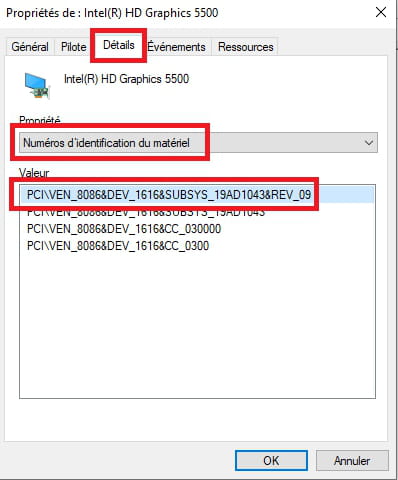
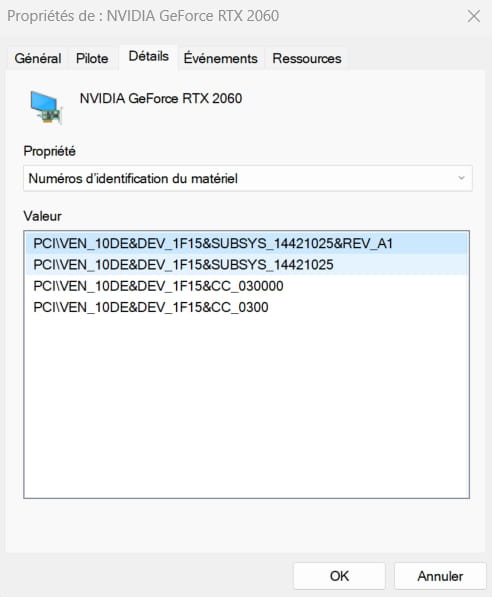
Give the device's hardware identification number
Check this --> Find the device identification number
Post the number in your next message.Example image:
-
Hello,
First of all, thank you for your help as well!
Here is the photo
Download and install --> 7Zip 64 bit
Download this driver --> nVidia
Right-click on the driver --> 546.17-.......exe
Select --> 7Zip
Choose --> extract to "546.17-.......\"----------------------------------------------------------------------------------------------------------------------------
Device Manager
Right-click on the nVidia card
Uninstall
Check --> delete the device
Uninstall
Windows + R
Type --> control panel and OK
Programs and Features
Uninstall --> nVidia
Restart the PC.----------------------------------------------------------------------------------------------------
Go to Device Manager
Right-click on the device
Update driver
Browse my computer for drivers
Choose from a list of drivers...
Have Disk
Browse
Go to the unzipped driver folder --> 546.17-.......
Folder --> Display.Driver
Select the file --> nvacig.inf and OK.
Restart.-
I just followed everything to the letter and no, unfortunately once the computer restarted it shows me the same error again:

Try this driver --> nVidia
Right-click on the driver --> VGA_NVIDIA.....zip
Select --> 7Zip
Choose --> extract to "VGA_NVIDIA.......\"--------------------------------------------------------------------------------------
Uninstall the card properly with DDU
Check this tutorial, step 2 --> Display Driver Uninstaller
Restart the PC-------------------------------------------------------------------------------------
Go to Device Manager
Right-click on the device
Update driver
Browse my computer for drivers
Choose from a list of drivers...
Have Disk
Browse
Go to the folder of the unzipped driver --> VGA_NVIDIA.......
Folder --> VGA_NVIDIA_27.21.14.5167_W10x64......
Folder --> Display.Driver
Select the file --> nvacegpu.inf and OK.
Restart.flo88 Posted messages 28490 Registration date Status Contributor Last intervention Ambassadeur 5 169
Hello
Attention, this is a laptop, the graphics drivers should be obtained from the manufacturer's website, those from Nvidia can damage the registry, warnings are present on the Nvidia download site.
Here with your laptop's serial number:
https://www.acer.com/fr-fr/support/drivers-and-manuals
Have you tried a factory reset?
Signature
Waiting for other responses; I'm attracting trolls....The latest driver offered comes from the Acer website.
Perform a clean installation of Windows 10.
--> How to install Windows 10If the problem persists, is it possible that the card is defective?
Latest Discussions -
Cc how to unlock the encrypted channels on my tnt tv
on 11 Jul -
All interfaces blocked.
on 11 Jul -
My account is hacked, i want to recover it
on 11 Jul -
Mouse, fullscreen mode
on 11 Jul -
Pin gmail to the taskbar
on 11 Jul -
Cannot connect to wi-fi
on 11 Jul -
Microsoft extended windows 10 support until the end of 2027
on 11 Jul -
G502 x mouse does not charge on powerplay
on 11 Jul -
Asus computer blocked since covid
on 11 Jul -
Police site...
on 11 Jul
Other languages
-


