
Backlight issue
colabo18 Posted messages 492 Registration date Status Member Last intervention -
Hello, I'm leaving this message because being human, I made a mistake; I didn't disconnect the laptop battery to make the adjustment I wanted to make. Apparently, I burned out the backlight fuse of the laptop. The laptop is a Lenovo V15 G2 ITL, and I wanted to know if anyone knows where this fuse is located? Best regards.
6 answers
-
Hello colabo18,
► What makes you think it's a fuse?
On a laptop, fuses are soldered and very complicated to replace since they are located on the motherboard.
Some types of fuses:
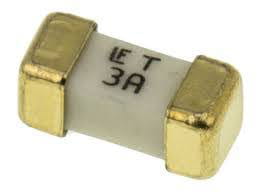
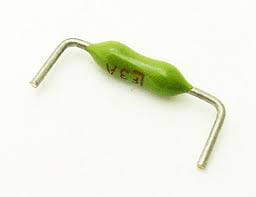
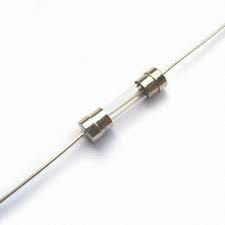
among other models. Don't forget the ratings either.
Good luck!-
Actually, I contacted micro chip by email, and I was told to test with a lamp to see if I could see an image, and I can, so I was told it must be the backlight fuse. And now they're telling me that there definitely is a fuse. In that case, I need to change the motherboard. So I'm not sure if it's a v14 g2 ITL or a V15 G2 ITL.
This clearly proves that your screen isn't dead ;-). But you'll need to be a good handyman.
I used to be a computer equipment repairman, but know that you can't check the status of a fuse without desoldering it.And there are fuses...... and then you need to be able to buy them.... they aren't sold, to my knowledge, to individuals except in specialized stores (electronic parts).
You’ll need to open it (but you'll void the warranty automatically) and take a look, then identify the faulty fuse, then desolder it (without destroying other nearby components with the heat of the soldering iron), then buy a new one, and then solder it (without melting it with the heat of the soldering iron).
As you can see, it's not simple and you need to master assembling components on a circuit board.Good luck!
Uh, the PC is out of warranty, and apparently in my city there is a professional who does this repair. I want to know if this model of PC has a backlight fuse or not. Because a chip technician told me today that it's not necessarily equipped with a fuse. In that case, the motherboard needs to be replaced. And apparently it's not cheap.
-
-
-
Hello colabo18,
A video tutorial for backlight replacement and another
commented backlight replacement
finally another one for black screen on laptop.Good luck!
-
-
-
-
Is it that one?
I guess you've taken it apart; can you put up a photo of the back of the screen?
But I'm not even sure the backlight is protected by a fuse...
Good luck! -
-
-
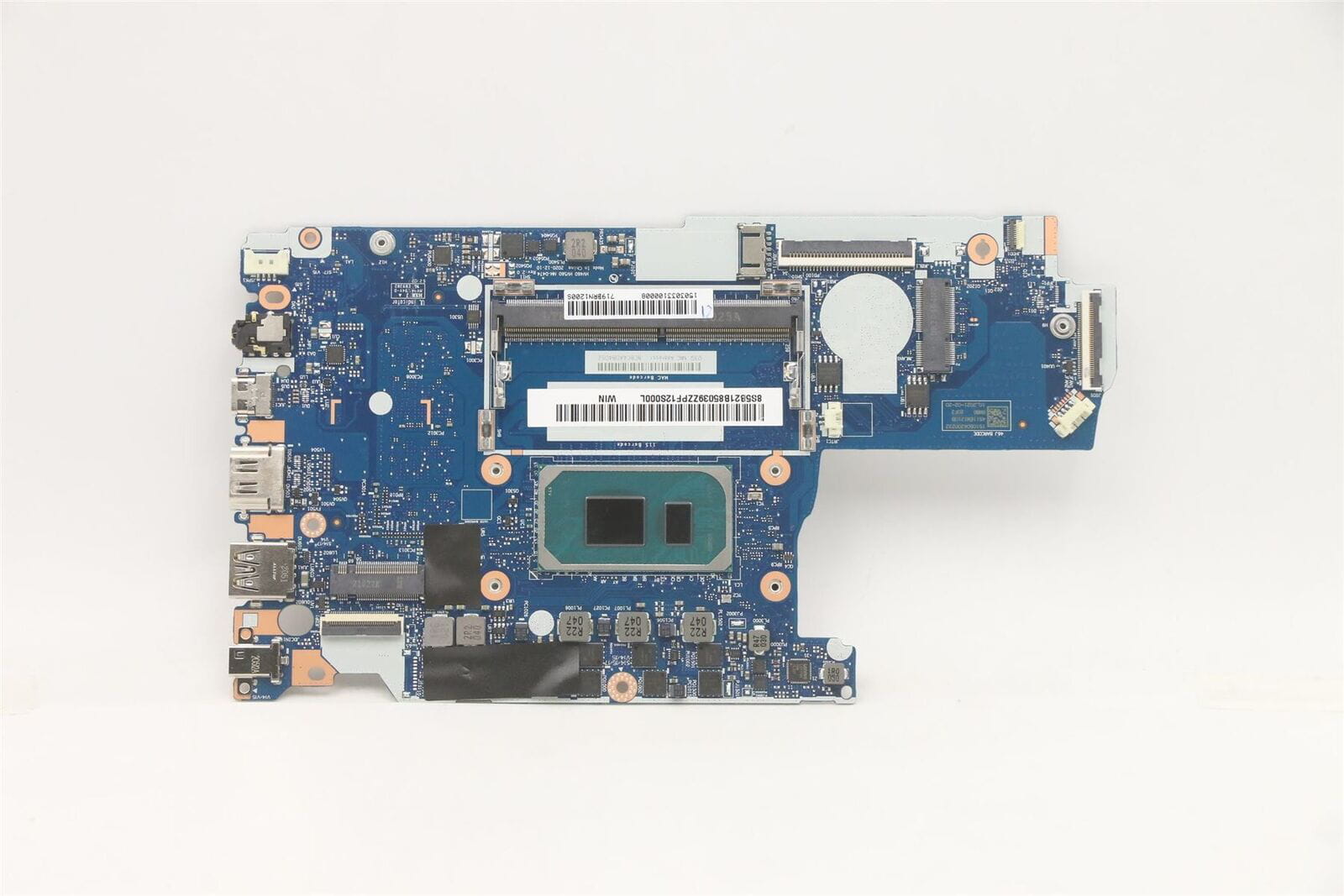
Here is the motherboard found online that is close to €500; the prices are really outrageous. If there is indeed a fuse and it must be near the screen ribbon, I think it must be to the right of the black tape.
-
"I was told it would be the backlight fuse": the backlight does not have a fuse. In a TV screen, there are LED strips (diodes).
In a computer screen, it is managed by an inverter, a small electronic board under the screen panel.replace backlight laptop computer screen (see also list on the right)
-
-
But do you even look at the links I suggest to you?
You must know that spare parts are only sold to professionals?Sorry, but I won't answer your questions anymore; you seem quite stubborn.
I used to repair with components when that was no longer done! (recovered from other equipment) but you think of yourself as a "pro," which you are not. You should rather learn from one of them!
That would be much more beneficial for you.
Learning is great, but not just any way, anywhere!Sorry!
-
-
-
-
I am following up on the Lenovo issue; I contacted someone with a website and explained my problem. The issue comes from the video cable because it acts as a backlight. There is no fuse or inverter on the recent models. I ordered and received the part; I just need to figure out how to open the screen's casing to proceed with the replacement. I may be a bit hesitant, but at least I haven't given up on the matter.
-
"The problem comes from the video ribbon because it acts as a backlight":
He really made a fool of you there."how to open the plastics engineering of the screen": you're a funny one.... you don’t know how to open a screen and you want to replace electronic parts, and do some soldering while you're at it....
I already told you that I wouldn't answer your questions anymore but still...
"Part ordered and received(e)": if you repair as well as you write, well good luck....
► and what part?
► the flexible ribbon?Good luck!
-
-
Hello, I'm getting back to my issue with the Lenovo V15 G2 ITL. My backlighting problem was diagnosed by a professional from the S2I site, who also sold me the part. I acquired the replacement for this part. I struggled to detach the screen, and I partly succeeded thanks to the help of another professional, LCCM, who told me there were two black tabs I needed to pull on to detach the screen. These tabs caused me some issues because when I pulled on them, one part was already detached, and fearing I would force the screen while working with my tools, I took a break. I resumed today and managed to detach the screen using a loyalty card by making knife-like movements. Then I proceeded to replace the video ribbon that manages the backlighting. But now I have nothing on the screen without a flashlight. However, when I connect the laptop to a TV, I do have an image. I don’t think I made any sudden movements while detaching the screen. I hope it's not the screen. I tried to be delicate and careful, taking my time to detach the screen because I didn’t want to damage it. This is the first time I find myself in such a situation.
-
Listen to me well, I know how to open a screen, but from one model to another, the procedure is different. If I manage to make you laugh with my hints, I'm delighted. And I never said that I was going to intervene in any soldering, because if there really was a fuse, like I was told at the beginning, I would have found a professional in my city who did that kind of work. So before saying that I want to pass myself off as a pro and that I'm stubborn, etc., try to read carefully what I am saying. And I’m not asking you to respond to my posts. Yes, I am self-taught and I do what I can; if this bothers you, then I invite you not to respond to my posts. This is just my last post to give updates and say what I have left to do. I don’t see why you respond so sarcastically. Because you told me I was being stubborn, and fortunately, I was stubborn enough to find the problem with a real pro.
-
Can someone tell me without malice or irony whether the screen of the Lenovo V15g2 ITL is glued or not? Because I managed to remove the plastic around the screen etc. but the screen won't come off. The screws are the hinge screws; even with the hinges removed, the screen won't come off. Personally, I think it must be glued in some places. The problem is that I don't want to damage the display etc.
-
