Change the main hard drive
epango Posted messages 36739 Registration date Status Member Last intervention -
Hello, not long ago my main hard drive started to bug, so I was advised to replace it.
I just got a more efficient internal hard drive, however I don't want to lose the data on the old drive. How can I transfer the data from the old drive to the new one without using an external hard drive? And how do I install the new main hard drive to replace the old one?
3 answers
-
Hello,
I see even less what is more or less URGENT than in other issues where the answer is in the question.
In this context, to transfer data from one disk to another, it is necessary for the new disk to be formatted and connected to the old one, and there are only 2 ways to do this: in an internal location for an additional hard drive if the PC has one, or by purchasing an adapter or USB enclosure corresponding to the format of the new disk.
After that, it all depends on the sizes and the condition of the source disk.
The simplest solution, if the condition of the source disk allows it and the new one is at least as large, is to use a cloning software.
Otherwise, we will have to install the operating system on the new disk, which will pose a licensing problem, the software, and then try to recover the data by copy-pasting or via the command line.
-
-
Additionally, I have a second problem. After testing the cloning, my new 1.8 TB disk has been renamed "System Reserved Space" and the maximum storage shows 349 MB.
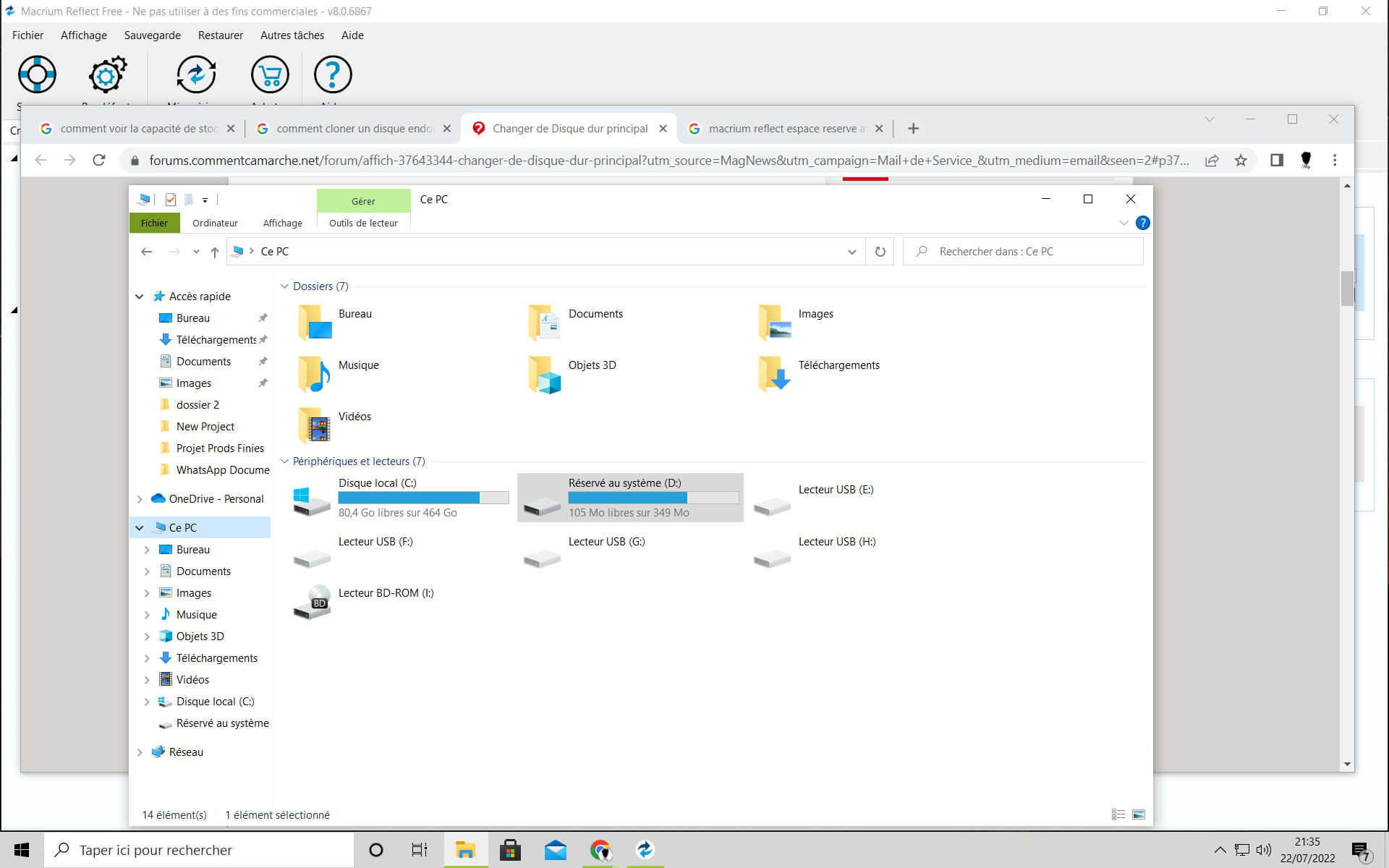
The second disk is the new one, and its size has changed to 349 MB. Hello,
I don't know what you've tinkered with regarding the cloning, but as mentioned before: if the source disk is damaged enough, there will be no way to clone it.
As also mentioned earlier, there will then be no other solution than to install Windows and its programs on the new disk, and then try to recover the part of the data that can be recovered either by copy-pasting or, in some cases, by command line copy that might retrieve more data than through Windows, which would no longer be operational.
-
-
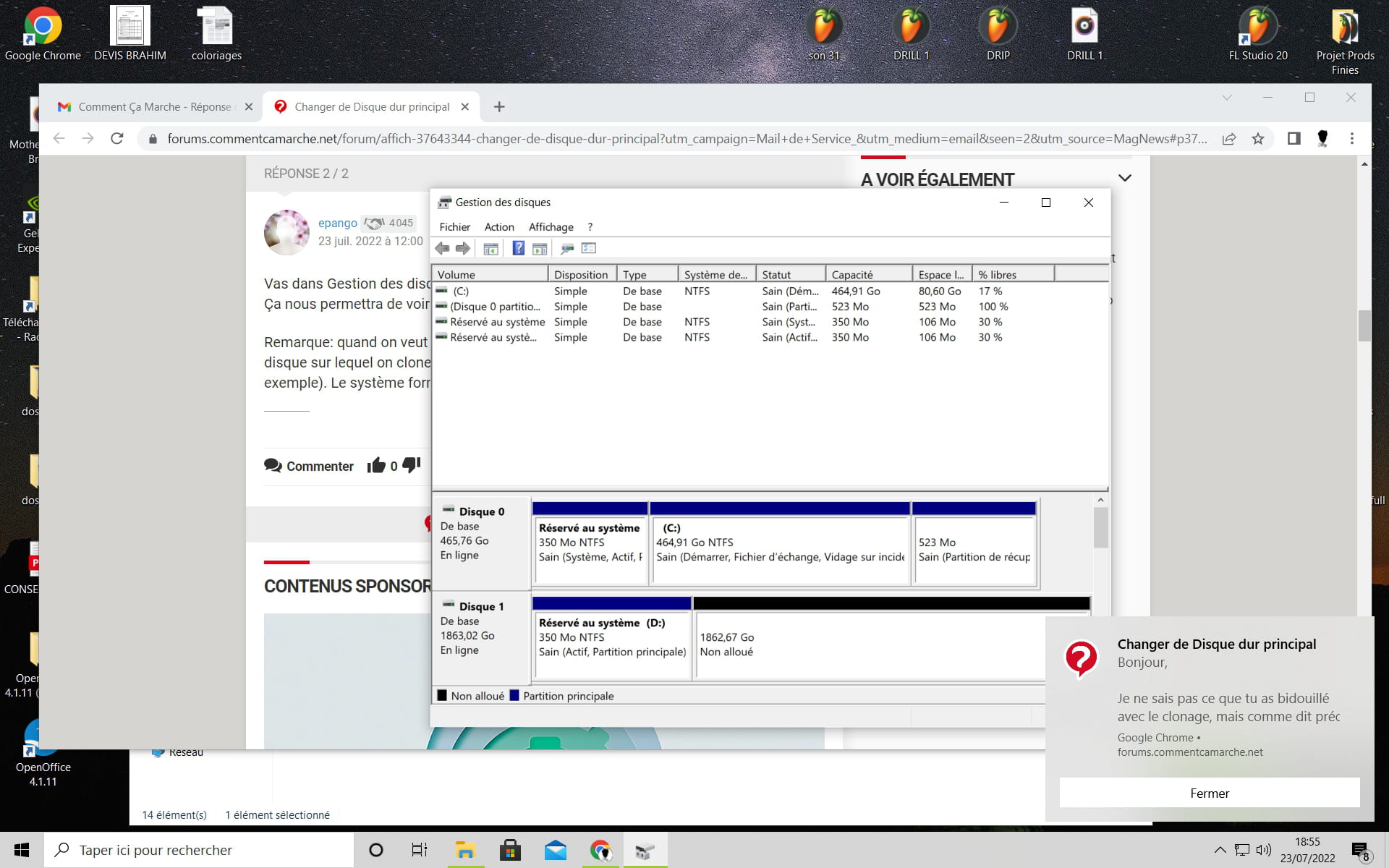
Go to Disk Management and post a screenshot of your Disk Management. It will help us see more clearly.
Note: when you want to clone a disk, make sure not to start by formatting the disk you are cloning to avoid issues (for example, differences in partition tables). The system formats it automatically at the time of cloning.
-
It’s clear in your Disk Management that your cloning has failed. The only thing you’ve cloned is the special partition of disk 0, which is where the system is installed. When you perform a cloning, you then try to boot only with the cloned disk. If everything works fine, it means the cloning was successful.