IPv4 Connectivity No Internet Access
Solved
Saphirdu17
-
Kori-Kori Posted messages 2404 Registration date Status Member Last intervention -
Kori-Kori Posted messages 2404 Registration date Status Member Last intervention -
Hello, I regularly travel and take my tower with me. When I get back home and plug everything back in, the internet doesn't work anymore. The Windows diagnostic tool doesn't detect any problems, and I haven't touched the DNS settings.
Notably, my IPv4 connectivity shows no Internet access, but IPv6 has Internet access. I can access sites like Google, Facebook, or YouTube, but I can't access all other sites or games.
Does anyone have a solution for restoring Internet access for IPv4?
Thank you very much in advance!
Notably, my IPv4 connectivity shows no Internet access, but IPv6 has Internet access. I can access sites like Google, Facebook, or YouTube, but I can't access all other sites or games.
Does anyone have a solution for restoring Internet access for IPv4?
Thank you very much in advance!
2 answers
-
Hello,
Please check if IPv4 is checked...
-
-
-
The DNS is still on automatic, the same with another browser and it doesn't work, but I doubt it's the browser since it doesn't work even in games, however Google search, YouTube works very well. I tried connecting the network cable to another computer and everything works fine there, so it must be an issue with IPv4 that doesn't have internet access on my desktop, but I don't see why.
-
If you are sure Ipv4:
Found this:
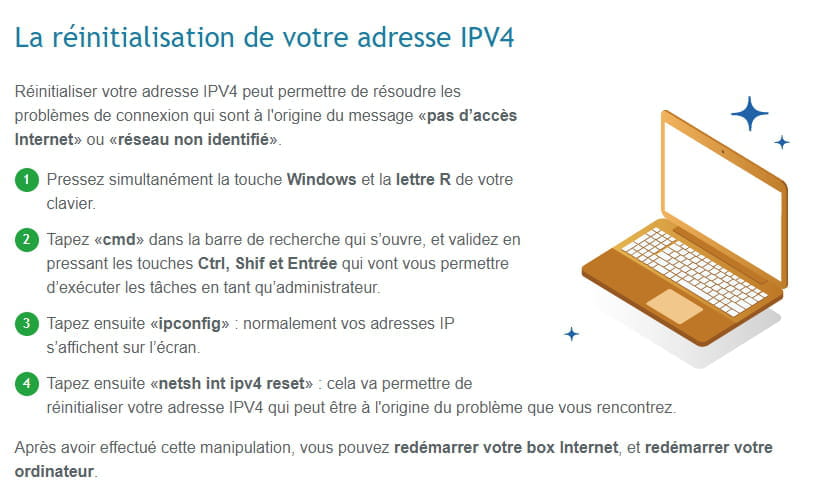
https://www.echosdunet.net/problemes-techniques/pas-dacces-internet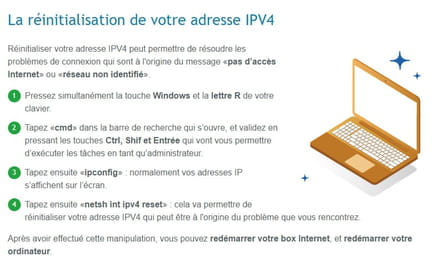
-
-
-
Hello, restore to a date before the failure.