DTI Connection
Solved
Hello,
I just installed my freeBox in the garage to get internet in the other 4 rooms with RJ45 outlets.
I tried connecting my internet outlet to the DTI test (the box completes its installation steps but does not provide internet in my rooms), connecting my outlet in the living room or one of the bedrooms and the same thing happened, connecting the outlet under the DTI test but the installation steps loop between step 2 and 3 without providing internet in my rooms.
I also tried to resolve my issue by connecting another RJ45 from my box to the DTI output, to the ports below and to the living room and bedrooms, and still nothing.
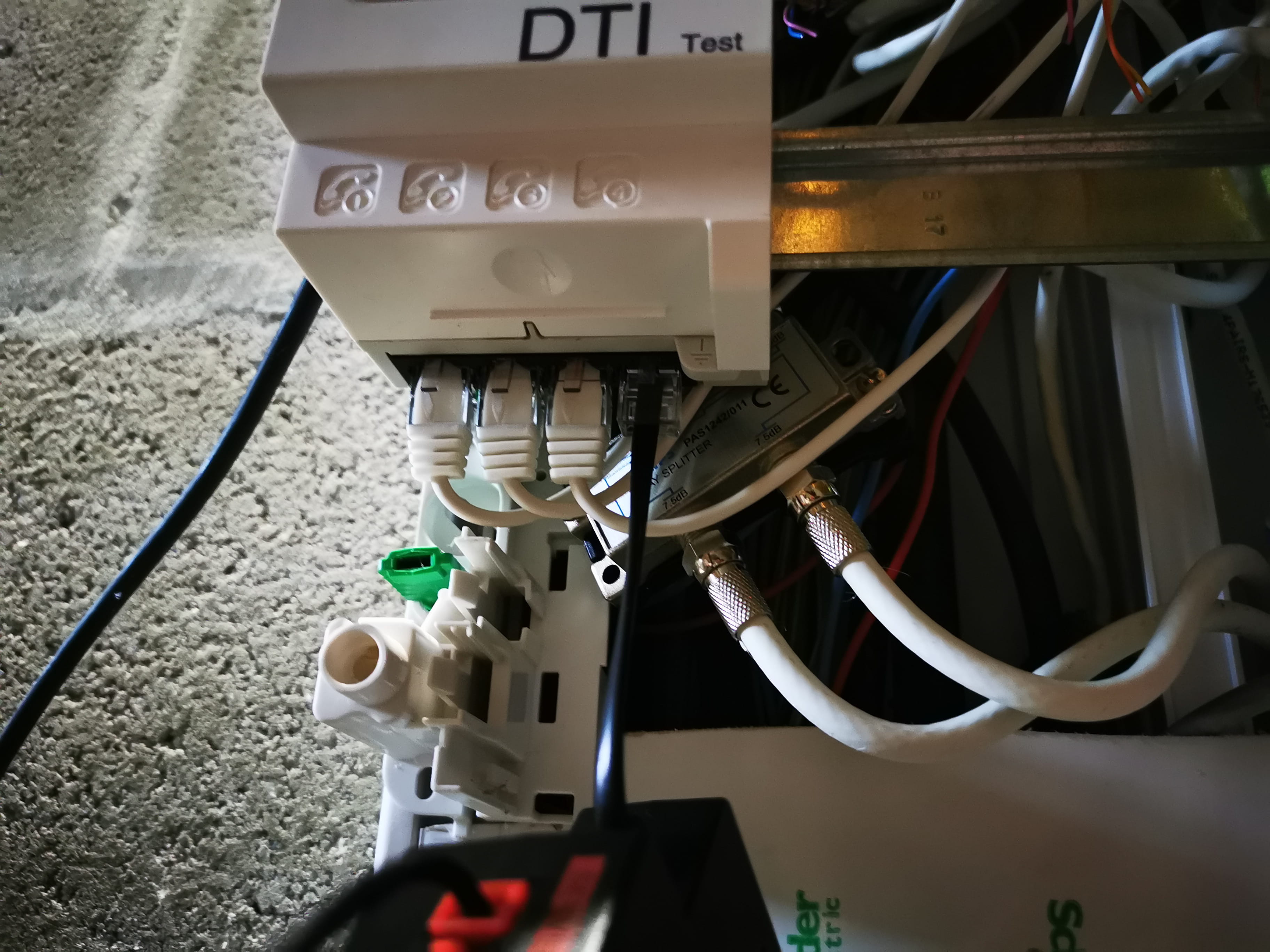
Here is my installation:
Does anyone know how to fix my problem?
Thank you in advance for your help.
I just installed my freeBox in the garage to get internet in the other 4 rooms with RJ45 outlets.
I tried connecting my internet outlet to the DTI test (the box completes its installation steps but does not provide internet in my rooms), connecting my outlet in the living room or one of the bedrooms and the same thing happened, connecting the outlet under the DTI test but the installation steps loop between step 2 and 3 without providing internet in my rooms.
I also tried to resolve my issue by connecting another RJ45 from my box to the DTI output, to the ports below and to the living room and bedrooms, and still nothing.
Here is my installation:
Does anyone know how to fix my problem?
Thank you in advance for your help.
3 answers
-
ModeratorSo, in ADSL you need to connect the box to one of the outputs under the DTI. It is probably the black cable currently?
Then you need to remove all the thin white cables, they only allow for phone service, not Ethernet. And with proper Ethernet cords, connect the 4 Ethernet outputs of the box to the 4 departures for living room/Chx.
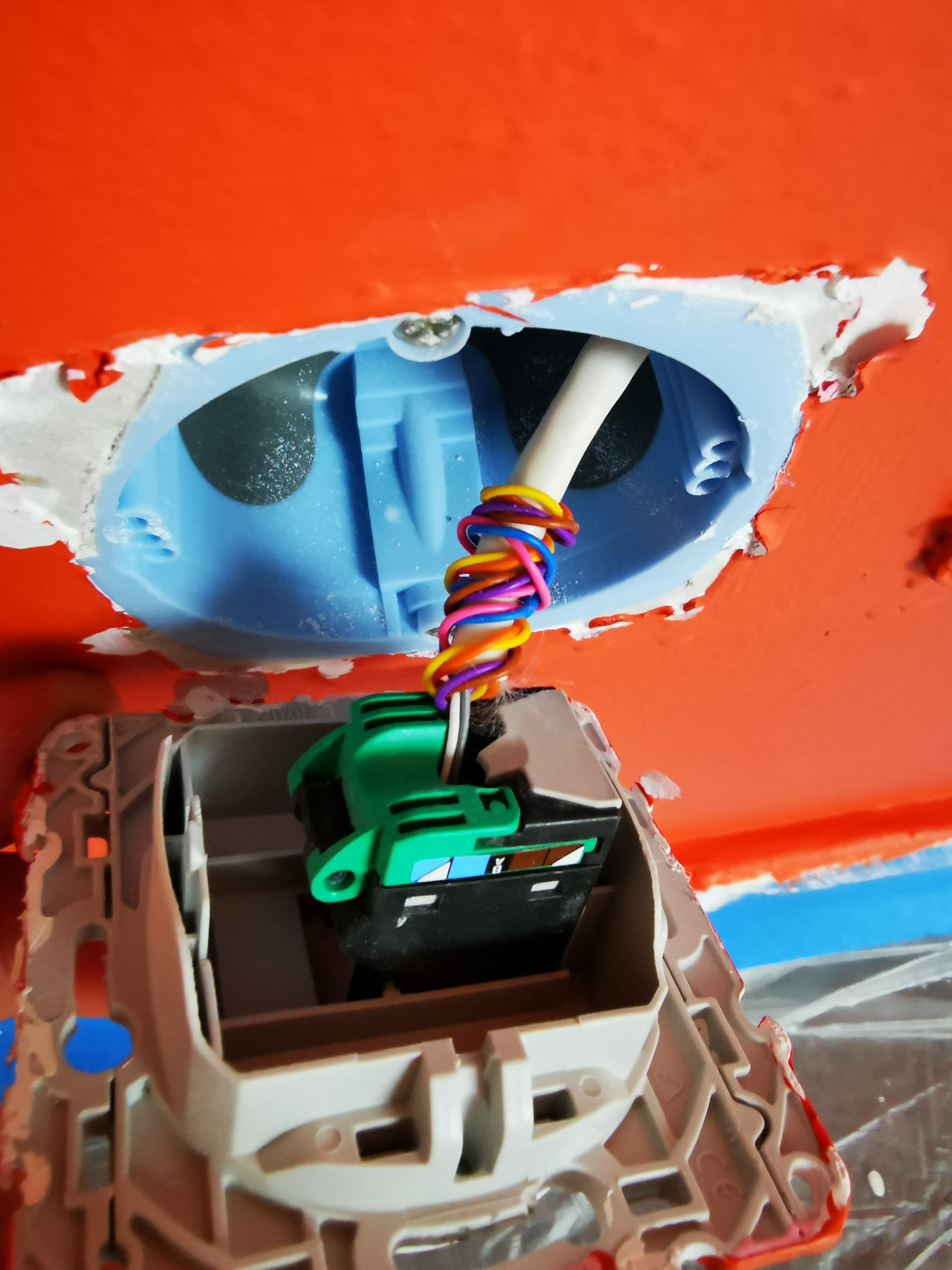
And you need to test it. If it doesn't work, you will need to check the wiring of the outlet connections and wall sockets. Because it is often the case that the installation is only done for phone service, with only 2 wires connected, whereas for Ethernet, all 8 wires in a cable need to be connected.
-
-
Moderator@Frip29Yes, the 3 short cables are not Ethernet cables; they are actually phone cables.
To see the wiring, you need to remove a wall socket and also take apart one of the living room/socket connections.
-
-
ModeratorHello,
Do you have ADSL or Fiber internet connection?
With fiber, the DTI is no longer used. You need to connect an Ethernet output from the box directly to the start of each wall socket in the house.
With ADSL, the telephone line coming out of the DTI is connected to the line input of the box. There is no return from the box to the DTI.
We would need a photo of your setup so that we can get a clear idea of the components present.
-
I dismantled a socket upstairs and it seems that only 2 wires are connected

-
-
@jee peeThanks for your quick and precise explanations.
I'm going to buy 3 ethernet cables, I'll connect my box to the DTI. And I'll do the wiring for the sockets in the rooms.
I'm off to work and I'll test all of that tonight.
Thanks again ???? -
Moderator@Frip29We also need to check the connections in the central box, as they probably only have 2 wires, and we need to verify before touching the wall sockets, because the connections at both ends of the cable must respect the same wire order.
Look for some tutorials or videos on connecting female RJ45 sockets, as there are different models, such as
https://reseau-vdi.fr/cablage-rj45/
https://www.youtube.com/watch?v=tvXlrqtd6fY
https://www.youtube.com/watch?v=vL3a1m7YAUY -
@jee peeHi,
The last video link is not recommended, it seems like he is learning at the same time :-(² -
@jee peeHowever, I don't have the same colors at all as in the videos. And on the diagram you sent me earlier, instead of gray and white being in positions 1 and 2, I have them in 4 and 5.
-