Clear Windows Defender Protection History W10
Solved
Anonymous user
-
pistouri Posted messages 19010 Registration date Status Contributor Last intervention -
pistouri Posted messages 19010 Registration date Status Contributor Last intervention -
Hello,
how to delete the history of the protection of windows defender (only "low" protections) or schedule an automatic deletion - if possible after a few days
--
Thank you in advance to everyone for your responses. Best regards.
how to delete the history of the protection of windows defender (only "low" protections) or schedule an automatic deletion - if possible after a few days
--
Thank you in advance to everyone for your responses. Best regards.
6 answers
-
pistouri Posted messages 19010 Registration date Status Contributor Last intervention Ambassador 8 732
Hello,
When I copy/paste programdata ....I only get programdata-microsoft-windows
Go to This PC
Make it full screen.
Go to ►View
Check the box ►Hidden items
Go to Local Disk (C) ► ProgramData ► Microsoft ► Windows Defender ► Scan ► History ► Service
Delete all files in the Service folder.
Go to ►View
Uncheck the box ►Hidden items
--------------------------------------------------------------------------------------------------------------------------------------------------------------------------------
If that doesn't work:
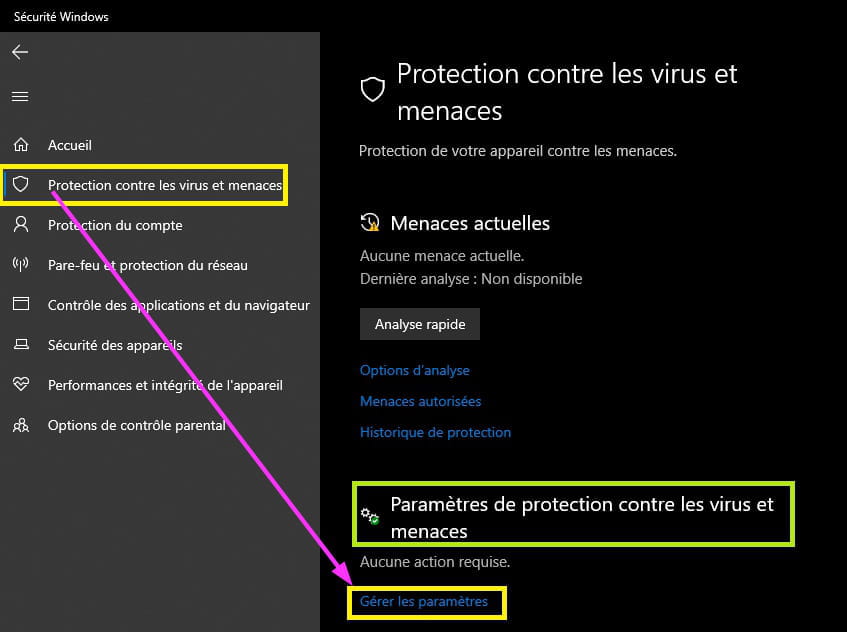
Open Windows Defender (Security Center) from the taskbar (in the hidden icons).
The line ►Virus & threat protection
On the right under the section ►Virus & threat protection settings
Click on ►Manage settings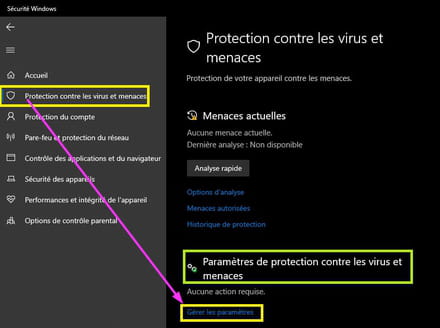
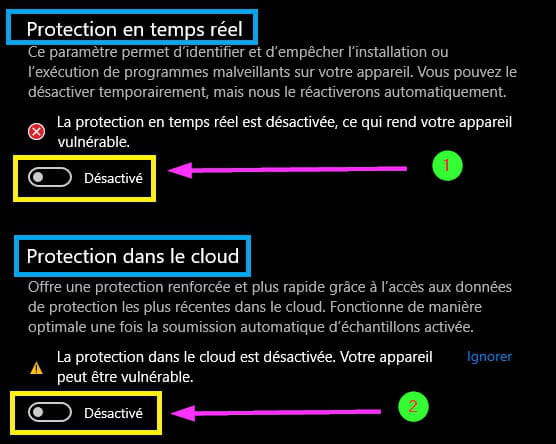
Disable ►Real-time protection
Disable ►Cloud protection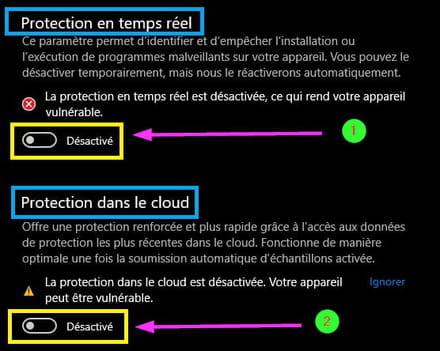
And go through the procedure again;
Go to This PC
Make it full screen.
Go to ►View
Check the box ►Hidden items
Local Disk (C) ► ProgramData ► Microsoft ► Windows Defender ► Scan ► History ► Service
Delete all files in the Service folder.
Go to ►View
Uncheck the box ►Hidden items
Close the window.
Open Windows Defender (Security Center) from the taskbar (in the hidden icons).
The line ►Virus & threat protection
On the right under the section ►Virus & threat protection settings
Click on ►Manage settings
Enable ►Real-time protection
Enable ►Cloud protection
A+